3 reasons to add Digital Asset Management (DAM) to your sales toolkit

This is a guest post by Pics.io.

Almost any company or organization can get value from using a digital asset management (DAM) solution. Sales agents in particular tend to benefit from a DAM platform because they are often weighed down by challenges like managing leads, finding the assets associated with each customer, and constantly updating contact and lead information.

If your salespeople have the tools and capabilities to act quickly and in a focused manner, they are much more likely to capture the interest of prospects and sell more. There are several areas in which digital asset management can be beneficial for the sales team.

#1 DAM provides quick access to marketing collateral  

Sales representatives often have to make a presentation on the fly, so having access to brand assets whenever they are needed is critical. This is where a DAM comes in handy. They can grab use cases, booklets, brand books, and presentations on the go and share them with a prospect or a distributor. Meanwhile, the central sales office works with marketing to ensure that the brand assets get used appropriately and by the right people to maintain brand consistency.

A digital asset management solution guarantees that the sales team will have access to the latest version of the marketing collateral. Hence, they will provide new and existing clients with the right materials at the right time. You do not have to spend a day searching for the right file.

#2 DAM makes sales efforts more effective  

With DAM, salespeople can quickly find and distribute valuable content to help personalize and reinforce their sales pitch. Simply put, a digital asset management solution helps your sales team to be more effective at selling. It does this by providing your sales team with quick access to appropriate resources at the right point in the buying cycle. Digital asset management can provide salespeople with a vast library of sales materials, so they can select and distribute the material that’s most relevant to the prospect they’re working with.

#3 DAM supports each stage of the buying cycle  

Giving sales prospects the appropriate takeaway content is also an effective way of making your sales process more effective. For example, we at Pics.io make records of our demo calls with prospective clients. These demos are placed into the specific collection within the system and are regularly reviewed.

Such an approach helps the sales team to improve the quality of future demo calls and increase the paid conversion rate. For example, if some information was not accurate during the call, the sales manager will follow up and correct his answer. Besides, it is possible that the client who took part in the demo has some colleagues who will be interested in the DAM solution. In this case, the client can just share the record with them.

This could be not only a demo, but a case study from a similar client, a completed proposal, or the presentation slides from your meeting. The salesperson can look back on the content and gain valuable insights to persuade the potential lead to make the final decision.

Leveraging Pics.io’s digital asset management integration with Zoho CRM

Let’s say you want to review the last demo call with your prospective lead. You communicated some time ago and the client has returned to discuss the subscription options after their free trial. Sure, you could search across the demos performed in recent months and find the one you need, but do you really want to spend valuable time on that? And what if you had that call three months ago, the client returned, and you do not remember where you have placed it? Sales professionals want their deals completed and do not want to waste productive searching across various assets.

The Pics.io integration with Zoho CRM can help with this. It allows you to easily access digital assets from your Pics.io library and attach them to specific leads in the CRM. As a result, you can have all assets centralized for each customer, easily access them at any time within the CRM, and search across assets belonging to each specific lead. Now when a salesperson finishes the new demo, they can easily attach it to the lead in Zoho CRM and access it at any time.

This integration eliminates the drudgery of long searches for the required information about prospective leads or current clients. Save valuable time and energy for your employees with the Pics.io integration with Zoho CRM.

Work smarter by adding new capabilities to Zoho CRM with business solutions from Zoho Marketplace.

Explore Zoho Marketplace

Net Universe offers all Zoho subscritpions and consultant services with worldwide Delivery Services.
Send us an email to [email protected] for more information or visit https://www.netuniversecorp.com/zoho.
6 ways an HRMS can benefit the retail sector

HRMS for the retail sector


Customer experience is one of the key aspects of the retail sector that could always be improved and managed more effectively. To create a seamless customer experience, you have to keep your employees happy, satisfied, and engaged. A great employee experience leads to great customer experience. However, if you want to improve employee experience, you have to strengthen the HR processes that impact every stage of the employee journey.  This is where an HRMS can help.

HRMS for the retail sector

It takes care of all the crucial HR processes, from onboarding to offboarding. Here are some of the benefits of using HRMS for the retail sector:

  • Reduces the employee turnover rate by helping you understand the expectations of employees and make better decisions for them

  • Supports workforce diversity by improving collaboration, communication, and feedback

  • Keeps employees engaged by enhancing employee recognition and appreciation

  • Eases employee training and development by supporting mobile learning

  • Prevents unnecessary errors in employee shift management by keeping employees well-informed

  • Improves transparency by providing 24/7 access to all essential HR information

Learn more about the uses of HRMS for the retail sector in our HR Knowledge hive.

Net Universe offers all Zoho subscritpions and consultant services with worldwide Delivery Services.
Send us an email to [email protected] for more information or visit https://www.netuniversecorp.com/zoho.
Zoho Campaigns meets Bigin: Getting more out of email marketing and CRM

Getting more out of email marketing and CRM

Two of the biggest challenges modern small businesses face are organizing and nurturing their contacts. Fortunately, there are software solutions for each of these problems. 

Zoho Campaigns, an email marketing software solution, lets you engage with your contacts through wide-reaching, automated email campaigns. However, how do you get the contact details into Campaigns in the first place?

 This is where CRM (Customer Relationship Management) software comes into play. A good CRM software solution will allow you to easily input visitor information into a database and track interactions with them so you know how likely they are to engage with your business on some level, whether it’s simply downloading a how-to ebook or actually purchasing your goods or services.

If you’re already familiar with CRM, you’ll know that the downside of these services is that they usually come with a price tag that is often too large for small businesses.

That’s why Zoho CRM created Bigin, a lightweight—but still robust—CRM solution for small businesses to more easily manage customer relations.

Even better, we’re proud to announce that Campaigns now seamlessly integrates with Bigin, so you can both track contacts and send them personalized email campaigns with the least amount of effort.

To see how this integration can help your small business, let’s look at an example. Stacy owns a book store and meticulously maintains her contacts using her compact CRM, Bigin. Though she has a lot of contact information at her fingertips, she isn’t sure how to use it to increase her sales. When Jim, one of her vendors, arrives to deliver stationery to the store, she mentions her predicament. Jim recommends trying Campaigns, which he has been using to send automated, personalized emails to his own contacts. With this new integration, Stacy can easily transfer her Bigin contacts into Campaigns and quickly segment them so she sends the most relevant content to the right recipients, increasing the likelihood of a sale.

If you’re like Stacy and looking to extend your email relations with your contacts in CRM, this new integration makes life much simpler.

Zoho Campaigns integrates with Bigin by Zoho CRM

As a small business owner, whether you’re managing day-to-day customer-related activities or setting up email campaigns for better reach and brand recognition, connecting your CRM and email marketing tools can make a huge difference.

Zoho Campaigns’s integration with Bigin means all contacts in the latter can be synced to your Zoho Campaigns account to: 

  • Send contacts personalized and effective emails for further nurturing

  • Activate workflows that trigger responses specifically related to the actions of your email recipients.

  • Understand your contacts’ psyche and target them with the right content at the right time using automated workflows.

Based on your business needs, you can sync your contacts periodically or immediately from Bigin to your Zoho Campaigns account. By doing this, you can reach all your contacts via email and effectively build contact networks.

Moreover, suppose you run a store with online services as well, just like Stacy or Jim, you can cater to your ecommerce customers by connecting it to your Zoho Campaigns account to send onboarding emails, nurturing and re-engagement emails, and customer retention emails. Also, integrating your Campaigns account with Zoho applications like Meeting, Backstage, etc. and other third-party day-to-day usage applications like Unbounce, Wistia, and many more will help in better efficiency and productivity.

Best practices when integrating Zoho Campaigns with Bigin

Map fields to craft personalized emails

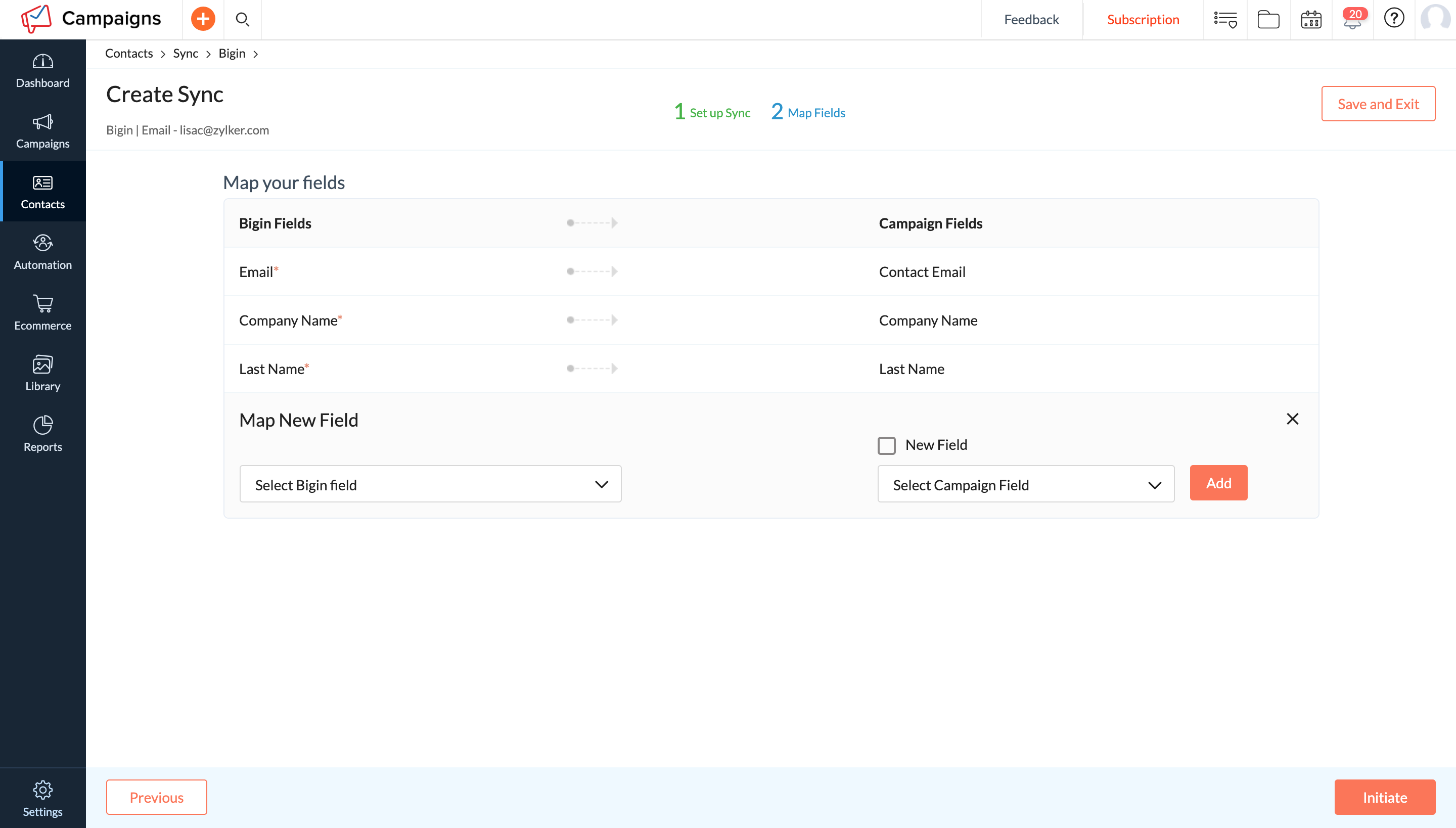
To create personalized emails, you’ll need contact data. When you create sync between Bigin and Campaigns accounts, ensure you map the right information necessary to send personalized emails—for example, email address, company details, and region.

Map fields to craft personalized emails

Send response data back to Bigin 

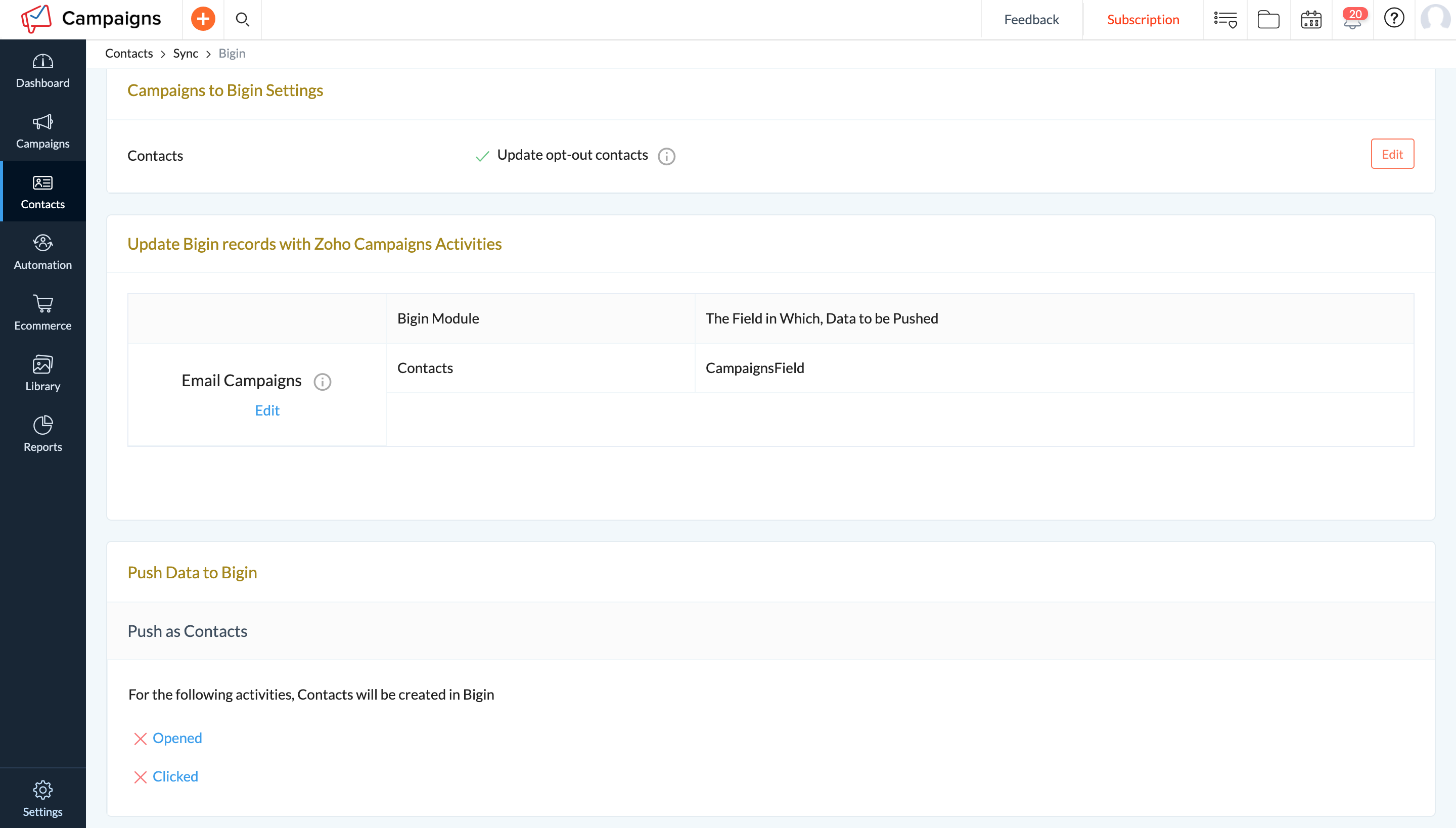
Once your emails are sent, Zoho Campaigns allows you to identify contacts who’ve clicked and opened your emails in the reports section. Push this data back to Bigin so that your sales team can further follow-up with your contacts to improve the likelihood of conversion.

Send response data back to Bigin

There you go! There will be a phase II of this integration, and we’ll reach out again when that is ready. But before that, let us know your thoughts in the comments below. Also, for more information regarding the integration setup, click here.

Still have doubts? No worries—let us know in comments and we will get back to you!

Net Universe offers all Zoho subscritpions and consultant services with worldwide Delivery Services.
Send us an email to [email protected] for more information or visit https://www.netuniversecorp.com/zoho.
Monitor and analyze data better with Custom Home Tabs

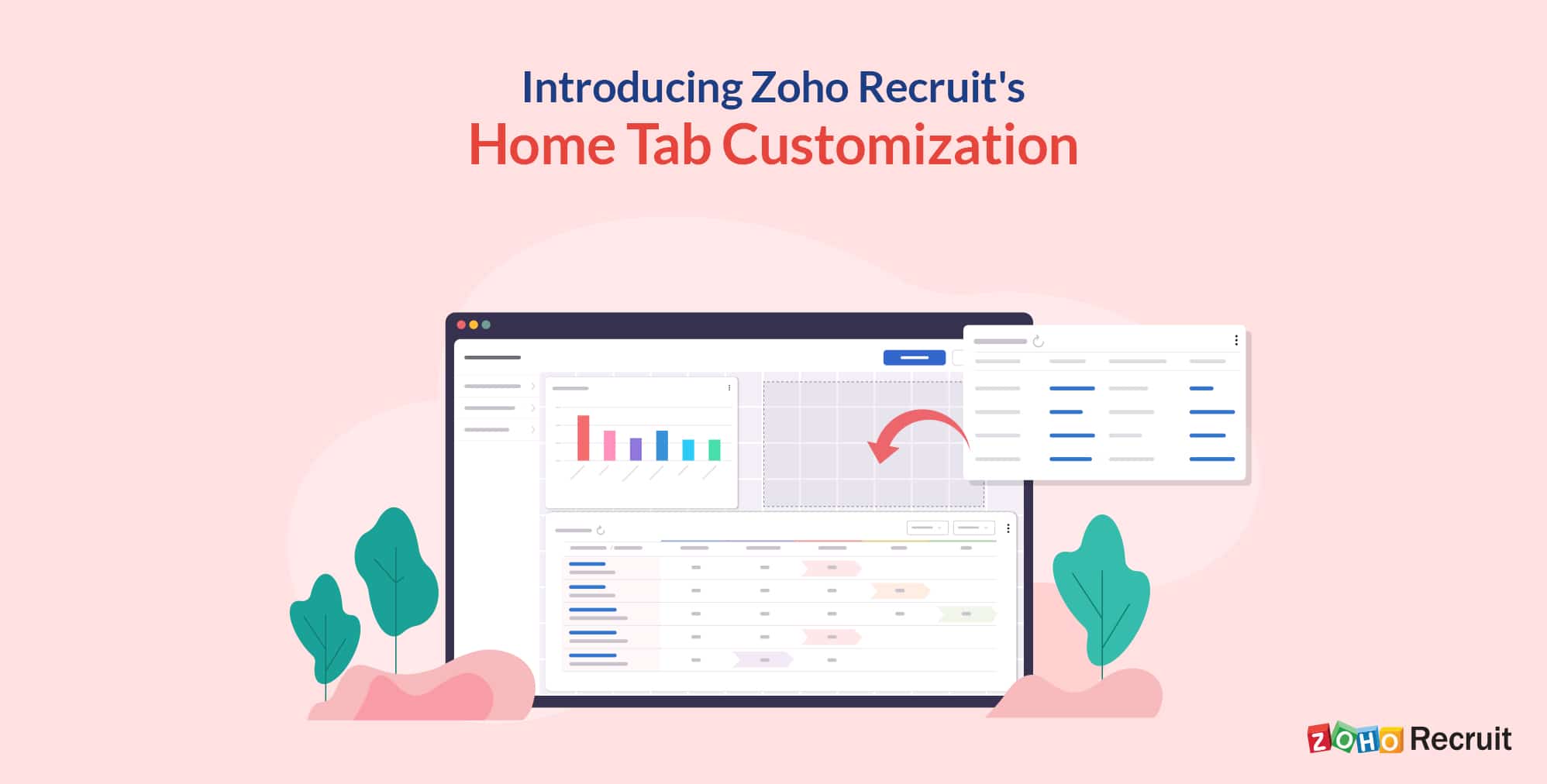
Dashboards are the best way to make sense of the recruitment data your company generates and turn it into actionable intelligence. Seeing streams of information interact and influence each other will help you visualize the bigger picture. A well-made dashboard will help you start your day methodically as you’ll be able to systematically track and manage your day-to-day tasks.

The Home Tab of Zoho Recruit gives you a quick glance at the progress of all your hiring activities. It contains components from different modules, such as Candidates, Job Openings, Interviews, and more. One look at the Home Tab components will tell you how your hiring initiatives are faring.

In addition to indicating the progress of your hiring activities, the Home Tab also serves as a great place to organize your day’s work as well as the work of your teams

Building a role-based Home Tab

Using Zoho Recruit’s highly customizable Home Tab, you can build role-based dashboards for your users. You can provide users with full visibility into the essential areas of your hiring process. Each role has different access permissions to your company’s hiring information, enabling users to stay focused on their part of the hiring process.

Coupled with a customizable dashboard, this lets you lay out data visually and provide your users with actionable insights.

A dashboard built for you

One of the most important things a hiring manager needs is visibility of the current hiring pipeline. This dashboard provides a detailed breakdown of what stages jobs are at, how many candidates are at each stage, and where your candidates are applying from.

Get a bird’s-eye view of your hiring process and track the progress of each job opening with Zoho Recruit’s Customizable Home Tab. Add dashboards, custom views, and special reports to your Home Tab, and make your hiring process a cut above the rest.

Components Used

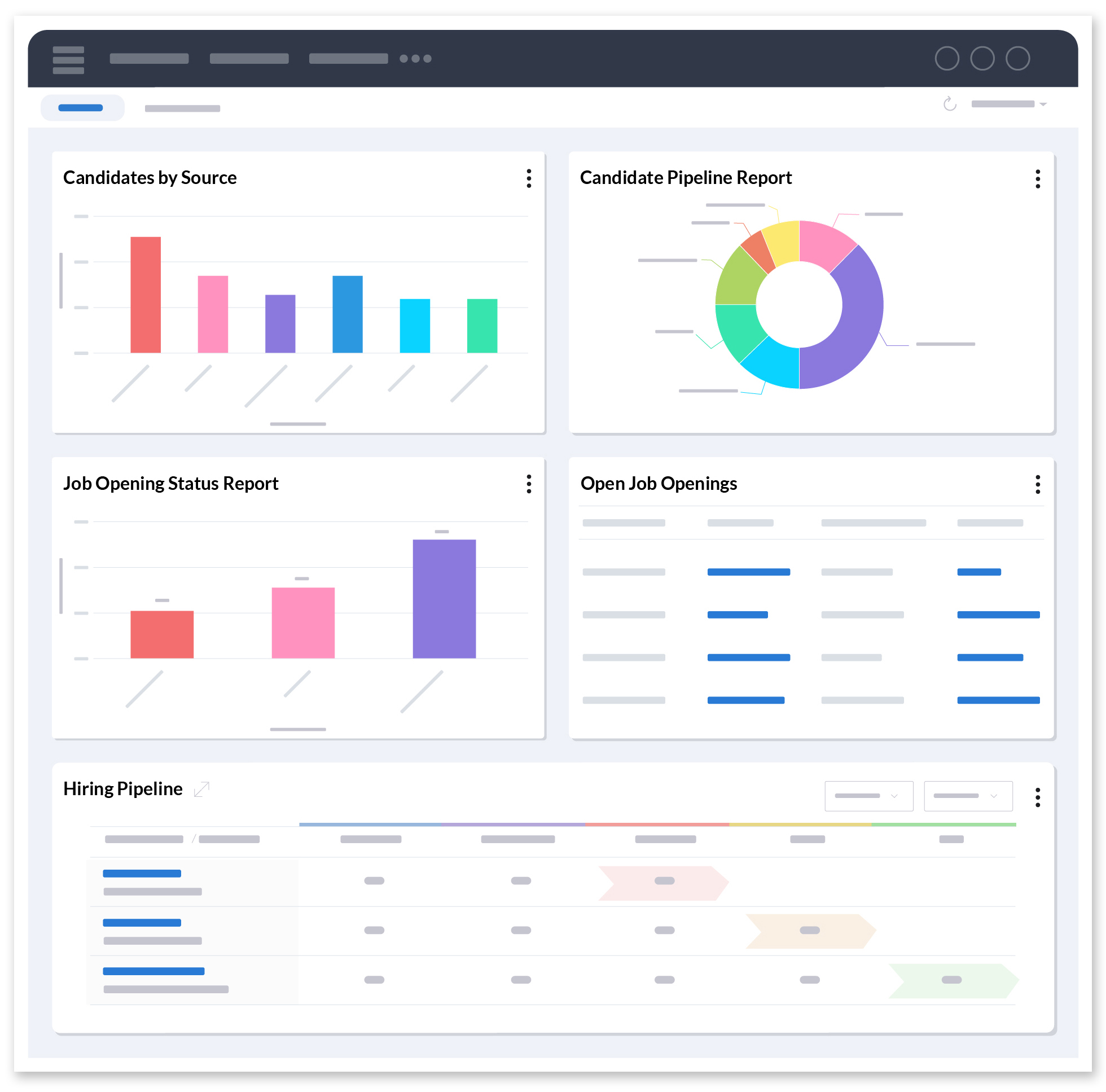
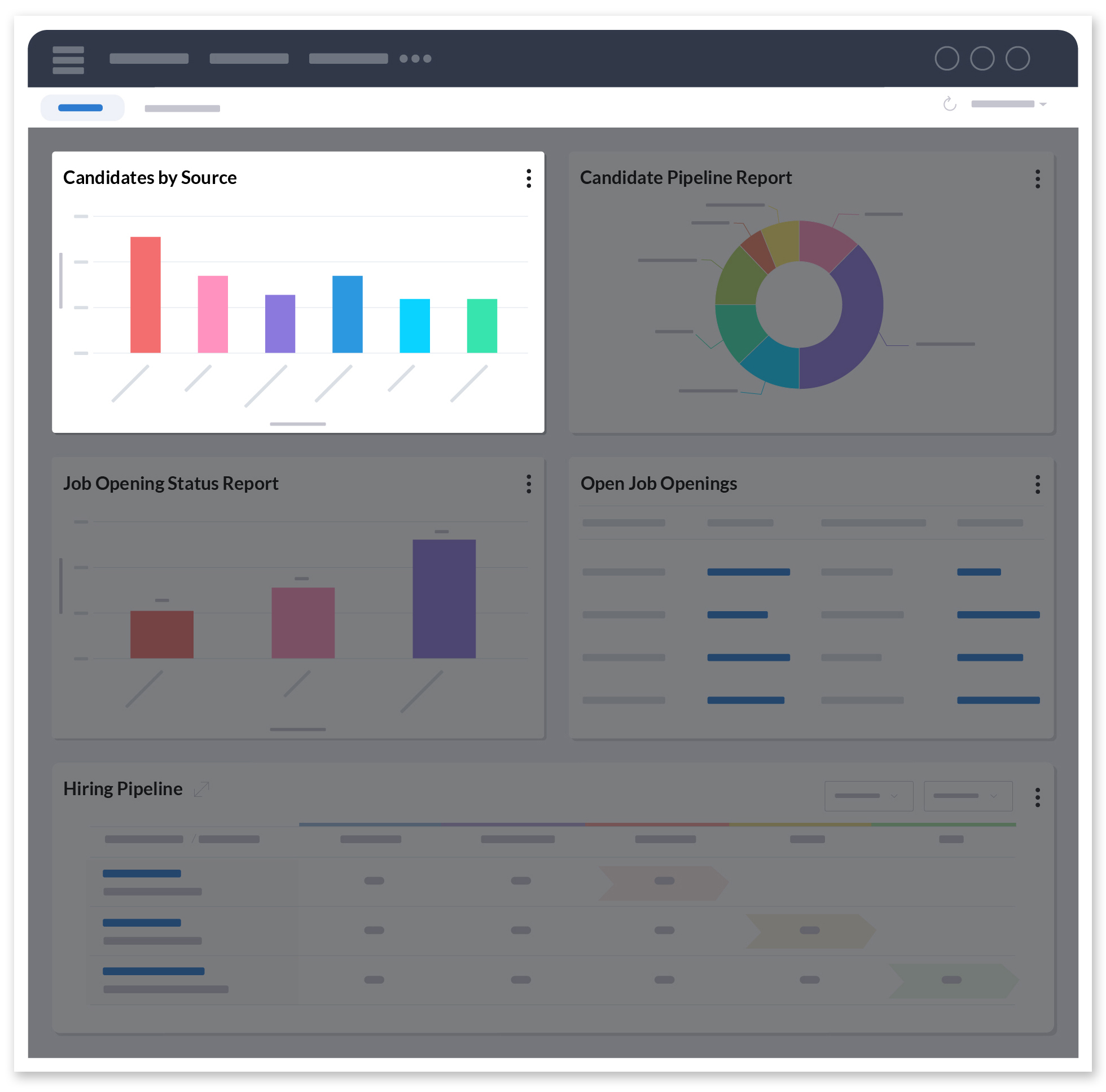
Candidates by Source

The Candidates by Source component helps you understand where your best candidates are coming from. This provides you with valuable insights into how candidates are finding your jobs.

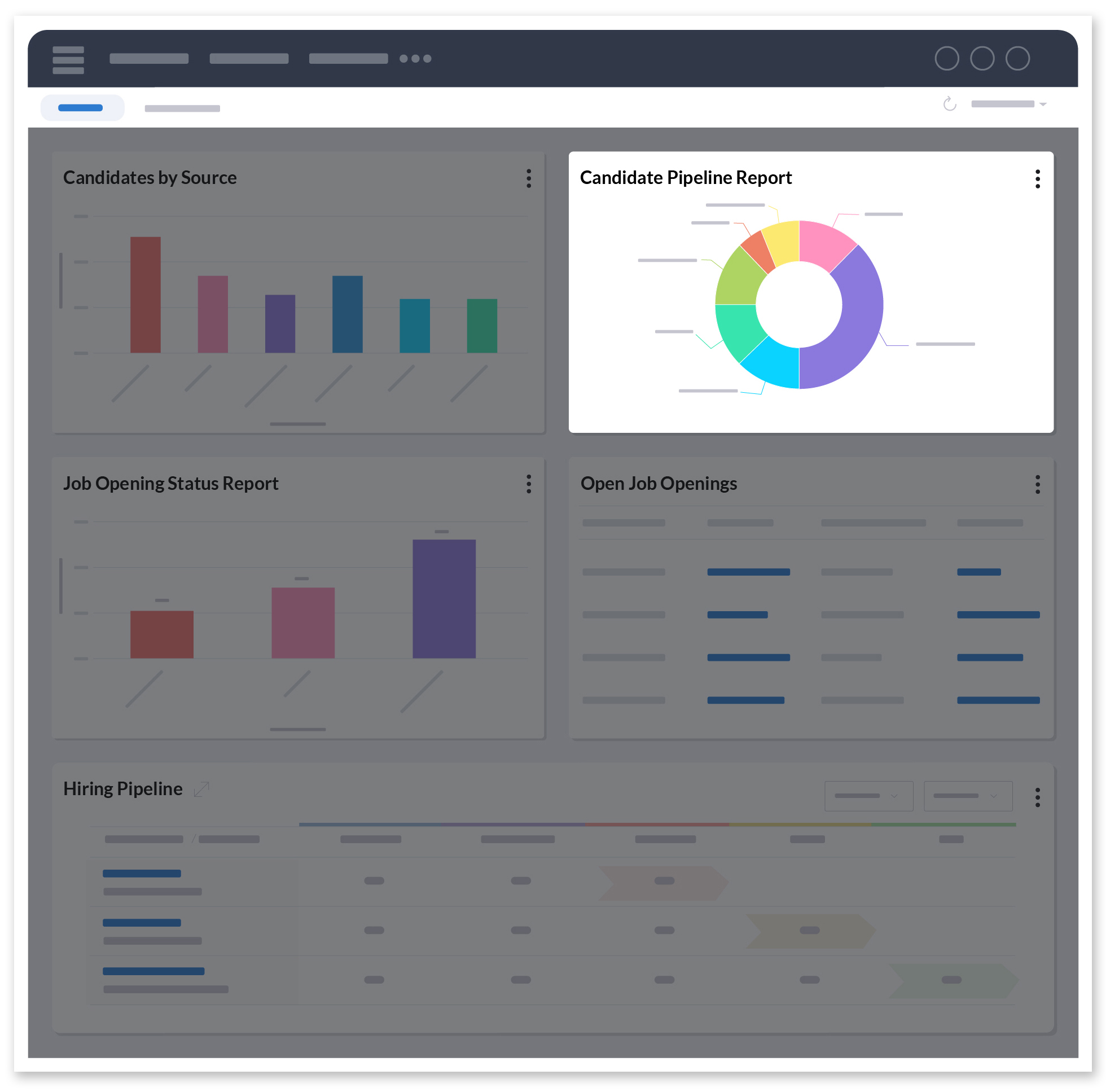
Candidate Pipeline Report

The Candidate Pipeline Report allows you to visualize your hiring process across time and know what stage of your recruitment pipeline your candidates are in. You can then plan your recruitment strategy accordingly.

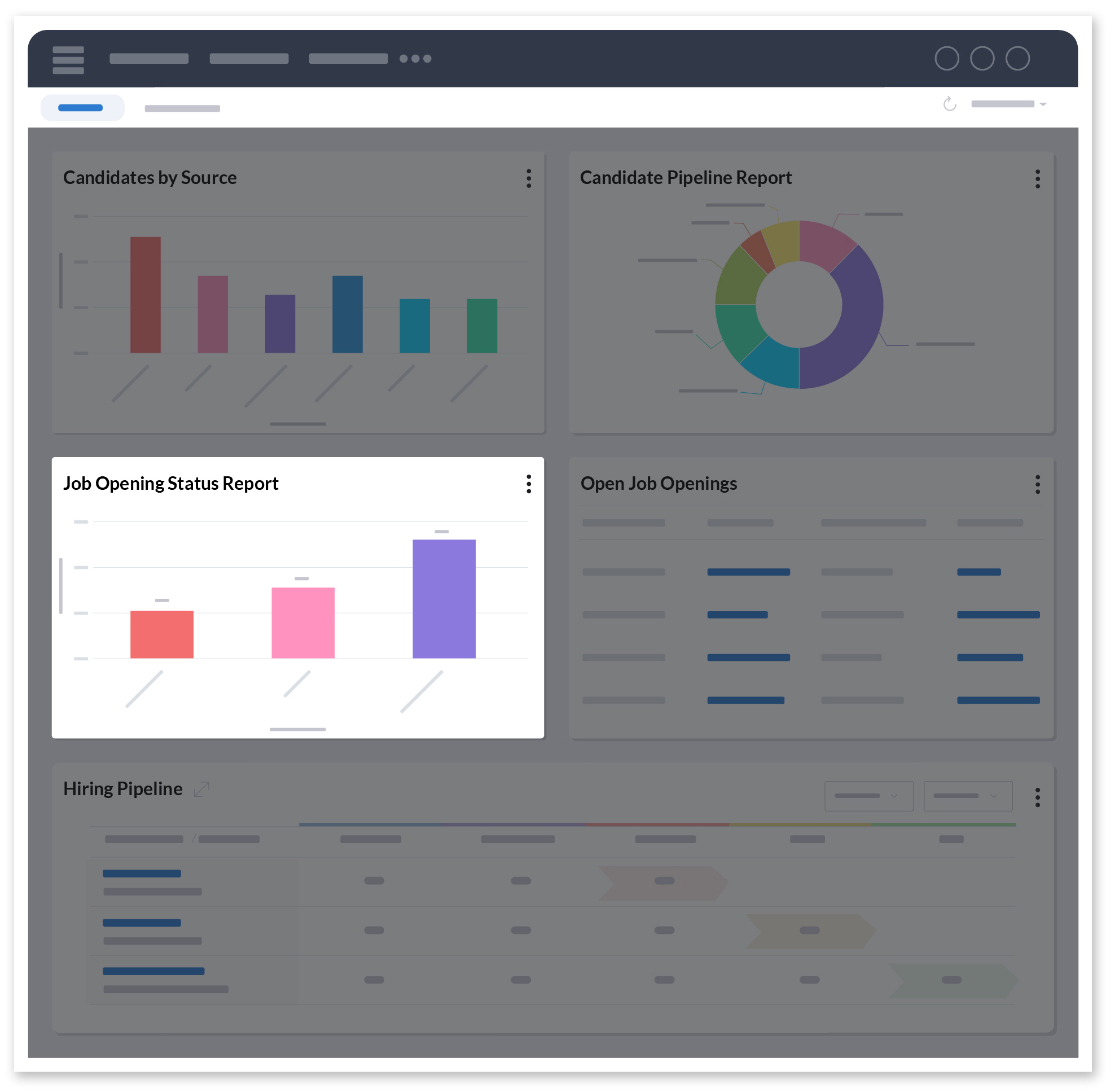
Jobs Opening Status Report

The Job Opening Status Report details the progress that has been made on active job openings. This is done by grouping jobs by their status and comparing them with the number of associated candidates who also have that same status.

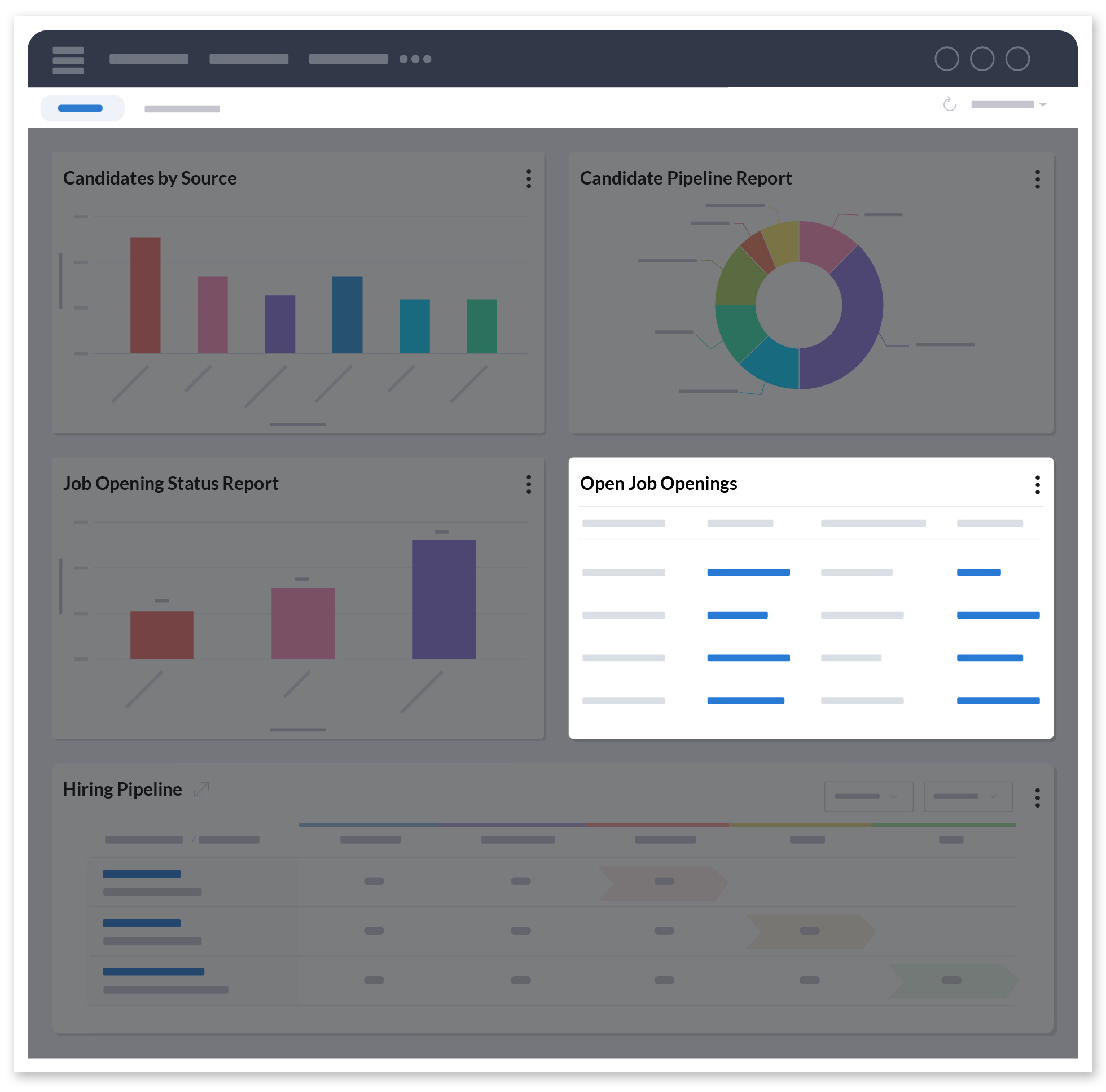
Open Job Openings View

The Open Job Openings view helps you stay updated with a list of open jobs and their details. Combined with the other components, this lets you view your progress and assign priorities.

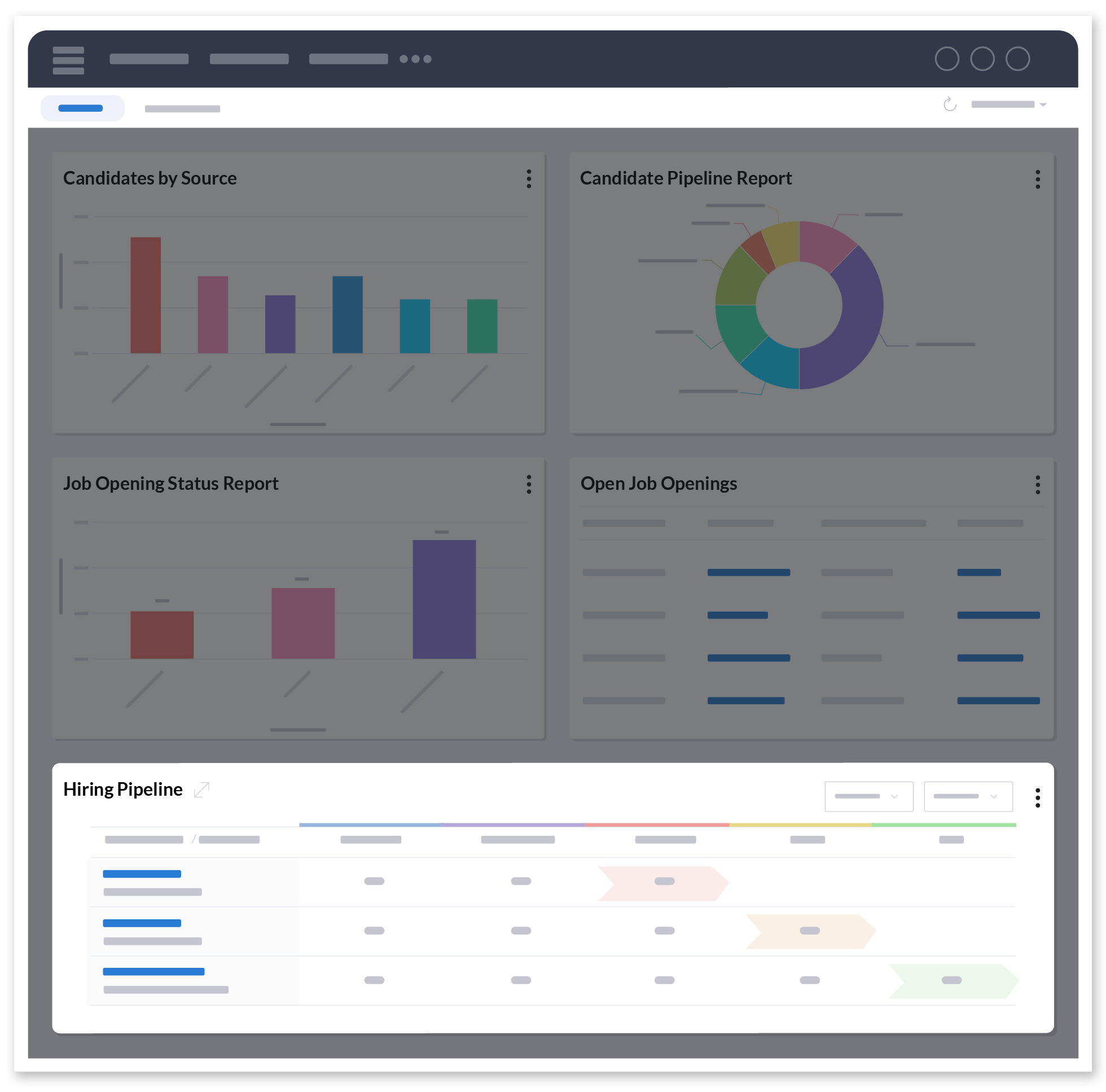
Hiring Pipeline

The Hiring Pipeline component shows you how many candidates are distributed across each stage in your hiring pipeline for every active job.

This dashboard was built with a generic hiring process in mind. Now, think of how much more you’ll be able to add to this if you customized Zoho Recruit to fit your unique hiring process.

Get started today!

If you have any questions or comments, you can reach us at [email protected] or leave a comment below!

Net Universe offers all Zoho subscritpions and consultant services with worldwide Delivery Services.
Send us an email to [email protected] for more information or visit https://www.netuniversecorp.com/zoho.
Introducing Zoho Payroll for Zoho People Plus: Put an end to payroll errors

HR professionals in an organization have to deal with a substantial amount of employee data. Even a small data error can lead to compliance issues and employee dissatisfaction. Employee payroll management is one of the business operations that can cause significant problems when not managed properly. Most of the time, payroll errors are caused when payroll and HR operations are handled separately. Your employees will lose confidence in your organization when there are repetitive errors in their paychecks.

Zoho Payroll for Zoho People Plus

Integrating and automating your Payroll and HR operations is a great way to reduce payroll errors. In order to alleviate some of the burdens of payroll processing, Zoho Payroll (Indian Edition), our in-house payroll management software, has been added to Zoho People Plus, our integrated HR suite.  This newest addition to Zoho People Plus can do wonders for your organization by making payroll processing simple and error-free. This can make your HR operations more efficient while providing a seamless employee experience. Here’s what you can do with Zoho Payroll:

With the Zoho Payroll, you can automate all your payroll processes, which is the secret to faster and successful payroll implementation. It puts an end to unexpected mistakes and ensures that your employees are paid accurately and on time. By configuring your pay frequency, pay date, and other statutory aspects of payroll including Professional Tax, Employee Provident Fund (EPF), and more, you can automate your organization’s payroll processing. You can also generate detailed payslips that provide information on various deductions and taxes and share them with employees.

Many payroll professionals spend much of their time and effort on compliance to avoid huge penalties and, in some cases, even license cancellation. With Zoho Payroll, ensuring compliance is a breeze. You don’t have to worry about aspects like updated compliance laws, maintaining and updating payroll records, and processing Tax Deduction at Source. Different locations can be configured to ensure that payroll processing is in line with local compliance laws.

The employee self-service portal that comes with Zoho Payroll will keep you and your employees on the same page. Employees can access the documents and information they need, including payslips, income tax returns, reimbursements, PF details, annual earnings, investment declarations, and more—all from a single window whenever they want. They can also import various bills for reimbursement through the portal. Zoho Payroll’s iOS and Android applications allow employees to do all these functions from anywhere, anytime. This way, you can avoid confusion, and your employees can get timely money returns.

As payroll is one of the most expensive processes in your organization, it’s necessary to have clear visibility with every step. With Zoho Payroll, reports that explain concepts such as EPF, Professional Tax, Employee State Insurance, tax returns, overall payroll costs, and monthly salaries can be obtained and shared in just a few steps. You can also generate reports that give you an overview of your employee time-off and attendance information.

These are some of the many things that you can do with Zoho Payroll. It’s designed to take the tedium out of payroll processing and make it as simple and immaculate as possible. Give it a try and let us know what you think in the comment box below!

Please note that Zoho Payroll is available only for India.

Have  questions? Write to us at [email protected]


Net Universe offers all Zoho subscritpions and consultant services with worldwide Delivery Services.
Send us an email to [email protected] for more information or visit https://www.netuniversecorp.com/zoho.
Augmented analytics in health care

From being passive consumers to becoming active participants today, the needs and expectations of patients have increased substantially over time. The past few decades have seen major advances in medicine and health care, and this has brought about disruption in the industry. Achieving outcomes through innovation, at a lower cost, is more imperative than ever.

 Healthcare has always generated a vast amount of data from scientific research, clinical trials, treatment, and patient profiling. Estimates suggest that the amount of medical data doubles every three years.In this space, there is sufficient impetus for Analytics augmented with enabling latest technologies like Machine Learning and AI, to step in and offer insights in real-time to improve the efficiency and speed of healthcare functioning.

 Traditionally, large scale, wider adoption of new technologies within health systems has been a huge barrier. If applied well, the augmented technologies can help in taking some share of the existing burden, shifting care from reactive (i.e treatment) to proactive (i.e prevention) as much as possible. For them to succeed, they need to be integrated or embedded seamlessly within the current workflows and drive productivity without compromising the ‘human touch.’

AI Powered Analytics in Healthcare

Key drivers of analytics adoption

 Improving patient outcomes

Any success in proactive diagnostics can be achieved by pre-empting avoidable hospitalisations beforehand. Augmented analytics can drive personalised medicine by offering a holistic view of a patient’s health condition from various data sources (like electronic medical records and data from wearables) that helps in preventive healthcare.

Despite all the effort, patients still get admitted into hospitals and worse get readmitted again. Up to 25% of patients who are discharged from hospital, return within 30 days. Most of these readmissions are preventable.  Here again, Analytics can help with trends and insights to understand the reasons behind and make sure patients get adequate transitional care.

Here’s a dashboard that helps to continuously track 30-day readmissions in a hospital:

Optimization of healthcare operations

Providing healthcare as a service involves dealing with challenges that are hard and unique such as higher number of steps in a procedure (say clinical diagnosis), high variability and anomaly at each step, zero scope for medical errors. All this while facing cost and revenue pressures (in case of private institutions) no different from other industries.

To streamline and optimise the operations of a healthcare provider, say a hospital, analytics can help with continuous monitoring of key parameters such as patient visits, waiting/admission time and cost. They help in setting the direction and determining further course of actions from time-to-time.

The following is a sample dashboard to track the performance of hospital operations:

Improving healthcare quality

Often compared with airline industry for six-sigma efficiency, the margin of errors that healthcare could afford is 0.002 errors/million. A major impediment to achieving this is the complications that rise from hospital care, notably Hospital Acquired Infections (HAIs) which can occur due to the spread of multi-drug resistant pathogens, surgical errors, and adverse drug effects.

 HAIs can effect major strain on both patients’ health and  hospital’s resources.By leveraging advanced analytics, hospitals can quickly identify the sources of an infection, track its spread, and contain it as quickly as possible.

The dashboard that captures key insights on hospital acquired infections can be seen below:

Challenges for analytics adoption in healthcare

Trust issues

A fundamental issue that affects augmented analytics adoption is the lack of accurate understanding about how the system arrives at its conclusions. Hence, more effort is required on the part of providers to address the concerns of technicians, nurses, and physicians. One notable example is the apprehension about the undetected bias in data analysis which can be clarified by pointing out that it is easier to minimize algorithmic bias than potential human bias. This helps to build trust and thereby improve buy-in.

Data access and regulations

There has been a significant rise in compliance and fraud risks, especially the misuse of personal health data. Regulations like GDPR (to which Zoho is compliant) classifies all health care data as a sensitive subcategory of personal data. The most important and rather tedious step is to ensure necessary consent is obtained for all the relevant data collected. Therefore, health care providers must be ready for significant investment towards a proactive and secure approach to data collection and analysis. The benefits of working in this direction greatly outweigh the effort.

 We at Zoho Analytics provide advanced analytical capabilities augmented with AI, both in on-premise and on the cloud. Learn more about our AI-powered smart analytics assistant Zia, here. You can also get started with us to better understand what we offer.

Net Universe offers all Zoho subscritpions and consultant services with worldwide Delivery Services.
Send us an email to [email protected] for more information or visit https://www.netuniversecorp.com/zoho.
ProTips: 5 ways to boost your customers’ post-purchase delivery experience

This is a guest post by Sashank Ravindranath, LateShipment.com.

Customer experience is your customers’ holistic perception of their experience with your business or brand across every stage of their journey. The delightful marketing campaigns to catch prospects’ attention, the on-site experience in product discovery, the frictionless checkout process, and finally the delivery experience you provide all contribute to the overall customer experience.

The last one is all-too-often neglected and negates your efforts in the other areas.

Businesses lose control of their delivery experience when their shipping needs are outsourced to a third-party shipping carrier. While shipping carriers strive to deliver parcels on time, the truth is that more than 6% of parcels are routinely delayed. The problem with delays and other delivery issues is that they can hurt your business in more ways than one:

  • They lead to poor delivery experiences, which in turn lead to customer dissatisfaction and drives customers to switch to your competitors.
  • Apart from not shopping with you, disgruntled customers also vent their frustrations on social media and through word-of-mouth, deterring prospective customers from shopping with you.
  • As if losing your loyal customers and brand reputation was not enough, bad delivery experiences cost you money in the form of low sales, reduced customer acquisition, and increased cost of returns.

While neglecting the post-purchase delivery experience you provided can be costly, taking proactive measures to improve it can help your retention and brand reputation. Here’s what you need to do:

ProTip 1: Ensure real-time visibility of your shipments in transit   

When your shipment in transit is about to face an issue, being able to see where it is in the delivery process places you in the best position to deal with the situation. By tracking and tracing parcels to their current location, you can identify any issues that arise and resolve them.

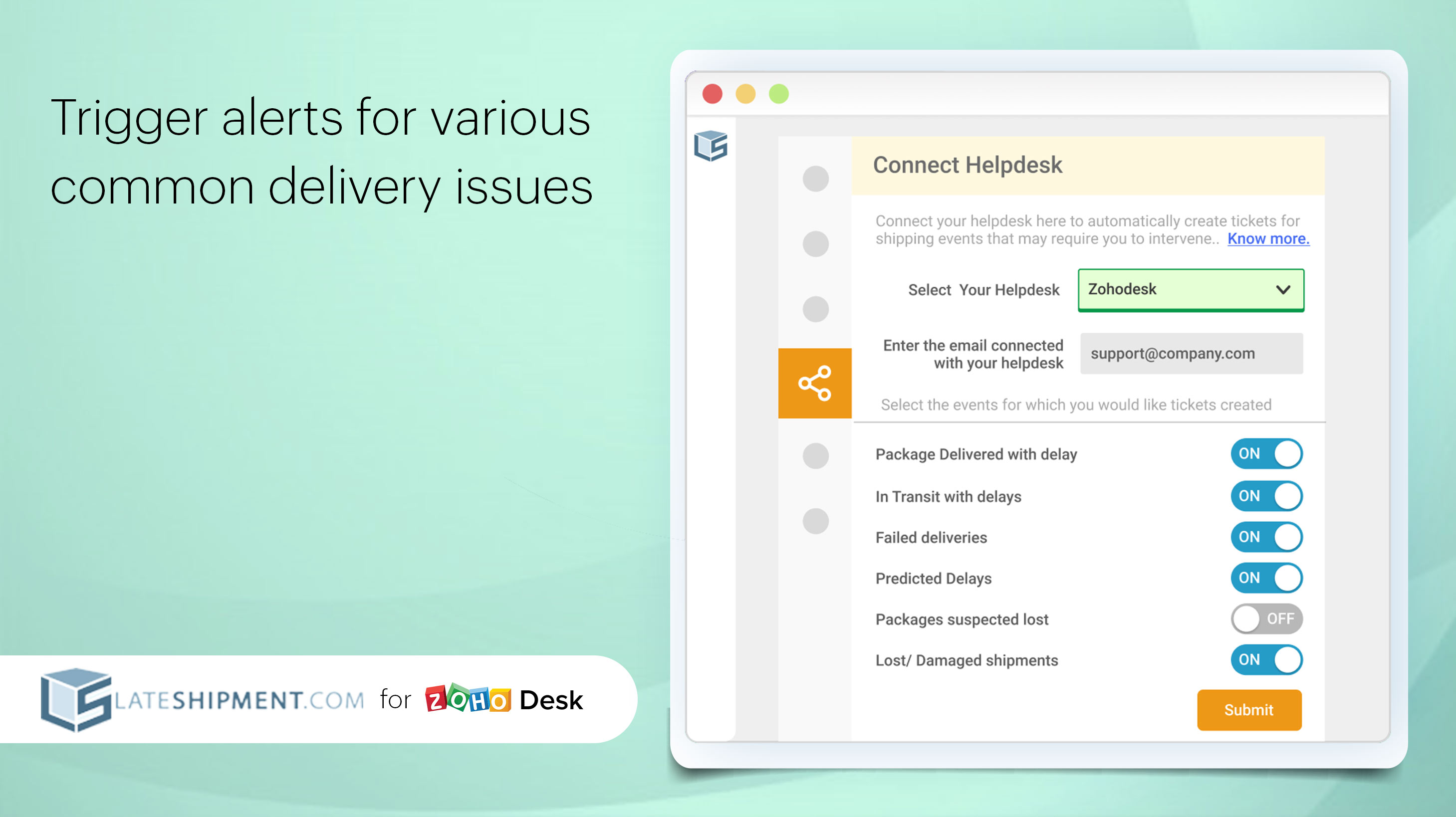
If you ship a large volume of parcels, make use of technology that extends this post-purchase visibility to your help desk software by triggering support tickets.

Benefit: With the data in hand providing extensive post-purchase visibility, support executives can stay updated in real-time while handling delivery issues, and save time by resolving them before they can impact your customers.

ProTip 2: Proactively identify critical delivery issues that commonly occur with shipments in transit  

By triggering alerts for various delivery related issues such as predicted delays, failed deliveries, and lost or damaged shipments, your support team can recognize at a glance issues that require intervention, and stay on top of them.

Benefit: With timely alerts, customer support executives can take preemptive action before an issue impacts customers, preventing a negative experience. Also, being proactive saves valuable support time by eliminating the need to sift through hours of data to identify an issue.

ProTip 3: Hyper-engage with customers through automated or custom order delivery notifications  

Customers are anxious about their orders and always expect to be kept in the loop about their order’s status. This is why you need to take action and initiate communication with customers regarding their orders’ status and regularly update them, showing them that you’ve got their back.

Benefit: By notifying customers of important order updates automatically, you can reduce their pre-delivery anxiety and earn their trust, which ensures customer retention. Make use of a platform that provides you the option to create and manage your email templates while staying consistent with your brand language.

ProTip 4: Create your own branded tracking page and provide an on-brand post-purchase experience  

88% of customers regularly track the status of their orders, underscoring the importance of order tracking pages. However, the tracking pages provided by shipping carriers are a lost opportunity, as they are often opaque on delivery issues and not in line with your brand.

This is why you should have your own branded tracking page and make order tracking an extension of your brand experience. Your tracking page should mirror your website in terms of language and design, to make your customer’s post-purchase experience feel like a continuous part of the overall brand experience.

Take advantage of technology that allows you to choose your style of layout, update your logo, and customize other brand elements on your branded order tracking page to create an immersive experience for the customer.

Benefit: This allows you to use post-purchase touchpoints to drive sales. Your branded tracking page ensures that your brand is on the top of customers’ minds. Also, your order tracking page is free real estate you can utilize to run relevant promotions and campaigns to leverage upselling and cross-selling opportunities.

ProTip 5: Be aware of your customers’ delivery expectations  

Delivery Satisfaction or DSAT Ratings are a comprehensive, unbiased measure of how satisfied your customers are with their deliveries and help you evaluate your carrier’s delivery performance.

Capture your customers’ feedback after every delivery, thereby helping you make better shipping choices as well as identify areas of improvement in post-purchase customer satisfaction.

Benefit: Knowing how your shipping performance fares and what your customers think of their delivery experience helps you consistently make better delivery choices, thus improving your brand’s post-purchase experience, which in turn plays a huge role in customer retention.

Follow these pro tips to turn the tide in your favor and make a difference in the delivery experience you provide your customers. An effortless way to do this is with the LateShipment.com integration with Zoho Desk.

The LateShipment.com and Zoho Desk integration

With the LateShipment.com and Zoho Desk integration, you can stay ahead of your customers’ post-purchase issues and delight them with meaningful engagement.

LateShipment.com for Zoho Desk allows you to

  • Automatically trigger delivery-related tickets for delivery errors that are preemptively pushed to Zoho Desk from LateShipment.com
  • Send personalized messages to customers from Zoho Desk based on the tickets generated from LateShipment.com and ensure that their delivery issues are addressed
  • Set up automated email notifications for shipping events like “Shipped,” “Out for delivery,” “Attempted,” and “Delivered” and proactively communicate with customers
  • Provide customers with easy-to-track, branded tracking pages, so they can have quick access to their order delivery status
  • Capture critical feedback from customers on their delivery satisfaction to improve delivery quality

LateShipment.com for Zoho Desk can be a win for your organization. It only takes two minutes to get started on providing your customers with memorable delivery experiences at scale and saving money.

Try LateShipment.com for Zoho Desk

Net Universe offers all Zoho subscritpions and consultant services with worldwide Delivery Services.
Send us an email to [email protected] for more information or visit https://www.netuniversecorp.com/zoho.
Zoho Mail Blog | Video conference tools in your inbox: Part 2

The first part of our Meet Online series covered our Cliq integration that makes collaborating with your remote team members easier. However, we know video conferencing isn’t just for your organization. While collaboration within your team is important for productivity, communicating with customers is crucial to keep your business running.

Online meetings and webinars with Zoho Meeting

Whether you need to hold a meeting with clients or conduct a webinar for your existing customers, Zoho Meeting’s integration with Zoho Mail makes it easier than ever.

This integration helps you do more than just access Zoho Meeting from your inbox. You can now create, schedule, and join meetings contextually in multiple ways, all directly from your Zoho Mail inbox.

Quick Launch

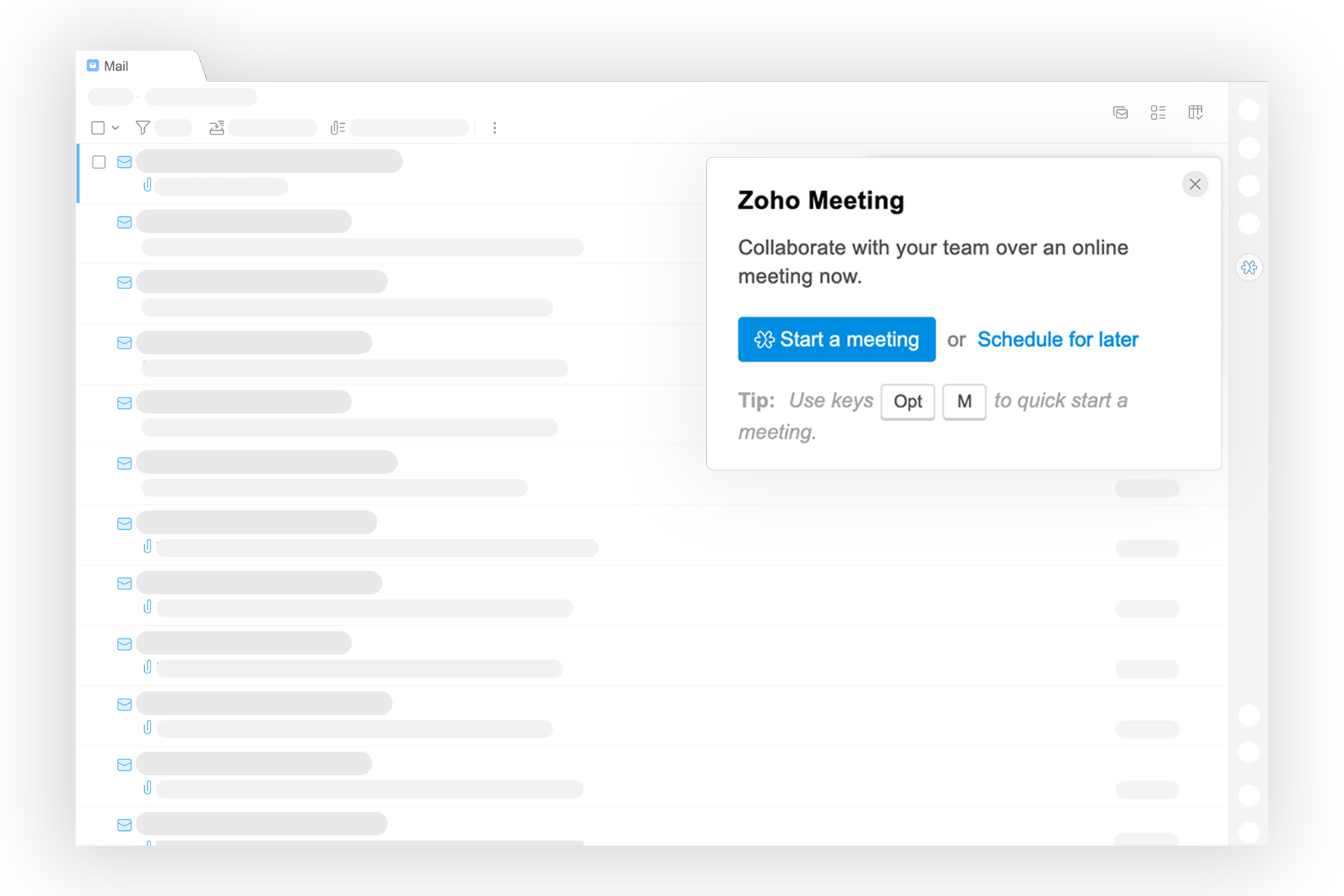
Suddenly remembered the meeting you had to schedule while reading your email? You can now launch Zoho Meeting with a single click from anywhere in your inbox. Simply click on the Zoho Meeting icon in the right pane to start a meeting or schedule one for later.

Once you’ve started the meeting, you can even send out invites through an email or a Cliq message from the Meeting card. With everything in place, launch your meeting and start talking!

eWidget for deeper integration

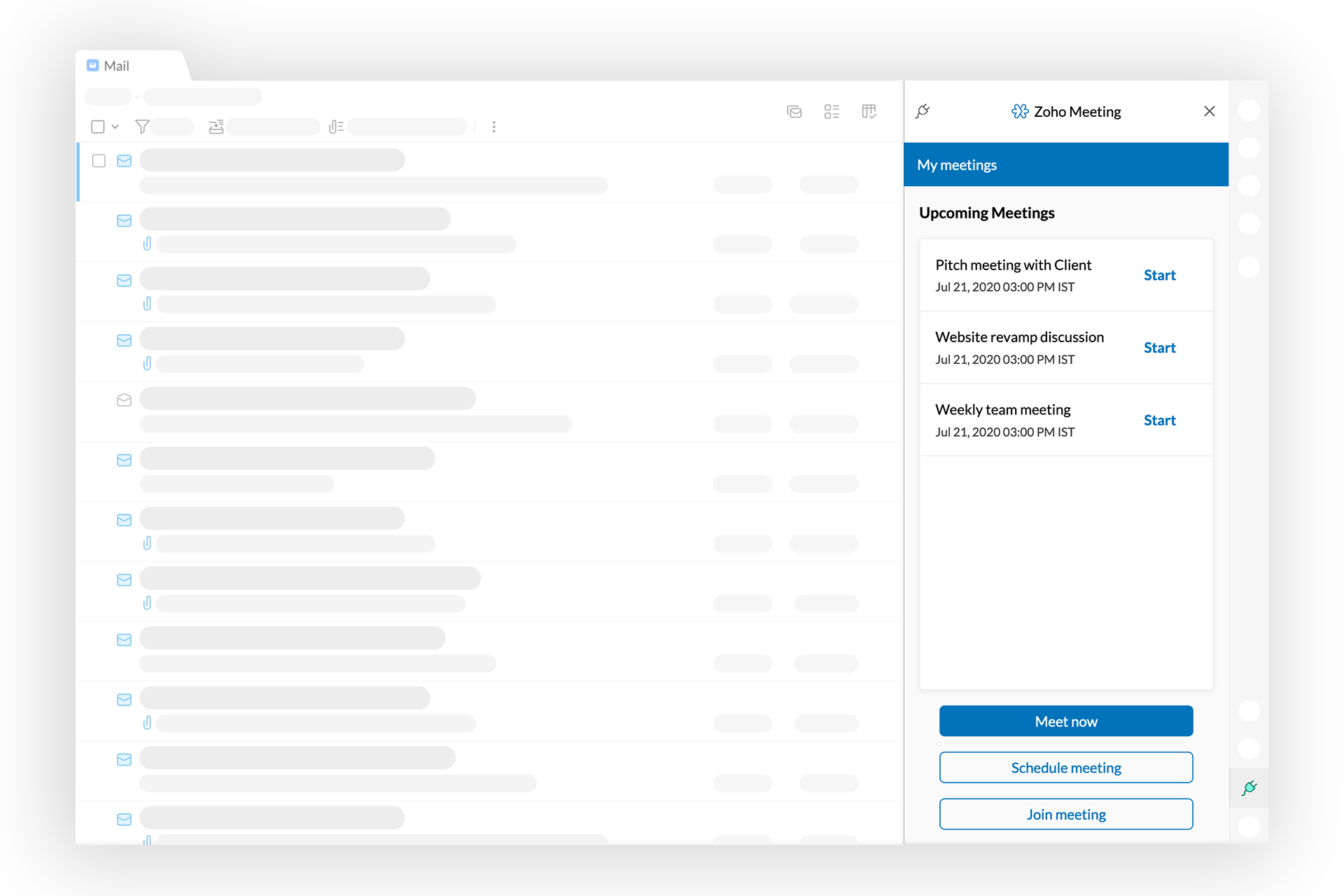
Setting up a meeting from your mailbox is not always enough. With the Zoho Meeting eWidget, you can also view, edit, and start your upcoming meetings without leaving Zoho Mail.

Our contextual integration helps you instantly convert your emails into meetings. When you open any email, eWidget populates the information into the relevant fields to schedule a meeting with everyone in the conversation.

You can also join meetings from the eWidget using your Meeting key.

With this video conferencing integration, we hope you’re a few steps closer to a seamless remote work experience. In the next and final post of this series, we’ll talk about the Mail integration that makes online training sessions a breeze.

Until then, stay safe and tell us your feedback in the comments. If you liked our integration, let others know with a tweet!


Get the complete Zoho advantage: you can now use Zoho Mail along with the broad suite of products that Zoho offers by signing up for Zoho Workplace or Zoho One.

Net Universe offers all Zoho subscritpions and consultant services with worldwide Delivery Services.
Send us an email to [email protected] for more information or visit https://www.netuniversecorp.com/zoho.
Enhance your time tracking system with Zoho Workerly Kiosk

Recording temp attendance, managing timesheets, and exporting them to payroll doesn’t just eat up your time. It can be really expensive if done incorrectly.

Especially during this ongoing pandemic, managing Time and People can be challenging. Time tracking and attendance software should help you be more efficient, so the last thing you want is to waste time implementing the wrong solution.

A punch clock in a workplace provides employers and employees with a higher degree of accuracy when measuring payroll hours. Employees who punch a time clock have a clear sense of when their work day begins and when it ends. Employers who require their employees to punch in and out can be certain that they are not paying workers for hours they have not worked. The same goes for temps working for clients.

For businesses looking to install a digital punch clock at their company, we’ve got good news!

Say hello to Workerly Kiosk

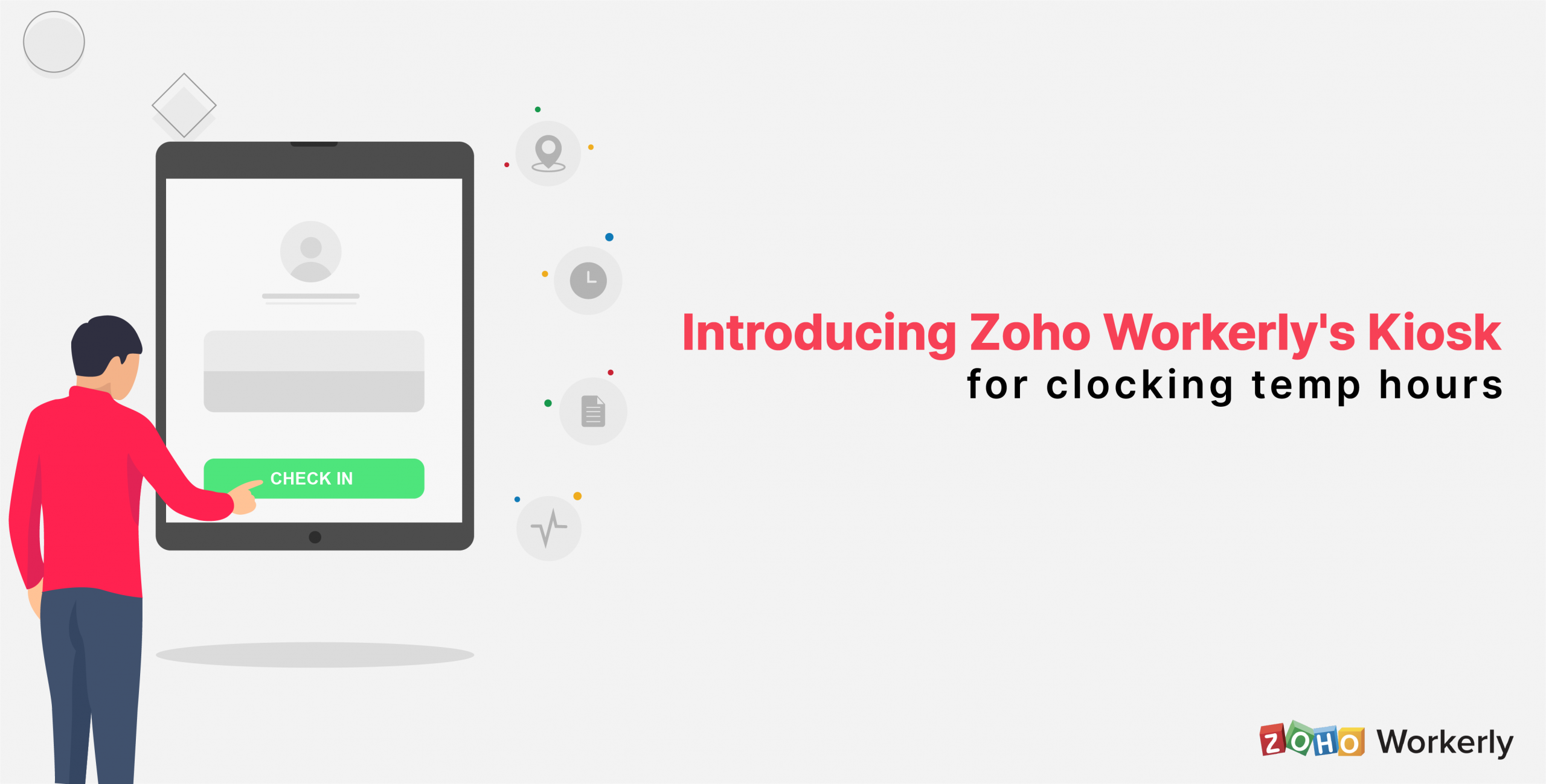
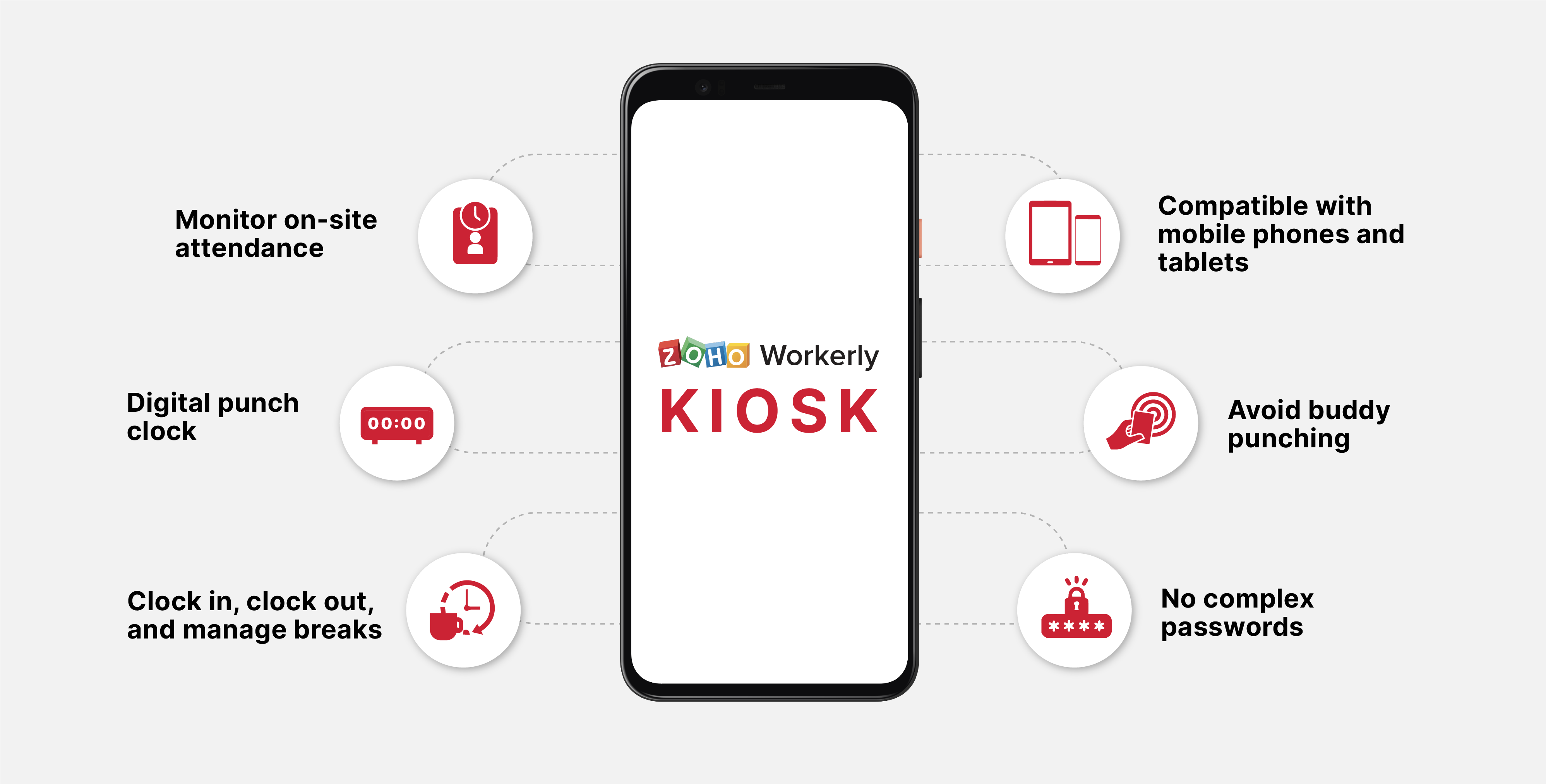
Workerly Kiosk from Zoho Workerly is the ideal solution for clients with temps clocking in at the same location. This easy-to-use, cost-effective, and portable punch clock is a great time-tracking alternative, and it works on any Android device with an internet connection.

Kiosk makes it easier than ever for agents and clients to keep more accurate time and attendance records.

Zoho Workerly Kiosk can be set up wherever temps have jobs assigned, and they can clock in and out of their shift by entering kiosk key shared by the agent. Kiosk syncs seamlessly with your Workerly account where all your temp clock times will be recorded as usual.

The app is absolutely free. Download it from the Google Play Store, give it a spin, and let us know what you think in the comments section below.

Learn more about Zoho Workerly Kiosk here.

For any feedback or questions, don’t hesitate to reach out to us at [email protected].

———————————————————————————————————————————————————–
Zoho Workerly is dedicated to ensuring that you and your team feel supported and are equipped to adapt to the rapid changes you may be experiencing during this difficult period. We’re in this together.

Net Universe offers all Zoho subscritpions and consultant services with worldwide Delivery Services.
Send us an email to [email protected] for more information or visit https://www.netuniversecorp.com/zoho.
Privacy Shield invalidation and its impact on your use of Zoho’s services

1. CJEU Judgement:

The Court of Justice for the European Union issued a ruling on the 16th of July, 2020 in a case examining the validity of  data transfers from the EU to the US on the basis of Privacy Shield and Standard Contractual Clauses (SCCs).

According to this ruling, the Privacy Shield has been invalidated and can no longer be used by organisations to transfer personal data from the EU to the US.

 It is worth noting that the SCCs are still valid.

 2. How does this affect your use of Zoho services?

Click here to know how to identify the DC in which your Zoho account exists.

Although Zoho declared adherence to the Privacy Shield, it was not the only basis available for transfers to the US. We have always allowed our customers to sign SCCs-based Data Processing Agreements (DPAs) with us. If you have not yet signed a DPA with us, you can do so by following the steps listed here in the Privacy FAQ.

In summary, if you’ve signed the DPA for data transfer from the EU to the US, it continues to be valid and there is no need for action.

With respect to the data that you share with us for the purpose of obtaining technical support, and our access to the EU DC from our other office locations in order to conduct debugging operations, please refer here to know our basis for the access.

We will also continue providing support to enable you to migrate* from the US DC to the EU DC if your organisation requires such a movement of the data.

* Please note : The ability may be limited and the duration of the migration may vary across each product

Net Universe offers all Zoho subscritpions and consultant services with worldwide Delivery Services.
Send us an email to [email protected] for more information or visit https://www.netuniversecorp.com/zoho.