Are phone calls a significant part of your outreach strategy?
They should be.
According to a DiscoverOrg survey, 55% of high-growth companies (companies with minimum 40% growth 3 years running) stated that “cold calling is very much alive.” Their counterparts who said it was “dead” experienced a staggering 42% less growth.
It takes more calls and more exposures to get a meeting than ever before. Continued exposure to qualified prospects inevitably increases awareness, trust, and ultimately interest. The result is a bigger, more active pipeline. By engaging in smarter outreach, your sales team can dramatically increase exposure without working any harder.
But phone outreach is tedious
So much of the average rep’s prospecting time is consumed by repetitive tasks:
Figuring out who to call
Gathering notes and contact data
Listening to and leaving voicemails
Sending follow-up emails
Logging calls and performing post-call workflows
In fact, research shows that nearly 73% of prospecting time is wasted. That leaves comparatively little time to engage in high-value conversations. Is it any surprise reps regularly experience call reluctance and missed quotas?
Replace task-time with talk-time
Automation reduces tedious tasks that get in the way of live interactions. A quality integration between your power dialer and CRM makes it possible to automate repetitive tasks like dialing, leaving voicemails, sending follow-up emails, recording notes, logging calls, and more. So reps spend considerably more of their time on the phone.
Multiply touchpoints by automating key tasks
Here are some key areas of the sales call process you can automate to cut down the time your sales reps spend entering information and maximize the time they spend with your customers.
1. Voicemails: More than 7 out of 10 calls go to voicemail. Each time, it takes 30-60 seconds to listen to your contact’s greeting and leave a message of your own. No wonder so many sales reps hang up. An effective voicemail script not only generates callbacks, but it also increases the likelihood that your prospect answers the next time you call.
PhoneBurner can leave pre-recorded messages without you having to wait for the beep. Simultaneously, it can send an email with a quick pitch and a heads up that your voicemail is in their inbox. This is a highly effective one-two punch, that can be achieved with one click right from Zoho CRM.
2. Emails: However your call turns out—whether you reach voicemail, get a bad number, reach the gatekeeper, get rejected by your prospect, book a demo, or anything else—there’s a lot of value in sending a follow-up email. But it’s time-consuming.
Using PhoneBurner, you can send a personalized email to your Zoho CRM leads for any and every call result. You can also track your email opens, link clicks, and video and attachment views too, so you can follow up at just the right moment.
3. Texts: 98% of text messages are viewed by the recipient. Talk about exposure! Sending a timely text after a phone call with your contact is a powerful touchpoint that can increase replies, callbacks, and conversions.
Using the Zoho CRM-PhoneBurner dialer extension, you can text directly from the dialer window for perfectly-timed, highly personalized follow-up.
With repetitive tasks handled, reps can get through 60 to 80 calls an hour, and have four times more live conversations by integrating. The dialing app launches directly from inside of Zoho CRM from either the Contacts or Leads modules, and all activity is automatically logged into the CRM. Plus, because there’s no “telemarketer delay”—every contact will think they were dialed by hand.
In today’s scenario, the term “Collaboration” needs no special introduction. However, when it comes to presentations, not all tools that are currently available in the market bring teams closer while creating presentations.
But fortunately, not all…
One such stand out presentation software is Zoho Show.
It breaks free from traditional ways of creating presentations by providing an all-inclusive experience for teams to design compelling presentations and express idea, together.
Dynamic teams, Unified platform
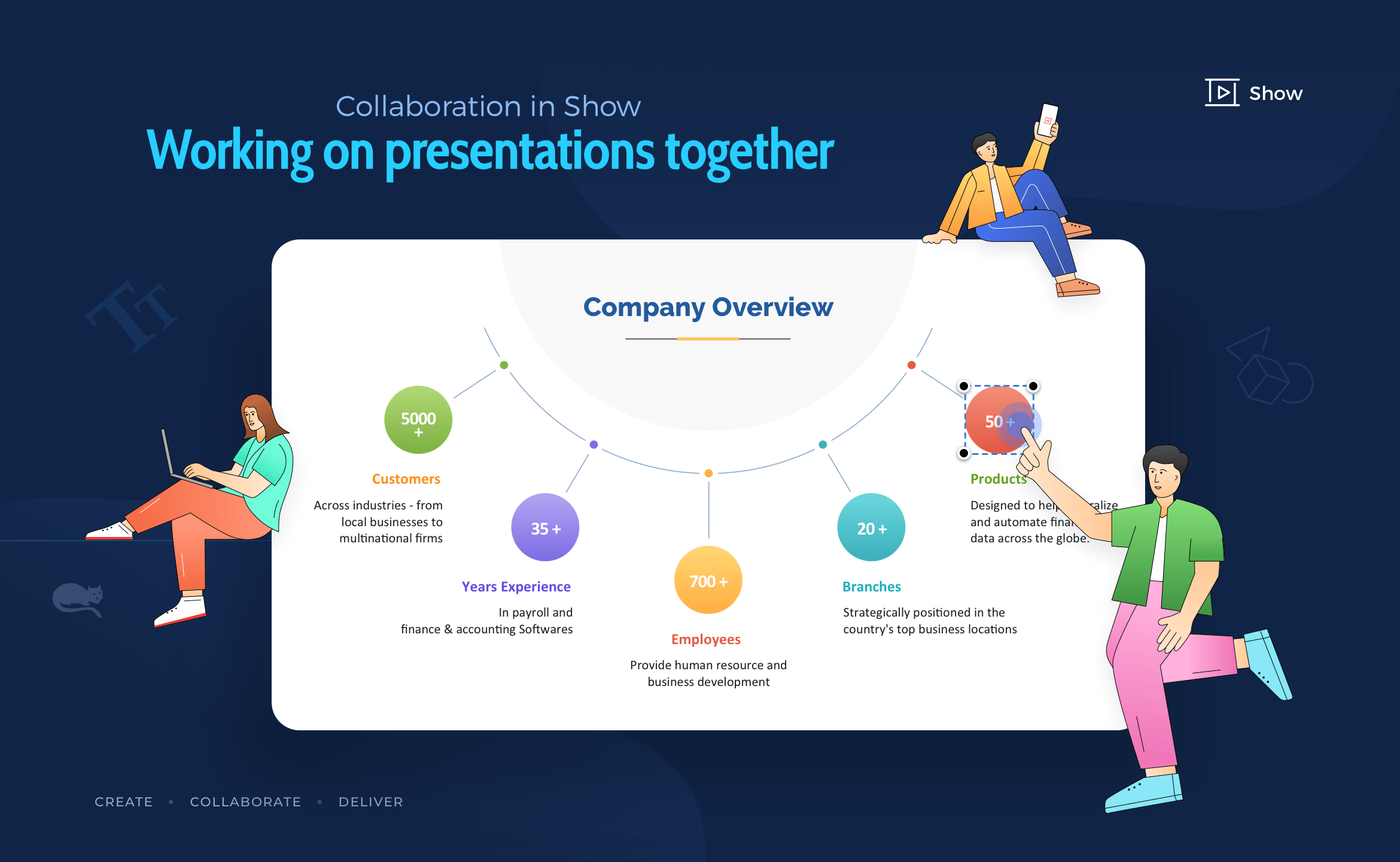
Get your team on board in no time, start collaborating on slides in real-time and deliver better results every time. Create, edit, and design slides along with your team right away. Changes made by individuals are reflected instantly on the slides.
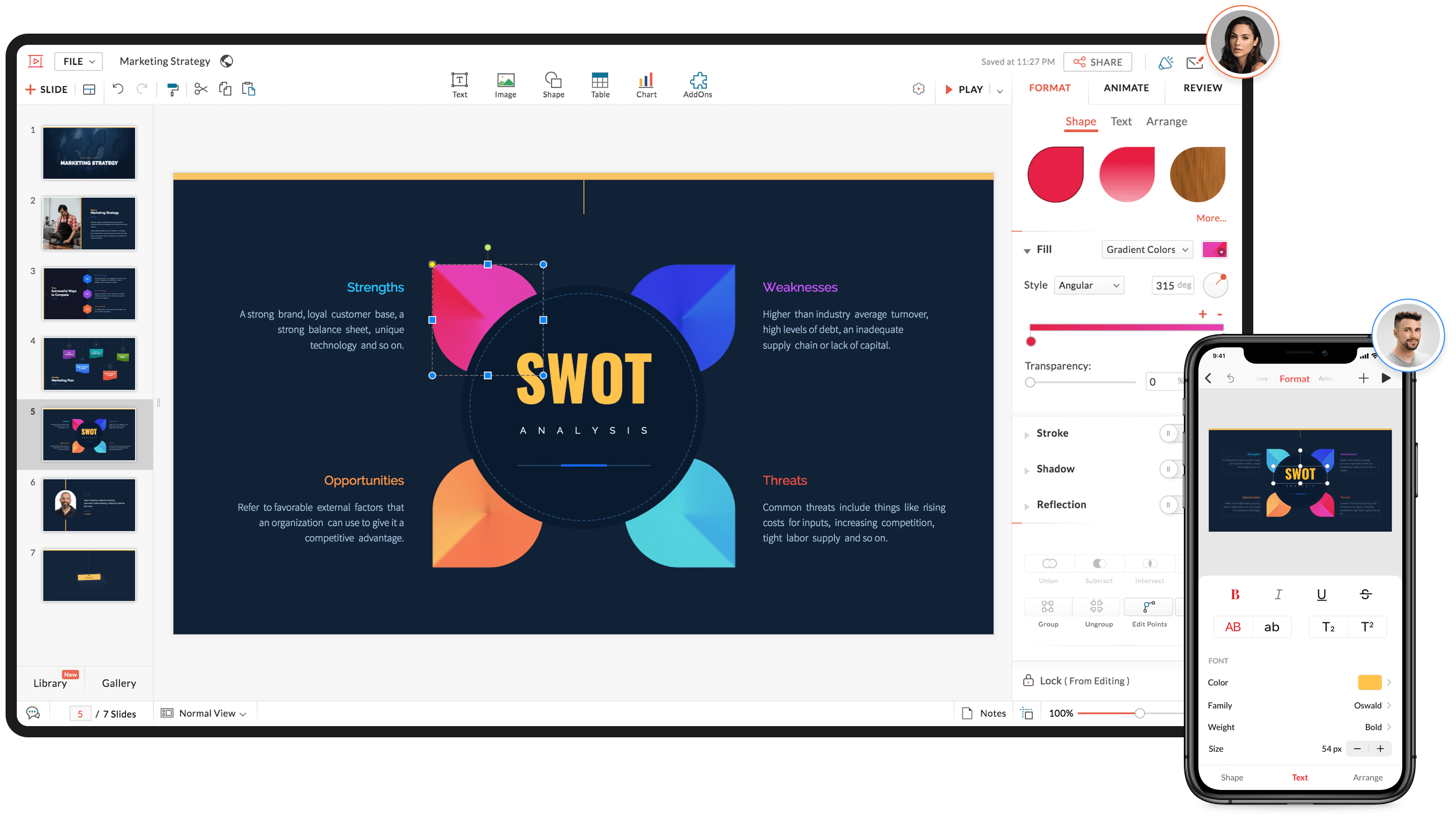
Bring in your entire team and experience Show’s seamless collaborative capabilities
Assign role-based permissions to team members based on their tasks and priority. Use Show’s advanced path animations, smart elements, infographics, charts and tables to get your ideas across effortlessly.
You can also import existing PowerPoint files and work on them without worrying about formatting issues.
Communication: The Crux of Collaboration
Presentation collaboration cannot happen without communication.
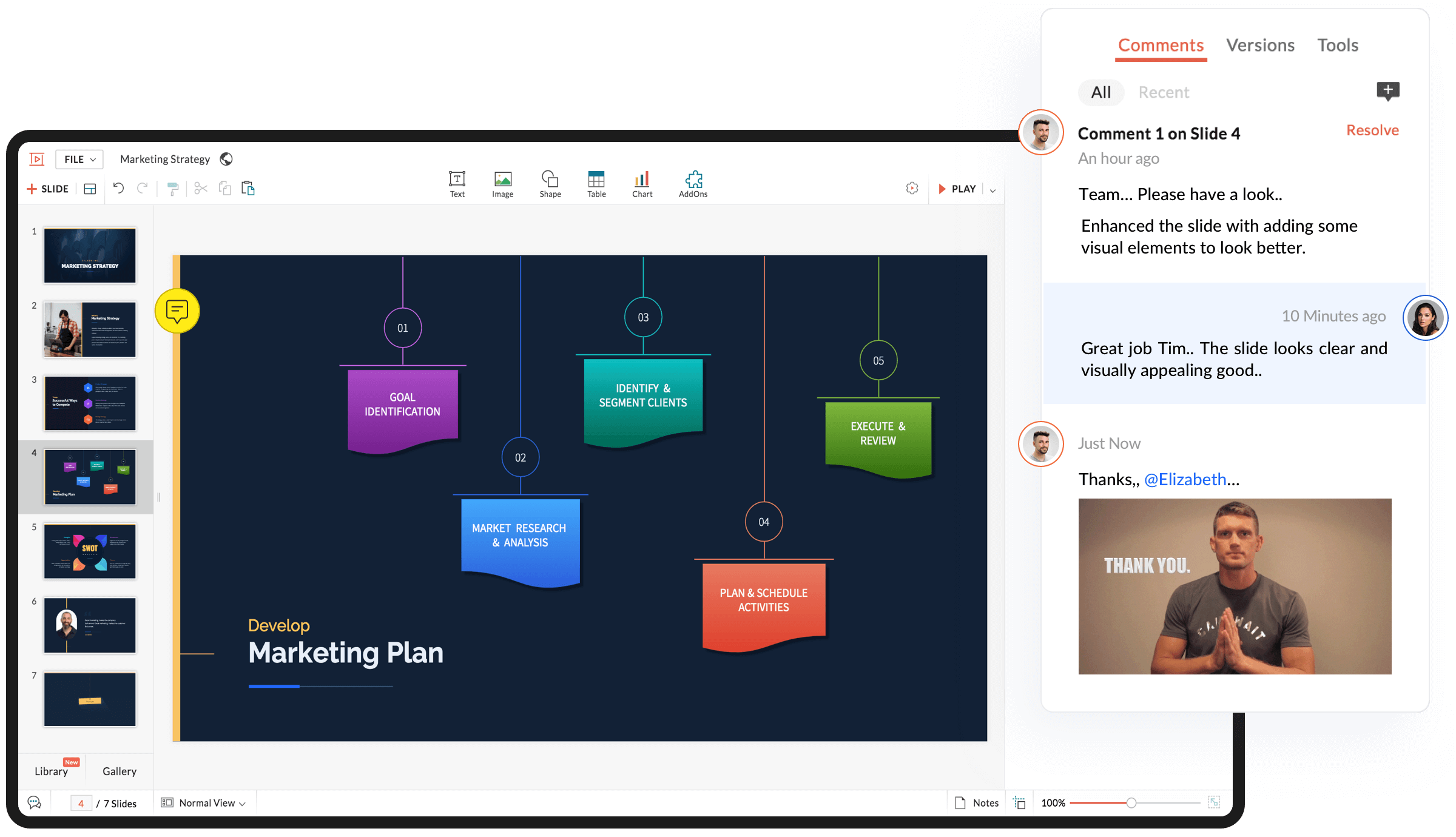
With Show, unlock your team’s potential by exchanging ideas contextually in the comments section that is available right under the Review panel. and share valuable feedback.
Real-time collaboration, commenting and built-in smart-chat: Zoho Show has it all
By comments, we not only mean texts, but you can also add images and gifs to make your conversations more lively. Use @mention to address individuals in a thread or grab their attention and loop them in a task if necessary.
Stress-free file management
Not all of us are well-organized every time. This is true, especially when it comes to file management scenarios.
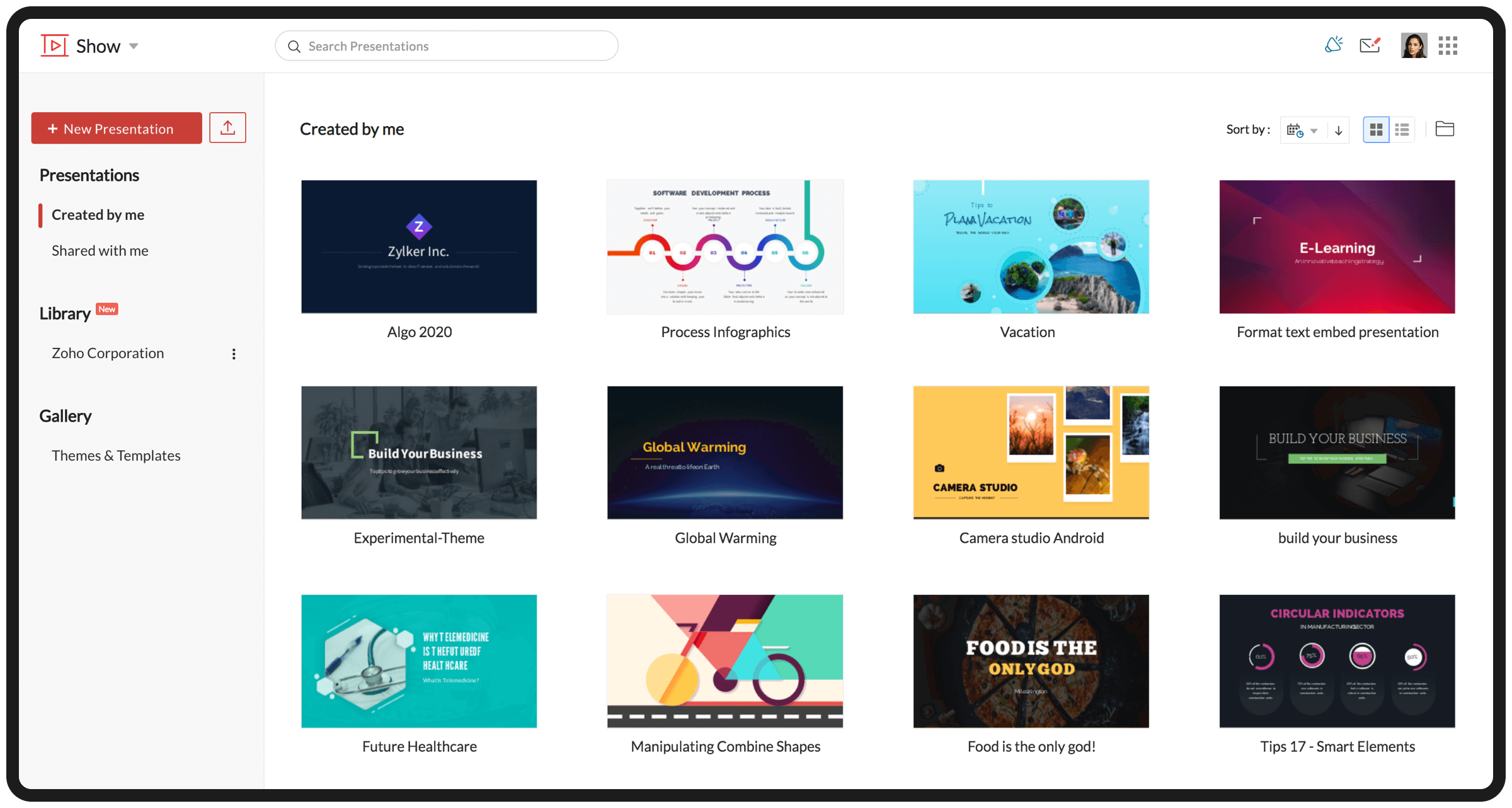
With Show, all your presentations are automatically organized and stored on the cloud. A personal workspace is created and you no longer have to go searching for a presentation as all the files are readily available at your disposal.
Show’s Dashboard helps you manage all your presentation in one place, like a breeze
Secured sharing
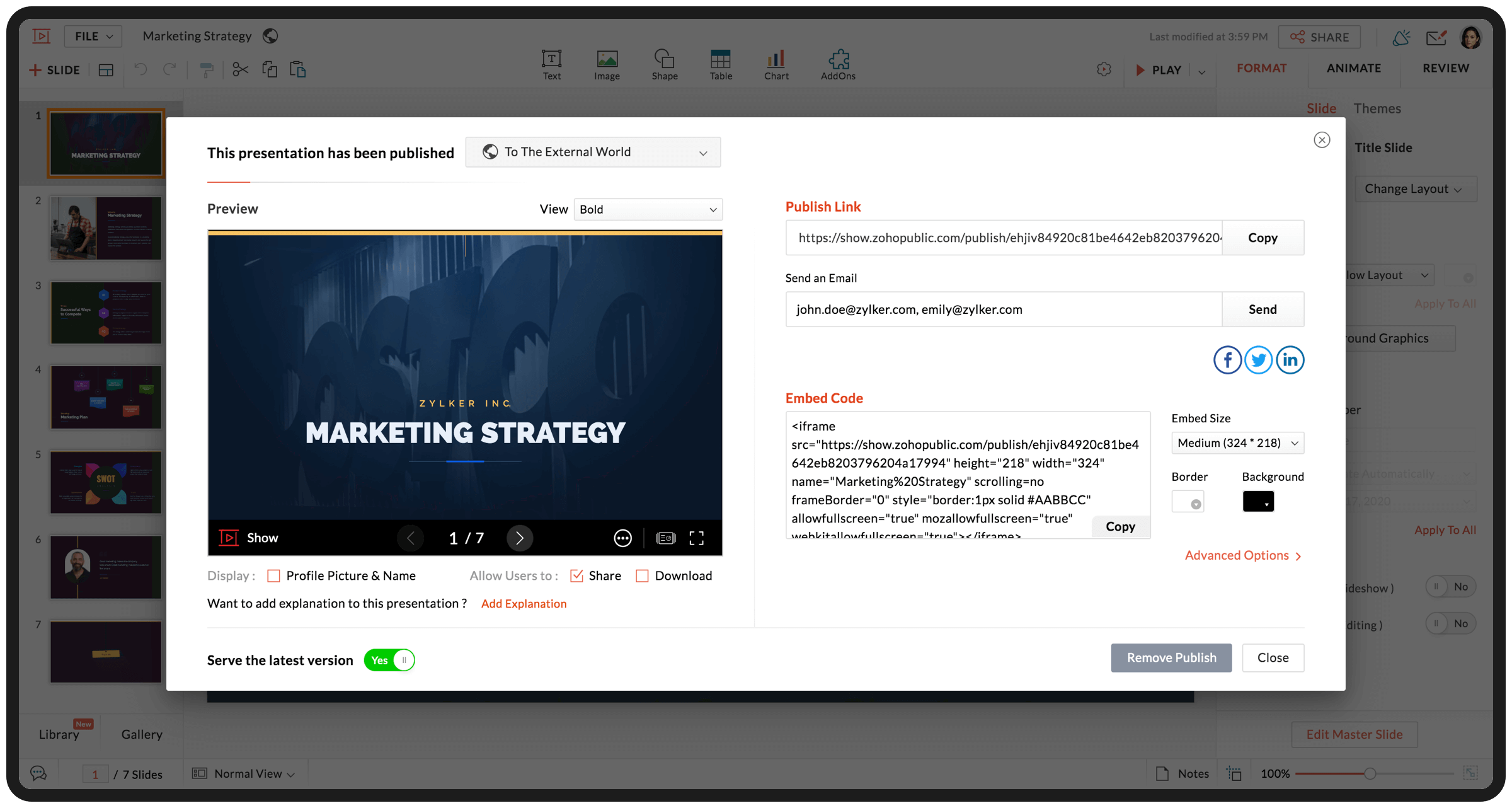
Share your presentation internally within your teams or externally with a prospect or a business associate. A stable URL is created for all your presentations and you can choose to publish slides online or across social media.
Share your slides via e-mail, publish them on sites, blogs, social media or broadcast them to remote audiences, effortlessly
Embed presentations on websites or blog and attract more views. With “Slide Lock” feature you can lock your slides, to restrict collaborators from making further changes.
This helps you share presentations without worrying about uncorrelated edits. All the files are encrypted and you can share them without compromising on security.
Hope this blog was helpful to you and before concluding keep in mind if you want to collaborate effectively as a remote team, it’s more than just the processes – it’s actually the tool that makes the difference.
If you aren’t using Show yet, you can create your Zoho account for free and get started instantly.
Happy presenting…
——————————————————————————————————————————
Get the complete remote working tool kit with Zoho Remotely: you can now use Zoho Show alongside the suite of products that’ll power you and your team to maintain a close-knit and productive working environment. Zoho is offering Remotely for free to help organizations who choose to work remotely during the COVID-19 crisis.
Prasanna
Product marketer at Zoho. An ardent follower of Chelsea FC and Formula 1. Believer of Butterfly-effect, cosmic connections and photo-systhesis…
As your business scales, you might branch out to various business locations spread across multiple states or diverge into new business verticals. In such cases, Indian law requires you to register for GST in each state where you open a branch. In order to make good decisions for your whole business, it’s very important to have complete visibility on the transactions happening across all of your branches and GSTINs.
That’s why we’ve introduced support for multiple branches in Zoho Books. You can now add more GSTINs to your existing organisation, associate them with branches, get financial insights from reports and file GST returns for all GSTINs in one place.
Note: This feature is currently available only for the users of the India edition.
Here are some of the highlights:
Set up multiple branches
You can create new branches for each business location you’re operating from. For each branch, you can assign a primary contact, associate the GSTIN and start creating transactions (Based on your Zoho Books’ plan you can add up to 10 GSTINs). Your current location will be considered as the primary branch and existing transactions will be mapped to it. If necessary, you can select transactions and bulk update the branch details.
Define transaction series for each branch/GSTIN
When you have more than one GSTIN, it is a good idea to configure a separate transaction series for each GSTIN. You can set the transaction series for each module based on the numbering that you want and Zoho Books will automatically generate the numbers for future transactions. For example, you can number the invoices for your Tamil Nadu branch starting with TN/INV-001 and your Kerala branch starting with KL/INV-001.
Capture branch details in transactions
Once you’ve created a branch and linked your GSTIN, you can associate the GSTIN with all your sales and purchase transactions, manual journals, and bank transactions. Based on the branch you’ve chosen, the address and the inter and intra-state taxes will be automatically updated. So, if you were using reporting tags to track transactions by locations you no longer have to use them.
Track performance with insightful reports
By now, you would’ve enabled the feature, configured the transaction series, and tracked the branch details in your transactions. Once all this is done, you can run customised reports and assess them branch-wise to figure out how profitable each branch is, which ones may need some improvement, and more. You can also get an overview of each branch’s performance as a whole right from the dashboard.
File GST returns easily for each GSTIN
Filing returns promptly is important for staying tax compliant. But when you have multiple GSTINs, generating the summaries, verifying them, and filing them individually can be quite laborious. Zoho Books generates separate GST return summaries for each GSTIN, so you can pull and reconcile transactions, approve the return, make direct GST payments, and file them effortlessly.
Wondering how to get started?
First, enable the Branches feature by going to Settings and then Branches. Once you’ve enabled it, you can create branches, associate GSTINs and start creating transactions. For more information, visit our help guide on Branches and Multiple GSTINs.
Join our live webinar
On 23 July 2020, we’ll have a live discussion of how Zoho Books helps you manage multiple branches and GSTINs, including a walkthrough of the feature! Register to save your spot!
Give this a shot and share your thoughts in the comments! If you have any suggestions or feedback, please write to us at [email protected].
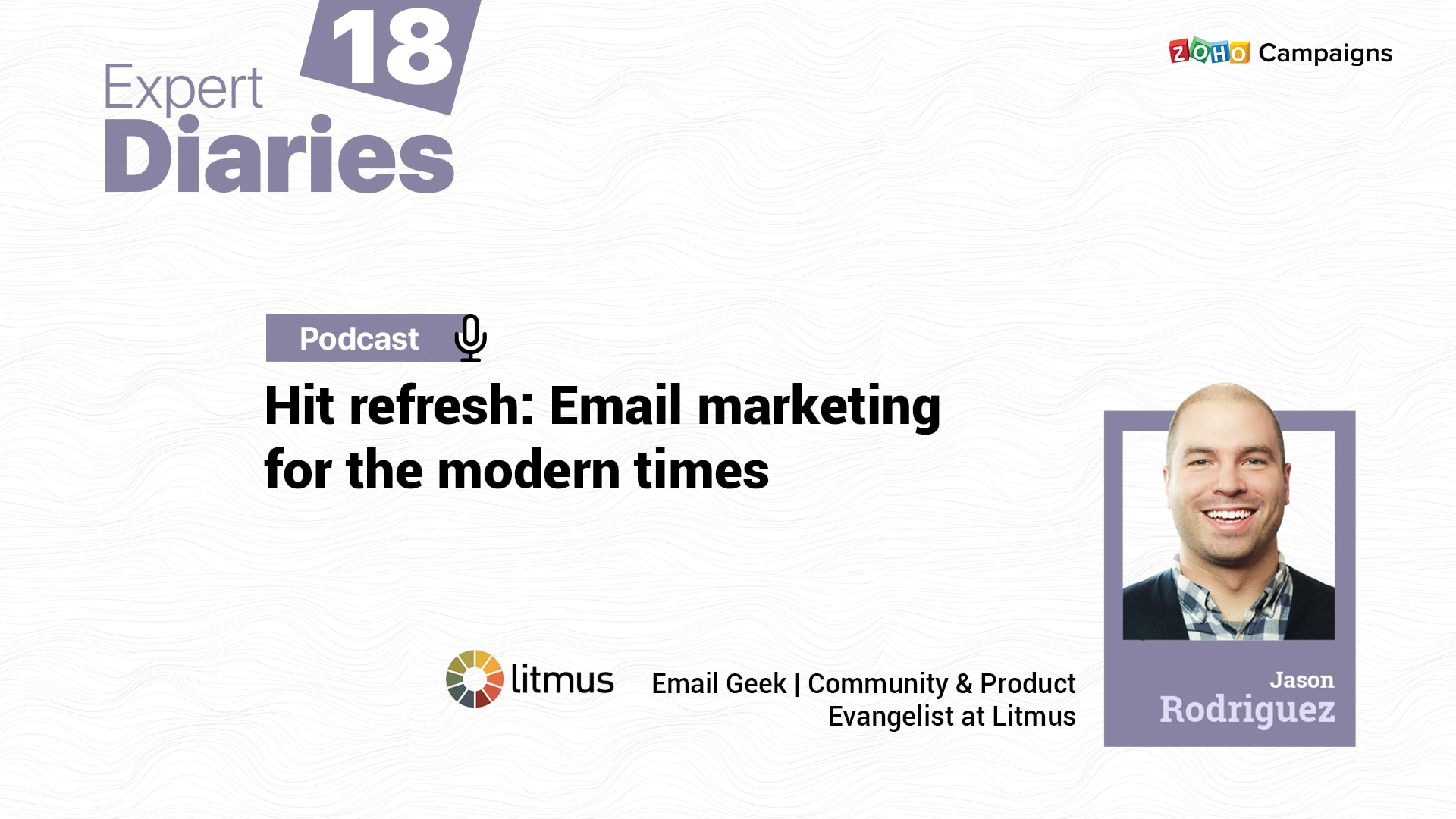
Jason Rodriguez is a Community and Product Evangelist at Litmus. He’s also an email geek, marketer, writer, and a tutor. A champion of email accessibility and inclusion, Jason also runs the Delivering podcast, that talks about industry trends in design and development of emails.
Expert Diaries from Zoho Campaigns connects avid email marketers to the experts in this space, and help them learn some best practices and tips. Our aim is to connect email geeks and form a community that learns email marketing from one another.
In this podcast, Jason talks about new age email marketing, in terms of refreshing tips for measurable metrics, copywriting, and promoting email newsletters.
It’s all about finding the balance! I’m sure we must have heard this statement in different walks of our lives—in peer groups, our houses, and of course, in our team—when we’re setting up email campaigns with content and images. If we were to think why it all lies in balance, it’s because we care—about our brand, customers, and the whole email experience.
Also listen to Expert Diaries on:
Audio Transcript:
Aishwarya: Welcome to The Zoho Campaigns Expert Diaries. I’m Aishwarya, your host, and I hope you’re all doing well. with me today is someone who is a marketer, writer, email geek, teacher, and uff… trust me, the list is long. Let’s welcome Jason Rodriguez from Litmus! Jason believes in the balance I was talking about, and he really cares about helping marketers grow their skills and businesses.
Jason: Thanks so much! I’m really excited to be here.
Aishwarya: Mm-hmm, you know what, today’s a little special because I’m hosting another podcaster from the email marketing space.
So, how’s it to be on another podcast for a difference, and could you also share what made you start a podcast for the email community in the first place?
Jason: Yeah, it’s fun. I love talking to other podcasters, and it’s something I like that there’s so many podcasts, specially now related to email, and so, I talk to other email geeks about one of those topics. Yeah, I’ve been kind of on and off podcasting around email for a couple of years now.
So back and I want to say 2016 maybe, one of my colleagues Bill and I started a podcast called ‘Email Design Podcast’ where we obviously talked about all things email design and development related. It was very code-focused so we ran that for a couple of years got right up to almost a hundred episodes—recorded we got it to 99 before he left Litmus, and we kind of went on a hiatus. But then about a year or so ago, I decided to kind of revamp that podcast and rephrase that as the ‘Delivering’ podcast which I’ve been doing for a little while now. A little bit slower cadence, we publish about every other week, depending on what’s going on and in our work and in the wider community.
But, it was really when we started the Email Design Podcast, there weren’t too many email-related podcasts that we were able to find at least, we fill that gap and just talk about all the things we tended to care about and think about. We would discuss industry news, we would discuss tools, we discuss different coding techniques that were really quickly being. But over the years it’s been nice to see that we’re not the only ones talking about email in the podcast space.
So, obviously I’ve been listening to you, and I’ve seen a lot of kind of industry friends and stuff on your show, but there’s a bunch of other podcasts or an email, which is awesome to see. So now it’s just really fun to talk to other people about email, about marketing. In the latest version of the Litmus podcast, Delivering, we’ve kind of expanded beyond just design and development, and I’ve been talking about with the wider email marketing landscape— strategy and leadership and tools and all that kind of stuff on top of the code related things too. So it’s been really fun I’ve gotten a lot of good conversations with people, met a lot of people through the podcast, and I feel like it’s a great way to just sit down with somebody and talk about email and everything email involves.
Aishwarya: So true, and that’s the wonderful journey. I liked how you were explaining about how you started with a specific concept and then moved on to revamp and totally include a lot of other topics about email marketing. I think I would agree with you on the fact that initially there were very minimal spaces or resources when it came to podcast. I know the email community had a lot of resources online but in terms of podcast, I think there were not many podcasts, and great know that most of us started this space to connect with other email geeks and sort of build relationships. And it’s not just about one of conversation as we were just talking—it’s about getting to know them. So, glad to know that this is happening and so glad that we’re all doing the same thing right now.
Times are changing, and businesses are adopting different measuring standards for marketing efforts. For the modern-day email marketing, what are the three staple metrics you’d say for measuring success?
Jason: Yeah so I feel like traditionally people have focused on things like open rates and unsubscribe rates and bounce rates to look at the health of their email marketing campaigns. But I feel like over the years I’ve been less interested in basic metrics like that and I feel like the things people should probably pay attention to now are a little bit more, higher level like business-type goals related to their email campaign. So looking at how many of your subscribers not only opened and clicked a link in your email but then went through and did whatever specific action you were trying to get them to do; whether that’s buy something online or fill out a survey but that conversion rate, it’s going to be really important for people to look at, see whether or not their campaigns are actually effective and doing what they’re meant to do beyond just whether or not they were opened and somebody clicked a link you want to see that they’re. your subscribers are completing that action and that’s conversion.
Beyond that, open rates nice for you know just kind of general list health, click rate is nice for just kind of general health, But I really think that click-to-open rate which is looking at the number of clicks compared to the number of people that actually open your campaign to see whether or not that content is really engaging. For a lot of marketers, at Litmus, we do a lot of research, run a lot of surveys for thousands of email marketers and try to understand what their troubles are why their challenges are, and one of the things we’ve seen is it seems like email marketing is under-resourced, underfunded, under invested in by companies—it’s kind of people think about social being more important, they think about native stuff being more important. But, email tends to have the highest ROI of any marketing channel. So I think that’s an important one too—looking at the overall Return on Investment (ROI) for your email campaigns and if you can prove that your email campaigns are providing all that revenue that we know they’re providing, if you can actually follow that through one prove the ROI of your email marketing, then that’s a great way to get better resourcing and better investing from your bosses, from your stakeholders. So I look at that as well. Beyond that, kind of those three: conversion rate, click-to-open rate, and ROI.
One of the things we’ve seen and we’ve been really fortunate to use is not like a hard metric—by just looking at that social buzz and what people are talking about when you actually send an email campaign. And so we’re fortunate that we have a very vocal audience that when we send an email, they’re quick to tweet about it, they’re quick to reply to our email campaigns, and give us their thoughts on our emails. So that’s been really valuable to see whether or not our email campaigns are really hitting the mark when it comes to design and copy strategy. And, it’s been really valuable, because anytime we mess up and send something like a broken link or the layout looks funky or whatever that happens to be, then they’re really quick to point it out to so we can route you know go in and make those fixes for the next campaigns too.
So I think social buzz is kind of a great one for people to look at as well, and it’s harder; it’s not a hard-and-fast metric, there’s not like a direct number you can say like you can say so many people tweeted about our email campaign, but it’s really a quality type thing as opposed to quantity. So if you can get good feedback on your emails directly from your subscribers in your audience, then that’s perhaps the most important metric that you could be tracking these days.
Aishwarya: Very true. For me to just summarize, of course, looking at conversion rate is important. And as we were just talking, the conversion rate differs for different brands. Some people when they click a link and when they go purchase something that’s on the store, that’s a conversion for an e-commerce business; whereas, finishing up a survey is a conversion for another business. So, yes, the action or the purpose behind the sending of the email is definitely a very good metric to track apart from the usual or conventional ones like opens or just stopping with clicks. And you rightly said associate the why—like why would somebody want to receive emails from you. When you associate that I think the email ROI definitely matters.
I can’t agree enough with you on the point that email is the best success channel that a business can use. In fact, our customers, when you ask them what would be the easiest channel for them to receive information from a brand, they put email in the top two channels when given about eight channels to choose from. So I think emails still, despite the presence of a lot of other digital channels, goes on to be the most reliable and secured channel for customers. And, in fact it syncs in well with the other channels. As we were just talking about how somebody shares the email or the goodwill of a brand on the social media—it’s because they are receiving emails from you, they feel connected with the email and then they go on to share their positive reviews or even they point out something that could be corrected as suggestions on social media. But, the very first interaction happened as an email.
Definitely yes! These are new-age metrics and I hope listeners today are keeping note of them to use them up for their efforts. Jason moving on to the next discussion, I think we very well brought in social into our conversation today that I’m framing another question around the same thing:
With the use of so many digital channels, can you give marketers some ways to combine their email marketing with other channels as well? Let me start with an example—posting email newsletter archives on social media for more visibility.
Jason: Yeah, there’s definitely things you can do like that. Quick wins, easier things to do. As you publish a newsletter, you can send that out to your social media channels or whatever that happens to be. I, at this point, feel like that’s kind of table-stakes—like you should be doing that anyway because it just gets that content out in front of more people.
Having things like signup forms on Twitter or Facebook or LinkedIn whatever that happens to be is realizing list growth. One of the things that we suggest doing is that we kind of have this motto of using “Email First” in the marketing mix. So that’s where I think like the magic happens when you’re tying email and these different channels together. So email has a lot of good things going for ward— it’s relatively cheap to produce and send email campaigns, it’s one of the great things, that you can test pretty much everything in an email campaign and you can track how well those email campaigns and different tactics different strategies different copy. All that stuff works pretty quickly.
You can turn around emails relatively quickly and send out an A/B test and do another one the following week. The fact that you can track a lot of things and see how well an email is doing and these different strategies are doing and then do it really quickly is a great way to test out different ideas. Use email first to test these different strategies, test different copy, graphics, calls to action, whatever that happens to be, to see what really resonates with your subscribers, and then take whatever you learn from that and push that to all these different channels. So, I think it’s less about directly integrating email with these other marketing channels and more using email as a vehicle for understanding your subscribers in your audience and then taking whatever you learn from email and then using that to inform all of your other marketing decisions across all those different channels.
But you should be doing things like cross-posting your newsletter through to your social channels, and just that kind of content syndication is really important because not everybody is on your email list; not everybody’s following you on LinkedIn or following you on Twitter and the more channels you can hit with that kind of content, especially when you can get them tied back to that subscribe form and get them sign up for an email newsletter then the better off you’re going to be.
Aishwarya: Now we’re all in the omni-channel environment, when you see that our same subscribers are present across multiple other channels, I absolutely love the idea that you stated email first and then move on to the next channels by taking the insights from email. Especially this might work wonders for omni-channel engagement because you know you’ve got solid insights by experimentation with email as a channel and you can apply that across other channels, because you know what strikes the best with your recipients when they were to be across the other channels as well. So that’s a great point Jason, and thank you so much for stating that.
And, in fact, I have an interesting thing to share—so you were telling me about how to create signup forms and share that across social media; interestingly, last week or so, I think we had the social media week or the social media day. And I saw that a couple of days around that social media day or the week had a lot of people sharing newsletters and their subscription forms on social media and saying, “Hey guys, subscribe to our newsletter here. And here’s an archive to look at our previous newsletters.” So that way I found it was good to see that brands are trying to establish a credibility with people, also trying to convert more people as subscribers—doing it in a much double opt-in way rather than just going around and adding people directly to the list without your consent. It was so good to see that email marketers are taking extra steps to go and actually present themselves to the followers on social media and saying—”hey if you’re interested, then go ahead and subscribe to us; we’re not forcing you, but here’s a quick sneak peek for you to look at what we offer to you.” So yeah, that was a great point as well.
Alright, moving on to the next concept in our discussion—you’re going to really enjoy this because I’ve personally known how much of an email accessibility champion you’re, so I’m going to give you a very tough nut to crack:
If you have to explain email accessibility to a non-designer, how would you do it?
Jason: Sure, that, it’s tough because a lot of accessibility comes from the code and development side of an email. But, when I think about accessibility—it’s making sure that whatever content you have in an email, anybody can really understand it, whether or not they’re sight-impaired, they have cognitive disabilities, they have motor functionality disabilities. It’s really about making sure that everybody can understand that content and then act on that content too.
So, if you have some sort of call-to-action, anybody can follow that call-to-action and do what they need to do successfully, regardless of whatever abilities they happen to have. So, that’s how I think about it. The way that’s really implemented throughout email marketing takes a lot of different forms. So definitely there people tend to think about accessibility as a coding issue. Umm, so there’s you know things you can do on the coding side to make your emails more accessible, that’s usually through people that use some sort of assistive technology like a screen reader program—to they you know they might not be sighted, they could be blind and they need that assistive technology to actually read out loud that email so that they can understand it.
So if you’re using all-image-based emails, then that usually doesn’t work that well because there’s not a lot of content to actually read out those.
Screen-readers will just say this is an image and give you the image filename and if there’s a link associated with it.
Using like alternative text on your images is great.
Using live-like real HTML for all of your text is even better.
Doing things like adding the role of presentation to all of your tables is so that screen readers won’t read those tables out loud is a great fix.
But, there’s a lot of other things that go in accessibility—which comes through the design of things:
Making sure there’s high enough contrasts like color contrast so people with you know vision disabilities or they might be color blind, can still read that content.
Even through writing just copywriting in strategy using shorter sentences, shorter emails, not using a lot of jargon and slang terms and stuff like that, is a great way your emails are more accessible.
But, it all comes back to the fact that you need people, anybody, to be able to consume your email campaign and then act upon it regardless of whatever abilities they happen to have.
Aishwarya: The way I see it from the points that you stated is that it’s about making email more inclusive and thoughtful—not looking at people just as mailing list or know them more for demographic or segments-based view, but looking at them as humans. And making sure that your emails would definitely matter to them because they are the ones who are reading.
Jason: Yeah, I think that’s really important. Yeah, everybody is a human, everybody’s a person, and recognizing that is really important. Especially because when we talk about accessibility and inclusion, people tend to think of major disabilities as like what you’re coding or writing for. So people that are blind people, that have hearing disability—like that’s what people tend to think of when they start talking about accessibility.
But there’s this idea of inability spectrum—we’re all only temporarily able-bodied. So even if you’re not permanently blind, you could have an eye infection that impairs your sight; you could have just gone to the eye doctor and had your pupils dilated which will affect your sight. For like motor disabilities, you might not be missing both of your arms, but you could be holding your newborn baby in one arm and trying to accomplish some task; you could have a broken arm or a broken hand, and it limits your ability to interact with screens or your computer mouse or something like that.
So at some point in life, everybody’s going to be disabled to some extent. It might be permanent, it might be temporary. By just recognizing that you might consider yourself able-bodied and without any disabilities currently, but you can’t just think that’s always gonna be the case for everybody. And trying to bounce that with your writing, design and coding in your email campaigns, make sure what you are making is more human, accessible, and inclusive experiences for people.
Aishwarya: Yes, that was a wonderful example when you stated. It’s not about classifying people as those with disabilities, because all of us at some point in time would go through the same. We would momentarily be not able to access something when we’re reading an email—like say we’re in the bus and reading an email, and it has a video and we don’t have headphones; come on, none of us can play it loud and listen to it. So, yes, that makes total sense to make the email matter to everybody whether or not it’s going to be permanent or temporary disablement and not able to access at that point in time.
And, this is going to be one of our wrap-up questions:
Let’s assume you’re developing an email marketing crash-course—what are your five must-learn lessons and why?
Jason: Yeah so, I do a lot of email marketing, especially design and development crash courses for people.
Aishwarya: Aye, that’s a relevant question for you then.
Jason: Yeah, definitely! Over time, I I feel like I’ve been less interested in the design and development side of things because at some point that’s kind of a salt problem—like even if you’re not a coder you can find good templates or your email service provider has templates that you can use; and you know you can find imagery graphics pretty fairly easily or you working with a team that can develop the. So I think it’s less about the design development side of things.
1. The things I would focus on lessons are really around the basic kind of mechanics of email marketing:
what email marketing is
what the goals are of email marketing
how you actually go through the process of creating an email and getting out the door and learning from it.
I think is one of the key things so just understanding at an additional level of what email marketing is what it’s good for what it’s not good for is one of those key lessons.
2. More one of the lessons that we’re trying to teach people about is just around consent and privacy. We’ve seen a lot of legislation introduced over the last few years, you know CAN-SPAM has been around forever in the US, and then we have CASL in Canada; we have the GDPR, and everybody’s kind of contending with. And understanding that legislation and how it informs how you collect consent from subscribers when they’re signing up for your emails, and then how you keep that data private is really important. It’s gonna be more and more important over the coming years. so that would be one of those key lessons—understanding legislation, consent, and privacy.
3. Accessibility and inclusion is super important—we kind of talk about that a little bit but that would be one of my key lessons as well.
4. the last two are really around writing—writing effective copy and keeping things short and succinct, and straight to the point. Getting rid of jargon. I have this human feeling as opposed to just using a lot of business-speak; just writing strategies is really important.
5. And, then around reporting—making sure you’re tracking the things that are really important for your marketing program and using that data to learn and improve future campaigns.
So I think:
Lesson 1: Foundations of email
Lesson 2: Consent and privacy
Lesson 3: Accessibility and Inclusion
Lesson 4: Copywriting
Lesson 5: Reporting
These are my five top lessons these days.
Aishwarya: Awesome! So, now, you’ve also done my job of summarizing the whole thing.
Jason:<Laughs>
Aishwarya: Yeah, I loved the way you stated privacy because that is so important; I can’t stress enough on that fact because there are a lot of legislations and regulations as you stated—like GDPR, California Consumer Privacy Act, CASL—there are a lot. So it’s important that marketers understand how they deal with the customers’ data and how careful they should be in processing the data and being extra careful when they are using a lot of channels through which this data is parsed. So, yeah very true, and that’s a very solid foundation I should say.
Now, I’m going to have a very interesting concluding session for this talk, and that’s going to have a quick rapid-fire round. So, I’m going to ask you three questions and you would not have to think much, just give me a straight-off answers to those questions.
Jason: I’ll try my best.
Aishwarya: Alright, here you go:
Favorite pastime, second only to podcasting?
Jason: Definitely making music. So I play guitar, lots of stringed instruments. So when I’m not doing email related stuff, I’m either hanging out with my family, or making music of some sort.
Aishwarya: Awesome, great.
One thing you regularly do in your coffee/tea break?
Jason: Either check in on my two daughters and my wife—seeing how they’re doing especially with the limits of the global pandemic. but when I’m not doing that then probably playing some animal crossing on my Nintendo switch or checking turned-up prices.
Aishwarya: Alright, the last one:
One person you’ve always wanted to host on your show, but you haven’t yet?
Jason: This was the tough one to think! I I was gonna say there’s not one person, I really just like talking to people that are doing interesting things in email. But, one of my favorite newsletters is called “Next Draft” by this guy named Dave Pell, and I think he’s an excellent writer. And it’s short, it’s concise, it’s really funny, so I think I’d love to talk to him about. And he’s been doing it for a long time—his newsletters, his business; so just travel with him about how he does what he does, and how that’s grown over the years, and especially digging in there’s kind of comedy and writing skills.
Aishwarya: So I think he’s doing an amazing job with copywriting. I hope you see the light of the day when you actually host him on your show, and I’m going to be one of the listeners.
Jason:<laughs> Sounds good
Aishwarya: Thank you very much for taking time to share your experiences and thoughts.
Jason: Yeah, thank you!
Aishwarya: I thoroughly enjoyed the talk and I’m sure the listeners will also take away important email lessons like caring about customers, being inclusive in your approach, adopting accessibility, and finally, making email campaigns matter.
Wishing you all the best, Jason!
Jason: Yeah, you too. Thanks, I appreciate it. It was a lot of fun talking to you.
Aishwarya: Thank you so much! And, that’s a happy wrap-up! To all the listeners—to know such informative email marketing stories, check out The Zoho Campaigns Expert Diaries on Spotify, SoundCloud, and Apple Podcasts. Until our next episode, stay tuned!
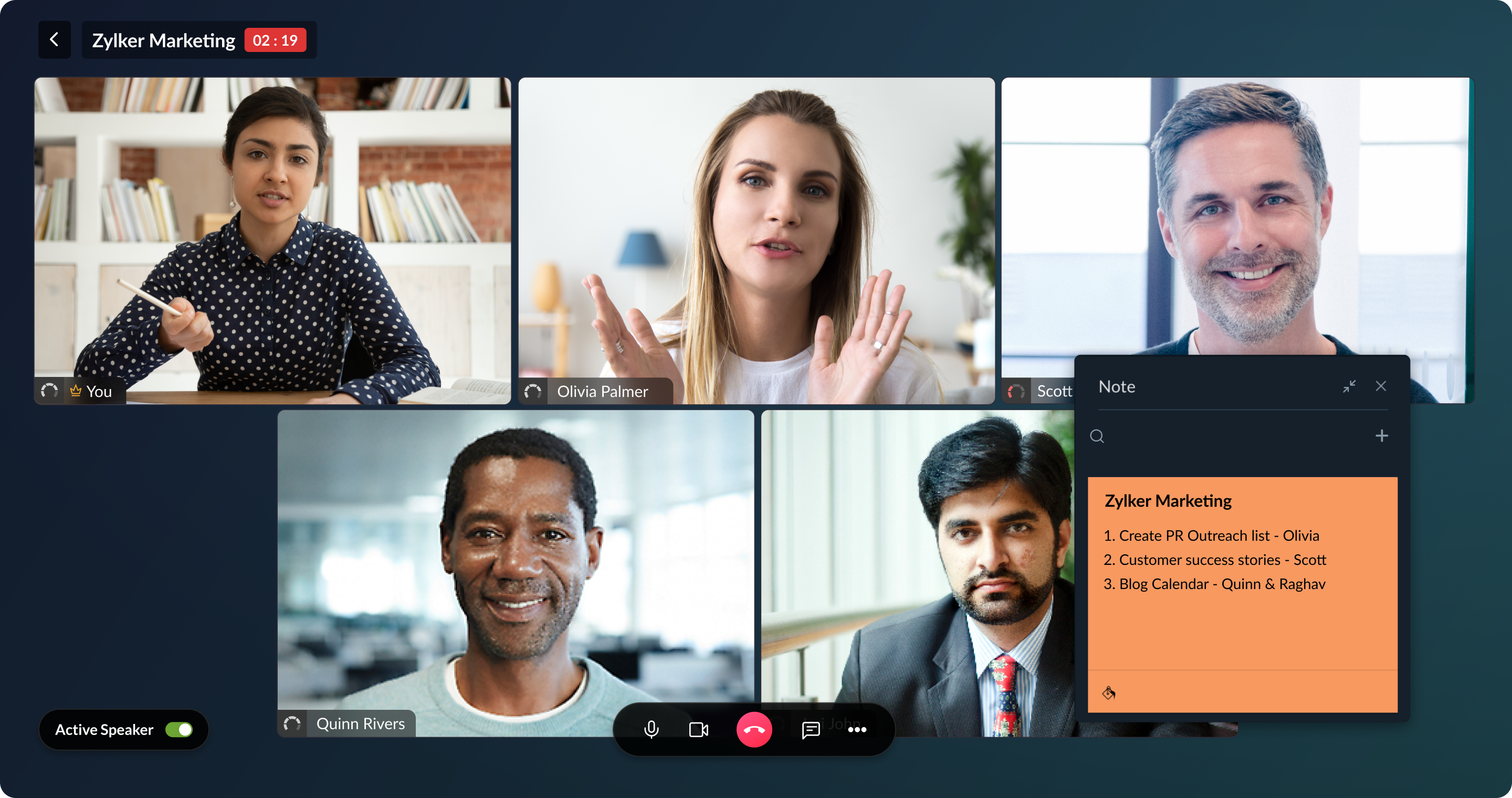
We’re happy to announce the new Notebook and Microsoft Teams integration. Keep all your notes handy while you talk with your coworkers on Microsoft Teams. Add Notebook as a personal tab in Microsoft Teams and you won’t need to switch tabs to access or create new notes.
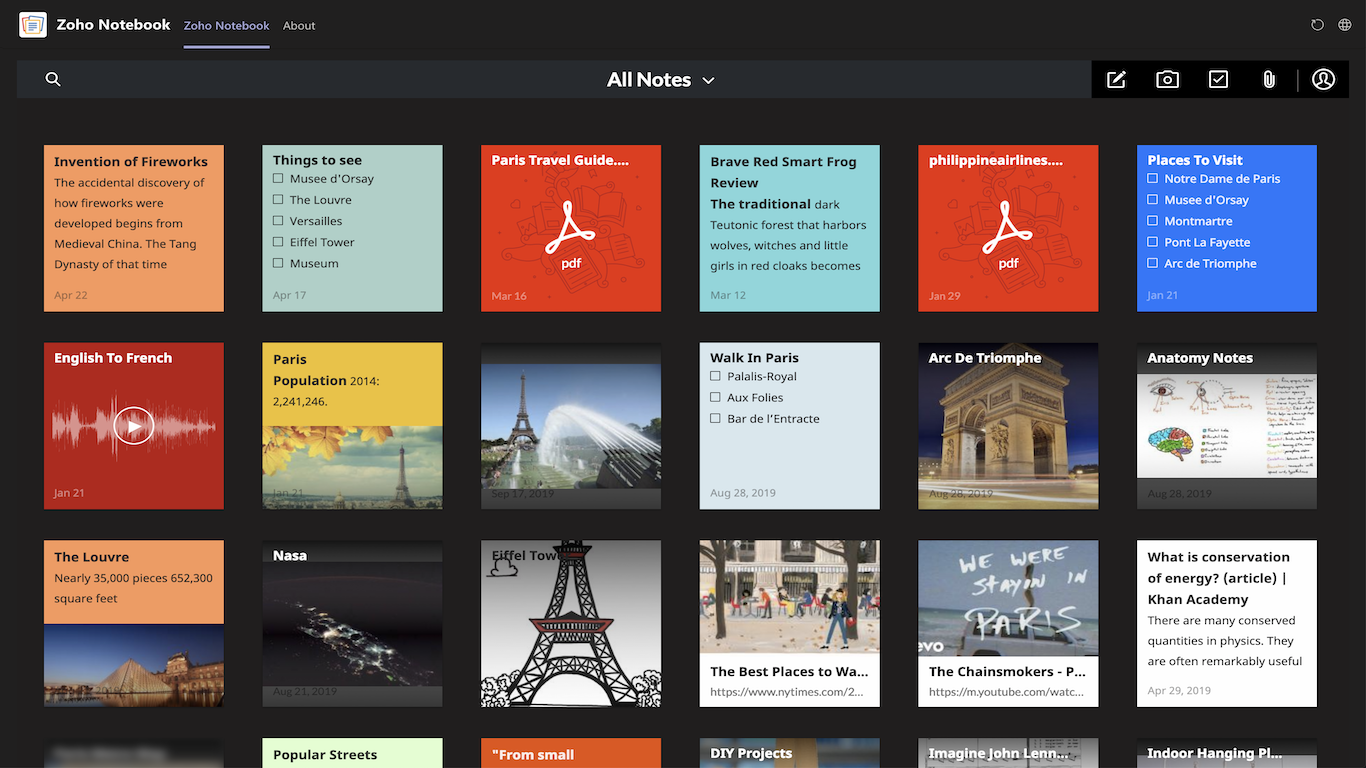
Notebook is now available as a personal tab in Microsoft Teams. With this personal tab, you can perform these actions:
View and modify your notes in Teams
Create new note cards from Teams
Organize your notes using notebooks and tags
Create reminders for your note cards and get alerts in Teams
Create various types of note cards like Text, Checklist, Audio, and Photo with the Notebook tab in Teams. Color-code your notes, add and associate tags to them, group related note cards, create notebooks, and do much more with the Notebook personal tab. You can also search for your note cards from the tab.
Notebook’s roadmap for Teams
We’ve already started enhancing Notebook for Microsoft Teams to make it a powerful productivity app in its marketplace. Notebook for Teams will allow you to pin a note, notebook, or a search result as a custom tabs. We’re also planning to create a Notebook bot and command to allow you to create notes and notebooks and post your notes as messages.
We’re also working on a Teams extension which will allow you to add any chat messages as a note card in your Notebook.
Watch your productivity increase exponentially with the new Notebook and Microsoft Teams integration. Have any suggestions or feedback? Leave a comment below or reach out to us at [email protected]
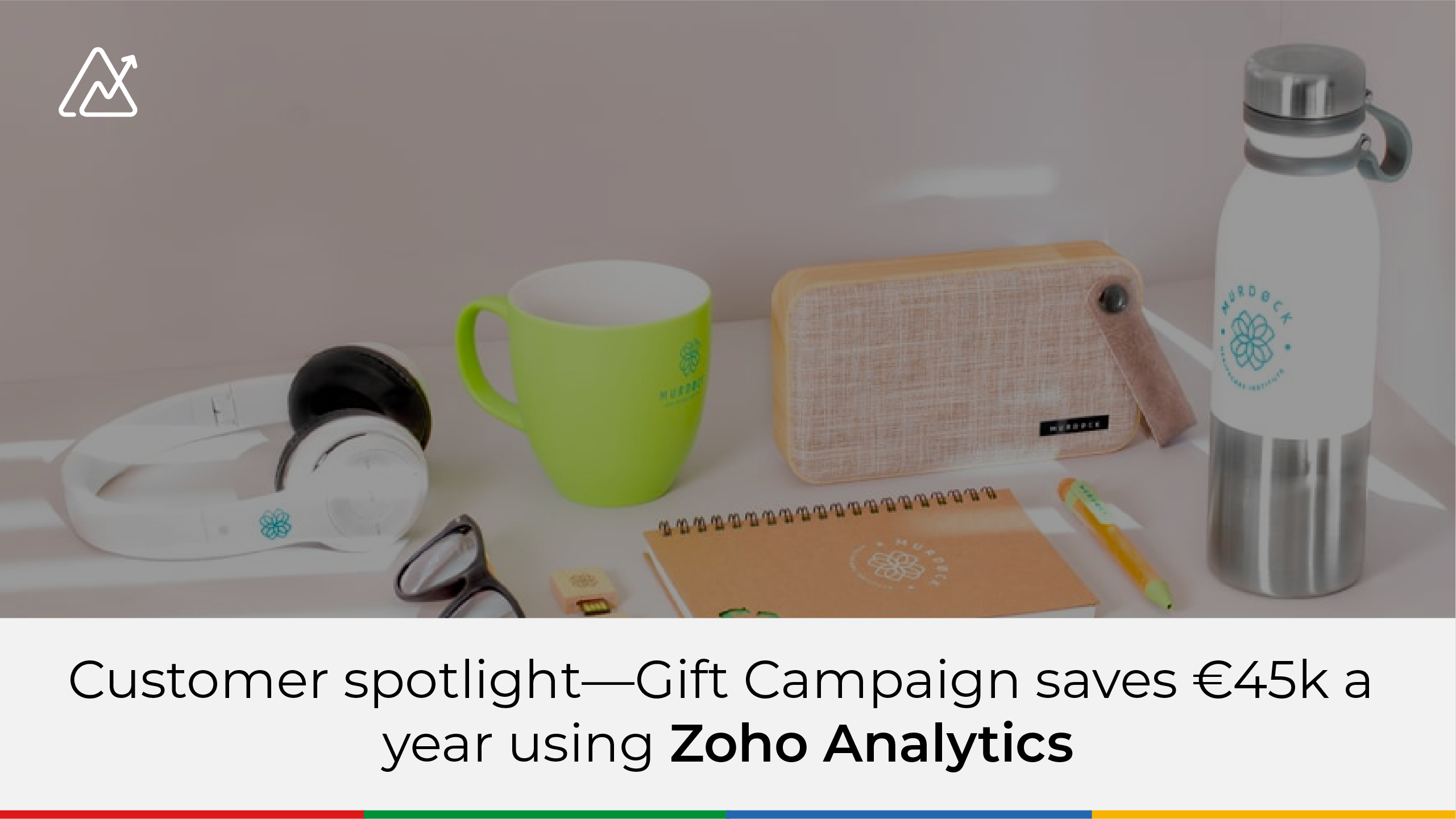
Gift Campaign is a company that sells corporate gift products. They have an extensive collection of different promotional items, like pens, umbrellas, notebooks, and USBs, that can be customized with company logos and more. They’re mainly an online vendor with corporate customers, and they’re headquartered in Barcelona, Spain, with offices in Italy, France, and Portugal.
Gift Campaign and Zoho Analytics
Gift Campaign uses multiple systems—Zoho Books and Zoho Inventory as their ERP system, Zendesk as their contact center system, and Google Analytics for website analytics. But the company needed an advanced BI platform that could integrate and blend data from all these systems, and derive insights from them, so they could have more control of their business.
They were in need of an overall picture that would show end-to-end business performance, and help identify potential opportunities for the company.
“Zoho Analytics gave us more control over our business. We know integrating Zoho Books with Zoho Analytics would work well, but what surprised us is the way data from third-party applications, like Zendesk and Google Analytics, was brought into Zoho Analytics and seamlessly blended. This was exactly what we were looking for.”
– Diederik de Koning, General Manager, Gift Campaign
With Zoho Analytics, Gift Campaign created 3 main dashboards:
High-level metrics for leaders, that includes a daily overview of business, comparing sales and customer service on a monthly basis.
Service-level metrics, like how many open tickets per team, average ticket age, new incoming ticket trends, how long a ticket is open, response rates, and how many calls are missed/accepted/denied, all on a daily basis.
Website analytics, like number of page visits, how much is paid vs organic, Google ad spend, and more.
Insights about the company’s operations and performance was made possible through the blending of data from multiple sources, which they couldn’t do before. This was critical in determining performance and identifying weak areas for the company. Gift Campaign is now saving nearly €45K per year.
Key benefits for Gift Campaign:
Gift Campaign saves €45Ks/year using Zoho Analytics
Enabled unified data blending from Zoho and third party apps
Created insightful unified dashboards
Enabled end-to-end business insights
Read the full case study, where Gift Campaign shares how they saved €45k a year using Zoho Analytics: https://www.zoho.com/analytics/giftcampaign.html
It’s a no-brainer that new business owners often have a tough time juggling tasks. Adapting to work from home, finding new buyers and staying in touch with your current customers can easily stress out a small business owner.
People in the small business hustle right now could probably use a leg-up to help them keep up with the competition.
That’s why we came up with five and a half ways (you heard that right) to help you stay connected with your customers and contacts as a Bigin user.
1. Zoho Meetings
Having adapted to selling from home, it’s starting to look like sales teams have found a new niche. Zoho Meetings is here to make your remote sales even better.
Since meetings, presentations, and video conferences are an essential part of winning customers and gaining leads, Bigin has a seamless integration with Zoho Meetings.
Zoho Meetings’ crisp quality, user-friendly interface, and plug-and-play integration has all your presentations and webinar needs covered by completely syncing with your Bigin records.
2. G-Suite and Microsoft Office integrations
Bigin is built to collaborate.
Designed to give you the best of both worlds, Bigin integrates with both G-Suite and MS Office. Both suites can link with Bigin to transfer data and sync records instantly.
With the G-Suite and MS Office integrations, you can sync your contacts and calendar events with Bigin’s records and use both applications in parallel.
3. Built-in telephony and email
Here’s a fun fact: large organizations go out of their way to get a telephone system despite having a CRM already in place. They are stern believers in CRM and PBX going hand in hand, and it works for them. Why?
Because, for some customers, nothing works better than picking up the phone and telling a business what they want. It’s convenient, responses are instant, and most importantly, their point gets across.
We also know that for small business owners, too many different applications can:
a) run up expenses b) clutter your workflow
That’s why we designed Bigin with a built-in telephony system. Bigin’s built-in telephony lets you make calls and update call records automatically.
On the email front, Bigin lets you add your own business email and associate every incoming email with a corresponding contact. With this system, you can send mass emails, and even analyze your campaign performance with email insights.
Bigin’s telephony and email features let you get creative, make every call personal, and send curated emails.
4. Twitter
We wanted to give small business owners some features to help you keep up with your contacts on social media.
The Bigin Twitter feature will help you stay updated on what your customers and leads have to say, while helping you learn about their likes and dislikes, preferences, trends, and their tweet history.
In addition to all this, you can tweet, reply, continue threads, and perform all native twitter functions to better engage prospects without ever having to leave Bigin.
5. Zoho Campaigns
We’ve got your email marketing covered too!
Zoho Campaigns lets you create stunning email newsletters for customers and subscribers, helping you build a strong customer base. You can even track and analyze campaign performance to optimize your marketing. You can easily set up campaigns, manage subscribers, create forms, and automate flows from your Bigin window just by integrating Zoho Campaigns with Bigin.
The other half: Automation
A simple nudge in the right direction every now and then can be a big help. Bigin’s automation does just that.
Trust us, it is such a helpful feature that we had to make extra space for it in our list.
The easy automation fills in for you at the right moments to keep your work steady and streamlined. From prompting email replies to keeping multiple workflows running at full capacity, Bigin’s automation keeps your business alive and kicking at all times.
Here are a few tasks that Bigin’s automation can help you with:
1. Contact management, including storing records of contact data
2. Visualize the sales pipeline to easily track each lead’s status and progress
3. Analytics and reporting, so you can evaluate performance and get precise information on how you’re performing against KPIs
So, congratulations on quickly adapting to the recent changes in your working style. The future belongs to businesses that maintain strong customer relations and make improvements in their service.
Now that Bigin has you covered, your business will have everything it needs to move into the future.
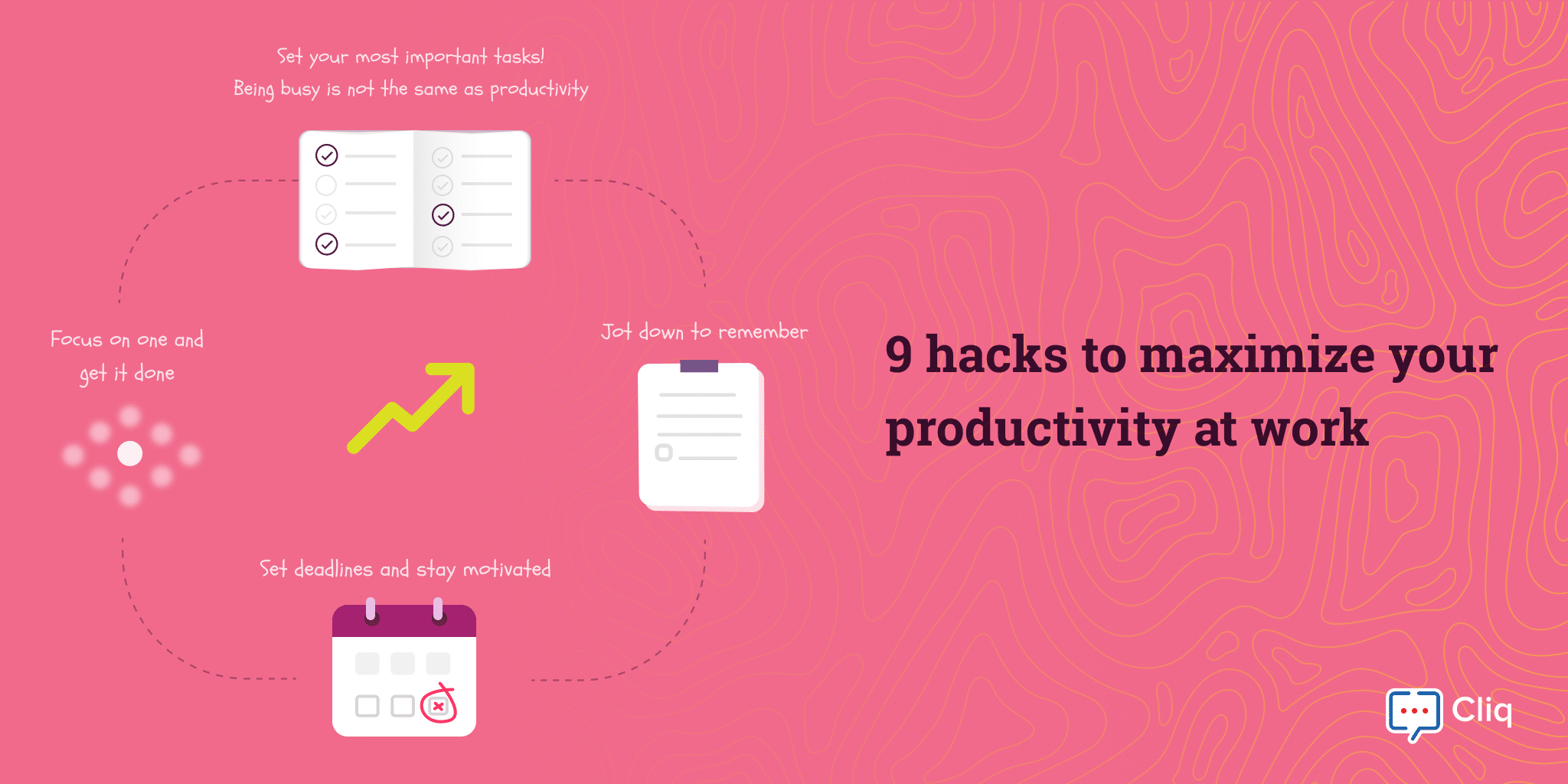
Improving productivity has long been a priority for both individuals and businesses. Not only does it help you get a step ahead of your competition, it also helps build morale by increasing your sense of accomplishment. In this article, we’re going to focus on 9 hacks to increase your productivity.
1. Gain control of your day with “The Rule of Three”
Your day-to-day tasks can get overwhelming and become a nerve-racking ordeal if you don’t organize and take complete control over them.
Set your three MITs for the day to boost your productivity.
The Rule of Three is one of the simplest strategies for organizing our priorities and focusing on pulling off the three most important tasks (MIT’s) everyday.
Being busy and being productive are two different things and by setting your MITs, you can increase efficiency by reducing time spent on the less important tasks that keep you busy.
I set up my three MITs for the next day before going to bed, so that I can start off my day determined and motivated, knowing exactly what to focus on. At the end of the day, accomplishing my three MITs adds to my enthusiasm for the next day.
2. Set SMART goals
Now that we’ve discussed about the importance of prioritizing tasks and setting goals let’s delve and take a look on how to set SMART goals.
SMART goals help give your work clarity and focus.
Ever feel like you’re working hard but not getting anywhere? The sole reason behind it is that we fail to set definitive goals and tend to focus on unrealistic goals which has nothing to do with our ultimate aim.
A recent article by Inc. states that only 8% of people achieve their goals. Seeing SMART goals is an antecedent to success and will help you identify and set clear goals, give you a sense of direction and measure the intended outcome. So make sure that all your goals are set SMART.
3. Stop multi-tasking: focus on one and get it done
Many of us try to save time by working on multiple tasks at once, which often means we keep switching between tasks rather than focusing on one and accomplishing it. Counter to previously common belief, multitasking consumes more of our time and energy than it actually saves.
For instance, let’s say you’ve set your three MITs for the day and have started working towards accomplishing them. It can take a longer time to complete your tasks if you try to handle more than one thing at a time.
4. Set deadlines and stay motivated by self-interest
When there’s no definite time set to accomplish specific goals, the temptation to procrastinate work is stronger. Set deadlines for yourself to help pace your work.
Back in our school days, many of us used to stay up late to complete our homework and assignments before sleeping. Knowing we had concrete deadlines (and consequences if we missed them) helped us pace our work and accomplish our tasks.
Now, our home assignments have been replaced with personal goals and work responsibilities, but deadlines can still help motivate us.
5. You need a break: refresh and keep going
Regular breaks in between work are important because they refresh your mind and give you a break from intense concentration. This reduces work stress and helps to maintain motivation throughout the day.
Dr. Adam Gazzaley and Larry D. Rosen in their book The Distracted Mind: Ancient Brains in a High-Tech World, explains that timely breaks can reduce mental stress, boost brain function and keep us focused for a longer period.
They have also mentioned that taking adverse breaks can backfire and make us more susceptible to procrastination by taking breaks more often.
Scrolling through your smartphone at breaks doesn’t contribute in a positive way to your productivity, instead you can take a walk and enjoy nature or play brain-boosting puzzle games.
Considering the longer run, if you’re working on a particular project for a period make sure that you take a small vacation or break before starting of with the next one.
Re-energize yourself by taking breaks that renews your focus and help you to be more productive.
6. Jot down to remember
If you’re of the mentality that you can remember everything and don’t need to write things down, you will likely end up with incomplete or forgotten tasks. It’s always better to take notes and keep track of tasks, errands, and intended decisions.
Avoid the risk of missing deadlines or forgetting details by noting down everything that’s important to remember. Zoho Cliq allows you to take notes easily during routine work and meetings using Notebook.
7. Schedule ideal time for work and personal care
Organize your work time and set your workflow to use your mind to its fullest. Ideal times differ for each person: some may feel more energetic and self-driven during early mornings while others hit their stride in the afternoon. Use your peak alert time for work to accomplish your most important tasks. The Pomodoro technique is one of the best ways to manage your time efficiently and strive ahead with enthusiasm.
It’s also important to allow time for self care. Set aside time for yourself because you cannot be productive unless without mental and physical health fitness. Create a self-care schedule for yourself make sure that you follow it because mental and physical health is of prime importance for being productive at work.
8. Automate repetitive tasks
A systematized workflow helps you to be more efficient and productive. Automate all your routine tasks and integrate tools that you currently use with your workspace.
For example, if you’re using tools like Todoist to manage your daily tasks and track your project updates, try integrating it with collaboration software like Zoho Cliq so you can easily get in contact with your team and stay up to date on your day-to-day tasks without switching tabs.
Bots and commands in Zoho Cliq help you perform repetitive, everyday tasks and also provide you with instant updates. You can even custom build your own bots and commands in Cliq, and stay updated by setting reminders. The Reminder option in Cliq allows you to convert your messages or tasks into reminders and makes sure that you follow up with your tasks.
9. Start fresh: set and clean up your workspace before starting to work
You spend a large amount of time in your office or home workspace, so it has a significant influence on the way you feel. Keep your workspace clean and tidy to improve your focus; a cluttered workspace can turn your mood pessimistic or distract you from work tasks.
Reduce any stress from trying to finding a report or file in a messy storage space by organizing your drive and structuring it. Likewise, keeping 10 -15 browser tabs open is distracting and will decrease your productivity. Save the pages you need in organized bookmark folders, close all the extra tabs, and focus on one thing at a time.
Putting your productivity to work
We have looked at few hacks which can help you be more productive, the overall emphasis here is that the amount or load of tasks that you carry doesn’t matter but what matters is the way you handle it. Work smarter and enhance your productivity.
We hope you found these productivity hacks useful! Try these tips and let us know how they improved your productivity in the comments below.
Explore and get to know more about how Cliq can help boost your productivity.
Join our community forum and follow us on Twitter.
The iOS app for Zoho Subscriptions just got a major update, with features that can save you time and provide a better overall experience when using the app–which is essential when managing your subscription business on the move. Create customers by taking pictures of business cards
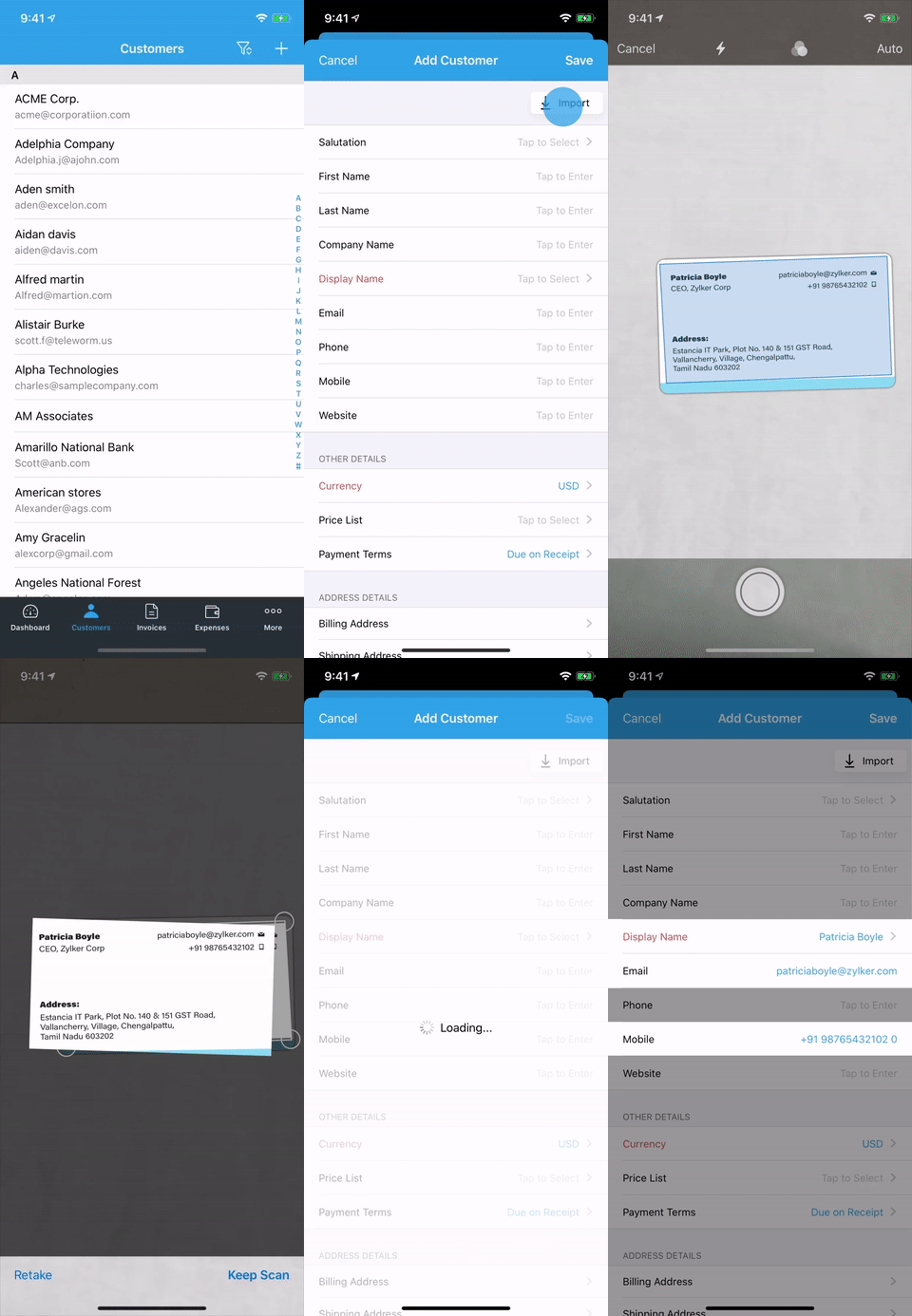
Add new customers into Zoho Subscriptions straight from their business cards! Simply take a picture of a business card, and Zoho Subscriptions will grab the name, phone number, email address, website URL, and address from the card, and create a new customer with this information. Super useful when making on-the-spot deals.
This feature works on devices with iOS 13 and above.
Go easy on your eyes with dark mode
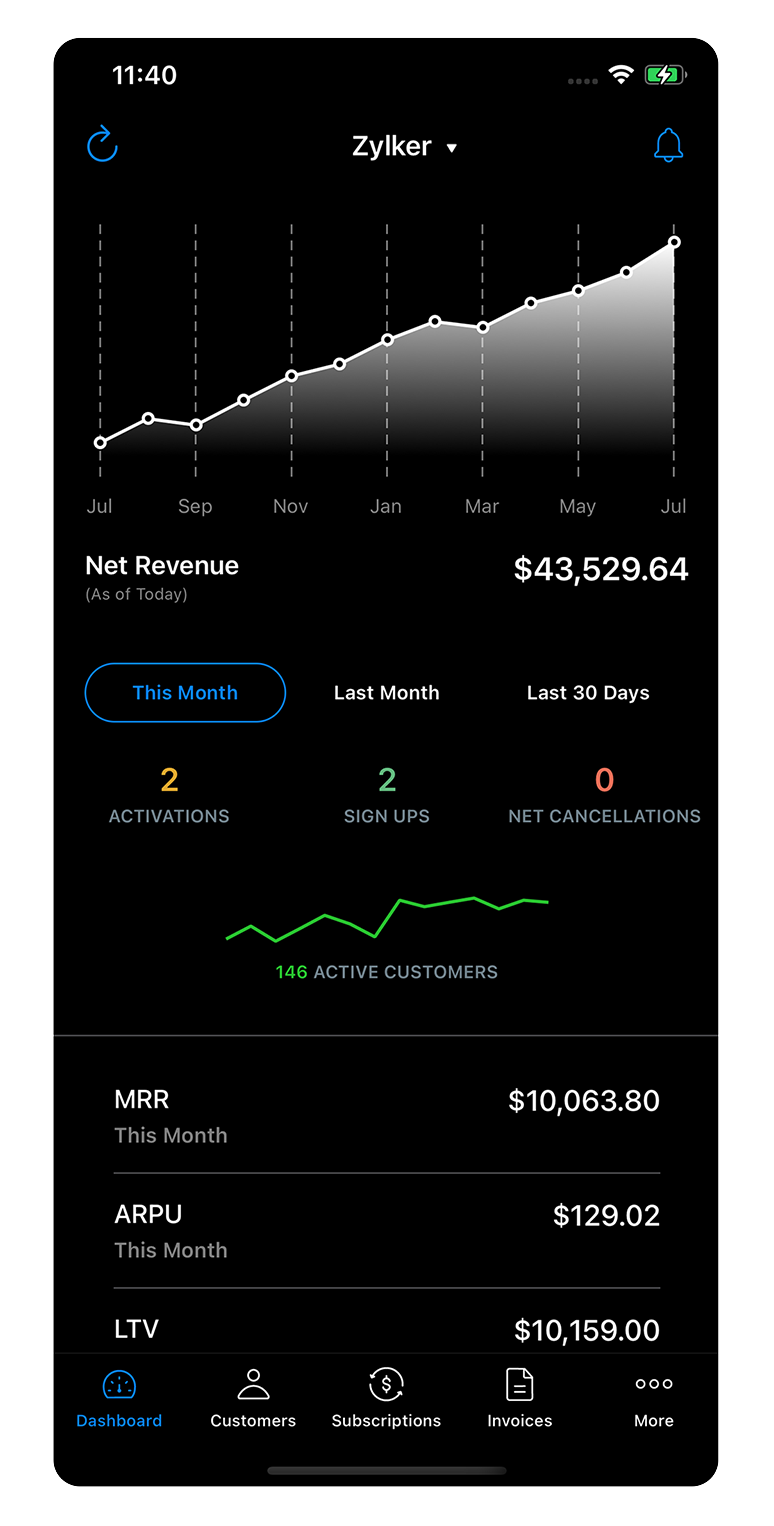
This one’s been heavily requested. If you’re on a device with iOS 13 or higher and have dark mode enabled in your system settings, Zoho Subscriptions will automatically switch to dark mode as well.
User interface that’s in line with the other Zoho Finance apps
We’ve refined the app’s UI and borrowed design cues from other Zoho Finance apps, like Zoho Books, to make the UI more aesthetically pleasing and clutter-free. If you’ve been using the app for a while, you’ll notice improvements all around, including redesigned icons and new layouts for the Customers, Invoices, and Subscriptions modules.
New user? Step right in.
If you’re a new user and don’t have a Zoho account yet, you can now sign up for a free 14-day trial of Zoho Subscriptions using just Face ID or Touch ID. Zoho Subscriptions will use your Apple ID to sign you up–no forms to fill out. We’ve also added a new free plan for small businesses and startups, which you can switch to after your trial ends. If you’re a larger business, you can switch to a paid plan of Zoho Subscriptions that suits your business needs. Download the app.
Edge detection for uploading documents
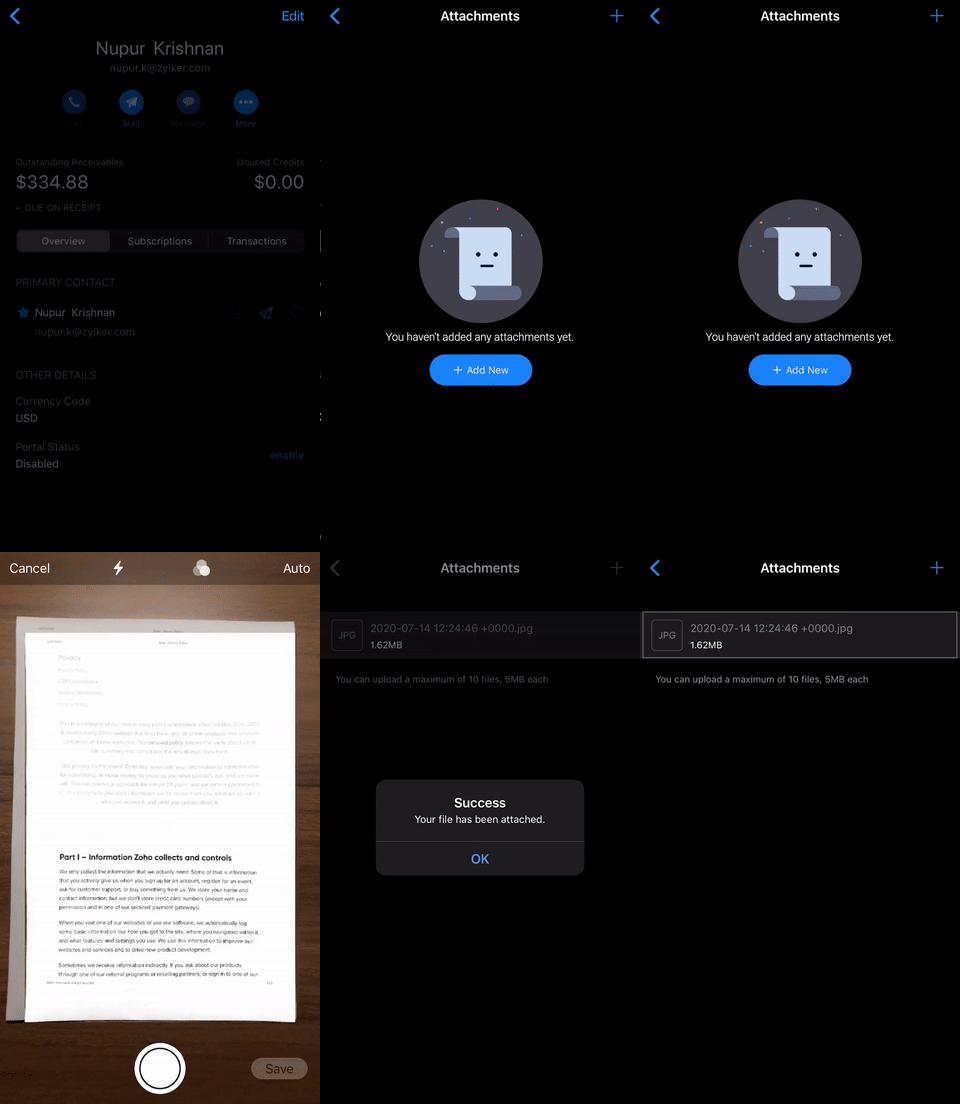
Uploading pictures of documents to Zoho Subscriptions, such as the terms and conditions or a contract between you and your customers, is easier than ever. Just point the app’s built-in document scanner at a document and it will automatically capture an image, identify the document’s edges, and crop the image for you. The app will then let you edit the cropped image for a final flourish, and your document will be ready to upload.
This feature works on devices with iOS 13 and above.
Haptic Touch for quick actions
Haptic Touch, which is Apple’s replacement for 3D Touch, lets you long press on list items in Zoho Subscriptions to view a menu with context-specific actions. Try long pressing on list items in various modules, like Invoices and Credit Notes, to access commonly used actions faster.
All the features above will work on both iPhones and iPads.
3 extra features geared toward iPadOS 13 and above:
iPadOS launched with a deluge of user-requested features, turning the iPad into a mobile workhorse. We’ve optimized Zoho Subscriptions to take advantage of these new features. If you prefer to run your business from an iPad, Zoho Subscriptions won’t let you down.
1. Mouse and trackpad support
Your external mouse or trackpad connected to your iPad will work with Zoho Subscriptions as well, getting you one step closer to a desktop-class experience. Learn more
2. Keyboard shortcuts
Navigate faster with keyboard shortcuts! If you’re connected to an external keyboard, long press the Command key to view a cheat sheet of keyboard shortcuts. For starters, try the Cmd + N shortcut to quickly create new subscriptions when you’re in the Subscriptions module.
3. Multitasking and multiple windows
You can now work on Zoho Subscriptions side-by-side with another app, or work in multiple windows of Zoho Subscriptions at the same time. Learn more
iOS 14-based features are in the works as well! Expect widget support and more, coming soon. Head over to the App Store to update or download the Zoho Subscriptions app, if you haven’t already.
What do you think of these features? If you’re an Android user, let us know if you’d like to see any of these features make their way to the Android app. Drop a comment below, we’d love to hear from you!
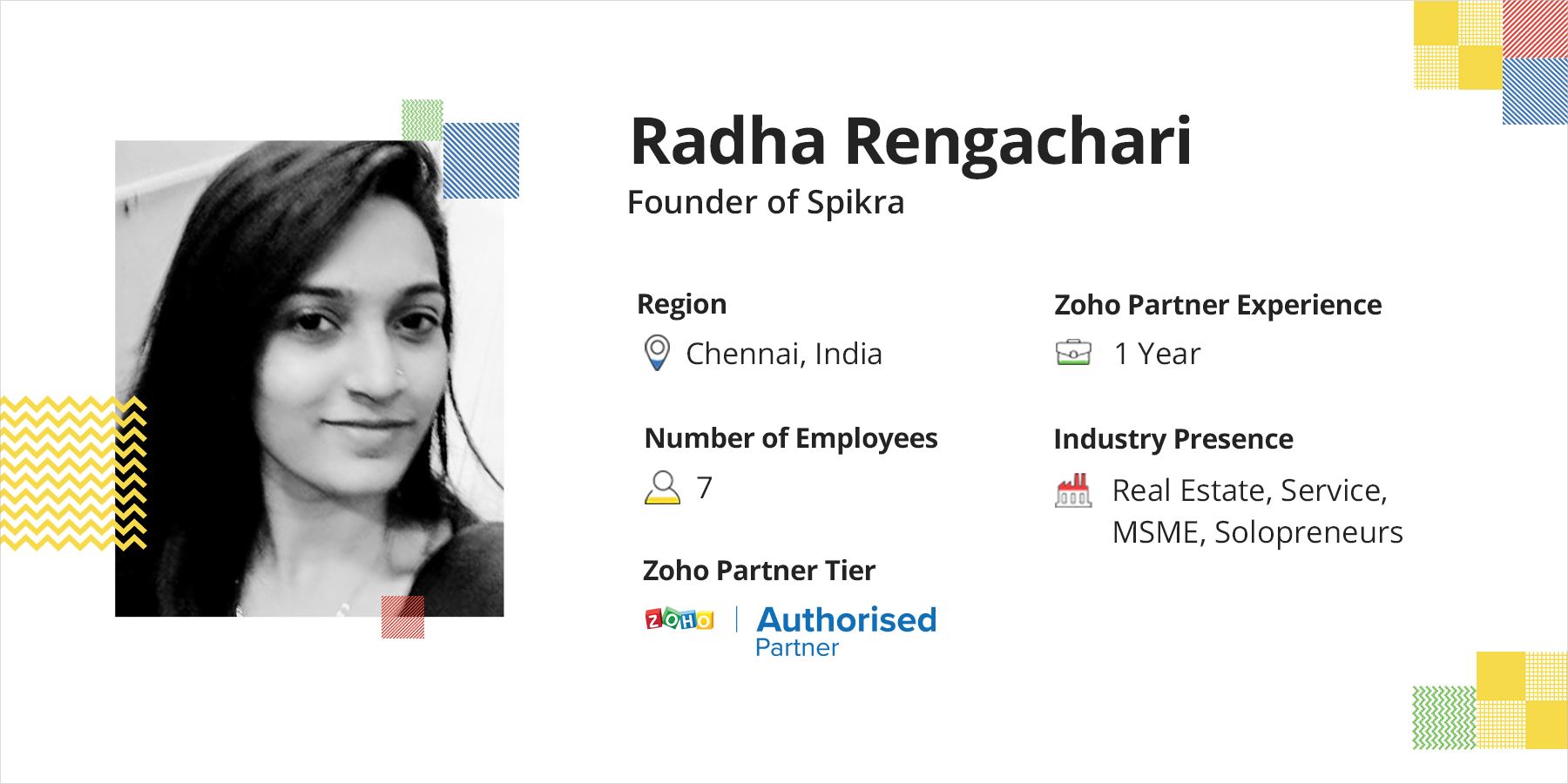
For this episode of Stories That Inspire, we’ve brought in Radha Rengachari, the founder of Spikra, to talk about her journey from being at Freshworks, to being a presales engineer at Zoho, to becoming a first-generation entrepreneur. Read her story of providing Zoho services globally and becoming a Zoho Authorized Partner.
Rithikha: Your journey has taken some interesting twists and turns. Could you please tell us about your beginning, before coming to Zoho?
Radha: I’ve been working in the corporate space for the past seven years. I began my journey in 2013, with an MNC. After a year, I made a switch and joined as a support engineer at Freshworks. As it was in its startup stage, our small team of three worked with the co-founders directly. This was an amazing opportunity because I got to work in their early stages of product releases. Though I was in support, I had the privilege of handling every customer-centric role—sales, presales, implementation, onboarding, and attending marketing events. After a while, I moved to presales. Being there, I learned how startups worked, and this shaped my career.
Rithikha: How did Zoho happen to you?
Radha: Being in presales, I wanted to learn more products. I knew about Zoho and was trying to join here for a long time. Interestingly, my interview happened on the launch of Zoho One! I expressed my interest in becoming a Zoho One consultant, and my mentor, Sai Venkat challenged me to learn 40 products in 30 days. It was an incredible journey and I was learning a lot. I loved my work so much.
Rithikha: So when did the spark of becoming an entrepreneur occur, and how did you figure out that it was the right time? What made you switch to becoming a Zoho Partner?
Radha: I’ve always been a free-spirited person, I love travelling, and I’m passionate about many things and often keep juggling between them. Though my mainstream was presales; I was a RJ for a while, then a Montessori teacher, a yoga trainer, and I’m an active NGO member. I have professional degrees in music, too. I loved my job but wasn’t sure of what my ultimate destination was.
Deep inside, I wanted to find my calling. I used the exposure to learning multiple things. I took a travel break and my friend came up with this idea during a random conversation. I thought, why not start on my own and do something I was good at, and still be a part of the Zoho family? I approached Tonia for a partnership with one deal and when she approved it, boom, Spikra was born with an investment of 6,000 rupees for the registration of the company. Since then there’s been no turning back.
Rithikha: Building a trusted team is vital for every business. How did you plan and source talent who were experts with Zoho?
Radha: This is challenging! I don’t specifically look for people with Zoho experience, though. When it comes to hiring for expertise, a lot of people drop off to join giant MNCs. I hire recent graduates. They’re enthusiastic and fast learners. Zoho is very easy to train—it just takes a couple of months. The difficulty now is to convince the talent to invest that time in your company, considering that it’s in a very early stage.
While hiring, I reach out to my friends. I believe that every woman has to feel empowered and should get an opportunity to get back to work after a family break. Three of my college mates are now working from home for us. The most interesting fact is that the last person we got on board was one of our customers. He was a Zoho specialist in a company, and then he expressed interest in joining us and he’s now with us full-time! At this point, we’re a full-grown team of seven.
Rithikha: Can you tell us about your business journey, and how Spikra has grown as a company in terms of business milestones, no.of customers, and revenue growth?
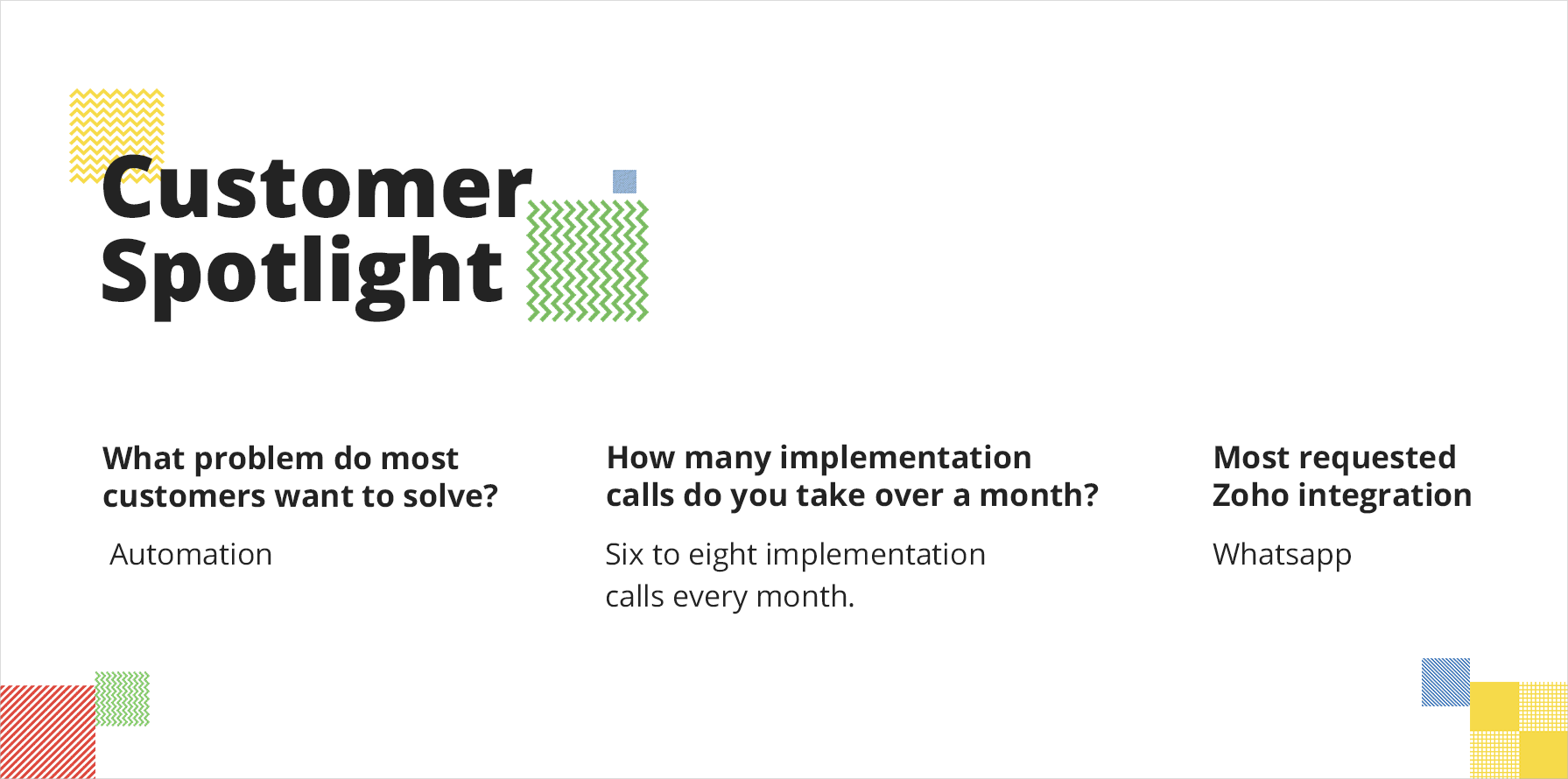
Radha: When I started, back in December 2018, I had one customer. By August 2019 we had 25 customers. And now we have 60 customers and six projects in progress. I have 2-3 customers each from Asia, Australia, the US, and Europe regions. I’m happy with the progress, and I’m grateful that Zoho has been a helping hand in sharing well-qualified leads.
In terms of revenue, we’ve done well. It has been steadily rising by 20-50% every month. We were initially working from my home, then a cafe. With a growing team, we’ve now moved into our new office!
Rithikha: Fantastic! New customer acquisition is a critical component of the recurring revenue business. What’s the lead-generation machine for Spikra?
Radha: Initially, customer referrals had my back. Conversion rates are high across all regions. Fortunately, coming from a presales background, I know how to nurture a lead.
There are still a lot of businesses that use spreadsheets, despite revenue in tens of millions of rupees—software is seen as an expense, rather than an investment. It becomes a mandate for you to build trust as an implementation engineer or a consultant. And it’s crucial to get them to trust the product. My standpoint is that we just have to do what is right for the customer, and be honest and transparent with them.
45% of my customers come back to implement another product with Zoho and give me referrals. I’ve got at least seven to eight customers just through referrals from existing customers.
Rithikha: Positive word of mouth is indeed a powerful tool! What are your best practices for a successful implementation?
Radha: Every project is designed with keeping the business and the product in consideration. I have an implementation plan for each of the flagship products, and I prefer taking things in an orderly manner, even when we have the entire business story and requirements in place. First, we have the data requirement templates, followed by process documents that can be translated into a blueprint. Considering that not every customer comes with a scope of work documentation, we build data requirement templates. We also share these templates among our partner family.
We usually set up the framework and then put in the sample data and ask the customer to test it. If the customer is willing to join us on the implementation, then we take three weeks to complete it. We also keep engaging with the customer during the implementation process. We get them on a call and tell them what we’re doing and how we’re configuring it. We also let them know how automation can be set up, and how a blueprint can help them streamline their process. Then, we give them admin training before we go live and clean up the testing data.
Involving the client in the implementation process, rather than sending them updates on what has been done, helps build their trust in the tool. Sometimes, there could be a problem with the process and not the product. It’s always advisable to take feedback from every single user when multiple people are involved. This helps in customer retention and opens up an opportunity to cross-sell or do internal process consultation.
Rithikha: In your business journey with Zoho till now, have you ever come across an interesting deal or a tough implementation? Tell us more about it.
Radha: We closed a deal last June with a customer named ICRA Analytics. They’re into financial and banking services, and they bought CRM. It was a time-intensive process, as the legal team and multiple other teams were involved in every single step. There was a lot of back and forth interactions happening. Their main reason for choosing Zoho was the audit log—with every single update, the value in the whole system is changed.
In Zoho CRM we don’t have a common pool of modules and fields where we can fix everything. We reuse common fields in every module. So we had to write a lot of custom functions. Adding to this, we didn’t have a cross-module program. The lack of a cross-module blueprint couldn’t be solved even with orchestration. This deal took a lot of time and is our toughest implementation to date.
Rithikha: Entrepreneurship, in general, isn’t easy. It takes tremendous effort in terms of prospecting, building a team, and managing the finances. It is a contribution to gender diversity. What are your thoughts there?
Radha: I’m a first-generation entrepreneur. I think it’s a myth that a middle-class family in India (like mine) would never allow you to start on your own, as it’s a very high-risk game. My family has been very supportive. One thing I consider as a blessing in disguise is that I don’t have any personal commitments.
Zoho One has been my virtual co-founder and has helped me to manage a lot of things. Being an accountant, my father took care of the GST filing and accounting. My product knowledge helped me handle the rest.
While embarking on this journey, I was dependent on my mentors, who were always a call away; my team, who are my backbone; and my customers, who are amazing—and last but not least Zoho. They’ve helped me learn a lot! I’m pretty bad at negotiations, so one of my customers with a sales background from the US ordered a book for me that was delivered to my office, here in India. We keep sharing knowledge, I teach them CRM, and they teach me negotiation!
But throughout the journey, for a long time, I wished that I had a co-founder. My advice to entrepreneurs would be to find a co-founder with whom you can brainstorm ideas, share the risk, and get support.
Rithikha: What are your plans for Spikra this year? Are you going to diversify your target markets and lead generation mechanisms?
Radha: We have a couple of plans lined up. We don’t focus on marketing, and now we need to start. I have plans to create content through a YouTube channel, which I’ll use to give updates on new features or particular functionalities. This will pave the way for a community discussion. By the end of this year, we hope to hit three figures, in terms of customers. A lot of our customers are in the US and Canada, and we’re looking forward to setting up another branch in Canada or at least have a talent working from there to support customers. We’ve also started working on industry-specific widgets in CRM. We want to focus on micro-businesses—this is something most partners miss out on.
Rithikha: What do you think are the essential qualities that you need to grow and sustain in a consulting business?
Radha: Being in the SaaS space, it’s important that you have a problem-solving mindset and good domain knowledge. One should be empathetic and a good team player. Again, being straightforward and transparent with the customer is crucial, as it helps build trust. You have to be very agile, always keep learning, and be updated.
We should stay grounded and understand what we’re doing; why we’re doing; and how we can add value to the customer and the product.
Rithikha: Is there anything else you’d like to share with us?
Radha: I want to take a moment to appreciate the Zoho Partner event—Zoho Inspire. It’s been a fabulous initiative. I love networking and I’m looking forward to our next meeting. I believe that knowledge sharing is key, and our Partner community has been great with it. Unexpectedly, I have other Partners getting me projects because they need expertise. They reach out to me and we discuss the process and how to run a business. I have gotten a lot of connections through Inspire. I love our Partner community!
This website uses cookies to improve your experience. We'll assume you're ok with this, but you can opt-out if you wish. Cookie settingsACCEPT
Privacy & Cookies Policy
Privacy Overview
This website uses cookies to improve your experience while you navigate through the website. Out of these cookies, the cookies that are categorized as necessary are stored on your browser as they are essential for the working of basic functionalities of the website. We also use third-party cookies that help us analyze and understand how you use this website. These cookies will be stored in your browser only with your consent. You also have the option to opt-out of these cookies. But opting out of some of these cookies may have an effect on your browsing experience.
Necessary cookies are absolutely essential for the website to function properly. This category only includes cookies that ensures basic functionalities and security features of the website. These cookies do not store any personal information.
Any cookies that may not be particularly necessary for the website to function and is used specifically to collect user personal data via analytics, ads, other embedded contents are termed as non-necessary cookies. It is mandatory to procure user consent prior to running these cookies on your website.