Zoho launches BackToWork to future-proof your workplace

As we continue to navigate the COVID-19 pandemic and its aftermath, organizations are looking to reopen their workplaces and prepare for returning employees. But with no long-term solution to the coronavirus in sight, businesses across the globe are struggling.

 To get back on track, organizations will be forced to spend a lot of time and effort on ensuring compliance and safety, instead of on their core business strengths. True to our vision at Zoho, we’ve created a comprehensive application to help businesses make this transition. Zoho BackToWork enables organizations to return to the workplace safely and securely.

 What should organizations ensure before getting back to office?

For many organizations, getting back to normal operations means going back to a physical office or site—whether with all employees or a small percentage of their workforce. However, doing this without a system in place to ensure the safety of employees, customers, and other stakeholders can turn into a disaster. There are four important aspects to successfully going back to the office:

  • ‌Ensuring employee safety

  • Publishing compliance guidelines

  • Effectively communicating

  • Managing assets and facilities

Major challenges to reopening 

  • Employee safety: To ensure regular self assessments, contact tracing, touchless entry, and availability of necessary equipment and safety gear

  • Compliance: Adhering to government guidelines and drafting company policies accordingly

  • Responsiveness: A detailed plan of action, to respond to new cases if/when they occur—like sanitizing floors and quarantining employees who came in contact with infected individuals

A framework for safe operations

 Digital transformation is needed to ensure safe, sustained business operations. BackToWork comes with six prebuilt modules that cover all aspects of concern an organization will have when returning to the workplace:
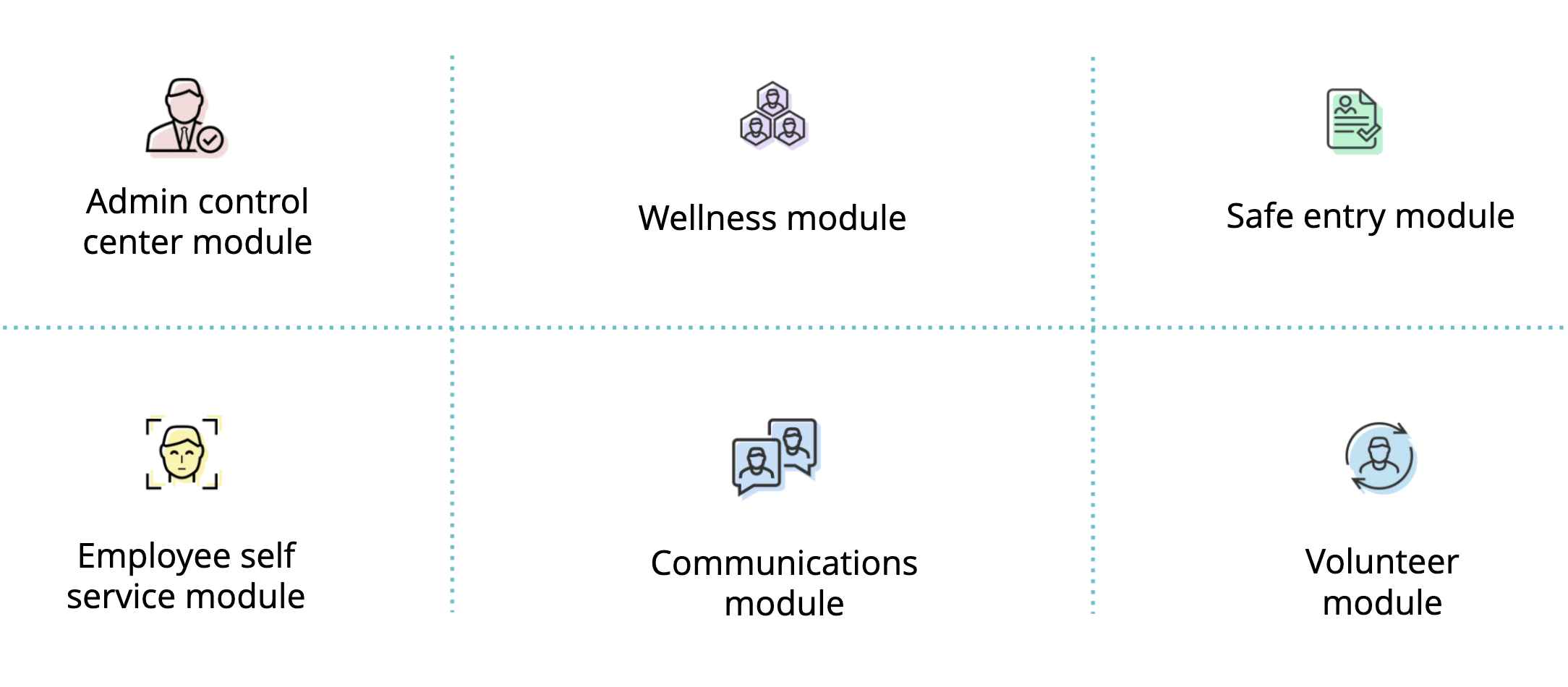
BackToWork is a ready-to-use app that focuses on workforce readiness:

  • Admin control center module – Welcome your staff back to a safer office space. This dashboard empowers top-level management to assess the preparedness of facilities better, and view individual employee health statuses.

  • Wellness module – Provide industry-approved surveys. This dashboard lets you circulate and collect self-assessment and contact-tracing forms, and oversee organization-wide health information.

  • Safe entry module – Determine which employees are ready to work from the office. With this module, perform employee self-assessments, segregate high-risk groups, and evaluate entry requests from employees and visitors.

  • Employee self-service module – On this dashboard, you can manage asset requests, ranging from office supplies to sanitizer to office space maintenance.

  • Communications module – Correspond with staff over the phone and the web, and share guidelines, best practices, frameworks, and announcements in a coordinated manner.

  • Volunteer module – Give back to the community. This module allows organizations to recruit employees, and organize and execute volunteer drives.

Ease of use is a core element of BackToWork

Organizations can deploy with a one-step onboarding process after signing up. Post-deployment, the admin can add employees by importing or uploading from an existing employee list, or by pulling data via easy integrations with Zoho People, Active Directory, Zoho Directory, and BambooHR.

After completion, employees can access the application on the web, and from iPhone and Android devices. The application is practical and feature-rich, to tackle the situation at hand. To ensure a seamless transition, BackToWork allows you to:

  • Dynamically control the number of employees and visitors that a building can accommodate

  • Decide how frequently self-assessment needs to be done, regardless of whether employees are visiting the workplace or not

  • Mandate employees to fill in self-assessments every day they visit the office

  • Restrict the number of employees who commute to the office via public transportation and/or carpooling, or who have a recent travel history

  • Customize the cool-off period for an employee who’s recently recovered from COVID-19

  • Control the approval process for asset and maintenance requests

 Overall, there’s little to no learning curve, and we provide detailed step-by-step documentation from both the employer and employee perspective to make adoption seamless.

 Furthermore, Zoho BackToWork is available in multiple languages. The app is scalable and modular, so it can be customized based on business needs, as the underlying low-code platform, Zoho Creator, supports app localization in 62 languages, custom workflows, AI, third-party integrations, portals, and much more.

 Pricing and availability

As part of Zoho’s ongoing effort to support businesses during these uncertain times, BackToWork will be offered free of charge until the end of 2020. After that period, it will cost $2 USD/user/month for all regions.

 The journey so far has been no small feat, and returning to work won’t be, either. It’s time to future-proof your workplace. To learn more, reach out to us at [email protected].

Net Universe offers all Zoho subscritpions and consultant services with worldwide Delivery Services.
Send us an email to [email protected] for more information or visit https://www.netuniversecorp.com/zoho.
one tool for all your lookup queries

If you’re an admin or even a user, you’ve probably had to perform lookup operations at some point. These might range from DNS lookup operations to simple IP lookups or port checks. Wouldn’t it be nice to find all these options in one place instead of having to switch between multiple services? Good news: we at Zoho Mail built the Toolkit to help you with just that.

Toolkit for lookup queries

Toolkit is a completely free, comprehensive service that can be used to troubleshoot or solve email-related issues, such as retrieving domain information, looking up registry details, performing port and IP checks, and running DNS record checks. Better still, Toolkit can be used by anybody on the internet, not just Zoho account holders.

How can I use Toolkit?

Toolkit has something for everyone! Here’s how you can make the most of it for your organization or even for yourself.

Look up domain details
Toolkit offers several domain-related lookup options. Just by entering the name of any domain, you can view all DNS records associated with it. You can even check whether the basic domain configurations that ensure security and email deliverability—such as MX, SPF, and DKIM—have been done.
You can also view registry details and other information like renewal date using Toolkit.

Analyze message headers
While some email solutions like Zoho Mail provide built-in header analyzers, some do not. But if you get an email that you think is suspicious, don’t worry. Once you provide the header details of an email, Toolkit can give you the exact information you need to verify its authenticity.

Perform IP-based lookups
If you want to find out if there is a domain hosted from a specific IP address, Toolkit’s reverse lookup tool can help. Enter the relevant IP address and Toolkit will find any associated domains.

Check for open ports and encode/decode URLs
Look for any open ports for a specific host using the Port Check option.
You can encode or decode URLs or text to ensure it’s encrypted before sending it out. Pick from the available encode or decode options, and you’re all set to go!

These are just some of the options Toolkit provides to simplify email-related troubleshooting.

While we keep working to enrich Toolkit with more features, start using Toolkit from here and find all the necessary instructions on the Toolkit help page. Do leave your feedback and suggestions as comments below!

Net Universe offers all Zoho subscritpions and consultant services with worldwide Delivery Services.
Send us an email to [email protected] for more information or visit https://www.netuniversecorp.com/zoho.

Useful tips and tools for more productive remote meetings


Over the past few months, employees all over the globe have been forced to adapt to working remotely. This has given rise to a huge challenge: finding a suitable replacement for the interactions that we’d normally have in a workplace. Communication is far easier when you’re having a face-to-face conversation. However, there’s always the next best thing—online meetings.

Apart from their conventional uses, online meeting tools are being adapted for different purposes around the world. Teachers are using them to conduct online classes for their students, doctors are delivering care to their patients with telehealth visits, actors are performing plays for their digital audience, and organizational leaders are holding virtual townhalls to address their employees.

Don’t cancel interactions, just take them online

Whether you want to stay connected with your team’s progress with weekly update meetings, start a conversation with a prospect, or even hold a virtual event, you can do it all by simply connecting your online meeting tools with Zoho CRM.

In addition to Zoho Meeting, here’s a list of third-party online meeting tools that Zoho CRM seamlessly integrates with:

Add efficiency to every stage of your online meeting

Before

  • Schedule online meetings right from Zoho CRM
  • Connect quickly with your leads and contacts through automatic invites and instant-meeting links
  • Receive automatic reminders leading up to the online meeting

During

  • Launch online meetings directly from Zoho CRM or even the reminders you receive
  • Track participant engagement with activity tracking and attendance data

After

  • Share meeting recordings with participants easily
  • Receive comprehensive post-meeting statistics that can help optimize your meeting effectiveness
  • Automatically update meeting information in the Events module

The benefits don’t end there! Zoho CRM also integrates with e-signature apps, chat systems, and other tools that can help you easily collaborate with both your team and clients when working remotely.

Explore all Remote Work extensions for Zoho CRM

Net Universe offers all Zoho subscritpions and consultant services with worldwide Delivery Services.
Send us an email to [email protected] for more information or visit https://www.netuniversecorp.com/zoho.

Notebook updates: create tables, merge note cards, and more

Hi everyone,

We’re back with more Notebook updates. From our most requested feature to exciting bug fixes, we’re excited to tell you about what’s been implemented and updated.

Create tables

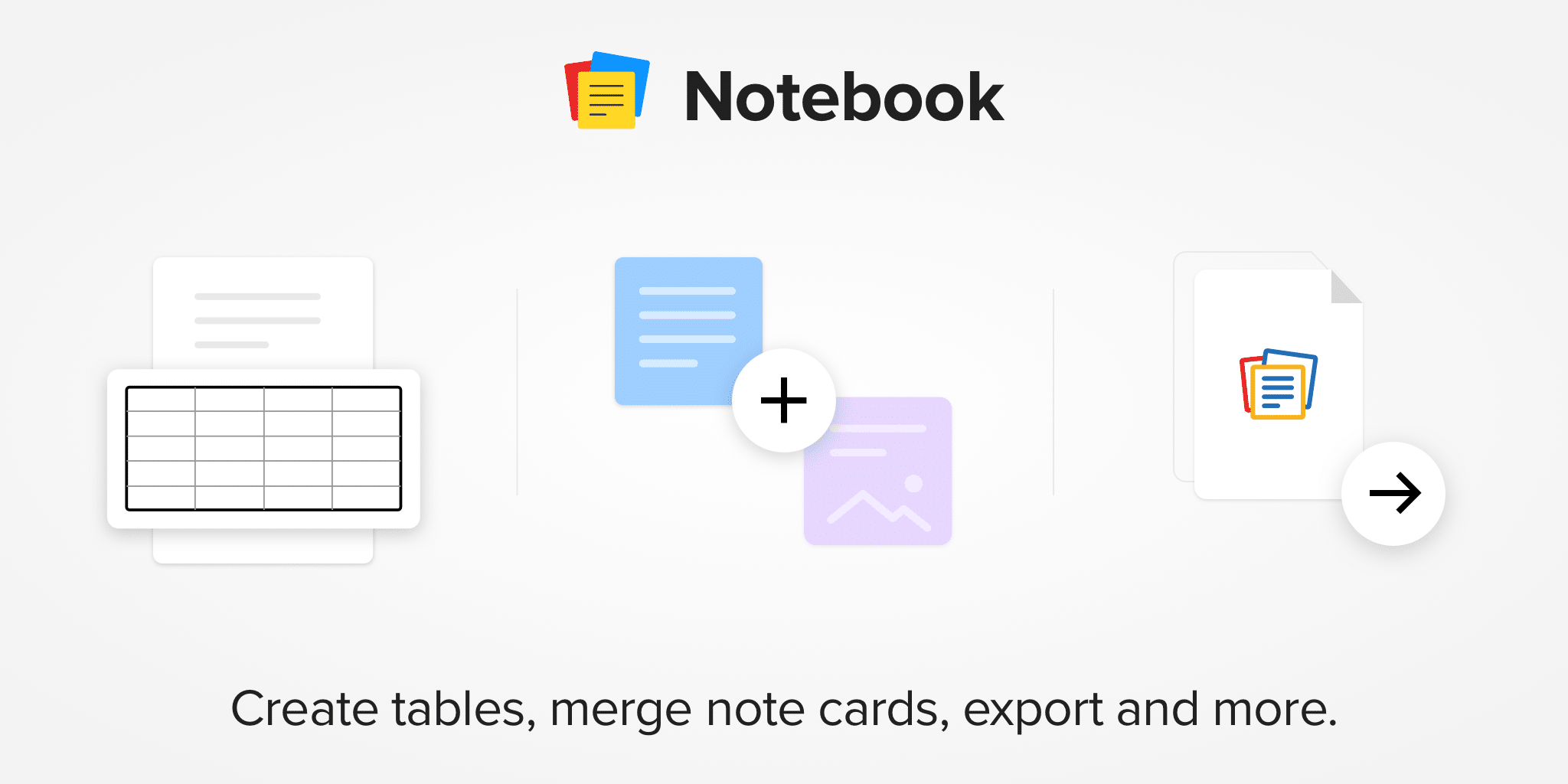
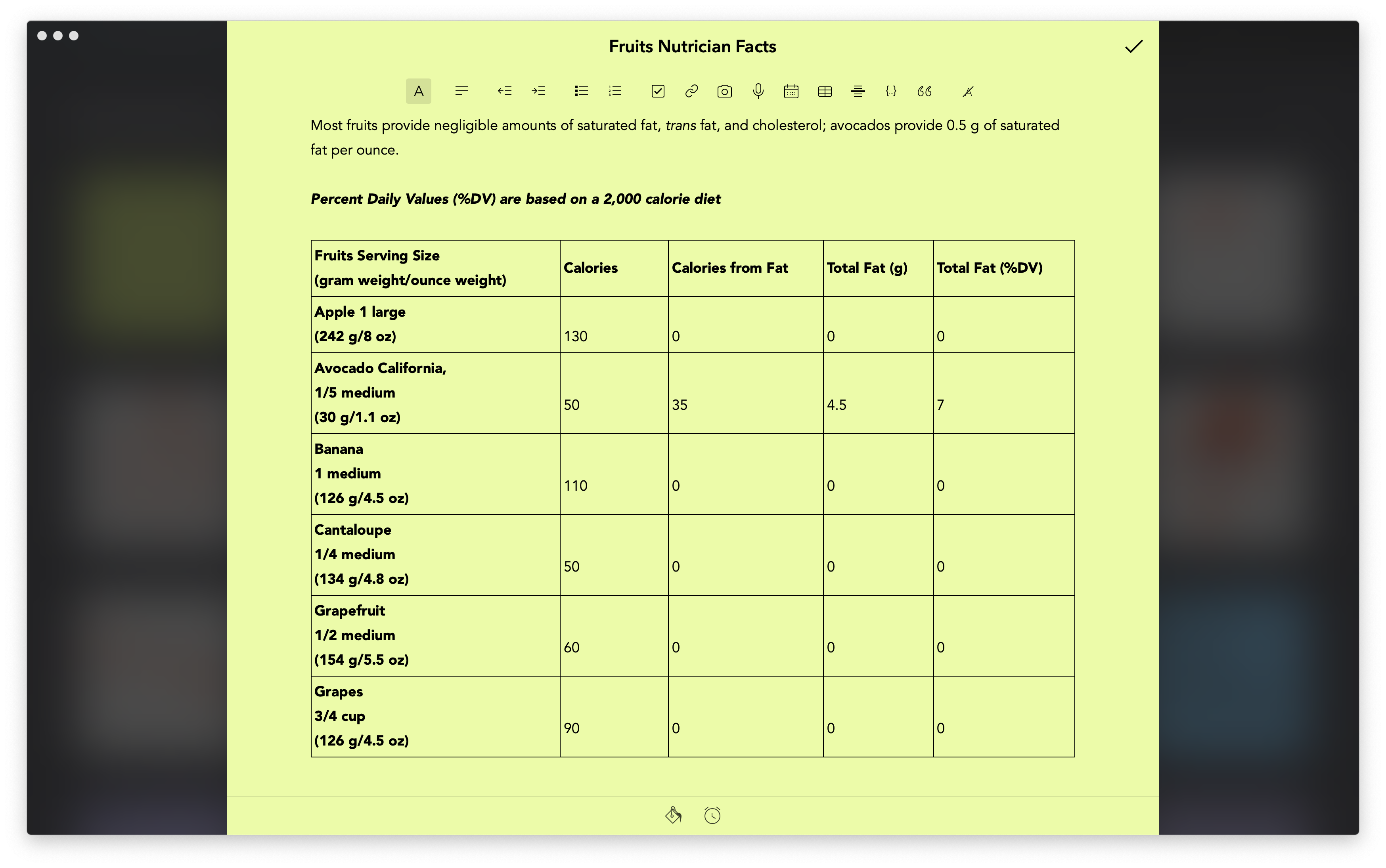
One of the most requested functionalities for Notebook is the ability to create tables in Text Cards, and we’re happy to say you can now find the option to create a table in the editor toolbar across all platforms. While creating a table in a text card is currently only possible in the Notebook mobile app, you can perform these actions on the desktop and web apps: 

Remove formatting

We don’t always want to import formatting to our Text Cards. Different websites have different styles, so when we copy and paste content into Notebook, we often end up pasting the formatting. You can now remove previous formatting from any copied content before you paste into a Text Card. Your preference will be stored in the app settings and you can change it anytime. You can also entirely remove a Text Card’s formatting to make it plain text.

Merge note cards

Have you ever had related notes spread across multiple note cards? Have you ever pasted the content of a note into another to make it a single note card? Notebook now makes it easier to merge note cards into one. Please note, only similar note cards can be merged at this time. For example, you can only merge a Text Card with other Text Cards.

Export data

Your data is always yours. You can now export your Notebook data at any time and back it up in any place of your choice. Users who use Notebook without a Zoho account can multi-select note cards and notebooks and export all as a ZIP file. Zoho users can request to download the entirety of their Notebook data, either in HTML or ZNote format. You will receive an email with a download link once the export is completed. You can import these files again using the Notebook app.

Reset passcode

Notebook is where many of us write important notes as well, and Notebook allows us to lock certain notes to secure them. Until now, only Zoho account users could reset their passcode if forgotten. Now, users without a Zoho account can also reset their passcode. Going forward, the Notebook app will ask you to set up a few security questions when you first set a passcode. You can answer those questions any time to reset your passcode.

Sort and filter

In addition to setting your preference to sort your note cards and notebooks, you can now set this preference at the individual view level. This means you can now have different sort preferences for your notebooks and note cards. Search and other views will still have your note cards sorted based on your last modification.

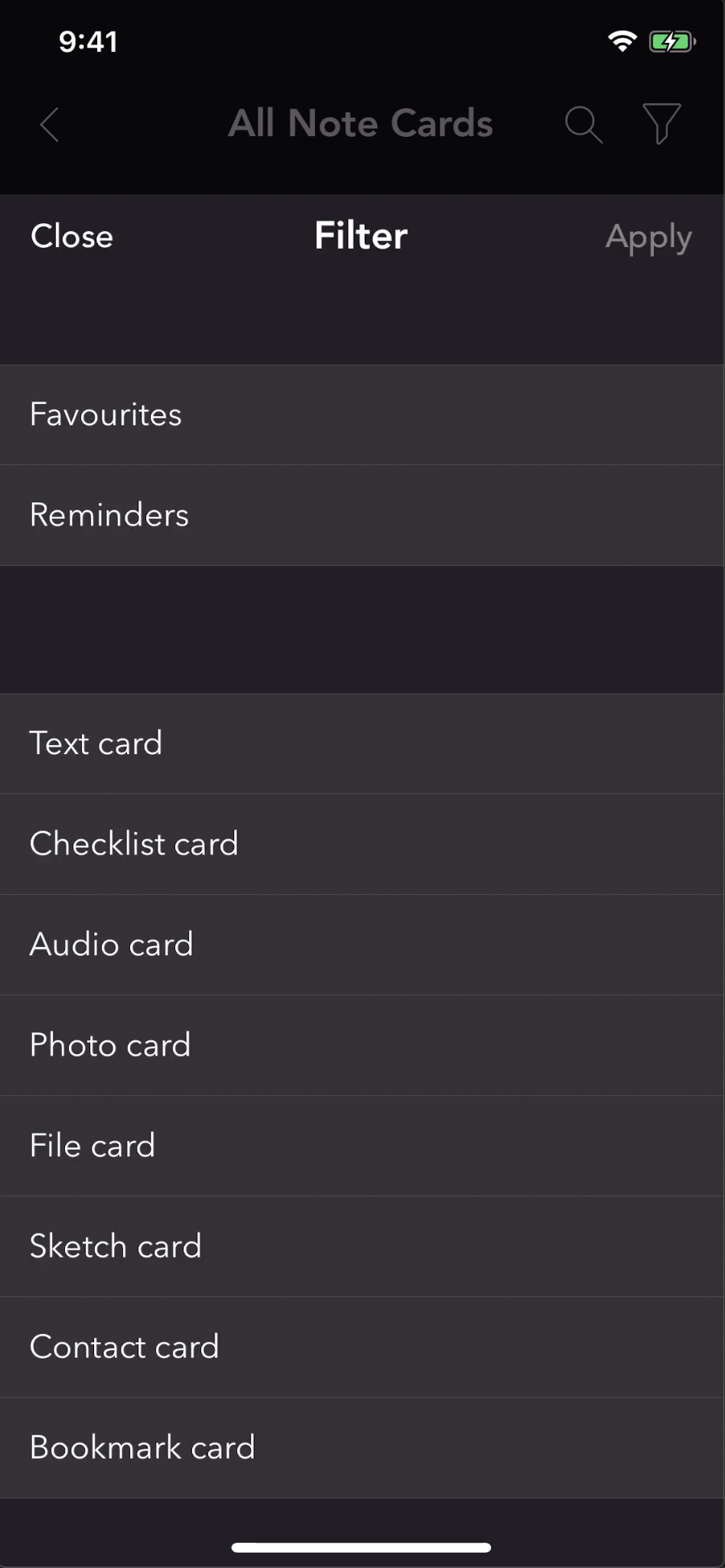
You can now apply filters to all note cards and notebooks to find the required note card or notebook easily. You can also apply filters additionally to the search term to narrow down your search results.

Sign in using WeChat

For all users in China, creating an account in Zoho is much easier now. Notebook now supports the option to sign in using WeChat. You can use this option on mobile apps to create a confirmed account with Zoho with a click.

Platform Updates:

Notebook for iOS

For all Apple users, Notebook is now compatible with the new iPad Pro. You can use the trackpad to navigate in the app and use keyboard shortcuts to work on the app. You can refer this help guide to learn more in detail about the trackpad features and keyboard shortcuts.

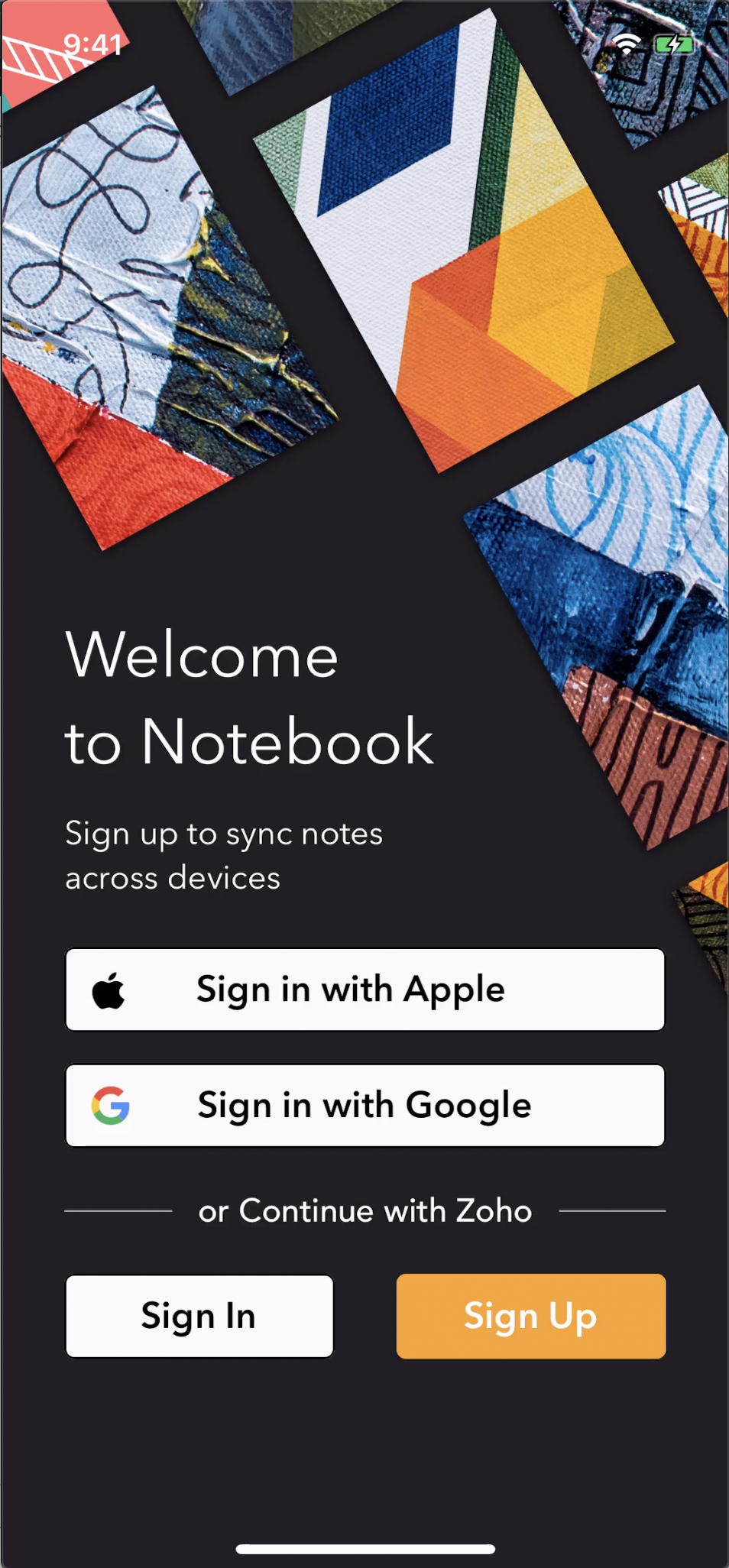
Apple users can use the “Sign In With Apple” option to create an account and sync notes across devices. You can either choose to share your email or not using this option.

The Undo and Re-do tools are now placed in the Text Card editor toolbar for easy access. You can use these tools with Apple’s accessibility technology, “Shake to Undo.”

Notebook for Android

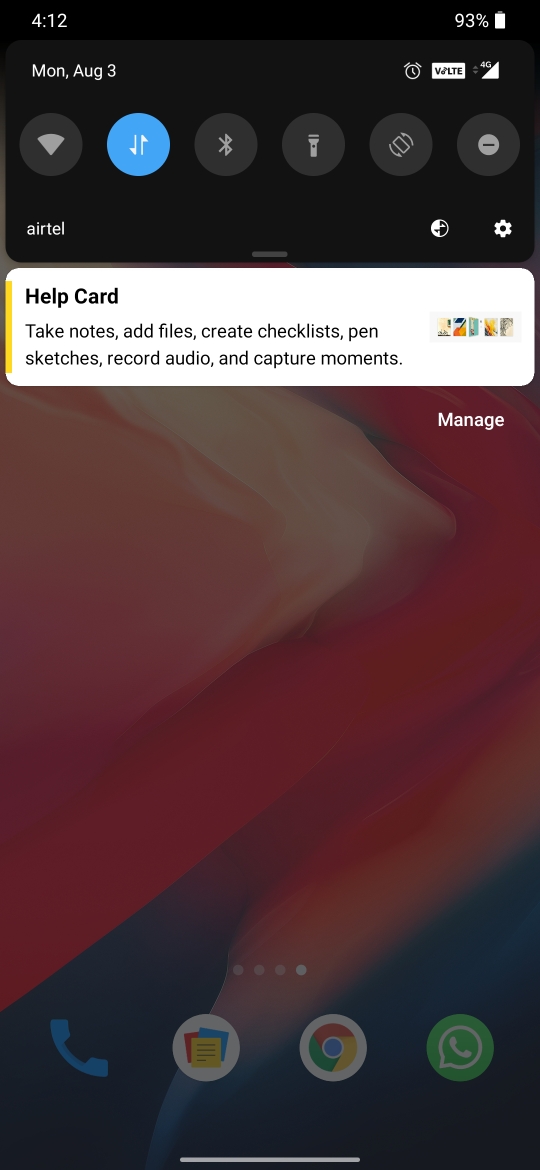
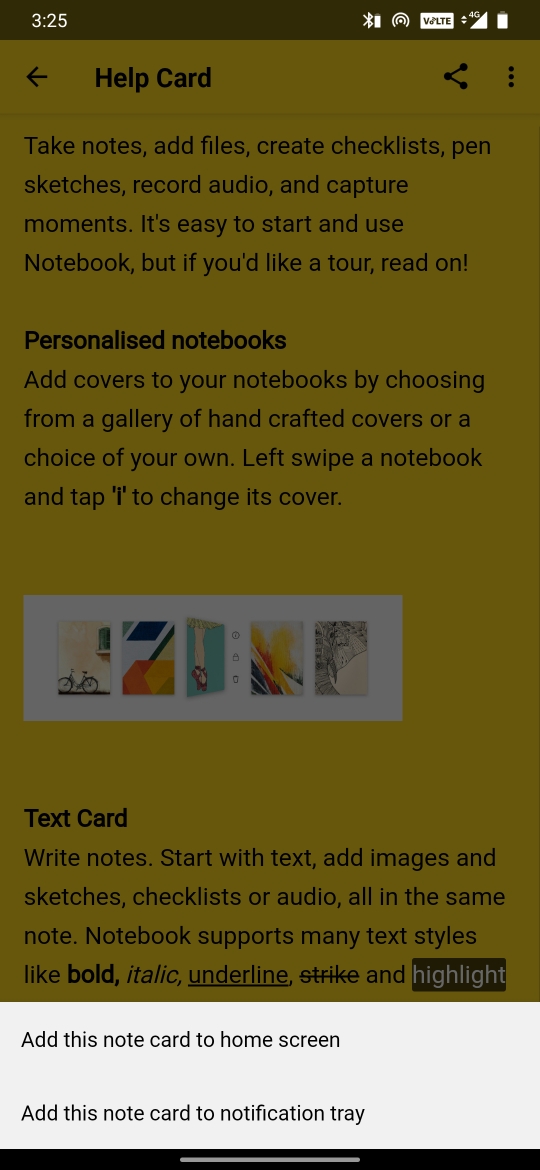
We’ve added a new shortcut, “Add Note to Notification tray.” You can use this shortcut to pin a note to the notification bar to quickly access it again. We’ve also redesigned the push notification view. Now, you’ll never miss reminders and important announcements from the product.

Notebook for Mac

Notebook for Mac added window support in recent updates. Now, you can open a note card in a separate window and write without distractions.

Share files to Notebook Mac app from anywhere on your Mac. Right-click on the file you would like to share, click ‘Share’ action to see Notebook listed as an option.

Choose from a variety of fonts installed on your device to use it in Notebook. If you’d like to use a font in Notebook, download and install that font on your device and set it as the “Editor Font” in your Notebook preferences.

Bookmark Cards now open inside the app. You can tap the Safari icon any time to open a Bookmark Card in the browser. Copy and pasting a multi-line checklist will create individual items in Notebook for Mac.

We hope you find these features and enhancements in Notebook helpful in increasing your productivity! Feel free to leave your feedback in the comments below or write to us at [email protected].

Net Universe offers all Zoho subscritpions and consultant services with worldwide Delivery Services.
Send us an email to [email protected] for more information or visit https://www.netuniversecorp.com/zoho.
How automation transforms HR operations

Benefits of HR Automation


As an HR manager, you have to keep the internal operations of your organization updated to improve employee productivity and satisfaction. Manual HR processes can lead to a poor employee experience and decreased retention, which is why more organizations are adopting HR automation.

Benefits of HR Automation

This allows you to focus less on repetitive and tedious tasks like sending emails or managing shift schedules, and you can give more of your time to other important HR initiatives. Here’s how automation can be useful to your HR department:

  • Simplifies and automates all essential HR functions, allowing you to complete work faster

  • Reduces HR costs by cutting the money on storage space and paperwork

  • Puts an end to data errors and double work by automating field updates

  • Improves the overall productivity of your HR department by reducing the time spent on manual tasks

  • Increases employee satisfaction and retention

However, it’s not enough just to know that automation is necessary. It’s also vital to understand which HR tasks should be automated in order to optimize your HR process.  Here are a few HR functions that automation benefits:

  • Employee onboarding: The paperwork that comes with hiring new workers can be automated and simplified.

  • Time off and attendance management: Employees can mark their attendance and apply for time off online, streamlining the whole process.

  • Timesheet management: Employees can record the time spent on different projects online, making the process more accountable.

  • Learning management: Any number of employees can be trained at once with virtual courses and digital learning materials.

  • Data management: Employees can track and maintain their own data, meaning you only need to oversee it.

  • Performance management: Performance reviews can be made as unbiased as possible by easily gaining input from peers and managers without the need for face-to-face interviews.

  • Exit management: All the steps involved in exit management can be automated to ensure compliance.

Read more about how automation facilitates HR operations.

Net Universe offers all Zoho subscritpions and consultant services with worldwide Delivery Services.
Send us an email to [email protected] for more information or visit https://www.netuniversecorp.com/zoho.
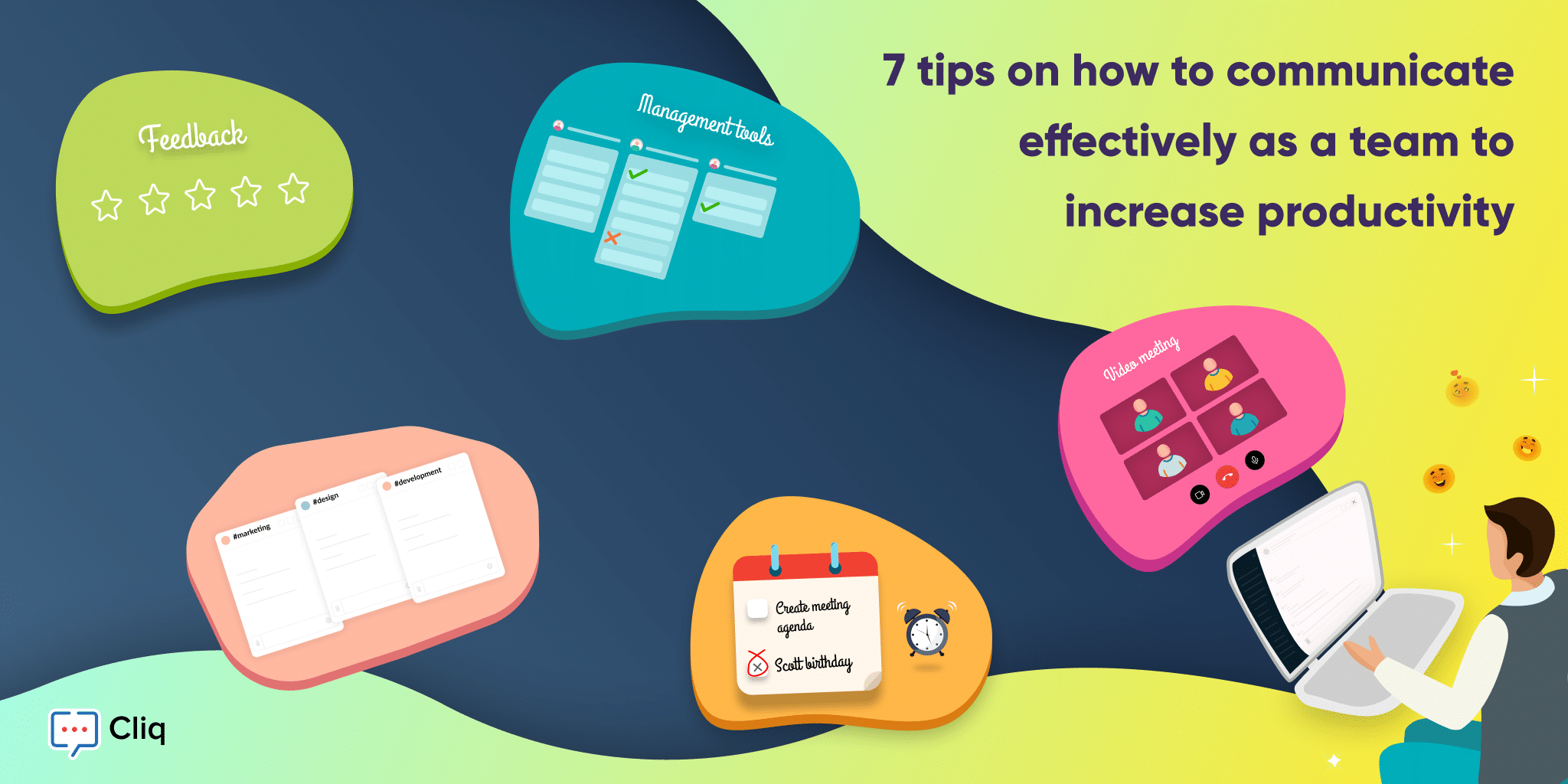
7 tips on how to communicate effectively as a team to increase productivity

Effective team communication is an essential requirement for workplace productivity. Successful team collaboration is a result of how effectively a team communicates with each other to get the work done.

Here are seven tips for increasing your team’s productivity by communicating effectively.


1) Make your team feel comfortable and included

Building rapport with your coworkers will make them comfortable voicing their opinions and more open to listening to what you have to say.

Whether it’s a one-on-one conversation or a team meeting, making the other party comfortable is the first step towards having an effective conversation. One of the best ways to build rapport is with small talk. Initiate casual conversations with your coworkers about your lives and daily activities. This personal connection not only opens door for healthy discussions among the team but also makes them more likely to listen to what you have to say and gives them the confidence to pitch in their opinion.

In a team it is very important that you give your coworkers the space and comfort to approach you. This is essential because as a team when you have the ease to reach out to each other, you can have constructive conversations and discussions over varied opinions and ideas.

Another way to make your team members feel included is by making simple gestures. If your team adds a new member, welcome and initiate conversations with your new teammate through team communication tools such as Cliq. Use your team’s chat platform for more than just work conversations: create dedicated channels to share appreciation and to celebrate victories.


2) Have focused discussions to be more productive

If you’re a manager or a team lead, you know how important it is to keep your team’s conversation on track. Though casual small talk is a great ice-breaker, everyone must be mindful to not get carried away. Especially when your team is working remotely, it’s best to have concise, to-the-point conversations to avoid messing with anyone’s schedule. When you need to communicate new information without a scheduled meeting, make sure you communicate your message clearly and efficiently to avoid repetitive calling and checking in. A good idea for efficient communication is jotting down main points and streamlining your thoughts before reaching out.

Communicating effectively is even more important while working remotely. Hold weekly round-up video calls to discuss your team’s productivity and talk about ways to improve it. During your discussions, make sure you listen to any pain points the team has and work on necessary changes.


3) Aim for a positive outcome in every conversation

If your team consists of highly passionate individuals who share the same goal, it’s natural for them to agree and disagree with each other to arrive at the best possible approach or solution. However, sometimes the process of choosing the best idea among varied suggestions may lead to a competitive atmosphere and even outright conflict between coworkers.

Here are some suggestions on how to keep your emotions in check and avoid any unhelpful disagreements.

In situations of tension, slow down and consciously choose how to respond.

  • Think about how you can respond to create a positive influence in the given situation.
  • Avoid making any negative comments.
  • Be an avid listener and appreciate good ideas.
  • When presented with an opportunity, work on your idea and persuasively communicate your thoughts through a presentation or your chosen creative outlet.


4) Choose your team communication software and use it wisely

With rapid evolution of technology, communication is agile. Choosing a team communication tool that helps your team have organized, streamlined conversations is crucial for successful communication.

While you choose your team communication software, make sure it first and foremost allows your team to have streamlined, focused conversations. Features such as user-friendly search abilities and simple, easy-to-create automations are a plus too. A good communication tool should be intuitive and allow you to communicate without having to switch between tabs to find the relevant file or information. In Cliq, you can access files stored in third-party applications from the chat window with the help of simple commands. This helps you to focus on the task at hand and saves your time.

If you are a manager or a person in a leadership position, it is very important to keep your team in the loop on the project updates, deadlines, and any changes. One way to communicate these changes is by updating them in your team calendar and setting reminders to alert your team about the upcoming meetings


5) Encourage transparency

The more transparently you communicate as a team, the more trust you build. With more trust, you don’t need to monitor and nudge a co-worker to get work done.

Transparency in your team allows you to have an overall understanding of how and what your team is currently working on. This openness is particularly helpful in teams who collaborate and have dependencies.

Say your team updates its tasks and dependencies via project management tools. As a manager, these tools should help you have a bird’s-eye view of how your project is going and who is working on what. When you have this data, it’s easier to assign or split tasks based on dependencies and workload.

As a team, it is always better to have inclusive conversations. If you’re sharing information, make sure you do not compartmentalize what you communicate and create information silos. Keep access to information open to all team members unless there are confidentiality constraints. You can promote transparency by making good use of your team communication tool as well. Create channels to share general information and eliminate ambiguity. Keep your team informed about your current availability by updating your status.


6) Motivate your team

Recognition and appreciation are keys to productivity. Being recognized makes one feel valued and motivates them to go the extra mile.

Team productivity is more than simply the sum of individual productivity within the team, and whether you’re in a central workplace or working remotely, it’s important to keep each other motivated. Sometimes simple gestures like showing appreciation for your team by giving them a shout-out for their performance on a team channel and assuring your team you have their back during tough times will develop a sense of belonging, mutual trust, and shared responsibility among the team.

Try to make time at least once a month to bring your team together, in your office or over a group video call, to share your gratitude for them, recognize everyone who played a part in recent successes, and motivate them to push boundaries.


7) Open doors to feedback

How you deliver your feedback influences how your team perceives it.

Feedback is a powerful tool but use it mindfully. Your constructive feedback often can be misunderstood as criticism depending on the tone of delivery, so communicate your feedback carefully. Be specific in your comments to help the person you’re giving feedback to analyze and understand your perspective better. Always try to end on a positive note to reassure the listener that you think that they are capable of improvement.

We hope you found these communication strategies useful! Let us know how these tips helped you improve your team communication in the comments below.

Read Next

Working remotely? Here are exclusive tips on remote team collaboration with Cliq: The Working from Home Guide: Remote Collaboration with Cliq

Watch this video to see how you can effectively communicate with your team.

video” frameborder=”0″ allowfullscreen>

Net Universe offers all Zoho subscritpions and consultant services with worldwide Delivery Services.
Send us an email to [email protected] for more information or visit https://www.netuniversecorp.com/zoho.
Zoho Analytics named a top-rated app on HubSpot Marketplace

In January 2018, Zoho Analytics partnered with HubSpot CRM to provide businesses with powerful sales analytics.

The HubSpot CRM + Zoho Analytics integration enables businesses to analyze their sales, leads, and pipeline data. This integration comes packed with 100+ reports and dashboards that help sales teams understand their current performance, identify inefficiencies and opportunities, forecast and achieve sales targets.

Zoho Analytics + Hubspot

2 years and a whole lot of happy customers later, we’re excited to announce that our Advanced Analytics connector for HubSpot CRM has been recognized as one of the Top 30 apps in HubSpot Marketplace!

From being one of the fastest-growing HubSpot integrations in 2018 to becoming one of the top-rated integrations today, we’re beyond thrilled to share this milestone with all of you. This comes to us as a testimony to the relentless effort we’ve put in, and has given us confidence that we’re moving in the right direction.

Here are some of the key features of this integration:

  • Fetch and auto-sync HubSpot CRM data

  • 100+ prebuilt KPI visualizations

  • Auto-blend HubSpot data with other business apps for cross-functional analytics

  • Create custom sales reports, forecast future trends, and build powerful dashboards

  • Use Ask Zia to ask questions and get sales insights

  • Share, comment, and collaborate with your sales team

  • Configure contextual data alerts to get instantly notified about your key sales metrics

This integration also comes with five powerful dashboards on Overall Sales, Leads, Closed Revenue, Expected Revenue, Pipeline History, and Salesperson Performance. These dashboards give you a quick bird’s-eye view of all your metrics, like leads generated, the conversion funnel, lead sources, and YOY comparisons, along with forecasts.

With every new sale or incoming lead, the data gets automatically updated in Zoho Analytics, providing you with key insights on a daily basis. You can also blend your finance or marketing data from other apps to get end-to-end business insights under one roof.

And this is only a glimpse of what Zoho Analytics can do! The integration is easy to set up and even easier to automate.

Sign up and start visualizing your data today!

The post Zoho Analytics named a top-rated app on HubSpot Marketplace appeared first on Zoho Blog.

Net Universe offers all Zoho subscritpions and consultant services with worldwide Delivery Services.
Send us an email to [email protected] for more information or visit https://www.netuniversecorp.com/zoho.
What’s new with Zoho People: July product updates

We are back again with our monthly product updates! This month, our product developers have introduced some awesome features and updates that make Zoho People more effective for your business, and we’re very delighted to present them. These updates are aimed at making HR management easier and less strenuous. Here’s a quick glimpse of what’s new with Zoho People this July:

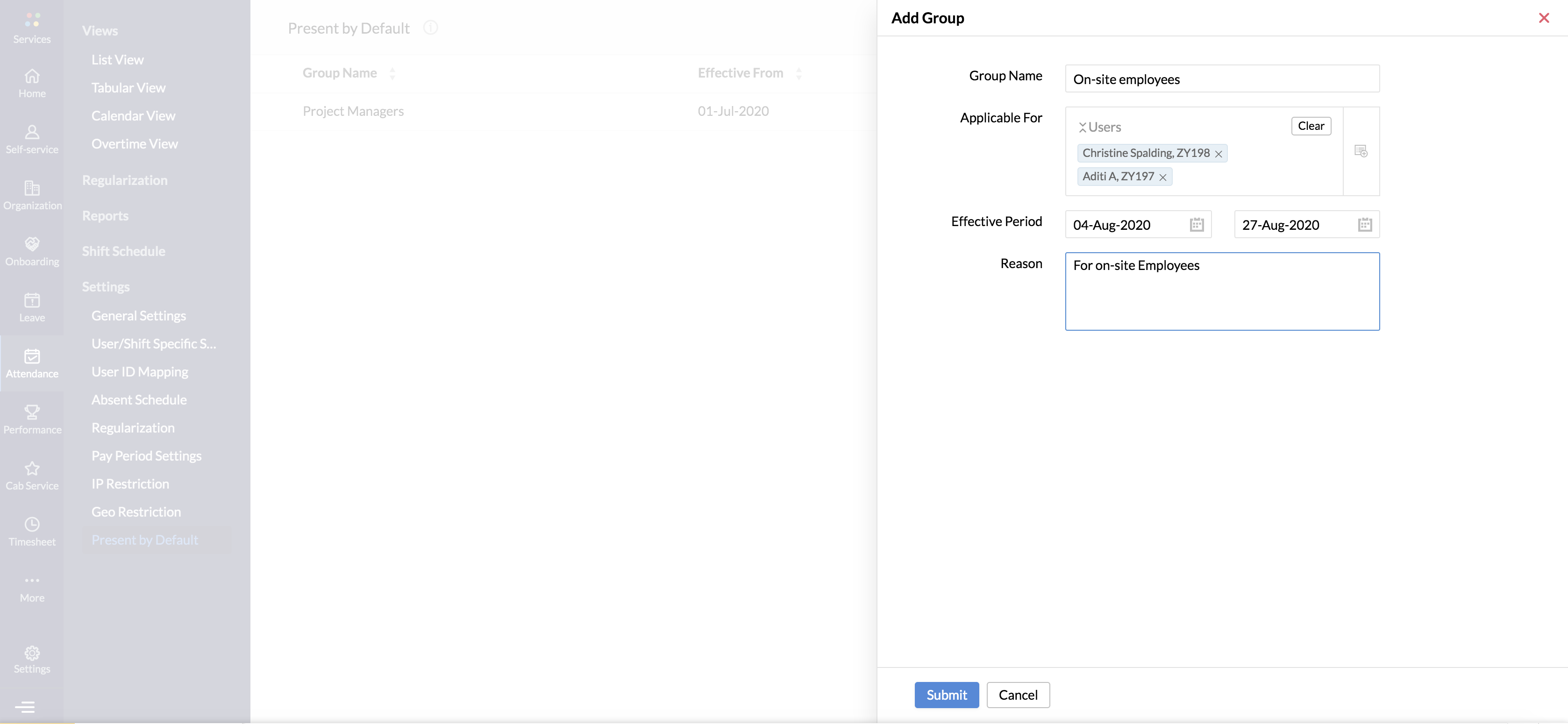
Attendance must be managed effectively to avoid penalties. Errors in attendance data often involve regularization, which takes extra time for both you and your employees. To ease this process, we have introduced the Present by Default feature. By enabling this feature, attendance can be marked as present for individuals or certain groups of employees for a particular time period. This can be useful for on-site employees who don’t have the means to mark attendance and senior officials who may not have time to mark attendance with their busy schedule. With this feature, you don’t have to worry about attendance errors and regularization. Learn how to use our Present by Default feature here. 

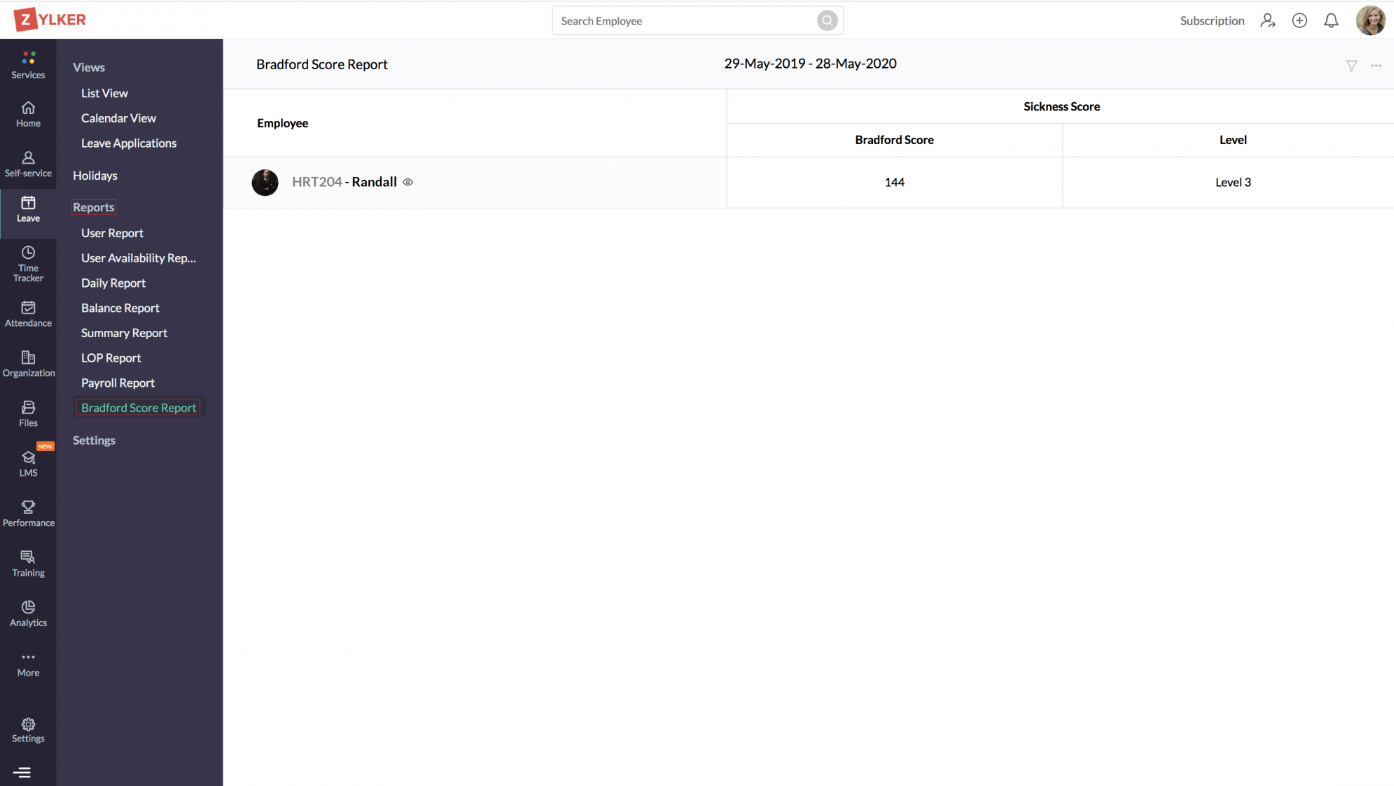
Frequent unplanned absences can hinder your organization’s productivity and bottom line. It delays projects and increases the work load for employees who are present, which affects both client and employee satisfaction. That’s why we have introduced the Bradford Score feature in our Leave Management module. It’s a popular absence management metric that can be very helpful for organizations that thrive on frequent deadlines by helping to reduce unscheduled absences.  The higher the Bradford score, the more disruptive an absence is. This gives you another tool to assess the impact of employee absenteeism and address any attendence issues. Detailed reports that provide the Bradford score of each employee can be accessed instantly by enabling this feature. Learn more about the Bradfore Score Feature here.

Are approvals taking longer time than they should? Is this delay impeding other important tasks? Our Approval TAT feature has the perfect solution to this common issue faced by many organizations. You can now define actions that have to be initiated if an approval is not completed within a given time frame. You can also define the number of days an approver has to respond to a request, and you can send these approvers automatic reminders. Learn how to improve the turnaround time for your organization’s approvals here. 

Performance management is vital for your organization to monitor and assess the impact of your employee’s performance. In some cases, users who are not involved in the performance review process also need access to performance data. That’s why we have introduced the Custom Admin feature. With this feature, users who are not involved in the review process can be given permission to access performance data and reports. For instance, a department head may not be involved in the performance review process, but they might need to access employee performance data and reports to see how their team is performing. In this case, the department head is the custom admin, and they can be given access to the performance data and reports. Learn more about the Custom Admin feature here.

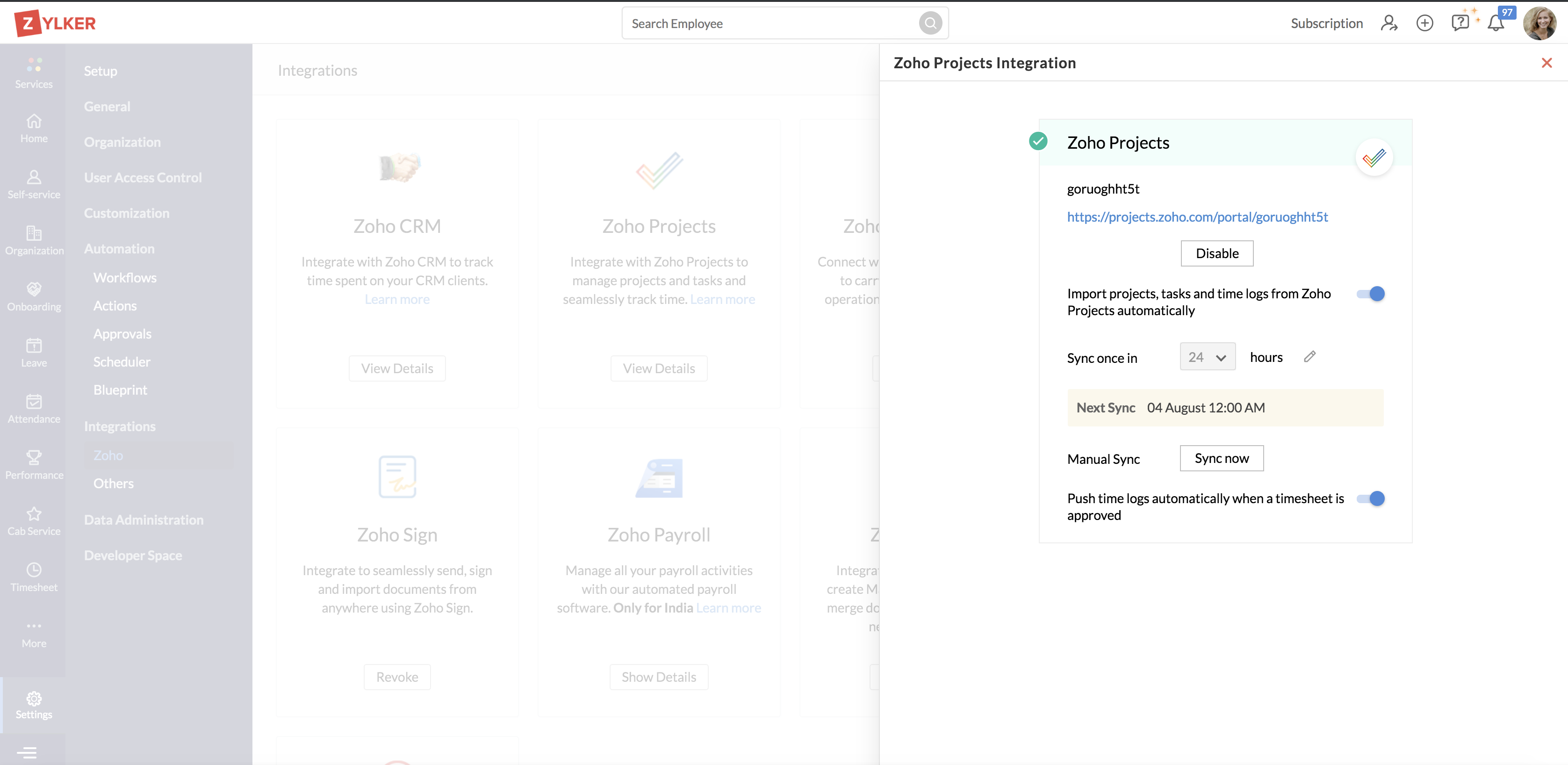
Zoho People’s integration with Zoho Projects will come in handy when you have to:

  • Import time logs, tasks, and projects from Zoho Projects to Zoho People or

  • Export approved entries from Zoho People to Zoho Projects

With our new enhancement, it’s even easier. Simply set up a frequency for importing time logs, tasks, and projects from Zoho Projects, and they’ll be imported automatically. For instance, if you set the frequency to 48 hours, the sync will be triggered automatically every 48 hours. Learn more about this feature here.

All these features and upgrades can go a long way towards making HR management easier and more effective in your organization. Give these features and updates a shot, and let us know your thoughts on them in the comments section below! Have questions? Write to us at [email protected].

Net Universe offers all Zoho subscritpions and consultant services with worldwide Delivery Services.
Send us an email to [email protected] for more information or visit https://www.netuniversecorp.com/zoho.
Five remote sales trends we observed in Zoho CRM

five remote sales trends - illustration

It’s been about three months since workplaces across the world went through a transformation. Where conference rooms became living room couches, and break-rooms became kitchen counters. This unplanned work-from-home experiment has been successful for the most part, but it’s just not the same. It’s not business as usual, but hey, life has to go on.

This pandemic and the lockdown have changed the business landscape as we know it for good. We’re going to witness the evolution of sales and marketing trends, consumer behavior, and office culture over the next few years. And it all starts with salespeople adapting to the new ways of doing business–which directly affects Zoho, as a CRM vendor.

Over the past few months, we’ve observed drastic changes in how salespeople have used the Zoho CRM mobile app. These changes have given us an insight into what’s coming, and we thought it would be useful to share five key trends that could shape the future of sales.

1.  Decline in the nearby maps usage and check-ins 

Let’s start with the obvious one. Salespeople are not traveling to meet clients, and it shows. During the lockdown, the number of check-ins made via the mobile app declined by over 73%, and the usage of nearby maps fell by nearly 60% overall. Both features are critical for on-field sales reps, and the decline in their usage goes to show how much the lockdown has affected this category of sales. 

Not every industry can make do with Zoom or Zoho Meetings—some businesses, like real estate companies, rely on physical, onsite meetings to close deals. But the problem is that consumer behavior has changed. Even after the lockdown has been lifted, it’s likely that many customers will prefer not to have physical interactions. This lockdown has forced many businesses back to the drawing board to rethink sales in the post-pandemic world.

2.  Increase in activities and notes 

The decline in client meetings and commuting hasn’t stopped salespeople from being busy. In fact, working from home has increased productivity. This is indicated by the increase in the number of activities added—a 22% uptick to be precise. There’s a lot of free time on our hands, and plenty of us are catching up a lot of activities that we’ve put on the back burner.

On top of that, the number of notes created increased by over 29%, which means deals are moving and customer relationships are being built even in these tough times. But perhaps the most important takeaway is that salespeople finally have the time for data entry, the most boring part of work. That’s a big win in our book.

 3.  Increase in calls, decline in emails   

One of the least challenging aspects of the work from home transition has to be communication. There’s no shortage of collaboration tools, and they’re robust, scalable, and mobile enough to keep the conversations going. During the lockdown, the number of calls made increased by over 55%, filling in for the decrease in physical interactions and break room conversations. 

On the other hand, mail magnet usage dropped by over 68%, which goes to show the current state of email as a communication channel. Emails are not going out of relevance anytime soon, but this lockdown has made us get accustomed to a certain lifestyle that email does not fit into. It’s just easier to text or call someone, whether it’s your teammates or your clients.

4.  Decline in the # of approval requests made

Another interesting observation was that the number of approval requests made went down by 16%, despite the increase in the number of activities and calls added. This drop can be attributed to the fact that sales funnels have fewer items now, and sales teams are better connected to their managers. As communication over deals is happening in real-time, there might be no need for formal approvals. 

On the other hand, since salespeople are away from their office, they might be expected to make their own decisions. It’s not because approvals mean less, but because this is the time for sales to be flexible. Leads are not exactly in surplus, so bringing in new customers relies on an adaptable system that leaves salespeople to their own judgments.

5.  Decline in the # of records added, increase in # of updates made 

The truth is that business has not been great for many people, and the number of new records added during the lockdown reflects that. Overall, there was a 28% drop, and we all saw that coming. This is not a great time to make difficult financial decisions, and it’s especially harder for B2B companies. But this too shall pass, better days are ahead of us.

Since the number of records added declined by more than a quarter, you’d expect the number of updates made to records would drop too, but it didn’t. In fact, there was an increase in the number of updates made to those records. And perhaps, that’s the silver lining.

This shows what companies are focusing on: customer retention. This is the time for businesses to band together and help each other get through this financial crisis. When you build better customer relationships now, they will bear fruit once the world returns to some form of normalcy.

During the lockdown period, the average number of sessions and total session time has increased overall, with certain anomalies in select countries depending on the severity of the lockdown imposed. It’s great to see that the overall usage of the mobile app has increased. It’s a start for the global shift in how the idea of work from home is perceived.

mobile crm for sales teamsMobile crm app for android and iOS

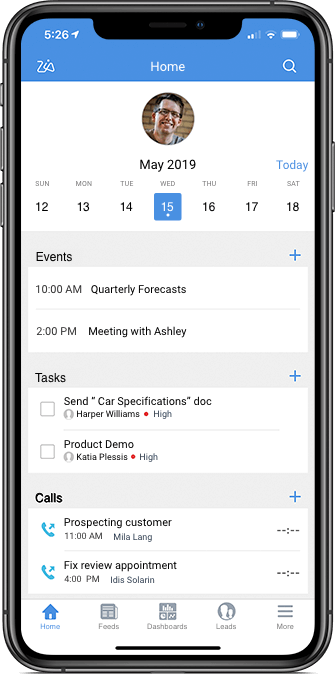
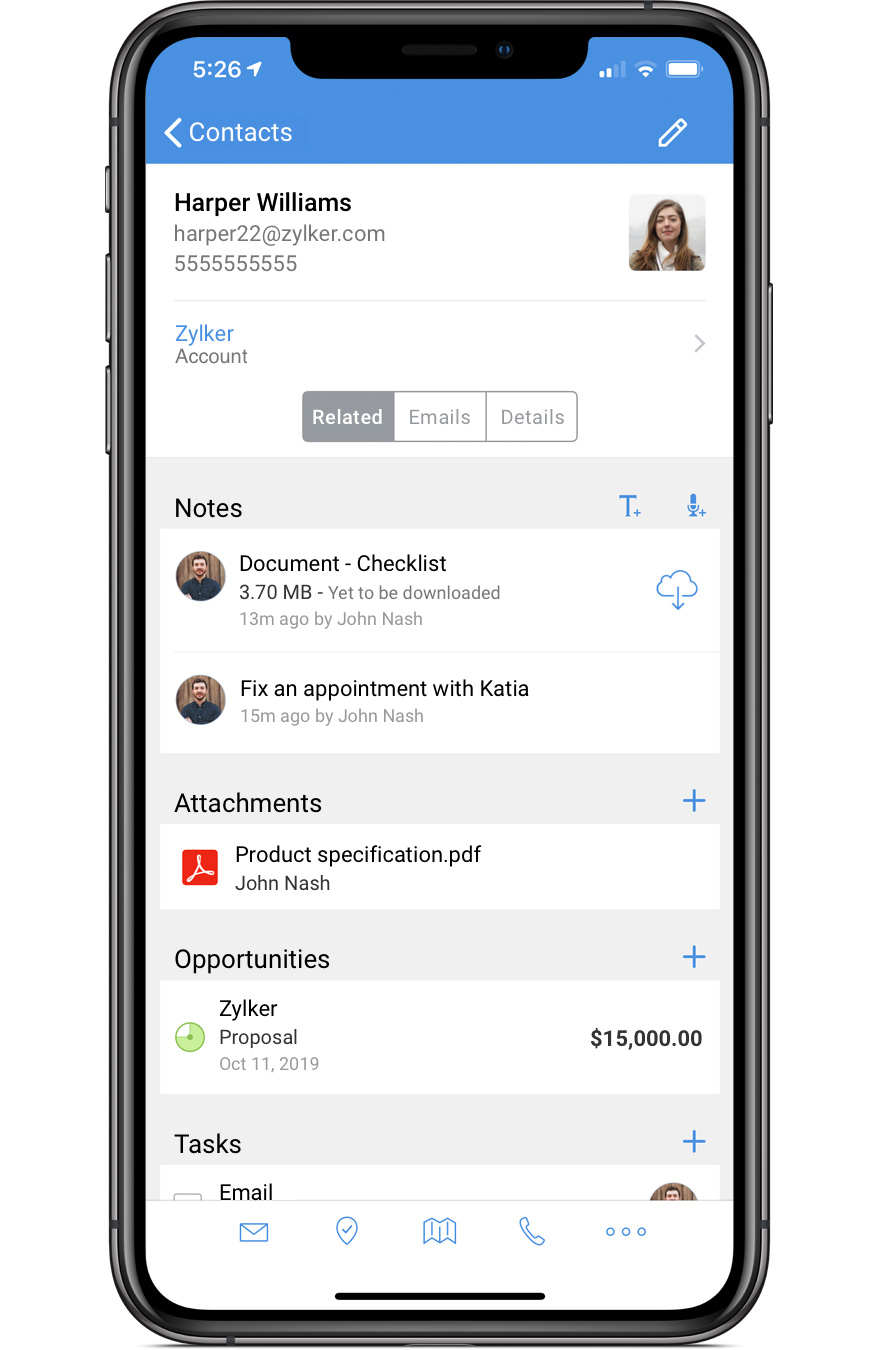
Zoho CRM’s mobile app is one of the highest-rated CRM apps in the Google Play Store and iOS App Store. As the WFH culture moves forward, having a powerful CRM app on your smartphone will become critical to get work done. Check out what the Zoho CRM mobile app can do to help you sell smarter.


Which stat here surprised you the most? Do you have a CRM story to share? Drop a comment and share your thoughts with us!


Akilan S


Akilan works as a Product Marketer for Zoho CRM, specializing in content marketing. He’s a passionate creator, a tech enthusiast, a small business advocate, an avid gamer, and a dog dad. He’s always up for a cup of coffee, 24×7.

Net Universe offers all Zoho subscritpions and consultant services with worldwide Delivery Services.
Send us an email to [email protected] for more information or visit https://www.netuniversecorp.com/zoho.
Introducing Zoho TeamInbox: collaboration powered by shared inboxes

From the time email was introduced to the business world, it has remained a primary and highly preferred mode of communication for teams of all sorts. Whether you’re promoting products, engaging with customers, communicating with colleagues, or even updating your Out of Office status, the business world’s reliance on email remains strong.

We’ll here show you how to make emails more productive and collaborative than ever.

Email in its basic state is not tailored for collaboration, but as a tool, email has evolved a lot over the past years. One of the most useful of these multiple new perks email offers is the efficiency of group email addresses, which has made group emailing easy and convenient.

However, sometimes, the process of sending and receiving group emails is also not entirely smooth for collaboration. For example, while replying to emails received in a group address, if you forget either to CC the group address or hit the Reply All button, no one in the team will get your reply.

In many instances you may want to discuss an email with your team before replying. There are multiple tools that help teams have internal discussions efficiently. But when you take these conversations outside your inbox, there’s a chance you may lose the context of the discussion. To maintain context, you can forward and reply in the original thread, but this can get out of hand when the discussion includes more people, and there’s always a risk of accidentally sending your discussions to the external sender.

In spite of all this, businesses cannot afford to abandon email completely. Apparently, all of our work days start with email.

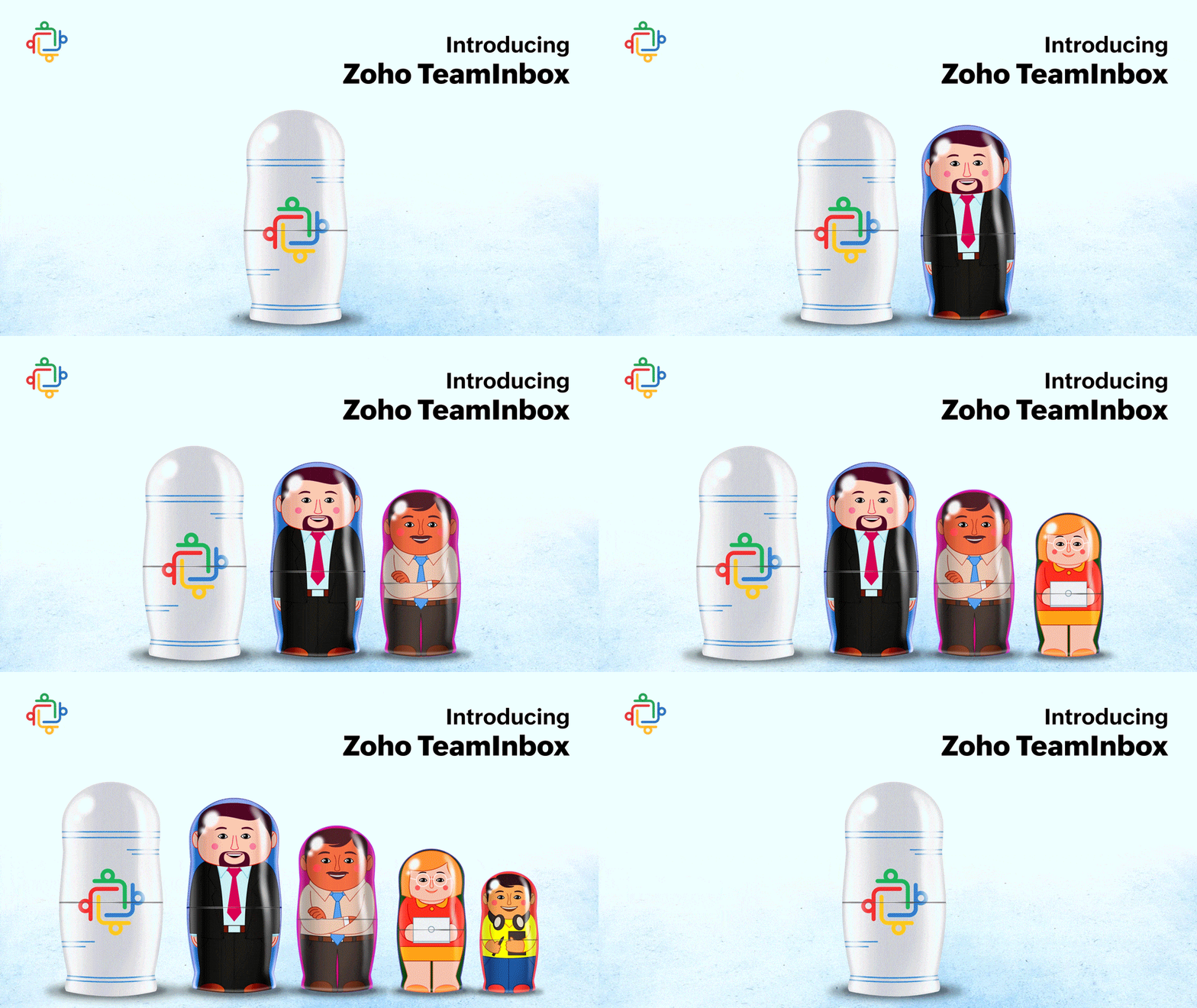
Therefore, when we as a team faced these challenges, we wanted to build a tool for collaboration but without ignoring email—a space where you can receive all your group emails and conduct behind-the-scenes discussions on them. So, we’re happy to be introducing Zoho TeamInbox, a shared inbox tool for managing group emails and enhancing team collaboration and transparency.

Zoho TeamInbox makes group emails accessible to the entire team in one collaborative space.

Direct your emails from group email addresses like treasurer@, marketing@ to a shared inbox in Zoho TeamInbox, and give access to your team. Teams can now receive, read, and reply to emails from this shared inbox, so you will always stay in the same page. Emails can be assigned to any member, commented on, replied to, and then be closed once the task is completed—all from a single platform.

Every team member will have a filtered view of the emails they are assigned to. Zoho TeamInbox helps you keep perfect track of all your tasks, know what your colleagues are working on, and share thoughts and ideas with your teammates, all directly from your inbox.

Say goodbye to endless CCs and BCCs for good. Zoho TeamInbox gives you a well-organized, clutter-free inbox and a transparent workspace, which teams need now more than ever.

However, Zoho TeamInbox is not only about emails. Today, we use multiple other channels to connect and collaborate with people. Zoho TeamInbox is designed to smoothly handle multichannel communication.

Zoho TeamInbox is in its final stages of development and will be available soon for public access. If you like to try out our beta version, please request for early access.

See you soon with more exciting news!

Net Universe offers all Zoho subscritpions and consultant services with worldwide Delivery Services.
Send us an email to [email protected] for more information or visit https://www.netuniversecorp.com/zoho.