Efficient time management is the key to organizational success and productivity. Tracking work hours helps your employees better plan and prioritize their projects, tasks, and assignments. However, tracking these work hours manually can be very tedious.
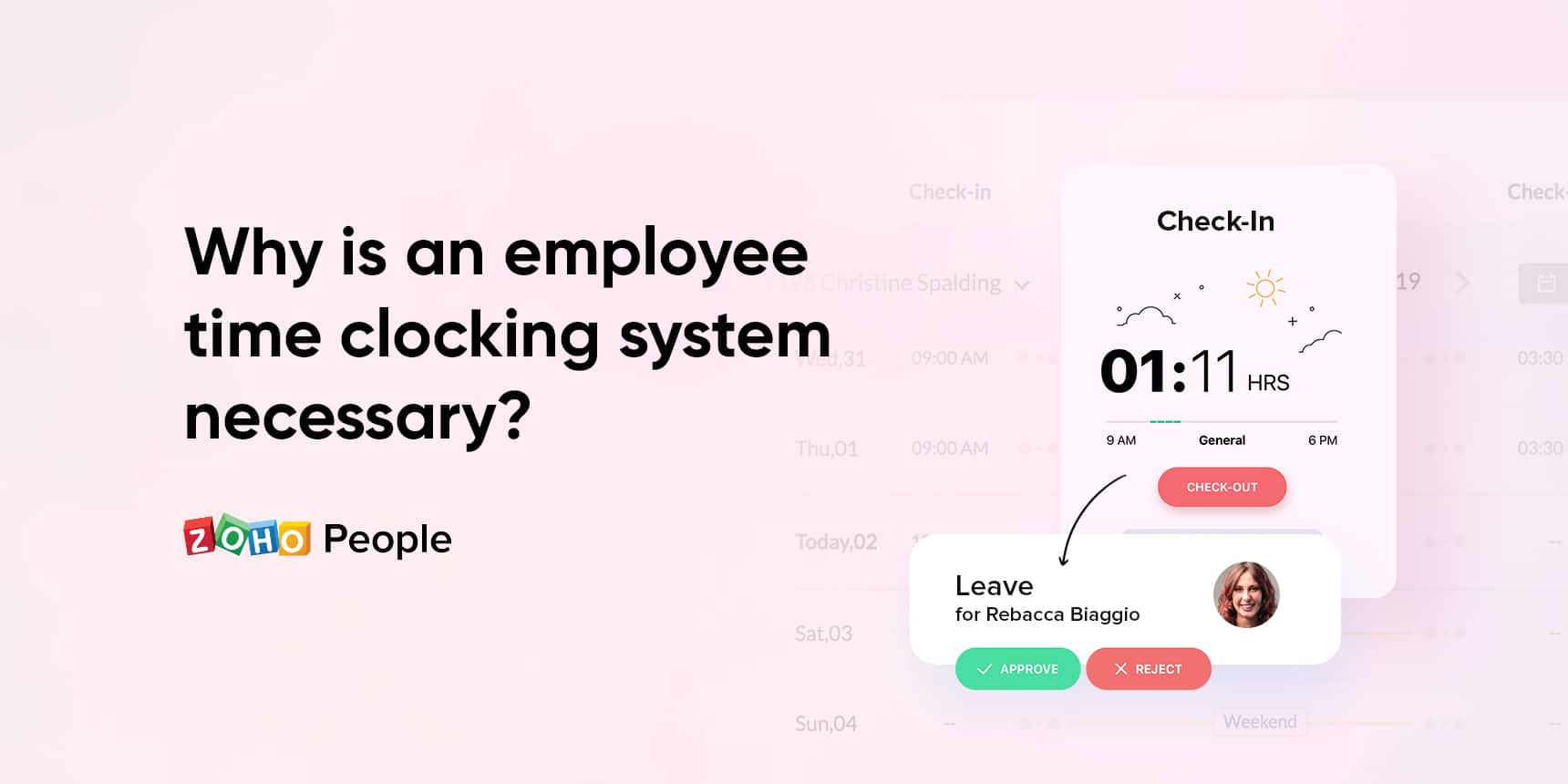
Having an automated employee time clocking system makes it much easier and more effective. Here are some essential HR functions that can be automated and improved with a time clocking system:
By clocking in and out with a single click, employees can record the time they spend on their multiple projects. Once the project is done, digital timesheets can be sent to HR managers or reporting managers for approval.
Shifts can be created for an entire week or month so that you don’t have to worry about them every day. Automated emails can be sent to employees to notify them whenever there’s a change in the shift schedule.
Your employees can mark their attendance online and all attendance data will be saved automatically. You can also customize your attendance policies according to each location if your organization has a global presence.
As attendance data and employee working hours are readily available online, payroll processing becomes easier and more accurate. Detailed, error-free reports can be generated anytime to calculate employee salaries.
Learn more about the benefits of using an employee time clocking system and how it can automate your essential HR functions.
Whether you call it a webinar or an online seminar or a virtual event, at the end of the day, when push comes to shove, you have the same goal: more customers.
So how can you go about creating your perfect webinar and keeping it from getting lost in the sea of internet content while also focusing all your efforts to generate more leads? Two things lead to a great webinar: 1) Useful and relevant content and 2) having access to the right tools to make your webinar reach the ideal audience. Fortunately, you have Zoho One at your disposal, which means you’re already halfway to success. Let’s look at why.
Structuring the webinar series
Always structure your webinar as a series instead of a standalone session, unless you’re Apple’s WWDC.
Running a webinar series highlights your subject matter expertise and instills in your attendees a sense of continuity and anticipation. Zoho Sites, with its drag-and-drop-builder, can help you come up with a quick landing page that gives an overview of your series. Meanwhile, Zoho Backstage can help you easily come up with an eye-catching micro-website featuring session details such as its name, date and time, speakers, and more.
Why have a separate micro-page when you already have a main page? When promoting a webinar, your users don’t want to be overwhelmed with everything you offer. First you serve them the appetizer, then the entree, and then dessert. Not all at the same time.
With Zoho BackStage, you can promote individual sessions with clarity and attention to details without distracting from your other offerings. This also makes tracking registrations all the more easy and efficient. The smooth payment and ticketing system inside Backstage can even enable you to run a paid webinar/event as well.
What should your webinar be about?
Content can make or break a webinar. Understand what kind of content will help your customers and begin with something that helps them address specific challenges they face. Everyone likes to have some solutions handy. If you’re unsure what your audience would like to hear from you, ask them! Yes, you can easily put a small pop-up on your web page using Zoho PageSense to learn what would they like you to talk about. Customers love it when they are heard.
How can you spread the word?
These days, you can probably count the number of people who aren’t active on social media on one hand. So why not begin there? The Analytics Module inside Zoho Social can help identify specific social platforms that are working well for you. The Smart Scheduler inside Social can also help get your posts the best traction possible.
Alright, let’s get real—the registration count of your first session might disappoint you. That’s okay. (Although this doesn’t mean you should save the best content for the next one in the series.) Your first webinar is crucial as it sets a standard for the next ones in the series. Plus, you can promote the recording of your first session to give potential attendees a clearer idea on what you offer.
Think about it, how often have come across interesting webinar topics but didn’t register because you were doubtful about the quality of their content? Post-webinar promotions are a great way to turn your skeptics around.
Make it feel personal
Today, with presentation tools like Zoho ShowTime (which is integrated inside Backstage), you can run a perfect webinar/seminar/event online. In ShowTime, both the speaker and your slides are contextually highlighted, making the webinar experience more personal. You can chat with your audience non-intrusively during the session and run polls to understand them better, which could potentially help shape the topics of your upcoming sessions.
Good design means a great show!
You’re not a designer? Fret not. Zoho Show comes with ready-made templates so you can pick and choose from styles that match the theme of your slide deck. If you’d like to customize or create your own theme, you can do so by choosing color schemes, fonts, layout, and more. If you’re co-creating the webinar with your team, you also collaborate in real time by making edits and leaving comments, @mentions, and so on. You can also jazz up your slides by exploring different shapes and chart options.
How do you generate leads?
Everything we’ve discussed above ultimately exists to answer this question. This is actually quite easy, especially with the right tools in place.
Let’s go back to earlier—Zoho Backstage. The registrations from Zoho Backstage can be pushed to Zoho CRM as a separate list. These entries can sync up with your mailing list in Zoho Campaigns, helping you incrementally build your audience base. You can set up email workflows to remind audiences about the upcoming sessions. As you are done with, say, three of your webinar sessions, look for repeat registrations, the ones who registered for more than one of your episodes—they are your hot prospects. You can also initiate conversations with people who interact with your social media promotions and add them as leads to your CRM directly from Zoho Social.
But what if they still don’t become your customers?
Add them to a separate mailing list of “not-convinced.” Every once in a while, remind them you exist. When they have a pressing need, your name will be the first they’ll remember.
Yes, webinars are great for lead generation and conversion, but they are also excellent tools for customer retention. Since COVID-19 spread, more people have been staying indoors. Webinars are a great way to maintain a relationship with them that feels close to having an in-person conversation. So go ahead and launch your webinar series and get closer to your target audience.
The user manual of every email marketing software solution says, “We don’t recommend sending emails from multiple domains.”
Though a simple statement, given the subject’s abstractness, we wanted to give you a detailed explainer why this is true.
Let’s face it, nobody likes their email-sending domain getting blacklisted. It brings marketing activities to a screeching halt and affects other business operations that use the same domain. If you’ve heard someone saying, “Just replace your blacklisted domain with a new one,” you’re not alone. It’s a misconception that many have, and we’re going to debunk it here.
First things first: What are email blacklists?
Email blacklists are online registries of blocked domains and IP addresses that were used to send spam. Created and maintained by anti-spam services, ISPs (Internet Service Providers), and ESPs (Email Service Providers), blacklists prevent spam from reaching mailboxes.
How does a domain get blacklisted?
Each organization we just mentioned uses certain techniques to identify and blacklist a malicious (or dubious) domain. Let’s discuss them one by one.
Email Service Providers
Gmail, Yahoo, Zoho Mail, and more gauge an email based on its sender’s domainreputation. Put simply, if the reputation is good, it means the email-sending practices are healthy; if it’s bad, the contrary.
This good-bad demarcation is done using a scoring system. On the one hand, recipient responses like opens, clicks, and multiple link clicks improve your domain reputationscore. On the other hand, recipient responses like unsubscribes, spam and abuse complaints, and more decrease your score. Thus, if the score goes below the cut-off limit, the domain gets blacklisted. You can read more on domain reputation here.
Side note: ESPs also maintain spam traps using fake and inactive email addresses to get hold of spammers. If you hit a spam trap (mostly because of purchasing mailing lists), the domain’s reputation greatly declines. Here’s a detailed guide on what spam traps are and how you can avoid them.
Internet Service Providers
ISPs likely use spam filters to scan every bit of an email: subject line, preheader, body content, images, URLs, and more. They also likely scrutinize text for the presence of keywords or phrases that can trigger spam filters. Above all, images are checked against a registry of previously reported images.
When it comes to including URLs, they shouldn’t be connected with a blacklisted domain. Ultimately, all these data points are used to score an email, thus forming their own reputation system.
Anti-spam services
Spamhaus, Barracuda, SpamCop, and other services deliberately create and circulate fake email addresses to create spam traps. This is because spammers collect publicly available email addresses and use or sell them on the black market.
Since only spammers and dishonest email marketers will have access to these non-opt-in, fake email IDs, the benefit of the doubt goes to the anti-spam services once a spam trap is hit.
Along with spam traps, these services also use the marked-as-spam history and abuse complaints of a sender’s domain for their assessment. (The previously-discussed technique of the ISPs is used as well.)
So why shouldn’t I use a new domain?
The domino effect
Let’s think through this: If a domain gets blacklisted due to the bad hygiene of mailing lists, spam content, or other reasons, why would a new domain ensure smooth sailing if the initial problem is related to email practices?
If the root cause of the problem is not rectified, chances are that the same mistakes will occur again. This, in turn, puts the new domain at risk, leaving you at square one.
Unnecessary confusion
From an audience’s perspective, they might feel that the new emails are from an unknown source. Imagine receiving emails from [email protected] for two months after subscribing only to then start receiving emails from [email protected]. This can lead to increased unsubscribe rates and spam complaints, affecting the domain reputation.
Domain warmup and reputation
Adding a new domain doesn’t mean you can continue from where you left off. For example, if you sent 20,000 emails from a blacklisted domain as part of a recent campaign, you can’t just send such high-volume emails from day one from your new domain.
You need to adhere to the concept of domain warmup: building a positive reputation from scratch while slowly amping up the volume of emails. This is because the mailbox providers—in order to safeguard their users from spammers—reject high-volume emails from a sender domain that has zero reputation.
How do I fix a blacklisted domain?
Delist your domain
As soon as blacklisting happens, you can use lookup tools like MXToolbox, MultiBRL, and more to learn the reason(s). Next, contact the service(s) that has blacklisted your domain and submit a delist request.
By now, you’ll have a clear idea about what went wrong, so go back to the drawing board and analyze your email-sending practices while your delist request is being processed. (Sending further emails before getting unblacklisted can aggravate the situation.)
Quick tip: As domain reputation is directly linked to engagement rates, here’s a how-to on improving trustworthiness among your audience.
Use subdomains
When you use your primary domain for multiple purposes, the margin for error is very small. A non-email-marketing problem affecting your domain’s reputation has an effect over your email marketing and vice versa. This is where subdomains can come in handy.
Subdomains are mighty helpful in reputation management, as they can function as a separate domain while still being linked to the primary or parent domain. This way, you can easily narrow down email-deliverability-based issues (if any) and protect your reputation. Name-wise, they’re relevant to your primary domain, thus covering the brand recognition aspect. For example, [email protected].
We hope this helped! Stay tuned to this space as we debunk another myth soon.
A dedicated team collaboration software is an inevitable need to stay ahead of the competition and increase productivity. There are many options out there, but it’s really essential to choose and employ the best team collaboration tool for your team to encourage productivity.
Regardless of the size of your team, our current world of business often requires a single workspace for team members to collaborate and manage projects across multiple devices.
Here we’ve put together some crucial points to consider while looking for a team collaboration app.
1. Assess your needs
One of the most important criteria to consider while looking for team collaboration software is how effectively it can meet your needs and align with your organizational requirements.
First, analyze what your business needs are and identify any gaps that need to be addressed. Once you have a solid list of what exactly you’re looking to accomplish with a team collaboration tool, start researching and comparing products to that list of needs. This gives you a clear idea of what your team requires and helps refine your search.
2. Put safety first
The top priority must be placed on looking for a tool that properly safeguards your organization’s data. Double-check whether a tool you’re considering benefits you with SSL encryption and allows you to track and manage how internal tools are accessing your data. Especially in the case of cloud-based software, you must ensure workplace tools are trustworthy and offer unimpeachable security.
For example, features like organization wide two-factor authentication, single sign-on to access multiple applications, encryption of data in transit, and at rest and compliance to GDPR are vital when it comes to protecting your organization from the potential loss of data or even cybercrime.
3. Get started easily
The most distinctive, sought-after factor in considering new software is how easily your team can use it. Ease of use can reduce the time and effort your employees spend on learning how to use new software. Before deciding on buying a tool, it’s vital to sign up for a demo to see how the product works for your organization and team members.
4. Choose more than just a chat app
Team communication is crucial for efficiently achieving your end goals. While there are many software options that primarily focus on threaded conversations, chat, and group chats, communication alone doesn’t foster a collaborative environment. A team that works together to collaborate has a greater chance of creating new innovations.
Good team collaboration tools help increase productivity and employee engagement with features like:
and a lot more.
Streamline your workflow by adopting software that allows your team to stay connected and increase their pace.
5. Give your admin the power they need
A capable administration is the spine of any organization, and it’s important to make sure the tool you choose offers fine-tuned admin capabilities to help to run a sound and productive organization.
The three main capabilities that an admin must have in a team collaboration app are:
6. Look for robust task and project management
Proper task management helps your team accomplish your projects on time and manage workloads effectively. Conventional team collaboration software helps improve your process of task management, from creating a task, tracking progress, setting reminders for tasks, and managing important to-do lists. Tracking task progress in a project encourages accountability and motivates employees to work with a sense of responsibility.
When considering a team collaboration tool, look for features like commands and shortcuts which allow you to create tasks and keep a track of your workflows directly from the tool.
Successful completion of any project often involves different departments, so it’s important to look for a tool that encourages inter-department collaboration through channels and group chats.
For example: under the HR department, there will be divisions such as the Onboarding team, Payroll team, HR support team, and more.
Collaborative efforts between HR and Finance will have a significant impact on employee satisfaction and financial strategy, so in this case, the payroll team will consist of members from both the HR department and the Finance department.
Helpful team collaboration features allow you to manage your projects, set milestones, and analyze what can be done better the next time with the help of detailed reports.
7. Prioritize versatility and adaptability
Any team collaboration software you choose should be flexible enough to meet all your needs under dynamic work conditions.
Consider a case where you had to switch from office work to remote working culture due to certain situations. Your collaboration software should help make your transition smooth and make sure that you don’t miss the little perks of working in an office space.
For example, Zoho Cliq’s Remote Work dashboard allows you to check-in and out of work just like swiping an ID. The status option in the dashboard allows you to also look around and check if your coworker is available before you send them a message.
So look for a software that offers a detailed admin dashboard to help team leaders track work and guide productivity from anywhere.
Whether you work in an office or lead a remote team, a useful admin dashboard should help you:
8. Integrations for the app
Take a look at the systems your team already has in place, since these will often need to be integrated with any new collaboration software you choose.
For instance, if you currently use task management apps like Todoist, Trello, Asana, and others, explore and ensure that any software you consider supports these integrations.
Some tools come with a range of integrations already available. For example, Cliq offers a full marketplace of ready-made integrations.
9. Streamlined features
Automation is becoming more and more common in the digital workplace with the rise of Bot assistants and chatbots. Chatbots help you perform repetitive, day-to-day tasks and also provide you with custom notifications, making it easier for you to be productive. Some tools even allow you to build your own bots with few lines of code to meet your specific needs.
Redefine the way your team works by adopting a tool with automation capabilities, so you can focus more on tasks that need your full attention.
10. Keep your budget in mind
High efficiency at a feasible cost
This generally goes without saying, but when looking for team collaboration software, you should always consider your team’s or organization’s budget. Compare the cost of a team collaboration tool with the benefits you’ll gain in the long run. Make sure the benefits and usage are worth the amount of money you’re going to spend.
Finally, before deciding to adopt a team collaboration tool, it’s always important to run a pilot program for the final list of two or three choices you’re considering. Gather end-user feedback as it helps you better understand your team needs and select the tool that the users feel like the best fit. Make sure the final decision involves the opinions of the people who are going to use it most.
Adopting a team collaboration tool is a big decision that will help shape your organization’s work structure, so it’s important to explore and compare your options to find the best choice available. When it comes to what’s best for your team, accept no compromises.
Read Next:
Effective team collaboration is the result of constant effort from every individual involved. Explore the key aspects that every team should consider to master team collaboration.
The ultimate goal to achieve through a positive work culture is productivity. Know more about why team collaboration is essential for positive work culture.
The AatmaNirbhar Bharat App Innovation Challenge all started with a tweet by our Honorable Prime Minister, Narendra Modi. A portion of that tweet, published on the 4th of July, read, “Today there is immense enthusiasm among the tech & start-up community to create world-class Made in India Apps.”
A little over a month later, the Ministry of Electronics and Information Technology (@GoI_MeitY) has evaluated over 6,000 apps under nine broad categories including Entertainment, News, Office, E-learning, and Business. The objective? To identify the best Indian apps that are already in use by Indian businesses and citizens, and that have the potential to scale up and become world-class in their respective categories.
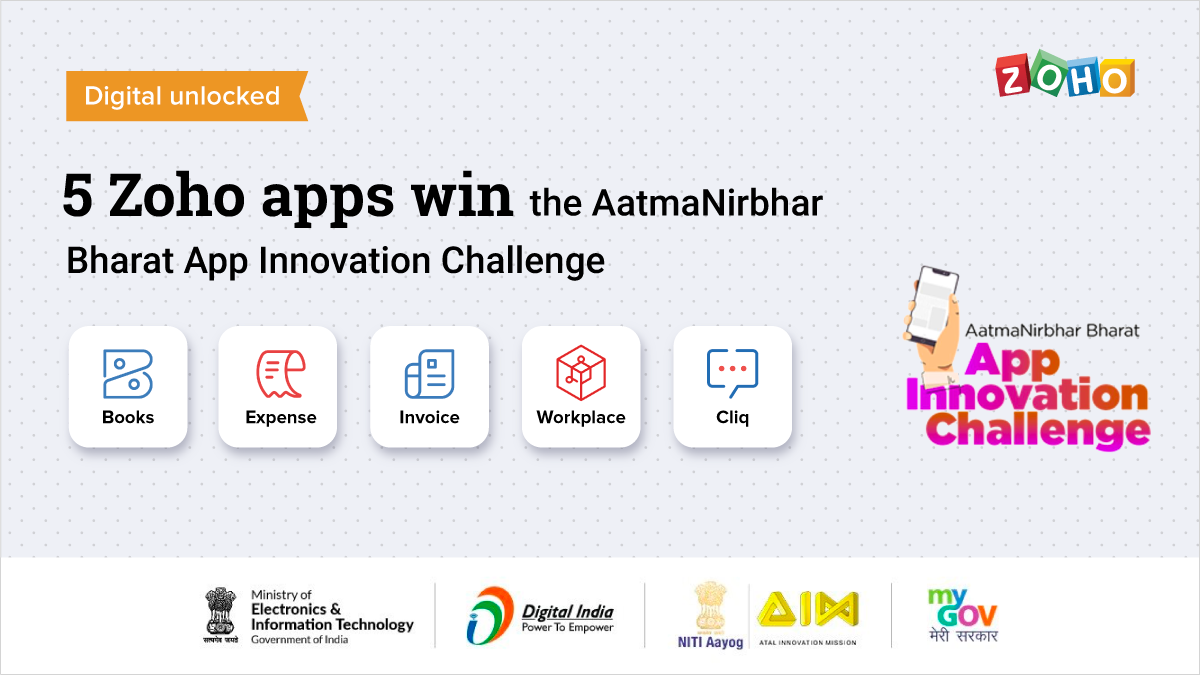
After a lot of back-and-forths, and six grueling rounds of evaluation and countless hours of preparation, five apps from Zoho stand tall as winners in the Office and Business categories: Zoho Cliq, Zoho Workplace, Zoho Invoice, Zoho Expense, and Zoho Books.
The competition landscape
India is fast establishing itself as a major presence in the digital economy. By any number of key metrics, from internet connections to app downloads, both the volume and the growth of its digital economy now is greater than most developed countries. The Indian Government (@mygovindia) is moving rapidly to spread high-speed connectivity across the country to move more and more Indian businesses and processes online. What does this increased connectivity mean? The opportunity is huge, and so is the competition.
6000+ Indian made products submitted for evaluation stands testament to it. A nation-wide open competition like this is the fastest way to quickly turn the spotlight towards apps that can make a difference in the everyday life of business owners. Although the products from Zoho have an established reputation across the globe, the competition wasn’t easy, and it tested the product’s capability from various standpoints. Scalability, adaptability to local languages, and privacy to name a few, the products were evaluated in such a way that it is easy for a small business to get started with, yet is comprehensive enough to handle complex requirements of a mature business.
A closer look at the evaluation criteria
Easy to use, yet comprehensive
As leaders in their categories, all five of these Zoho apps are intuitive by design. Zoho Cliq and Zoho Workplace’s suite of productivity apps set the standard for effortless communication and collaboration across departments and boundaries. Zoho Invoice, Zoho Books, and Zoho Expense on the other hand make complex operations extremely simple and empower businesses to manage their finances easily. All three apps give businesses a platform that delivers beyond traditional invoicing, accounting, or expense management with various market-first product innovations.
Availability and accessibility
A core part of the digitalization challenge is to bring essential functions to the devices that are being used by most business owners or entrepreneurs. With feature-rich, fully-functional native apps for iOS and Android devices, these Zoho apps were in a prime position to satisfy users’ needs for availability and accessibility.
Privacy and security
With expanded digital presence comes greater security risks. Yet all five of these apps reflect the strong privacy-first approach used by Zoho across the organization. The tight security features and practices that enable safe collaboration and secure financial transactions for Zoho users helped the juries weigh in favour of these apps.
Built in India, built for the world
Geographical scalability was a crucial evaluation factor, and all five apps came out with flying colors. With an impressive range of customers across industries and businesses of all sizes, Zoho Cliq and Workplace led the Office category comfortably. Meanwhile, the way Zoho Books solved complex tax regulations for various countries, and GST in particular was a key differentiating factor. Zoho Invoice and Zoho Expense stood out in its ability to serve businesses across the globe, pushing these three apps to the top of the business category.
What’s next?
We’d like to take this opportunity to thank the Government of India and the esteemed panel of jurors who evaluated all the apps. This is a significant milestone for us, and we are proud to continue to build world-class products that are made in India, for Indian businesses and the world. As our CEO often asks, “Who said you need to be in Silicon Valley to build world-class products?”
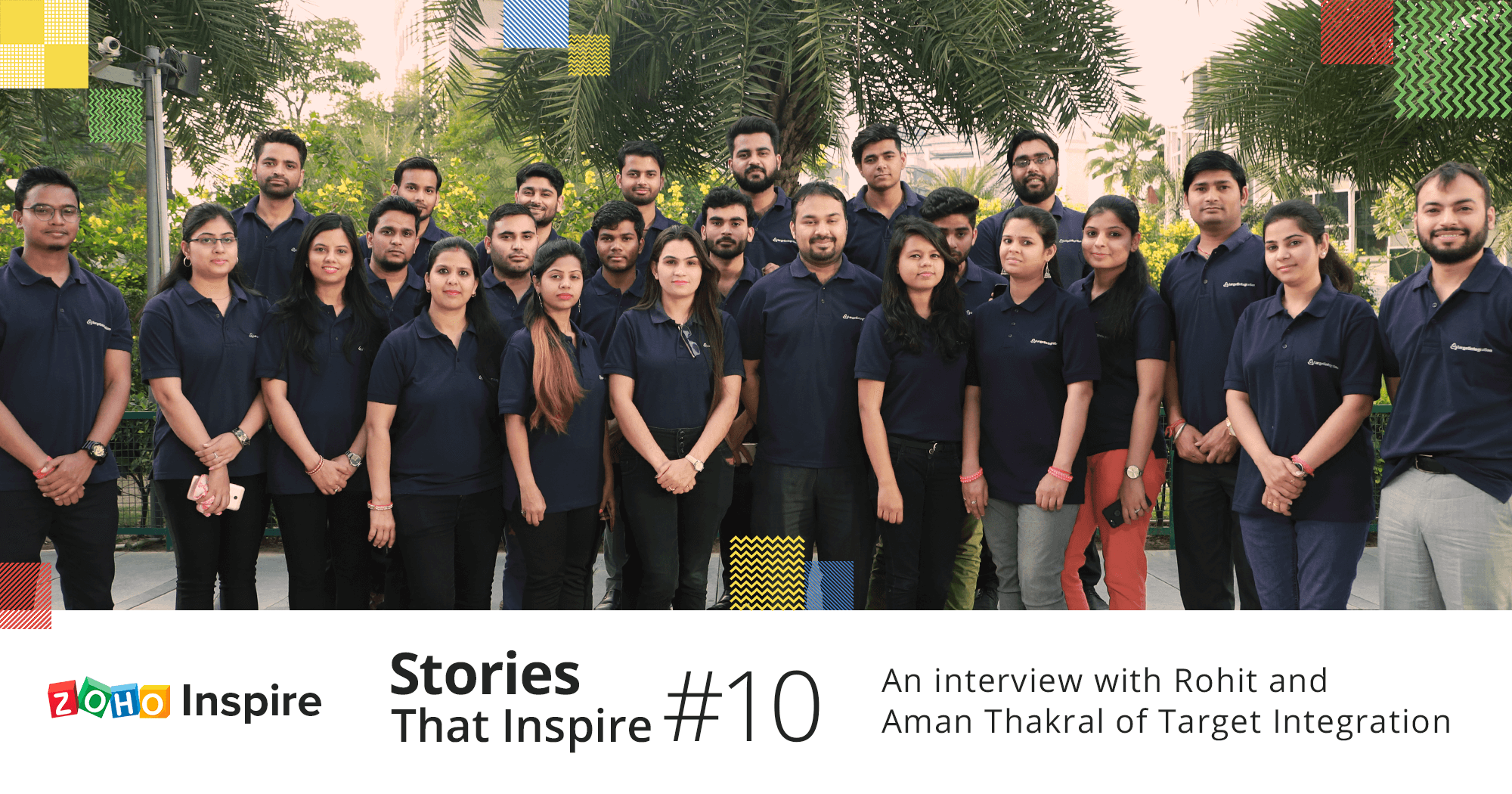
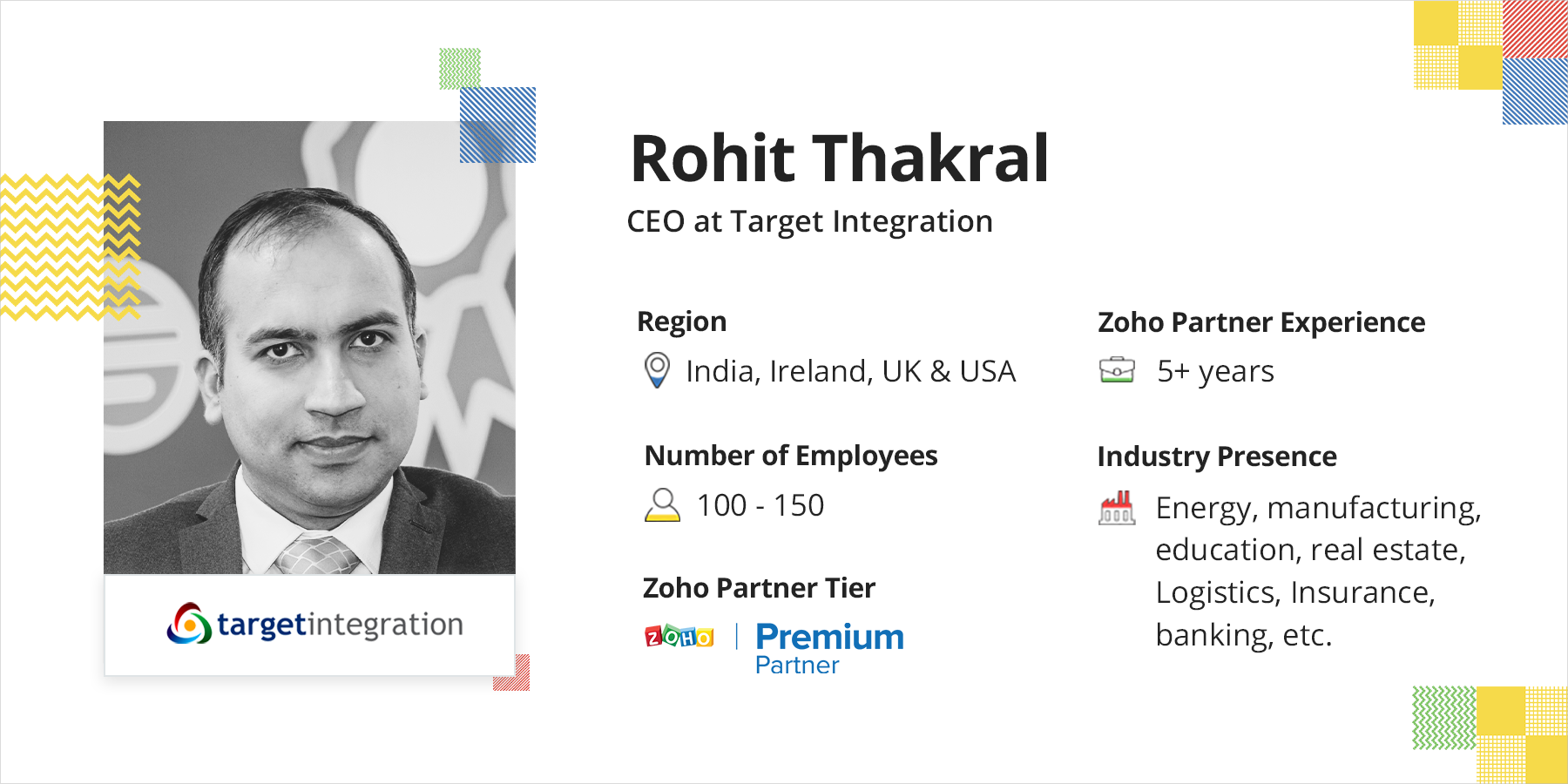
For this episode of Stories That Inspire, we’ve brought on board Rohit Thakral (CEO at Target Integration) and Aman Thakral (Business Head, India at Target Integration) to tell us how they have empowered businesses through digital transformation.
Read their story of becoming a Zoho Premium Partner and providing Zoho services globally from India, the USA, the UK, and Ireland.
Rithikha: Let’s start at the very beginning. What was Target Integration doing before partnering with Zoho?
Rohit: Target Integration commenced in 2008. We initially started the business with open-source products. The idea was to provide value-based business process management systems to customers. It was a time when all the installations were not in the cloud yet, and open source solutions were the thing. Slowly, open-source systems started fading and we decided to ride the cloud wave. Though much has changed from the beginning, our foundation—i.e. our vision has remained constant.
We empower business owners and managers by providing business management solutions tailored to your needs, and ongoing support throughout your journey with us.
Rithikha: Speaking of change, how has Target Integration changed in terms of operations? We’d like to hear more about your foray into the SaaS market.
Aman: The current software market is rapidly growing. Back then, the cloud wasn’t popular and we had to work hard to educate people about it. Now, it has redefined the future and has become the de facto standard.
Rohit: Intending to create a cloud-first world, Target Integration partnered with several providers back then and started promoting the software in the industry. We slowly realized that we should focus on our customers’ business processes rather than on the infrastructure.
Aman: The market has consultants on one hand and software providers on the other. We believe that there’s no “one fit for all” software solution. We bridge that gap and have redefined ourselves as an entity that provides the best consultation and the perfect implementation!
Rithikha: How did Zoho come into the picture? What inspired you to get associated with Zoho?
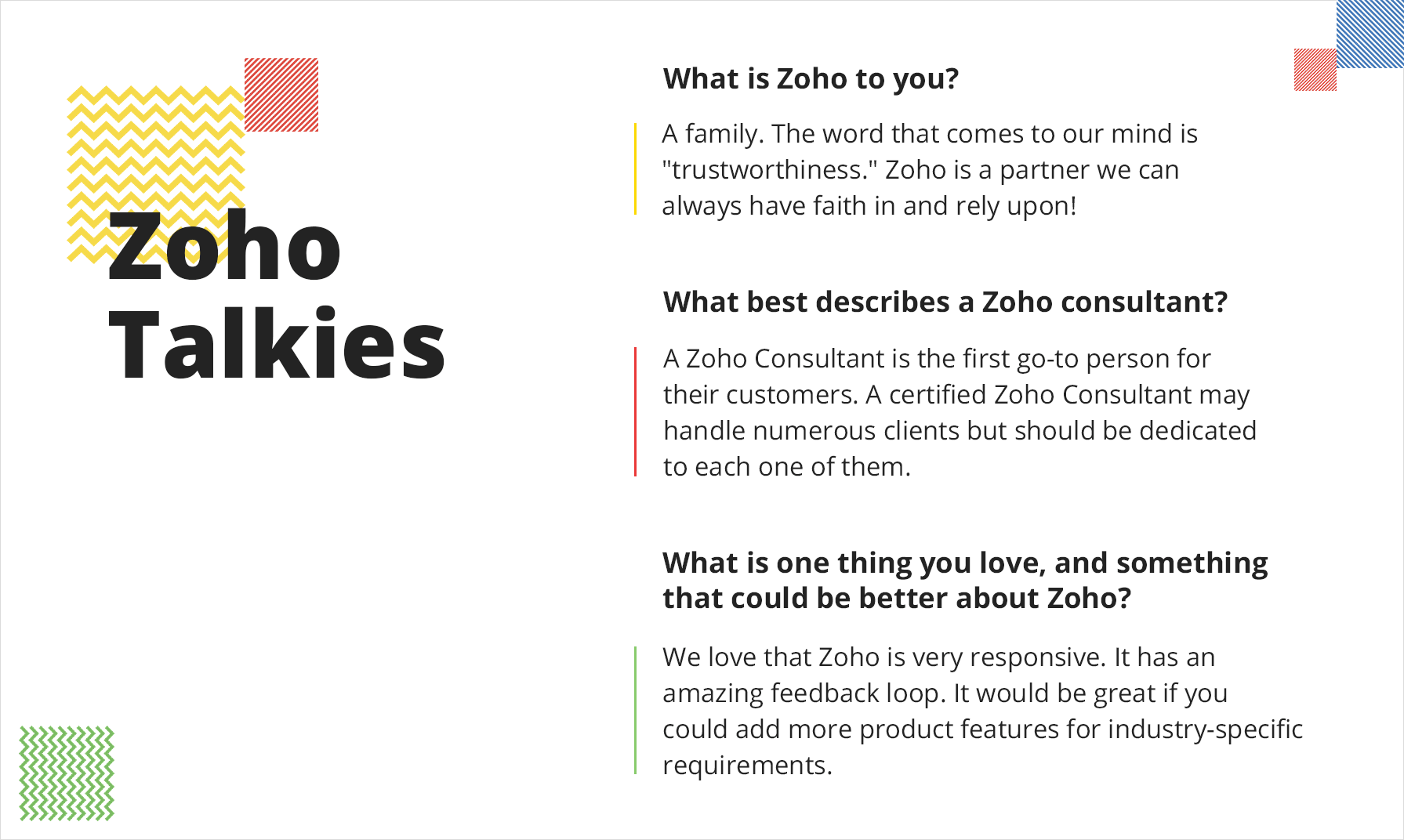
Rohit: Zoho has a suite of 45+ applications like Zoho One, Zoho CRM, Zoho Desk, Zoho Recruit, Zoho People, and Zoho Creator. It is not its stand-alone applications that make Zoho exceptional but the fact that they provide the entire ecosystem. What we love most about Zoho is that the software is integratable, customizable, and extendable.
Aman: Zoho has few partners who promote all its applications. As a premium Zoho Partner, we are proud that we are into multiple domains and have multiple exposures. With best practices being used across the platform, we offer the unique experience of Zoho across different regions: Ireland, the USA, the UK, Greece, and India.
Rithikha: Talking about crafting a unique Zoho experience, are there any best practices you follow when it comes to implementations?
Rohit: The differentiating factor at Target Integration is that we look at business needs rather than technology. Our core responsibility as a Zoho partner is to collect the core requirements of the customer. Once the requirements of the business are gathered, we analyse and review them with a holistic view. Then, we come up with an implementation plan to serve them with the best possible solutions for their business. One should always remember that the product is the same, what matters is the customer experience. Being honest and simplifying the process for them is crucial.
Aman: We believe in leveraging the power of integration. The key to our Zoho implementations lies in crafting a full-fledged process management system. This not only helps organizations automate their business processes but also helps their talents perform more efficiently and effectively. This helps us stay grounded to our mission:
Every business should be able to leverage the power of their business insights.
Rithikha: Being an enterprise, how are you split up as a team to handle the operations? How do you train your staff?
Aman: We are decentralized as an organization. Predominantly, we have a consultation team, a requirement gathering team, and then an implementation team. We also have individual teams working on different products that are further divided into sub-teams.
Rohit: We believe that when an employee dedicates time and effort with us, it’s our responsibility to create value addition for them with regard to their skills. Most employees are technically sound, but they are not well-equipped to use it for the best business practices. That’s where our biggest challenge lies! So, we cross-train them on business processes, rather than just the software alone! Our strength lies in our team. We have a robust team who are Zoho experts and masters in understanding business.
Rithikha: Your journey must have seen tremendous growth! Can you please tell us about it?
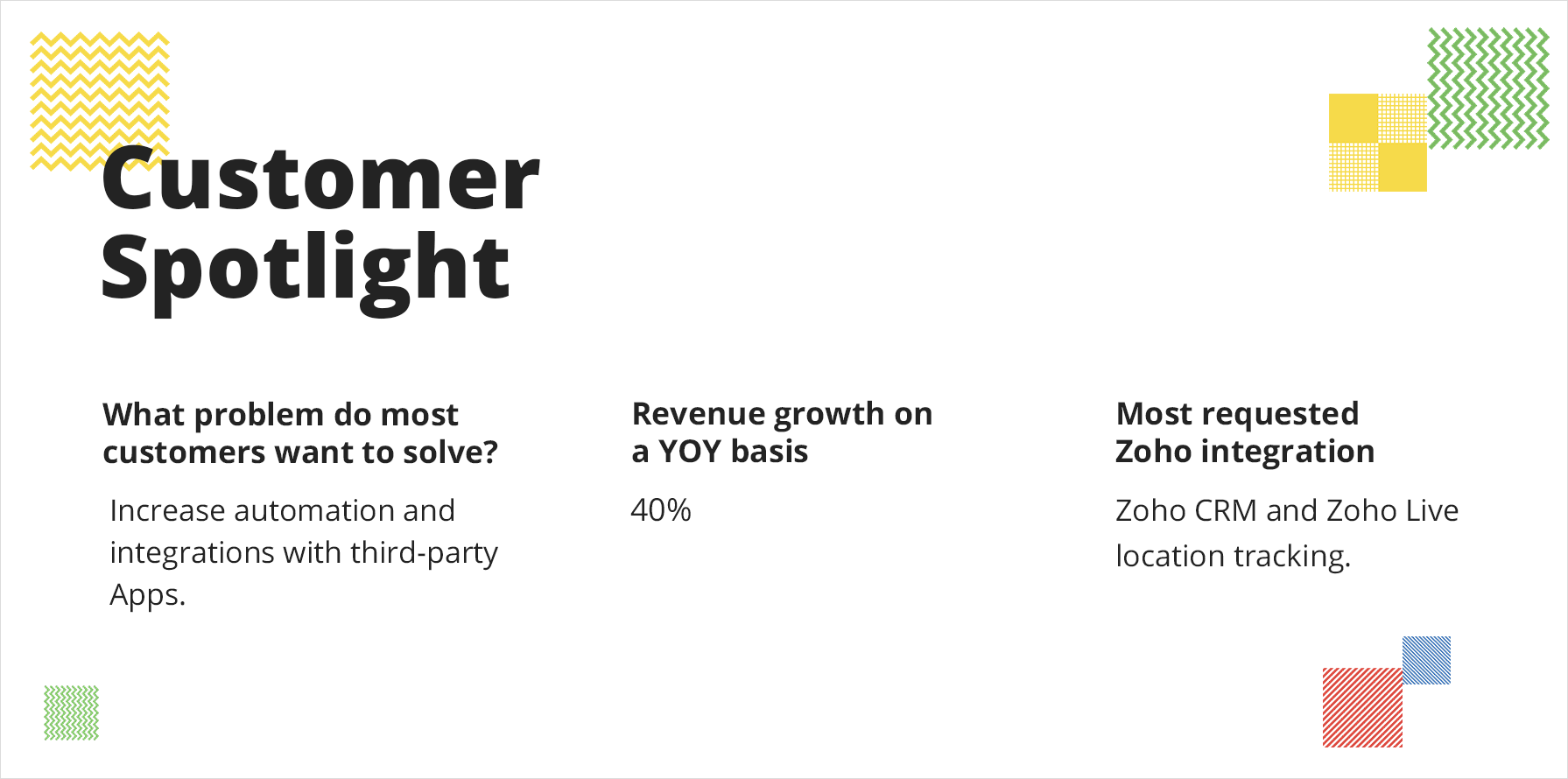
Rohit: Our journey has been transformational. We have worked with 35+ industries around the globe. Implementing solutions for different business types, at different business verticals, and in different geographical locations has given us so much exposure. We have become experts in implementing CRM for associations, clubs, and non-profit organizations.
Today, we have offices in the USA, Ireland, and the UK, as well as three offices in India (Delhi, Mumbai, Bangalore). We also have a development centre in Greece and are planning to grow it into a fully functional sales office. We are also working on extending the Indian offices to Tier 2 cities like Chandigarh, Jaipur, and Pune.
Rithikha: That’s incredible! Could you tell us about your marketing efforts? Which is your most trusted customer acquisition channel?
Rohit: Our self-driven business primarily comes from our customer references! People moving from one company to another take us and Zoho with them. Once they trust us and believe that we can deliver, they introduce us to other customers. That’s how we have built our business globally.
Aman: Customers are more educated than before. It’s important to make sure that we have the right information available to our customers at the right time. Providing educational content in the form of webinars and blogs has helped us generate leads. Target Integration has a strong marketing team. We work very closely with the team at Zoho. This helps us generate the right content.
Rithikha: What do you foresee for Target Integration in 2020?
Aman: Zoho is now competing with big players in the market like Salesforce and Dynamics 365. These days, customers look for a very robust system. There has been a market shift in terms of requirements. Initially, it was just lead management, contact management, and sales management, but now customers look for integrations with e-commerce portals or with tools like Amazon and lead portals like IndiaMART. Integrated systems will be the game-changers.
In 2020, we expect the demand for integrations with third-party tools to grow. Increased geographical enrichment and geographical reach can make this easier. From the Target Integration point of view, we will be expanding to more cities in terms of a physical base.
Rohit: While extending in India is a significant market growth for us, in 2020, we would like to look at other markets as well. Moreover, we also aim at penetrating the market by having partnerships with associates and other CRM/ ERP providers in the region.
Rithikha: This year has been so unpredictable. How are you handling the COVID situation? Would you like to share any tips that benefited you with other partners?
Rohit: This is a tough time for everyone. Fortunately, we are in the cloud! Thanks to the hard work and commitment of our team, remote assistance and cloud collaboration tools were our companions in this journey. We should remember that we are together in this. It’s time to help each other.
We have extended our business consultancy support free of charge (for up to two hours) for anyone seeking it. Also, we have conducted webinars (in regional languages) on Zoho Apps for remote team management and online collaboration.
Along with Zoho, we were a part of the implementation of the first COVID-19 Distress Call Center in Jammu and Kashmir, India for the citizens of Srinagar District.
Aman: The global pandemic has taught us a lot. It is time for us to ensure the health, safety, and welfare of our employees and customers. Being proactive and persistent with customer communication can positively impact customer experience and help create goodwill. Timely communication is crucial during this crisis. This is a good time to empower and up-skill our employees. (Thanks to Zoho’s online training and certification!) Also, we could revamp the content on our website and create awareness by leveraging the power of social media.
Rithikha: What’s your take on competition? How do you measure your performance as an organization?
Rohit: I believe that competition makes us faster, but collaboration makes us better.
Rather than competing with someone, we look forward to creating partners in every city, county, and country.
Synergy is greater when we work together. That’s why we are happy to collaborate. Our Zoho Partner family has been a pillar of support. Zoho Inspire has been a great way for us to strengthen our ties with other Zoho Partners. At the end of the day, it boils down to mutual help and collective growth!
Aman: When it comes to measuring our performance, it’s internal competition, with ourselves. We look at our past, our future potential, and then set metrics. It’s not projected or measured against anybody else! We strive for self-improvement. Customer feedback plays a significant role here. We still go by the age-old-adage “Customer is king!”
Rithikha: That’s inspiring. So you have attended Zoho Inspire!
Aman: Of course! We have been a regular attendee at Zoho Inspire. We love this event and keep looking forward to it. During our bonding sessions at the event, we share success stories on how we win over tough clients. Our discussions range from working on lost deals, to which product could have been a better solution for the customer, to how we could remain consistent in our work deliverables. My gosh! I’ve got so much more to tell.
Rohit: Zoho Inspire has done a tremendous job by building a collaborative platform for partner engagement. Apart from bringing to the table the best industry practices, it enables us to exchange ideas, obtain insights, and foster great relationships.
Aman: We admire how Zoho builds lasting relationships and has an amazing organization culture. We are assimilating the same culture at our workspace too. Keep up the good work, team Zoho! May you keep performing at your best!
Rithikha: Thank you. We wish you the very best in your future endeavours. Let’s keep rooting for each other!
Any business, whether it’s big or small, has to make purchases from vendors from time to time as all supplies cannot be managed in-house. When the purchase frequency and the number of suppliers increase, it can become difficult to manage orders and keep track of payments, leading to poor vendor relationships.
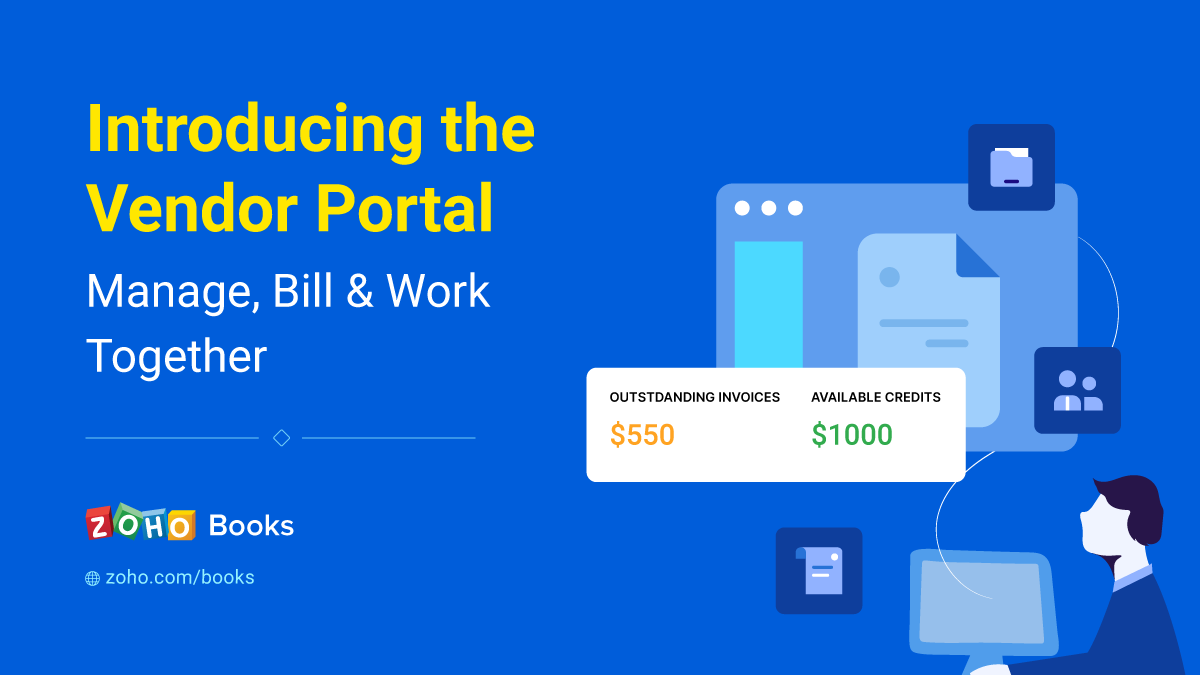
To handle this, Zoho Books has introduced the Vendor Portal, which lets vendors access their transactions with you, communicate, review orders, and much more. It’s secure and super convenient for your vendors—they can skip the lengthy clarifying emails and get direct access to the transaction information they need.
Enabling the portal can help you:
Quickly process orders and negotiate prices
The purchase orders you’ve created will be available immediately in your vendors portal. This gives the vendor a record of the items and quantities you require and the prices you’re planning to pay. Transactions get uploaded in real time, so vendors can view the orders instantly and share their feedback or work out new prices in the comments section if needed.
Review transaction documents and create bills
When your vendor has shipped your order or has it ready to dispatch, they can take a picture of their invoice and upload it in the portal. You can then review the invoice and approve it to create a bill in your Zoho Books organization and an invoice in their portal.
Share contact details easily
If your vendor has changed their operating location or contact details, they can edit their information in the portal and it will be automatically updated in your Zoho Books account. Similarly, if you’ve changed your address, your vendor can see your new billing and shipping address in the portal and always have updated shipment details.
Converse and collaborate effortlessly
Discuss orders, comment on invoices, and work together to process your purchases. Any time your vendor wants to send you a quick update, they can hit the Send Email button from the portal home page and message you right away.
What’s in it for your vendors?
Insightful and actionable dashboard
The home page in the vendor portal is similar to your dashboard in Zoho Books. It displays the amounts for outstanding invoices, any credits available, the details of the last payment received from the customer, and any documents that have been uploaded.
Secure access to the portal
Once you’ve enabled the portal, your vendors will be able to log in to it from the email invite you sent. You can set up a password for the portal, which your vendors can update as required.
View, print, upload, and comment on transactions
Your vendors will be able to view all the transactions you’ve created for them, add comments and upload images of invoices they’ve created so you can verify and convert them to transactions. All the transactions and statements of accounts can be downloaded or printed for their use.
How to get started
You can enable the portal from the Vendors module. Just click the More dropdown and select Configure Vendor Portal for the required vendor. You can learn more about setting up and accessing the portal from our help document.
Enabling the portal increases transparency and ensures your vendor is always in the loop. We’ve mentioned just a few things you can do using the portal. Do try it out let us know how else it helps you meet your business challenges. If you have any questions or feedback, leave a comment below or send an email to [email protected].
Because it’s growing so rapidly, the media industry has to constantly adapt to changes in consumer behavior. Employees have to be very creative, always developing content that is consistent with consumer trends. Employees feel the most creative freedom at work when they are productive and engaged in their jobs.
To promote this, you have to level up your HR operations to meet the demands of the modern workforce. HR software can help, enabling your organization to move away from traditional HR practices. Here’s how HR software benefits the media sector:
Improves productivity by creating workflows to automate important HR tasks. This can be beneficial for the media sector as employees are dispersed in different locations.
Enables employees to brainstorm anytime no matter where they are with features like online forums, internal chats, employee directories, and more.
Helps you to set clear goals for your employees, allowing them to work consistently and stay motivated.
Provides all the technical sophistication that is required to nurture and retain talent.
Streamlines shift scheduling by allowing you to create shifts weekly, every two weeks, or once a month.
Read more about the benefits of HR Software for the media sector.
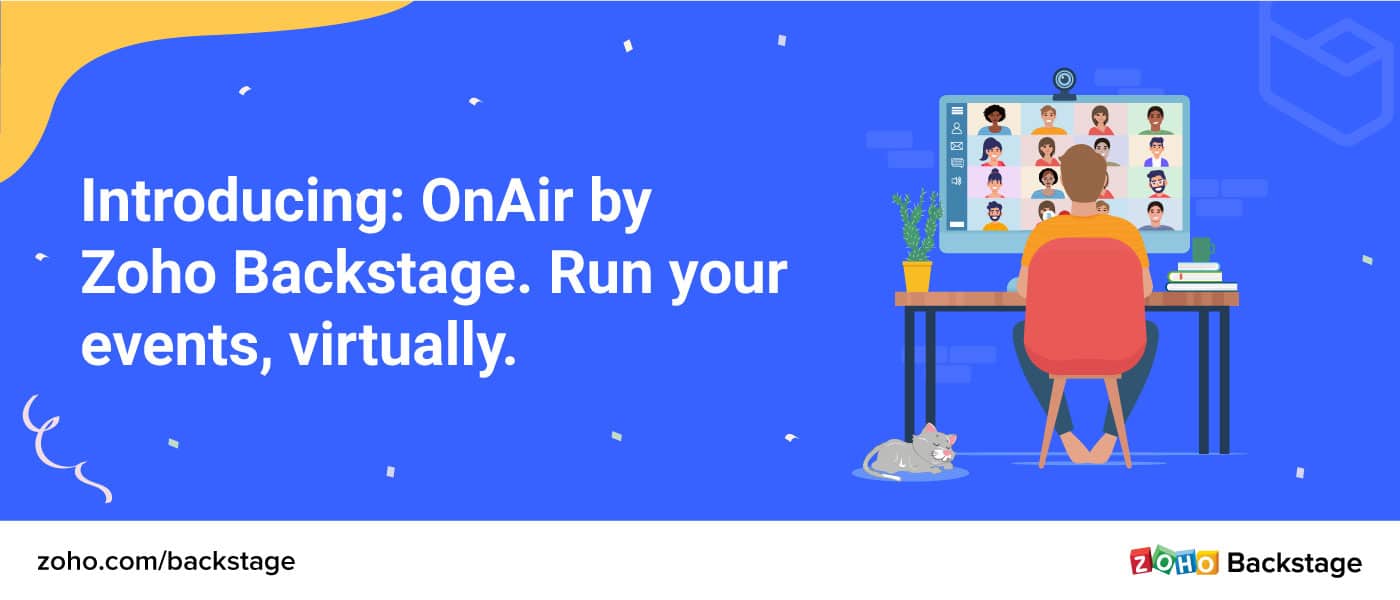
As the arrival of COVID-19 forced much of the events industry to hit pause on in-person events, many pivoted to virtual events. While Backstage has helped businesses run thousands of offline events in our two years of existence, we realized the current need is for a virtual event management solution. So we got to work.
To help you run the show from wherever you are, we’re excited to introduce Zoho Backstage OnAir. This opens up endless possibilities to connect and engage with your audience virtually. OnAir offers the ease and simplicity you’ve come to expect from Backstage, but for your virtual events. Let’s look at how.
Event live cast
Easily broadcast your sessions to your attendees. Bring more context to your sessions by sharing course materials, presentations, and more. You can even share your screen or use the virtual whiteboard to explain topics in-depth.
Polls, questions, and more
Light up your sessions with various engagement tools—ask questions, run polls, and chat with your audience.
Post-session analytics
Discover how engaged your attendees were with the help of engagement metrics. Learn about the most popular sessions and speakers. Run a customized, post-session survey to get deeper insights.
Want to know what else is included? Check out the complete list of features here.
Given this new addition, you might be wondering, “Will virtual events replace live events altogether?” At Backstage, we don’t think they will.
However, we do believe that we’ll see live events getting transformed into something better: hybrid events, a combination of in-person and online events. In fact, we think the virtual component will only help enhance the overall event experience and put organizers in touch with more attendees, irrespective of where they are located.
And that’s where Zoho Backstage is headed—comprehensive software that helps event organizers run both online and offline events.
That’s not all
Incidentally, the launch of OnAir also marks two years since Zoho Backstage launched! The first release for Zoho Backstage focused on features essential for event organizers to get started, like an event website builder, agenda planner, event promotions, and a couple of features to build attendee engagement.
Earlier this year, we launched one of our favorite features—BadgeUp—to help organizers customize and design their event badges. We also realized how different each event is and the need to customize roles and permissions accordingly in the process of managing the event. That’s why we enabled organizers to create their own roles and set their permissions as required.
And those are just some of the updates from the last couple of years. Here’s a full list, in case you’re interested.
In just two years of helping event hosts run successful events, we’ve had lots to learn and contribute. Here are some stats that we’d love to share with you:
14930 LIVE Events
1826 Online Events
372461 Attendees
None of this would’ve been possible without the constructive criticism and encouragement from our friends and customers. We’d like to thank you for your love and support. We look forward to continue working with you.
One more thing
We recently launched our blog series, The Green Room, to share all our insights and updates about the event industry. If you haven’t already, check it out and let us know what you think about it.
Veena Thangavel
Veena is a marketer at Zoho. She likes writing about people and technology. If you like what she writes, feel free to share them. If you have any queries, please put them in the comments below.
Hiring a new employee is a significant investment for a company. The hope is they’ll be with the organization for a long time and continuously deliver great work that positively impacts the business.
Unfortunately, there are times when you hire someone and they turn out not to be a good fit for your organization. In the best-case scenario, you would quickly realize the situation for what it is, let the person go, and they could move on to a role that is better suited for them. In the worst case scenario, they could struggle for a long while to do the job, causing both you and them frustration. This lowers workplace morale and hinders your company’s productivity. In the end, you’re still left having to let a person go and find another candidate for the role.
You can lower the chances of making a bad hire by conducting background checks before you make employment offers to candidates. It will reveal any details the person may have hid or been dishonest about during the interview process.
It’s essential to hire honest people, but why else are pre-employment background checks necessary? Let’s explore the advantages:
Verify the candidate is qualified – Some people, unfortunately, embellish their work history or education when job searching. You could end up hiring someone unqualified if you fail to check their background.
Perform a character check – Even if someone only slightly exaggerates their experience, it’s a sign of dishonesty. Ensure your company only hires moral people by verifying an applicant’s resume is 100% accurate.
Keep your workplace safe – The importance of protecting your employees, customers, and company goes without saying. Background checks save you from hiring dangerous individuals.
Reduce your company’s liability – Your company can decrease insurance costs and avoid needless lawsuits by only hiring people who clear your pre-employment screenings.
Avoid bad hires – Hiring the wrong person is costly and frustrating. Making the small effort to conduct a background check before you hire someone could prevent major problems from occurring later.
Work with a background check provider like HireRight.
Partnering with a background check provider is the key to successfully and efficiently conducting pre-employment screenings. It’s difficult for employers to collect information from all the essential sources, but numerous federal and state laws must be followed.
HireRight is a background check provider that integrates with Zoho Recruit. They provide more than 100 background screening services across more than 200 countries and territories. Additionally, HireRight offers other advantages, such as:
Data with integrity – HireRight’s background screening proficiency and extensive verification processes mean customers can feel comfortable working with accurate, meaningful results.
Accuracy – Artificial intelligence and machine learning technologies ensure accurate information on candidates. HireRight’s dispute rates are lower than the industry average.
Fast turnaround times – To help customers make decisions even faster, HireRight delivers quality-checked, real-time results, accelerates communications between third parties, and leverages mobile-first technology to speed up the time to hire.
“HireRight’s integration with Zoho provides another option for recruiters who are looking for solutions that will help manage the recruiting and hiring process from beginning to end,” said Jim Daxner, Chief Product Officer at HireRight. “We believe both Zoho and HireRight’s customers will truly benefit from this new partnership and look forward to continuing to work together to offer a streamlined and efficient process for finding qualified candidates.”
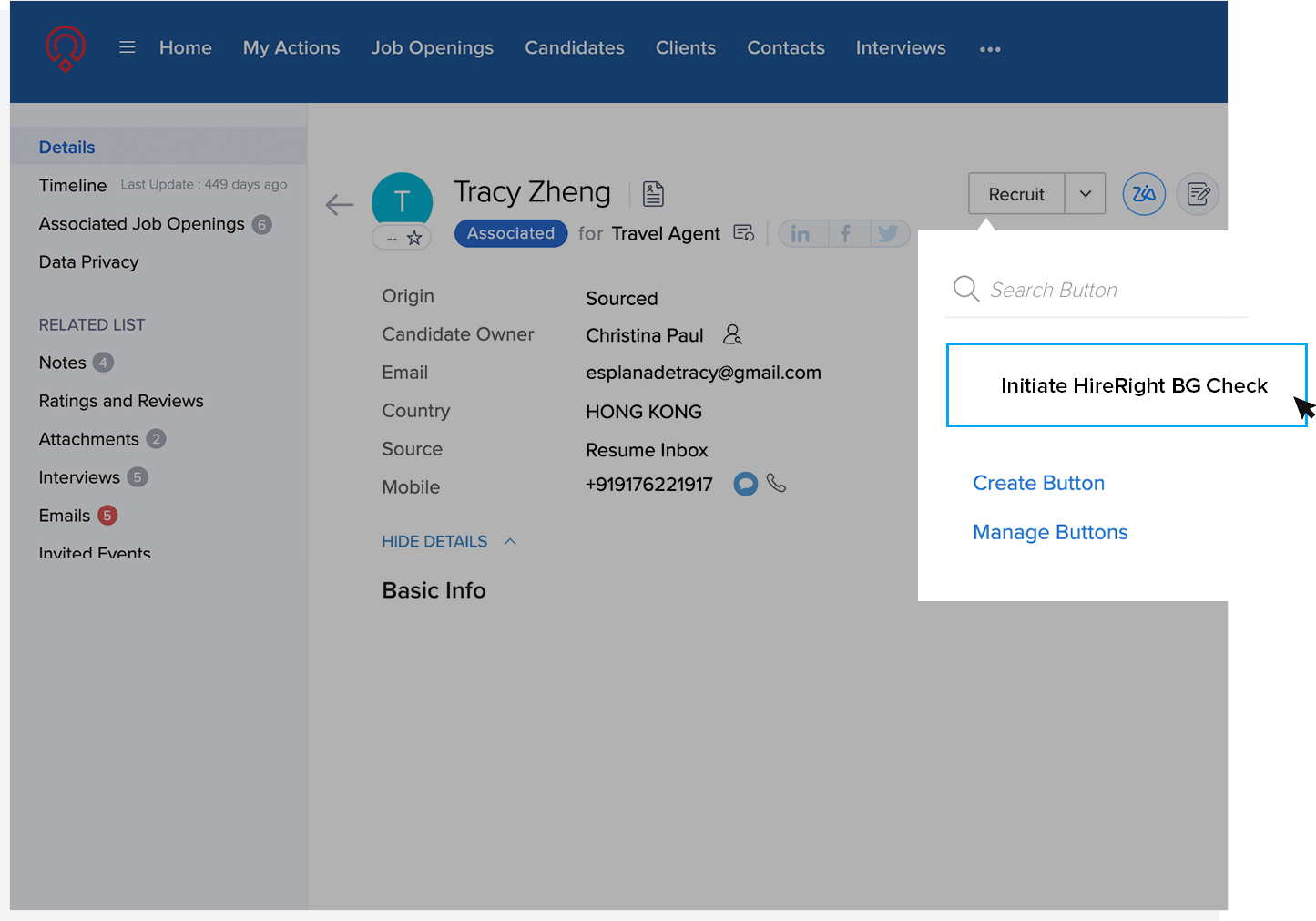
The Zoho Recruit integration with HireRight allows users to order background screening services from HireRight directly from within their Zoho Recruit account.
This website uses cookies to improve your experience. We'll assume you're ok with this, but you can opt-out if you wish. Cookie settingsACCEPT
Privacy & Cookies Policy
Privacy Overview
This website uses cookies to improve your experience while you navigate through the website. Out of these cookies, the cookies that are categorized as necessary are stored on your browser as they are essential for the working of basic functionalities of the website. We also use third-party cookies that help us analyze and understand how you use this website. These cookies will be stored in your browser only with your consent. You also have the option to opt-out of these cookies. But opting out of some of these cookies may have an effect on your browsing experience.
Necessary cookies are absolutely essential for the website to function properly. This category only includes cookies that ensures basic functionalities and security features of the website. These cookies do not store any personal information.
Any cookies that may not be particularly necessary for the website to function and is used specifically to collect user personal data via analytics, ads, other embedded contents are termed as non-necessary cookies. It is mandatory to procure user consent prior to running these cookies on your website.



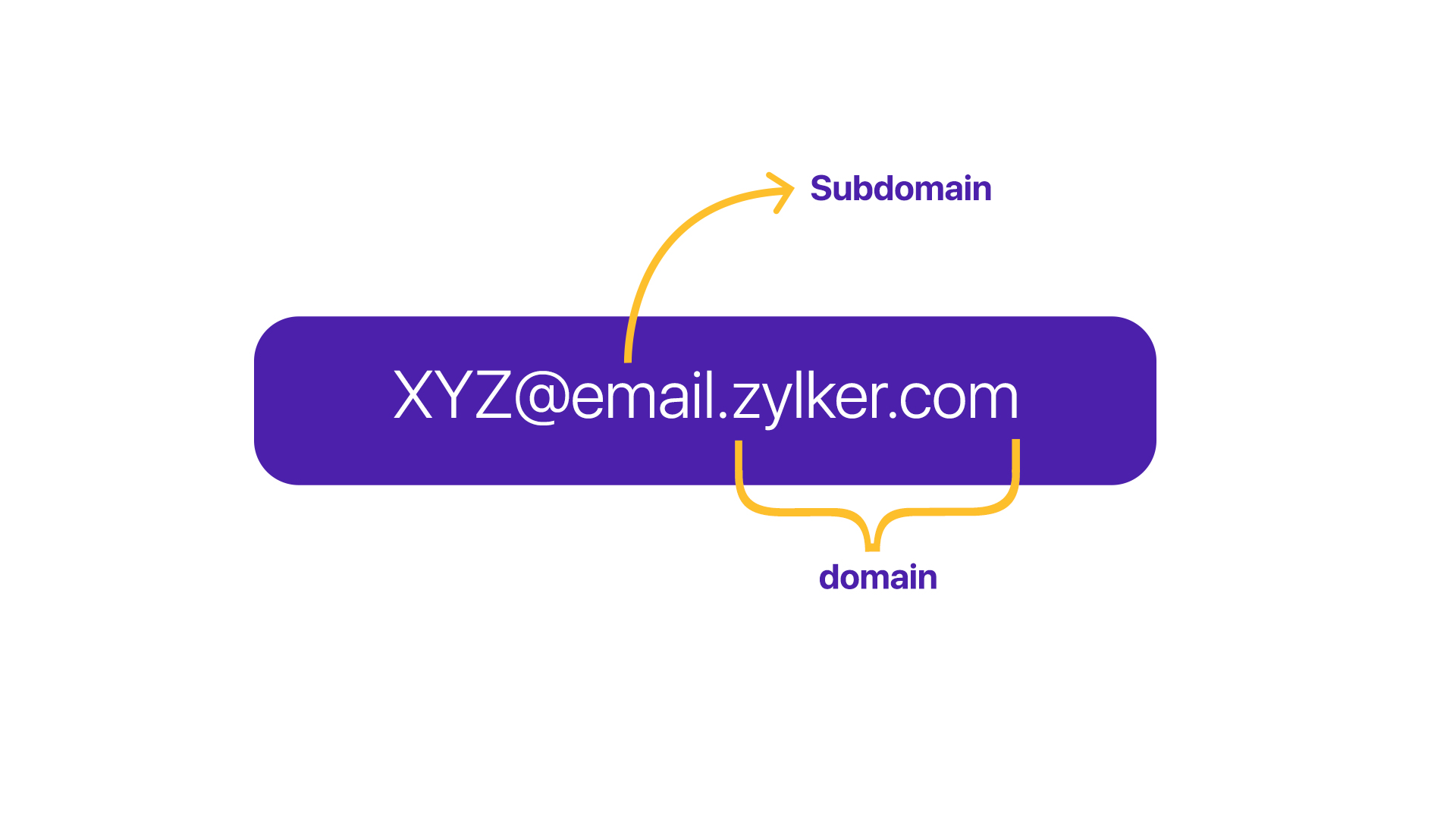 Name-wise, they’re relevant to your primary domain, thus covering the brand recognition aspect. For example,