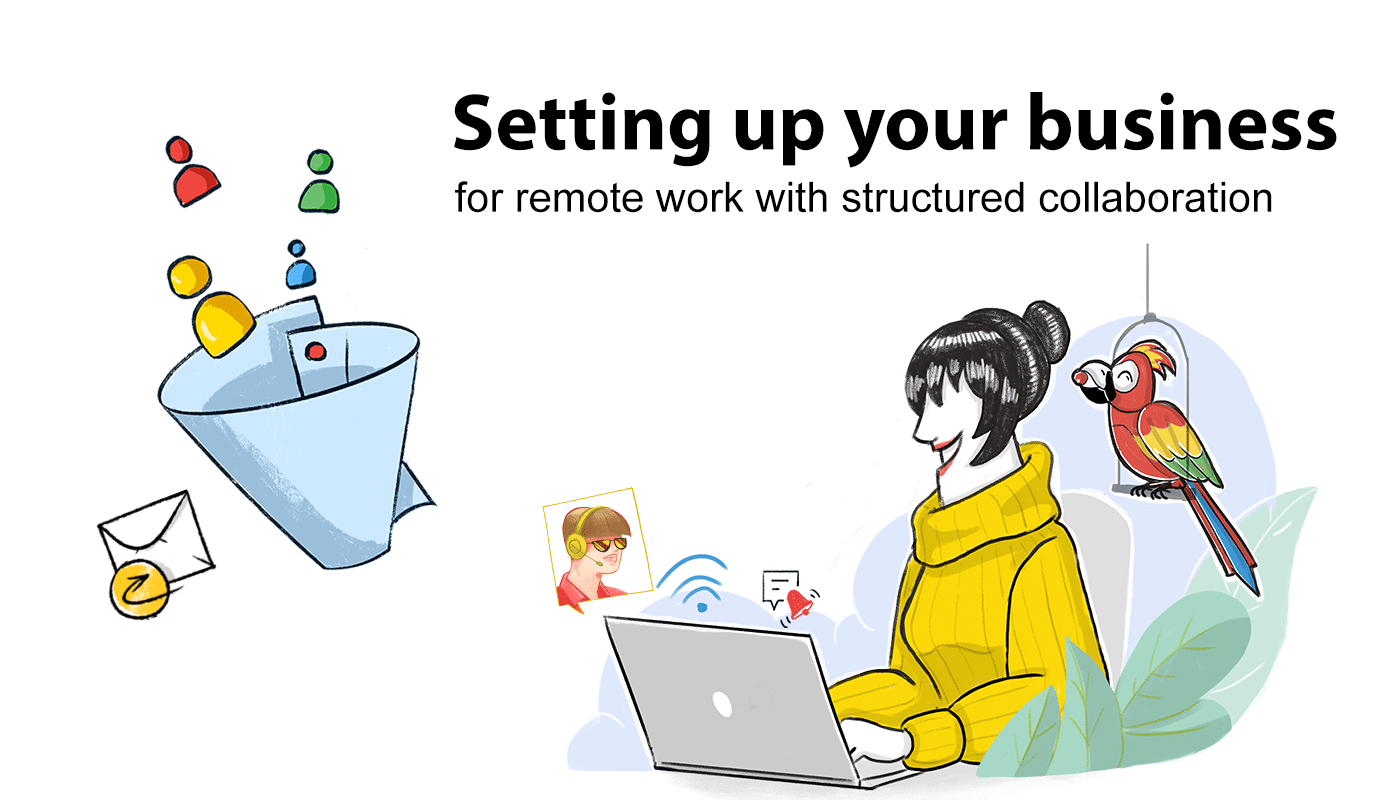
How to set Your Business Up For Successful structured collaboration  

Author bio: Gary Stevens

Gary Stevens is the CTO of Hosting Canada, a website that provides expert reviews on hosting services and helps readers build online businesses and blogs.

In many ways, remote companies are similar to any other business you might come across. The company is usually made up of teams all working together with a singular goal in mind. However, while you can simply walk across the office to talk to someone in a regular company, a fully remote workforce presents unique challenges. After all, your team needs to communicate somehow.

Many companies use several different tools from different providers. For instance, let’s say Emily runs a small, independent publishing house and hosts her company’s email through Yahoo. For messaging, her remote team uses Whatsapp and for meetings, they use Zoom. Emily’s team constantly hops between different apps and devices, sometimes missing important information in the shuffle.

Also, Emily stores her documents on an on-premise solution. These documents are also constantly juggled back and forth from writers, editors, copyeditors, and typesetters. She can avoid some of the mess if she sets her team up with apps from one provider. That means that not only will she have her company’s classified data stored with just one provider, but she can also help her team improve productivity through better app integrations.

If she thoroughly researches the market and chooses to migrate all of her company to Zoho Workplace, Emily and her team can communicate over email, instant message, forum posts and comments, and even video conference, all through one platform. They can also securely collaborate on shared documents in real time and won’t need to email each other files anymore. 

One of the most helpful features for teams is the minimalist Zoho Workplace dashboard, where users get an overview of the whole company in one place.With group video-conferencing on Meeting, employee check-in and check-out on Cliq, and the status feed on Mail, remote teams can feel more connected than ever before.

remote work and collaboration

It’s important for remote companies to devise a structured collaboration system so no one feels out of the loop. Your organization’s success ultimately depends on it. This is why Zoho meticulously researched team collaboration and put together some of our most popular products to form the Workplace suite. 

With a multitude of communication and collaboration apps now to choose from, email still plays a pivotal role in workplace communication—especially for remote teams like Emily’s. Let’s take a look at some ways to upgrade your organization’s email usage:

How to host your company’s emails securely  

No matter how small your company is, it’s a good idea to set up all of your employees on a single platform.While multiple other communication apps have become popular in recent years, such as Slack and Zoom, most businesses still rely on email. In fact, one report from 2017 found that an astonishing 95% of businesses still used email as their primary communication tool. It’s a good idea to get your email host set up before even creating your company’s marketing plan. You’ll come across as far more professional to your customers if you can impress them with custom email addresses with your own domain in there. 

Luckily, Zoho Mail can give you everything you need to set up your company’s email system precisely the way you want it. Mail is an affordably priced secure email host that provides you with unparalleled security and useful features, such as free newsletters templates, to make your team’s collaboration process smooth and well-structured. Generously integrated with widgets like Zoho Meeting, Zia Insights and many more, Zoho Mail enables you to customize Mail’s functionality the way you want it to be.

The importance of teaching employees how to adequately use their new emails  

All remote teams are different. Some may need to constantly send emails back and forth between departments each day. Some operations may just need quick emails to check in on statuses of certain projects. Regardless of how small the email is, it is professional to follow the email etiquette rules. The collaboration system your team sets up ultimately depends on what you and your employees need most. And part of that comes down to finding the information you need when you need it. 

With Zoho Mail, you can use a fantastic service known as email retention and eDiscovery. With this, your employees can set up how long they want certain emails to remain in their inboxes. They can even customize the length of certain messages. For example, emails related to legal matters can be labelled as such so those messages aren’t accidentally deleted.  It’s critical you communicate with your employees how long they should retain various types email in order to stay compliant with the regulations of your location and industry. With Mail’s email retention and eDiscovery features, you can stay on the right side of the law and ensure your employees always have access to the information they need. 

The ability to listen is central for any good business owner. Plus, once these communication networks are in place, you’ll have an easier time learning how those marketing campaigns did. Zoho offers a stellar communication network to help your team stay in touch, and it’s easy to implement for any company.

Tips for ensuring your employees don’t get burned out on remote work

You may have all the right tools at your disposal, but humans are still social creatures. We need interaction to feel connected, so how can you help your employees get used to this new workspace? 

For starters, it’s important to set up clear boundaries between an employee’s work life and personal life. While many managers fear workers won’t be as productive working from home, it turns out the opposite is actually true. One study from 2018 found that without the need for commute to and from the office, workers are actually more productive when they’re at home. The issue comes down to the fact that many employees don’t know when to step away from the computer.

With the advent of smartphones, people receive all kinds of notifications throughout the day. When you consider that the average person has an attention span of only eight seconds based on a survey of over 2,000 individuals, you can easily see how notifications can serve as a major distraction from both life and work. This is why managers should encourage employees to fully step away from projects at the end of the work day and turn off their personal notifications and save tasks related to their personal life for their free time after work. Any emails or Slack messages sent after hours should not expect a response until the next day.

Additionally, working from home can make employees feel out of the loop. They no longer feel like they understand the ins and outs of the organization, which can increase their anxieties.

 Therefore, managers need to go out of their way to update their workers on the current state of their team and the company at large. Even a simple weekly Streams post or a newsletter can alleviate much of the anxiety of no longer being part of an office.

You can also use this post as a way to keep people informed about matters not necessarily related to work. For instance, if someone just had a newborn baby or celebrated a birthday, include it in the post. People will still enjoy those connections and feel they’re part of a group effort. 

In many ways, it seems remote companies are the way of the future. But there is a bit of an adjustment employees need to go through. Not having someone to talk to face-to-face can quickly become alienating. It’s even more alarming when you message a team member about something urgent and have to wait hours to get a response. However, with a structured collaboration system and some of the stellar communication tools out there for businesses, you can see how far your remote company can truly go. Try Workplace Professional for free now!

Net Universe offers all Zoho subscritpions and consultant services with worldwide Delivery Services.
Send us an email to [email protected] for more information or visit https://www.netuniversecorp.com/zoho.
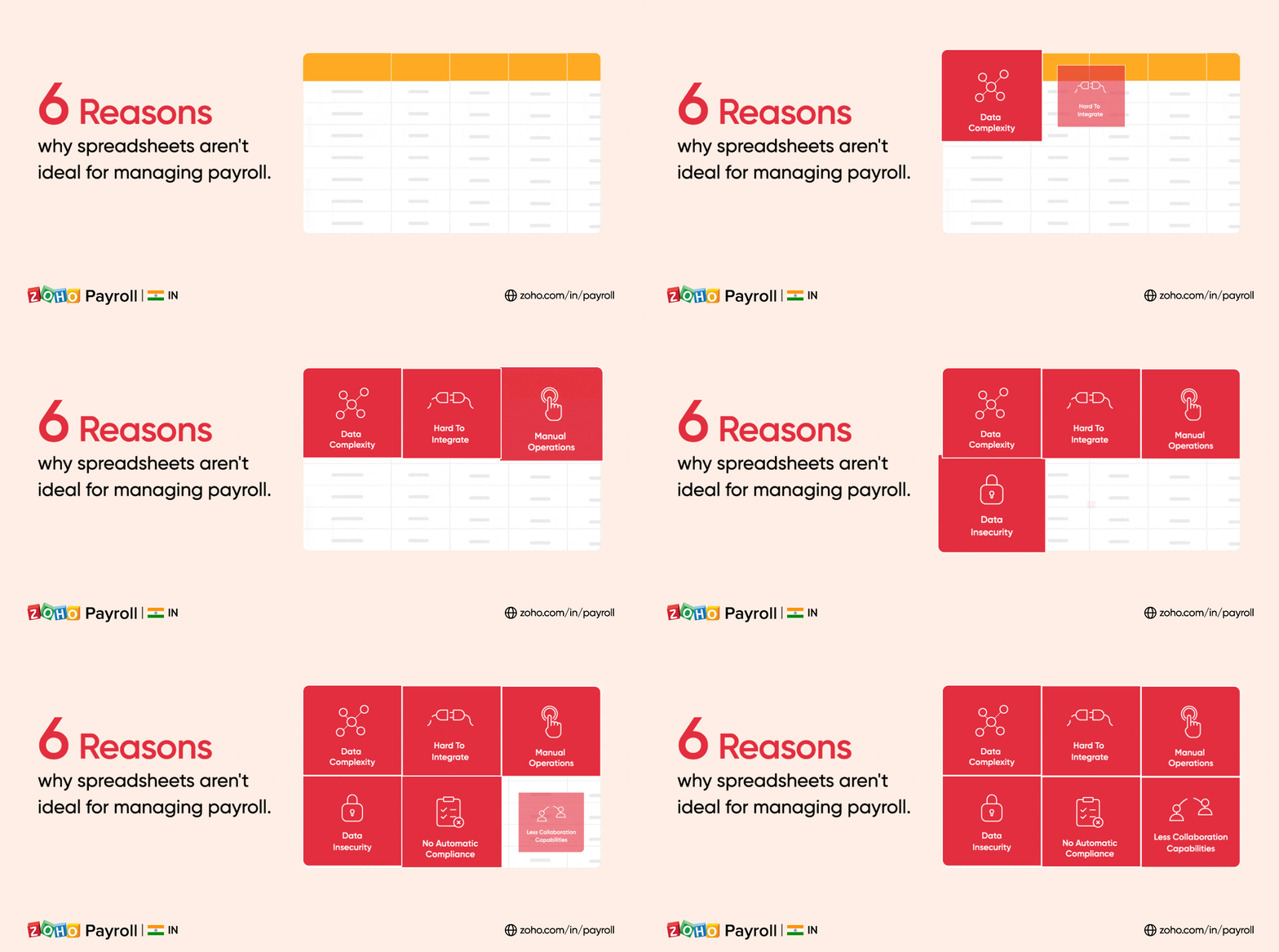
6 reasons why spreadsheets aren’t ideal for doing payroll

Most businesses start small, and when they do, a spreadsheet is their first choice for managing their business operations with payroll being no exception. It’s inexpensive, it does basic math, and it’s comfortable to use.

However, things get a little complicated when the business grows in size. The employee base grows, and so does the payroll data. Suddenly, maintaining statutory compliance is a challenge, accuracy becomes difficult, and large data sets only make things even more complex. Here are important reasons why you should not depend on spreadsheets to do your payroll operations.

Spreadsheets are not good for doing payroll

Spreadsheets amplify data complexity

Payroll is complex, and running payroll in Excel sheets makes it even more complicated. If you have a growing number of employees, there’s a lot of Ctrl+C, Ctrl+V involved, which can easily change formulas, misinterpret number formats, and take your accuracy for a toss.

Spreadsheets do not ensure automatic compliance

Spreadsheets are not versatile enough to maintain statutory compliance automatically. With little to no automation for computing taxes, you need to take the initiative to stay up to date on all the changes to the tax laws. The onus is on you to prepare accurate reports for filing tax returns every month, quarter, and year, which leaves your business vulnerable to non-compliance risks that result in hefty penalties.

Spreadsheets depend on manual operations

Spreadsheets don’t help you digitize your payroll operations. Even though you’re using a computer instead of a pen and paper, spreadsheets mean that your proof collection, salary slips, and other payroll processes still have to be done manually.

Spreadsheets leave you vulnerable to chance

Spreadsheets don’t protect your data integrity or prevent errors. Payroll data is entered manually, leaving the door open for mistakes. Since sheets are often shared with many people within the same department, inaccurate data is inevitable.

Spreadsheets cannot be integrated easily

Integrating spreadsheets with other business applications is difficult. As your payroll data grows, integrations with other applications are necessary if you want to avoid duplicate work for your HRs. Spreadsheets are dependent on intermediary applications for integrations, as they do not support direct integrations with other systems.

Spreadsheets’ collaboration capabilities are limited for payroll

Since your payroll department deals with sensitive numbers, you may need to share multiple spreadsheets to collect input from different teams. This makes compiling data tedious and difficult collaboration.

Net Universe offers all Zoho subscritpions and consultant services with worldwide Delivery Services.
Send us an email to [email protected] for more information or visit https://www.netuniversecorp.com/zoho.
5 keys for managing and retaining gig workers

5 keys for managing and retaining gig workers


5 keys for managing and retaining gig workers

Our previous blog, The gig economy- an emerging norm, discussed how models for work have changed over the past few months. While contingent workforces grow and become more diverse to include agencies, freelancers, and gig workers, digital platforms play a crucial role.

Companies are relying on more gig workers—not just internet gigs⁠—some have even mixed gig workers in with their full-time employees. When you are appointing gig workers in your company for the first time, you should be aware of how to manage them, especially when times are uncertain.

Managing and retaining gig workers


Talent retention should be on the top of your checklist. Companies are looking for an agile workforce to meet their customers’ requirements. Demand is currently exceeding supply.

Post-pandemic, these trends may continue as we shift toward a more uncertain gig economy that relies heavily on the internet. Temp staffing agencies can ensure that contingent workers or gig workers stay with them using improved technological platforms, and adopting them will help in recruiting and managing gig workers efficiently.

—————————————————————————————————————————————————-
Zoho Workerly is dedicated to ensuring that you and your team feel supported and are equipped to adapt to the rapid changes you may be experiencing.

We’re in this together.

Net Universe offers all Zoho subscritpions and consultant services with worldwide Delivery Services.
Send us an email to [email protected] for more information or visit https://www.netuniversecorp.com/zoho.

Zoho Show for iOS: Create and present impactful presentations with your Apple device

Mobile devices have become an important and irreplaceable part of many of our lives. With daily usage only increasing with each year, iOS users are looking for more functionality and productivity. To meet this need, we are launching the Show app for iOS. You can now easily create, present, edit, and share presentations from any Apple device.


Sign up later

In this fast-moving world, many people need to get started right away and don’t have time to create an account and go through the on-boarding process.

With Show for iOS, you can start creating presentations right away without needing to create a Zoho account. You can sign up later if you wish to sync your progress to the cloud.

Stunning templates to captivate audiences

Maintaining consistency across all the slides while starting from scratch can be tedious and time-consuming. Luckily, design templates help simplify the process.

Show iOS app offers more than 25 presentation templates for you to choose from. Pick one based on the topic of your presentation, make slight modifications, and have professional slides ready to go quickly.

Don’t keep your ideas waiting

You never know when a good idea might pop up. Sometimes, an inspiration can strike when you don’t have access to your laptop or even pen and paper, meaning you run the risk of forgetting these ideas. 

With the Show app on your iPhone and iPad, you have an application just as powerful as its desktop counterpart. With an app that is constantly improving, you are only a click away in bringing your ideas to shape.

Fine-tune or fully reimagine slides

A good first impression can change the way your presentation is received.

Show’s numerous design and formatting options—available in the mobile app as well as the desktop version—help improve the visual impact of your slides. Emphasize key sections of your presentation using the iOS app’s wide range of animation and transition options.

Unhindered collaboration

Working on presentations with team members who are always on the move can result in a lack of coordination. With the new iOS app, you and your team members can use your Apple devices for collaborating on the go as much as you use them for your other daily operations. Share presentations with peers and set the access level for each of them.

Easy on your eyes 

Staying productive late at night can be challenging for many reasons. The brightness of your device’s default light mode can both make it harder to focus on your screen and strain your eyes. Our dark mode compatibility helps you efficiently design presentations, regardless of the time of the day.

Bigger and better with Apple TV

Ace your next business presentation by giving your ideas a bigger platform. Easily connect to your Apple TV to present your ideas to an audience. You can control slides using the Apple TV remote, or even use your Apple Watch or iPhone as a remote to navigate through slides.

With this introduction of the contextual, efficient Zoho Show app for your iOS device, you can now create professional presentations directly from your mobile device.

Download the app today.

Net Universe offers all Zoho subscritpions and consultant services with worldwide Delivery Services.
Send us an email to [email protected] for more information or visit https://www.netuniversecorp.com/zoho.

Level up your business processes with Zoho People’s integrations

If your company works with multiple applications, having an integrated system means that your employees don’t have to log in to different systems to complete a single task. Overall, it saves a substantial amount of time for your organization and makes your internal processes more efficient. That’s why we are constantly striving to to offer more integration options for Zoho People.

Integrations with Zoho People

As of now, extensions for Zoho Projects, Zoho CRM, Zoho Books, Zoho Invoice, Zoho Analytics, Zoho Writer, Zoho Sign, and Xoxoday will now be available in Zoho Marketplace for download. Here’s how each of these integrations can help you:

Integrating Xoxoday with Zoho People improves your employee recognition and appreciation efforts. It helps to make your employee recognition programs more consistent with your organizational goals.

Zoho Analytics’s integration with Zoho People helps your organization to make data-powered decisions. Generate reports and get insight into important HR metrics, including employee turnover, performance, attendance, time-off, and more.

Integrating Zoho Projects with Zoho People makes project management simpler and more efficient. Employee availability will be displayed based on time-off details from Zoho People. The timesheets generated in Zoho Projects can be imported to Zoho People, saving you from double-work.

Zoho Sign’s integration with Zoho People saves your HR department from having to send recipients hard copies of documents for manual signatures. This integration digitalizes the signature collection and document storage process.

By integrating Zoho People and Zoho Writer, you can create standard templates for HR letters such as confirmation letters, appointment letters, recommendation letters, and more. These templates are customizable and can be easily emailed.

With these integrations, you can create error-free invoices for all the projects that your employees work on. This helps prevent delays in project payments from the client’s side.

With the Zoho CRM integration, time tracking and project management are made easy. Leads and contacts from Zoho CRM can be imported to Zoho People as clients. You can also easily associate projects to clients.

Learn more about Zoho People’s integrations in our HR Knowledge Hive.

Net Universe offers all Zoho subscritpions and consultant services with worldwide Delivery Services.
Send us an email to [email protected] for more information or visit https://www.netuniversecorp.com/zoho.

Celebrating 1000+ extensions on Zoho Marketplace

Zoho Marketplace now houses 1000+ extensions that can address the unique needs of every role and function in your business. Extend the power of the Zoho products you use with 1000+ ready-to-use extensions across 40+ business categories, including sales, marketing, customer support, accounting, back-office operations, and more.

Easily connect your favorite business tools with Zoho to add new capabilities in a snap, with zero coding. Make calls from Zoho CRM records, send out appointment links for support sessions from Zoho Desk, and much more.

An extension for every stage of the customer lifecycle

Pain point: An omnichannel marketing strategy provides a seamless experience of your brand, but pooling information from multiple touchpoints is a challenge.

Solution: Automatically pipe leads from all your marketing channels including email, social media, events, webinars, and SMS straight into your CRM. Viewing lead data from multiple lead sources makes it easier for your marketing and sales teams to nurture leads successfully.


Pain point: Contacting a potential customer with personalized communication improves the odds of a future conversion. To do that, you first need to understand your potential customer and their requirements.

Solution: Develop a complete customer profile without missing a single detail by integrating the mediums you use to interact with leads in CRM. The collected information can be used to classify leads by interest, and to prioritize them based on how likely they are to convert.


Pain point: To successfully close a deal, you need to simplify things at every stage of the sales process, so that the potential customer does not drop out of the sales funnel.

Solution: Choose from 470+ CRM extensions to help you at each stage of your sales process—from calling to closing.


Pain point: Keeping customers happy to earn their loyalty involves not only addressing their issues but also providing great customer service experiences.

Solution: Deliver stellar service to build stronger relationships and drive customer retention with Desk extensions that can help you go the extra mile without leaving Zoho Desk.


Pain point: Each paying customer can be transformed into a brand advocate and an influencer in their individual networks. But before that, you need to win them over with a consistently pleasant experience.

Solution: Build personalized experiences using crucial data collected by your marketing automation tools and piped right into CRM. Using insights from this data, you can show your customers that you appreciate their business and nurture that connection.


With 374,000+ installations and counting, and an average of 20,000+ monthly installations, Zoho Marketplace is helping 100,000+ business users around the globe to do more with Zoho.

Explore Zoho Marketplace

Net Universe offers all Zoho subscritpions and consultant services with worldwide Delivery Services.
Send us an email to [email protected] for more information or visit https://www.netuniversecorp.com/zoho.

Tips to choose the right HRMS for your organization

how to select the right HRMS


To manage millennial and Gen Z employees, who have grown up with technology, it’s necessary to move away from traditional HR practices. Every stage of the employee journey from onboarding to offboarding should be automated and made easy for your employees. That’s why HR management systems are becoming more popular.

how to select the right HRMS

Using an HRMS, all your HR operations can be centralized, which helps in fostering a productive, engaged, and satisfied workforce. Here’s how you can select the right HRMS for your HR operations:

  • Evaluate your HR operations to understand what you’d like to achieve with the HRMS.

  • Seek help from your IT team to get clarity on the HRMS options available on the market.

  • Keep in mind the size and HR needs of your organization, and set a budget for the HRMS.

  • Do detailed research about the shortlisted products and request for demos to see how user-friendly the product is. After this, you will hopefully be able to make your choice.

  • Consult with your team and finalize the choice for your organization. Provide a demo to your employees so that they can familiarize themselves with the HRMS.

Read our complete guide to selecting the right HRMS.

Net Universe offers all Zoho subscritpions and consultant services with worldwide Delivery Services.
Send us an email to [email protected] for more information or visit https://www.netuniversecorp.com/zoho.
Digitally sign your sales documents with the Zoho Sign extension for Zoho CRM

Over 150,000 fast-growing businesses across the globe rely on Zoho CRM to streamline their sales processes and grow their revenue. With so many people working from home due to COVID-19, sales teams are more reliant than usual on the right set of tools to close deals effectively. That is exactly where tighter integration within our Zoho ecosystem and seamless automated workflows can benefit businesses.

Since a typical sales cycle involves a pile of signed paperwork—including sales agreements, purchase orders, invoices, and more—getting these documents manually signed with pen and paper is cumbersome, time-consuming, and increases the overall waiting period. Sales teams also need additional devices such as printers and scanners, which may not be easily accessible in today’s remote work environment.

Now is the perfect time to say hello to digital signatures. With the Zoho Sign extension for Zoho CRM, companies can automate the signature collection, cut operational costs, and reduce the turnaround time, which means closing deals faster than ever before.

Let’s look at why this extension is the ideal digital signature solution.

Easy installation

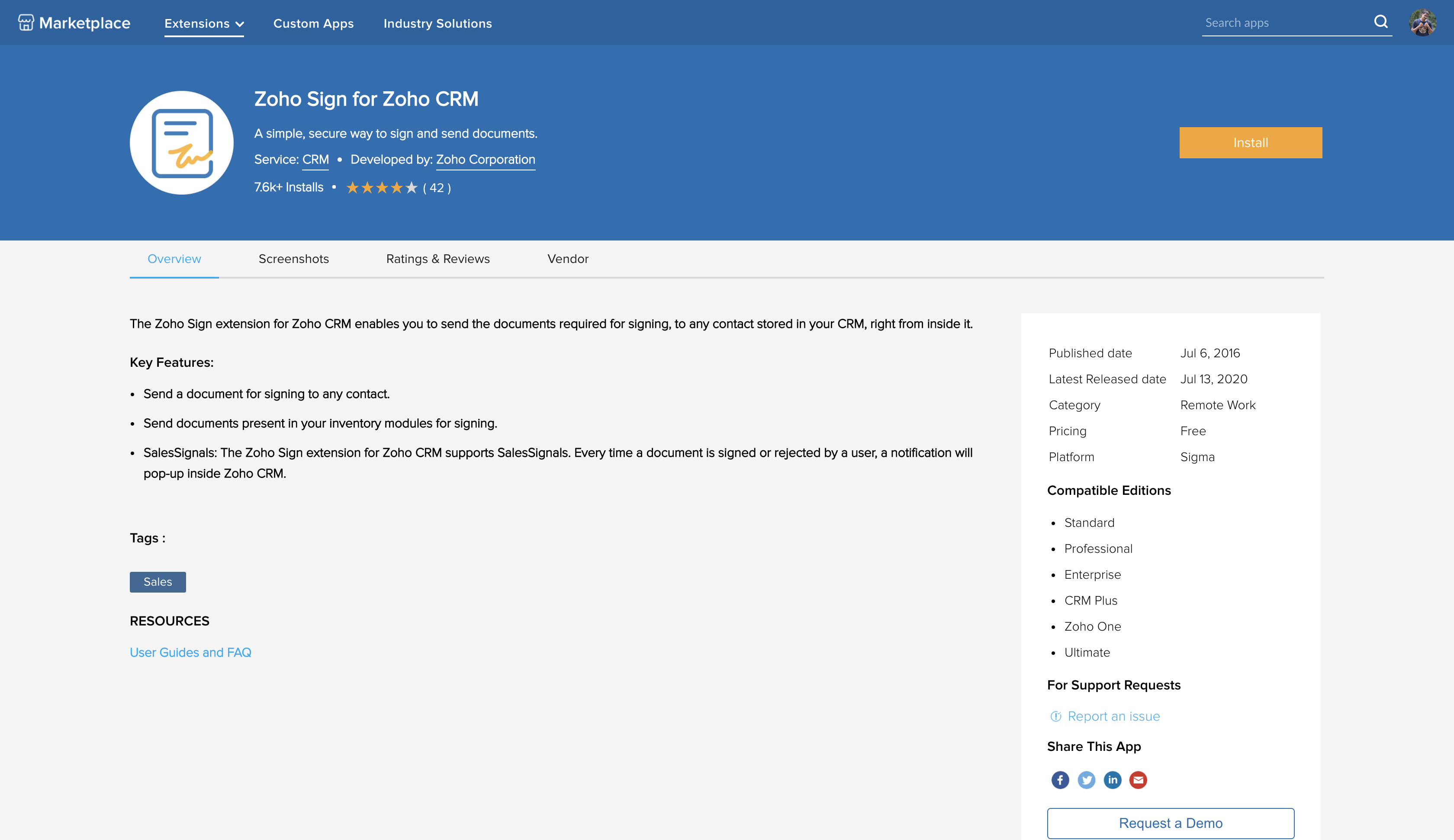
  • You can install the extension directly from our Zoho Marketplace or from your Zoho CRM account
  • Once installed, the extension will be available in over a dozen modules, including leads, accounts, contacts, deals, quotes, invoices, and many more

Intuitive usage

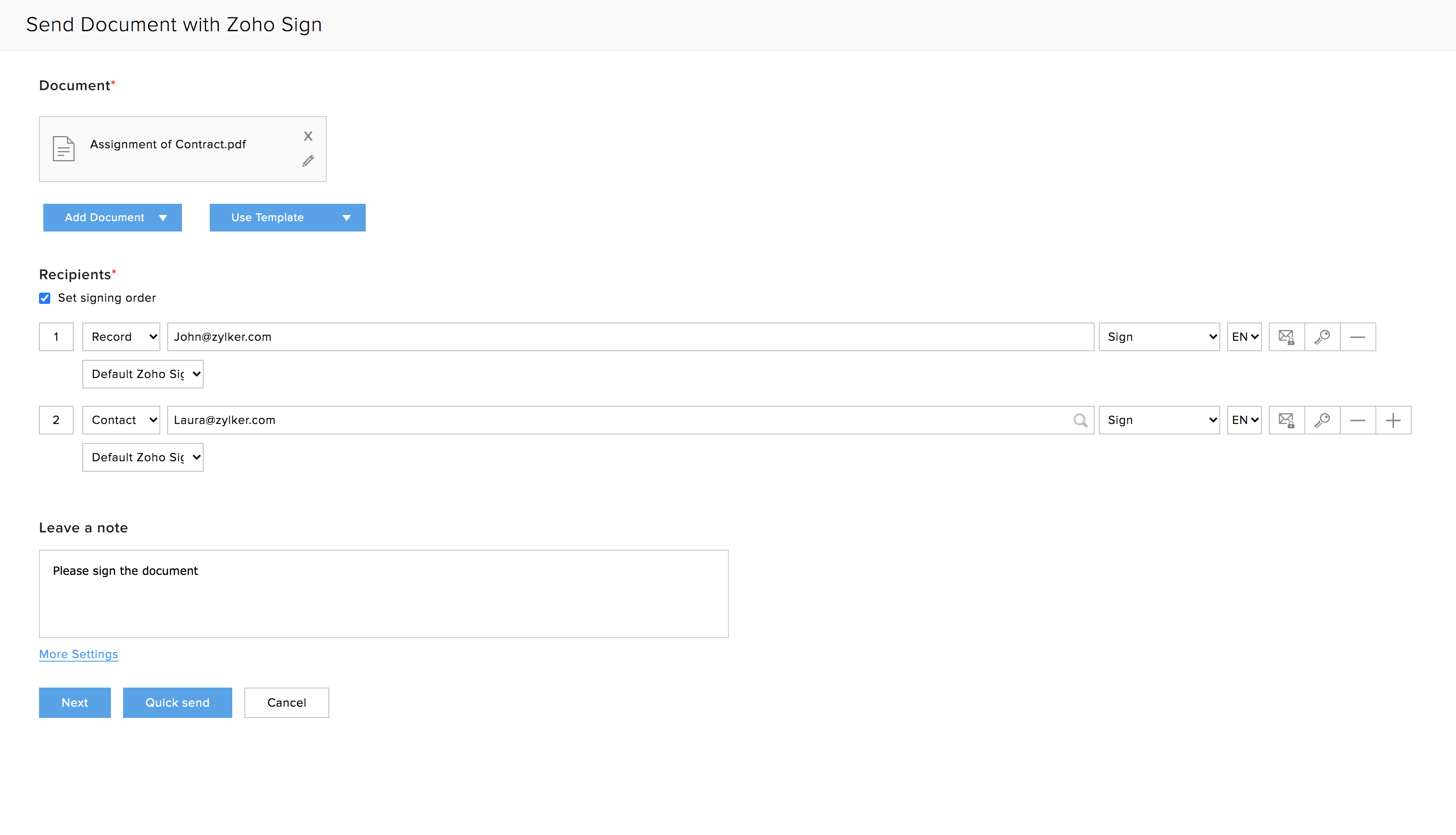
  • Easily send soft copies of your sales documents such as sales orders, quotes, and more for digital signatures directly to customer inboxes from Zoho CRM

You can also track the document status in real-time and view detailed audit trails around the signing process

Automatic archiving

Key differentiators

  • You can use your existing mail merge, CRM, and Zoho Sign templates for fast document sending

  • Quickly add fields using text tags

  • Automate singing workflows using the Deluge runtime environment

How can you get started?

The Zoho Sign extension for Zoho CRM is available now, and we offer comprehensive help documentation to configure this in your setup.

We also have a free webinar session covering this extension coming up on August 27, 2020. You can register for the session here.

If you are currently not a Zoho Sign user, you can head over to zoho.com/sign and sign up for a free 14-day Enterprise trial. If you have any feedback or questions, feel free to write to us at support(at)zohosign(dot)com or leave a comment below.


Chandramouli Dorai


Chandramouli Dorai is the Marketing Analyst for Zoho Vault and Zoho Sign. You can start a conversation with him by simply leaving a comment on any of his blog posts.

Net Universe offers all Zoho subscritpions and consultant services with worldwide Delivery Services.
Send us an email to [email protected] for more information or visit https://www.netuniversecorp.com/zoho.

Bridging the gaps in social media before going back to business as usual

Social media volumes between January and March of 2020 surged by fifty times in India, a Nielsen report says. Globally, this figure could be even higher. For businesses, that’s not a number they can ignore.

Nabil Sabio, an Iranian-New Zealand artist said, “When fishermen cannot go to sea, they repair their nets.” This describes the current global business environment. With many business activities running at a minimum across the globe, now’s the time to “repair your nets,” or identify and bridge the gaps in your social media efforts. However, the big question is, “how do I do this?”

The Social Media Gap Matrix can help businesses identify gaps across their social media efforts by breaking down their activities into 4 blocks. We can draw powerful insights that can bridge these gaps by analyzing the voluminous amounts of data produced by ad platforms every day.

As a prerequisite to this, it’s important to integrate your ad platforms, like Facebook, Twitter, LinkedIn, and Instagram, with a BI/analytics software, like Zoho Analytics.

Audience

A detailed understanding of your audience demography can enable organizations to spot gaps in their portfolio of offerings, customize promotional offers, fine-tune marketing communication, and a lot more.

Teams can brainstorm, talk to senior staff and consultants, or put their sixth sense to work to ascertain their audiences. But in today’s data-driven world, teams should be harnessing the power of analytics to learn more about their audience.

Below you’ll find an analytics dashboard that gives a 360 degree view of your audience. A sound understanding of age, gender, language, and location can help marketers assess if they’re targeting the right mix of people. Some findings can feed insights for offline marketing initiatives, as well. For example, the city with the highest number of followers can be a possible location for you to pilot an offline campaign.

This dashboard is a better way to ascertain who your audience is and if you’re targeting the right set of people.

Content

Content is king, as they say. It helps organizations engage with their audience to create the desired business impact. It tells the world who they are, what they stand for, and a lot more. And it’s one of the key drivers of brand perception.

If marketers stick to content that they think or feel works well for their audience, they’re probably shooting in the dark. Analytics can allow marketers to understand if their content is doing its job, or needs to be adjusted.

With this dashboard, marketers get a holistic overview of their KPIs, such as tweets, engagements, mentions, and a lot more. This granular analysis enables them to understand time periods with the most engagement, most engaged media types, the virality factor for realigning upcoming content for better engagement, and a lot more.

These insights can empower marketers to assess if their content is serving its purpose or not.

Impact

It’s crucial for marketers to monitor the impact of their content and campaigns, which helps them optimize their strategies and spends.

The easiest way to assess this impact is to compare results to targets set against traditional metrics. This may not suffice in hypercompetitive business environments, though. And that’s where analytics comes in—helping marketers look beyond these metrics to better assess impact.

Widgets reduce your time-to-insights by closely tracking your KPIs. At a glance, you can see the impressions, clicks, CPC, CPM, and a lot more. Plus, it’s a good way to keep a tab on how metrics have performed in the past.

However, marketers are more keen on knowing how they’ll perform in the future. Using the powerful forecasting feature, they can make estimates for the next few months, to realign their content, campaigns, investments, and more. Marketers can even analyze the performance of their video campaigns to hone their video content further.

An in-depth analysis of your ad campaigns helps you understand the impact of their content across social media platforms.

Competition

Cutthroat business environments demand a close eye on the competition. It’s vital to know how you stack up against the heavy hitters in your industry, and it can help you spot the gaps in your strategy to realign your efforts, if needed.

Rather than waiting for a moment of truth to wake up and learn what competitors are up to, it’s better to proactively track your competitors’ activities on social media. Analytics can be the enabler for marketers to keep a tab on the competition.

You can also use analytics to better understand the best practices in your industry. A comparative analysis can help you assess your efforts against your competitors. It can provide insights on the mix of media and content used by other companies to engage their audiences. It can also help marketers understand your competitors’ most engaged time frame, and track other social media KPIs across your industry.

For many businesses, this kind of analysis can be a reality check to assess if their social media strategy is on the right track.

Summary

They say that if you’re not on social media you don’t exist, and this applies to businesses as well! Today, social media ad platforms have evolved and emerged as a major business driver.

On the surface, they help businesses reach out to potentially billions of people. However, to be successful, it’s imperative for organizations to continuously identify and bridge the gaps in their social media efforts.

A powerful BI application can be a great tool for marketers who want to stay ahead of the curve. But the platform needs to be able to ingest data from multiple sources and analyze them, to then feed marketers with powerful insights that can bridge the gaps.

As one of the forerunners in offering robust integrations, Zoho Analytics currently integrates with several popular ad platforms. You can learn more about our integrations here.

Sign up to explore how Zoho Analytics can help you in your social media efforts before getting your business back to normal—or check out our webinar on “Bridging the 4 gaps in social media before business as usual.”

Net Universe offers all Zoho subscritpions and consultant services with worldwide Delivery Services.
Send us an email to [email protected] for more information or visit https://www.netuniversecorp.com/zoho.

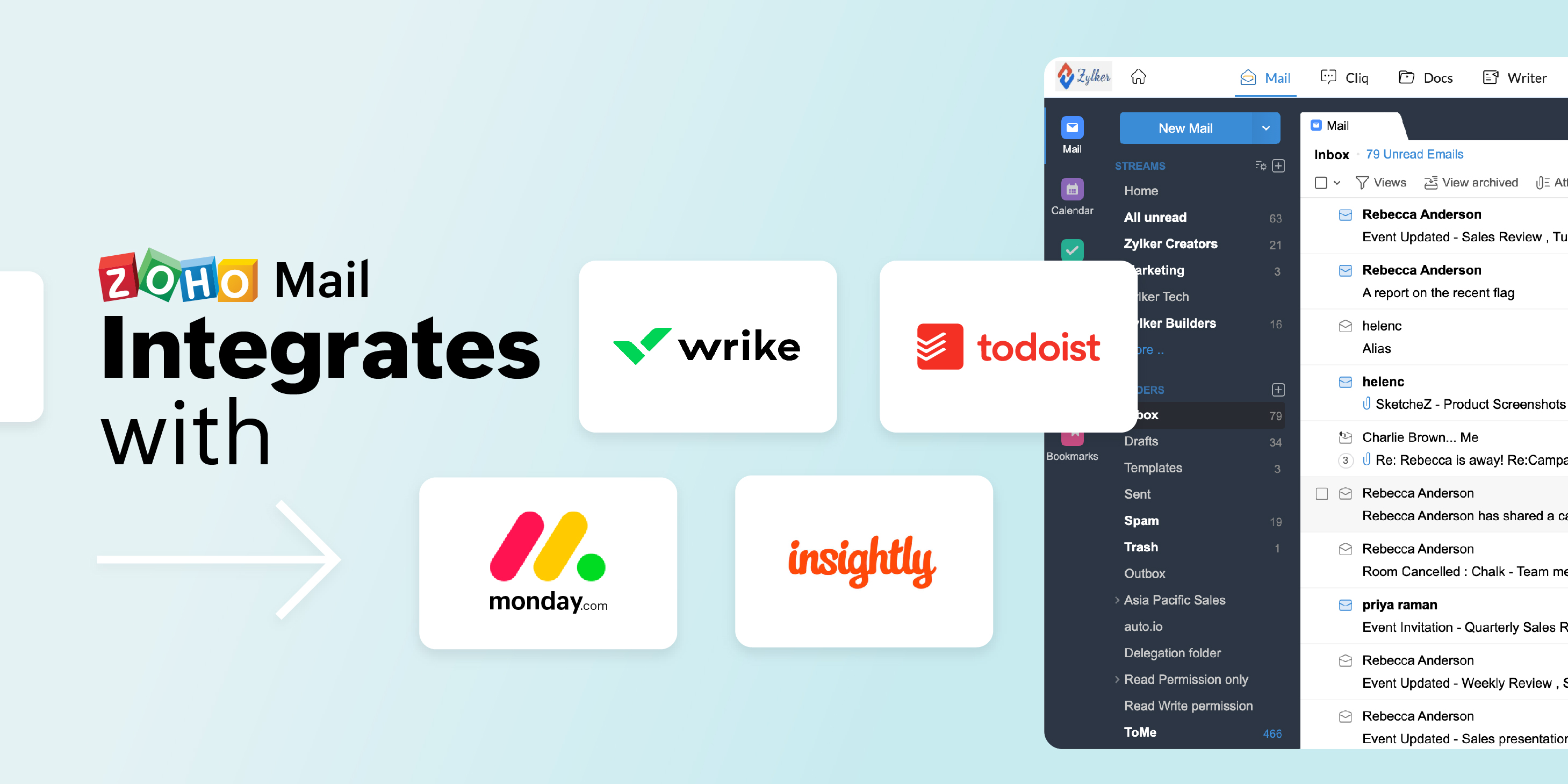
Zoho Mail integrates with Todoist, Wrike, Monday.com, and Insightly CRM

Your email platform can do more than just send emails. In fact, email has evolved to help simplify your business management and all related activities. That’s why we at Zoho Mail focus on promoting email productivity through extensive collaboration with Zoho and third-party applications in the form of app extensions and integrations.

Zoho Mail’s extension widget (eWidget) currently supports 25+ applications you can access directly from your Zoho Mail account, in addition to the various apps supported through iPaaS platforms like Zoho Flow, Zapier, Automate.io, Integromat, Blendr.io, and Workato.

On that note, we are excited to announce the latest app integrations and extensions we’ve added in Zoho Mail, making it easier than ever to seamlessly connect with your colleagues and customers directly from your inbox.

Zoho Mail with Wrike, Todoist, monday.com and Insightly CRM

You can set up these extensions from Zoho Mail or you can also find them on Zoho Marketplace.

Tackle your projects with ease

Get working on those tasks faster with a competent project management tool of your choice within Zoho Mail.

We now support Wrike, Todoist, and monday.com app extensions to provide easy accessibility to your tasks and projects from your mailbox.

Connect these apps to Zoho Mail and you’re all set to go! You can create, view, edit, and manage all your projects, boards, items, and tasks, and even assign them to your teammates right from eWidget in Zoho Mail.

You can also convert emails into new tasks using our contextual integration with these apps. All changes you make are automatically synced with the related application.

Build customer relationships

Never lose focus on your leads and customers. When communication is key, what better method than email?

Nurture your leads and customer relationships directly from Zoho Mail. Use our integration with Insightly CRM to keep track of all your CRM-related activities. No more switching tabs between apps—you can do it all in one place.

Effortlessly convert your email contacts into leads with a click. Our contextual integration will autofill the details in an email in the respective fields while creating a lead/contact.

You can view and update this information, as well as add notes, tasks, and events associated with them from the eWidget. These changes will automatically be reflected in the respective fields in the Insightly CRM app.

We have more integrations coming up, so check back here soon for new additions to eWidget.

We’d love to hear what you think of this update, so give it a try today!

As always, we would love to have your feedback. If you have any questions or use an app you want us to integrate with Zoho Mail, let us know in the comments below.


Get the complete Zoho advantage: you can now use Zoho Mail along with the broad suite of products that Zoho offers by signing up for Zoho Workplace or Zoho One.

Net Universe offers all Zoho subscritpions and consultant services with worldwide Delivery Services.
Send us an email to [email protected] for more information or visit https://www.netuniversecorp.com/zoho.