Having an HR information system (HRIS) that allows you and your employees to manage all HR activities from a centralized location can greatly benefit your organization. It streamlines HR management and ensures that routine tasks are made easier.
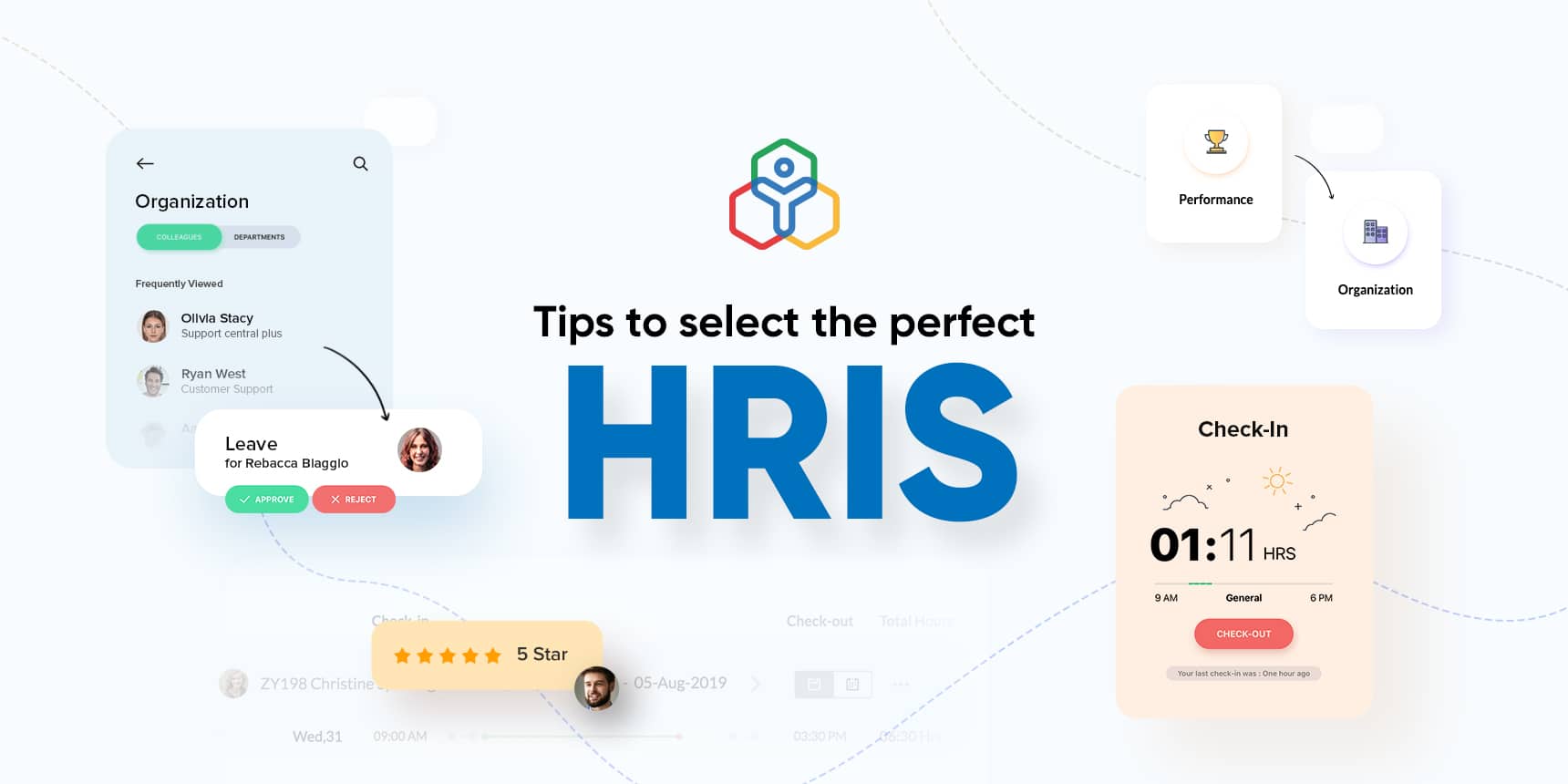
While selecting an HRIS for your organization, it’s easy to get overwhelmed with the many options available. Here are some tips to help you select the perfect HRIS:
Evaluate your organizational culture and understand what you wish to gain from the HRIS.
Receive input from your IT team, payroll team, stakeholders, employees and anyone who is going to use the HRIS.
Make a list of the available HRIS vendors and shortlist vendors whose products are consistent with your organizational needs and budget.
Contact the shortlisted vendors and request a demo or a free trial.
Gather your teams again to make the final choice.
Reevaluate your choice after a month or two to see if the HRIS has met your expectations.
Read more about the types, benefits, and features of HR information systems.
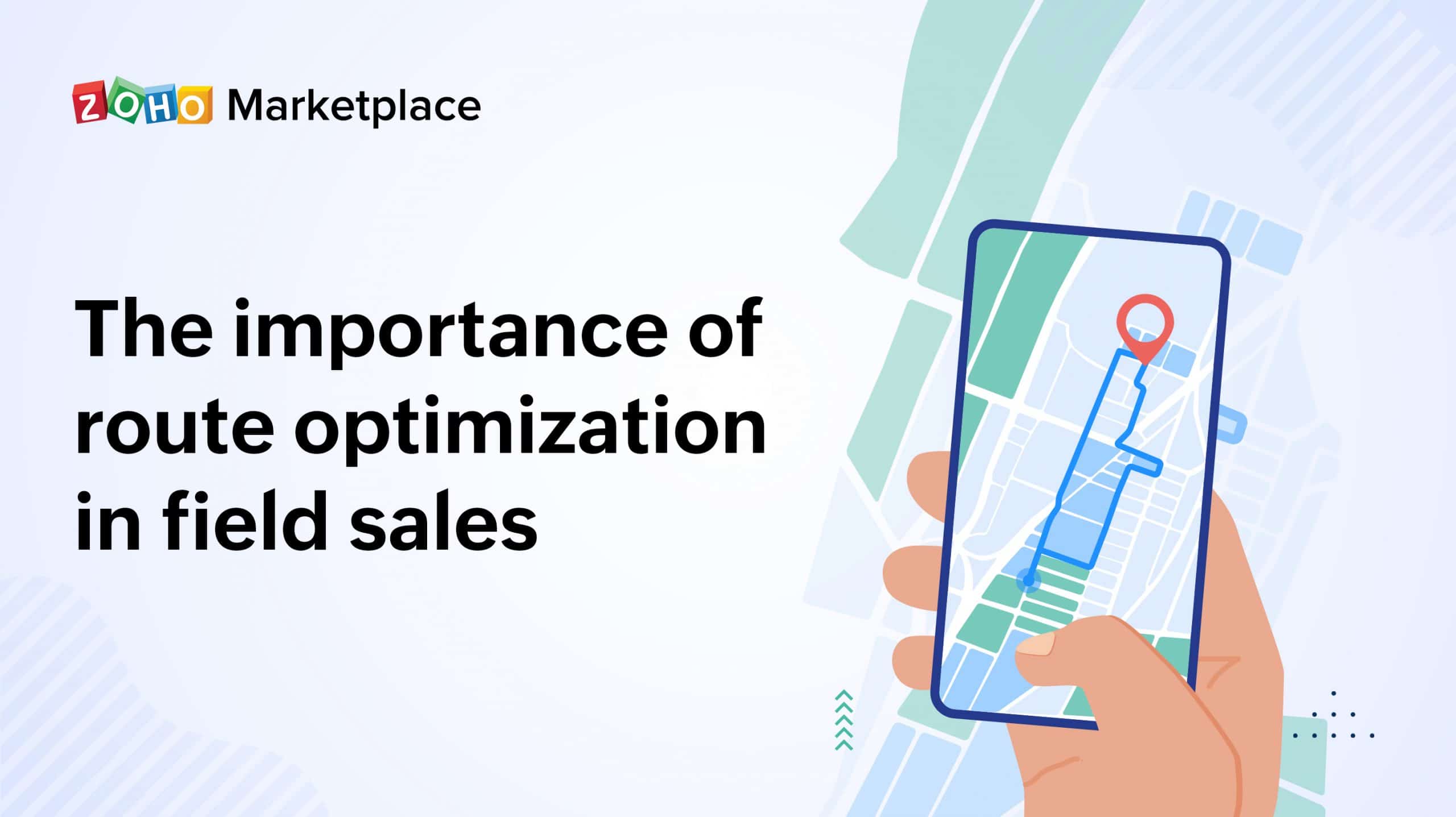
Field sales reps need to commute several miles each day to meet customers at their locations, and the number of customers they serve depends on how their routes are planned. Ineffective routes require unnecessary time and fuel expenses. Your reps will get tired from driving long, poorly planned routes, and clients will be forced to wait, making them more stressed and less likely to recommend your services to others.
Route planning and optimization can help you identify the fastest and most efficient routes, drastically reducing fuel costs and the time field sales reps spend behind the wheel.
The benefits of planning and optimizing routes:
Enhanced customer experience: Giving your customer an accurate ETA so that they can plan their schedule accordingly contributes to a good first impression.
Better field sales rep safety: Drivers will be taking optimal routes that consider factors such as weather conditions, road conditions, and traffic congestion.
Increased field sales rep productivity: Using the best route possible to reach a destination reduces travel time, allowing your reps to see more customers in a single day.
Improved fuel efficiency: Bring down fuel consumption, and reduce the wear and tear on your company vehicles, lowering maintenance costs.
More time = More selling
Use the Badger Maps and Zoho CRM integration to organize schedules and customer details for your sales reps, enabling them to focus better and close more deals. View data from popular navigation apps like Google Maps, Waze, or Apple Maps in Zoho CRM so you can optimize routes, plan schedules, and close deals quicker.
Whether you’re a manager in an office or a sales rep on the road, the Badger Maps – Zoho CRM integration can accelerate your sales process, increase productivity, and enable collaboration wherever you may be.
Sales reps: The mobility of your customer data is essential. As a field sales rep, you spend the majority of your time on the road, visiting prospects and customers. A lot of time can be wasted on creating schedules, planning routes, and managing data across multiple platforms.
Badger Maps makes it easy to visualize your customers and prospects on an interactive map, creating a schedule and an optimized route within minutes. The integration with your Zoho CRM account makes sure all the notes, appointments, and data you update will be synced together, so you can access it no matter where you are. You can also filter your customers by top opportunities and create the shortest routes to all of them.
Sales managers: As a manager, you can see real-time updates on customer data and the latest deals even when your field sales reps are not in the office. You can visualize your team’s performance, stacking sales reps based on how many check-ins they have made, sales they have closed, and the amount of revenue they have brought in.
Quickly build tomorrow’s perfect schedule and sales route in advance, and focus more on delivering great customer experience. Try the Badger Maps extension for Zoho CRM.
Work smarter by adding new capabilities to Zoho CRM with business solutions from Zoho Marketplace.
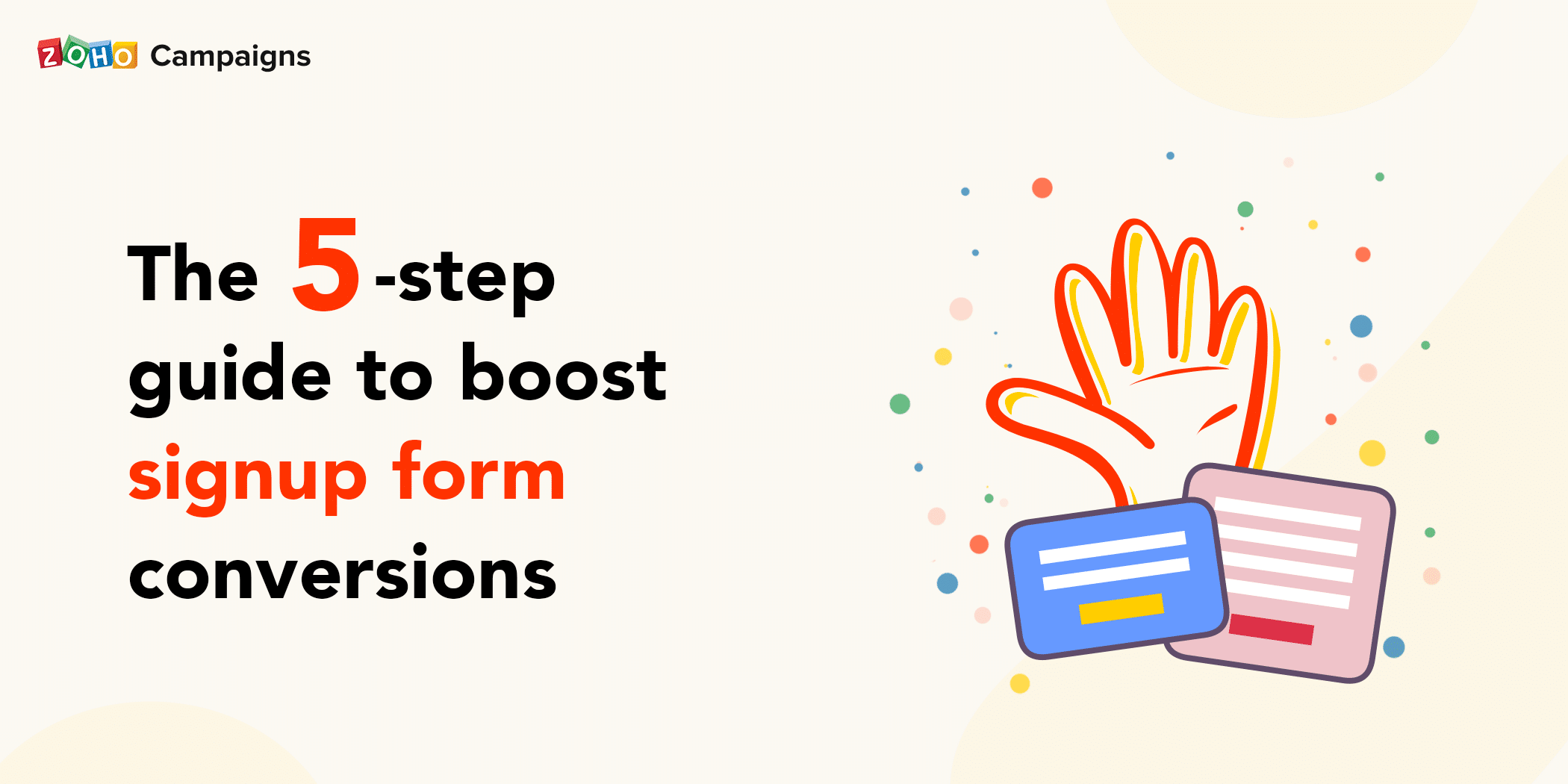
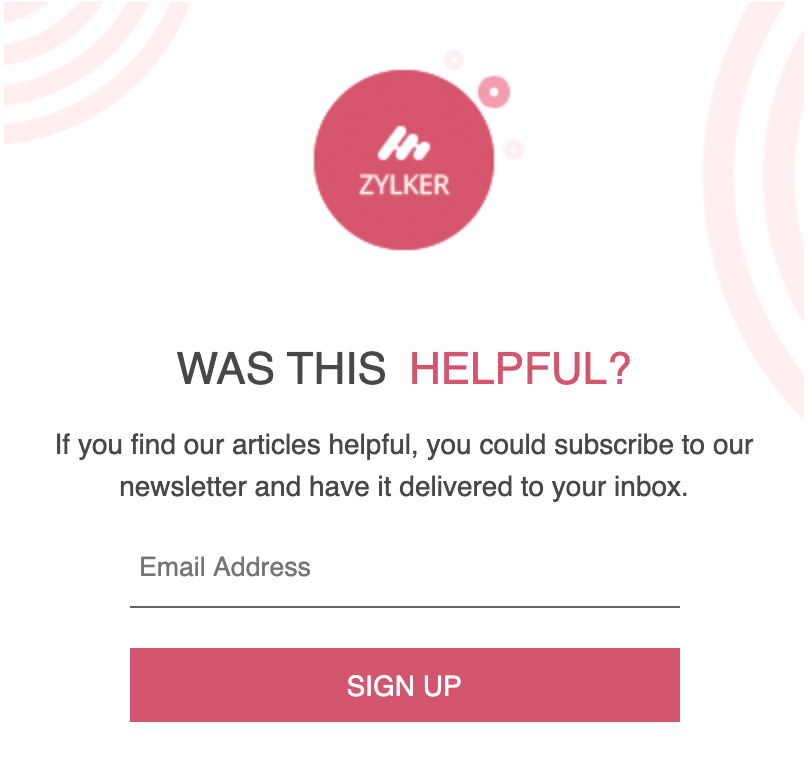
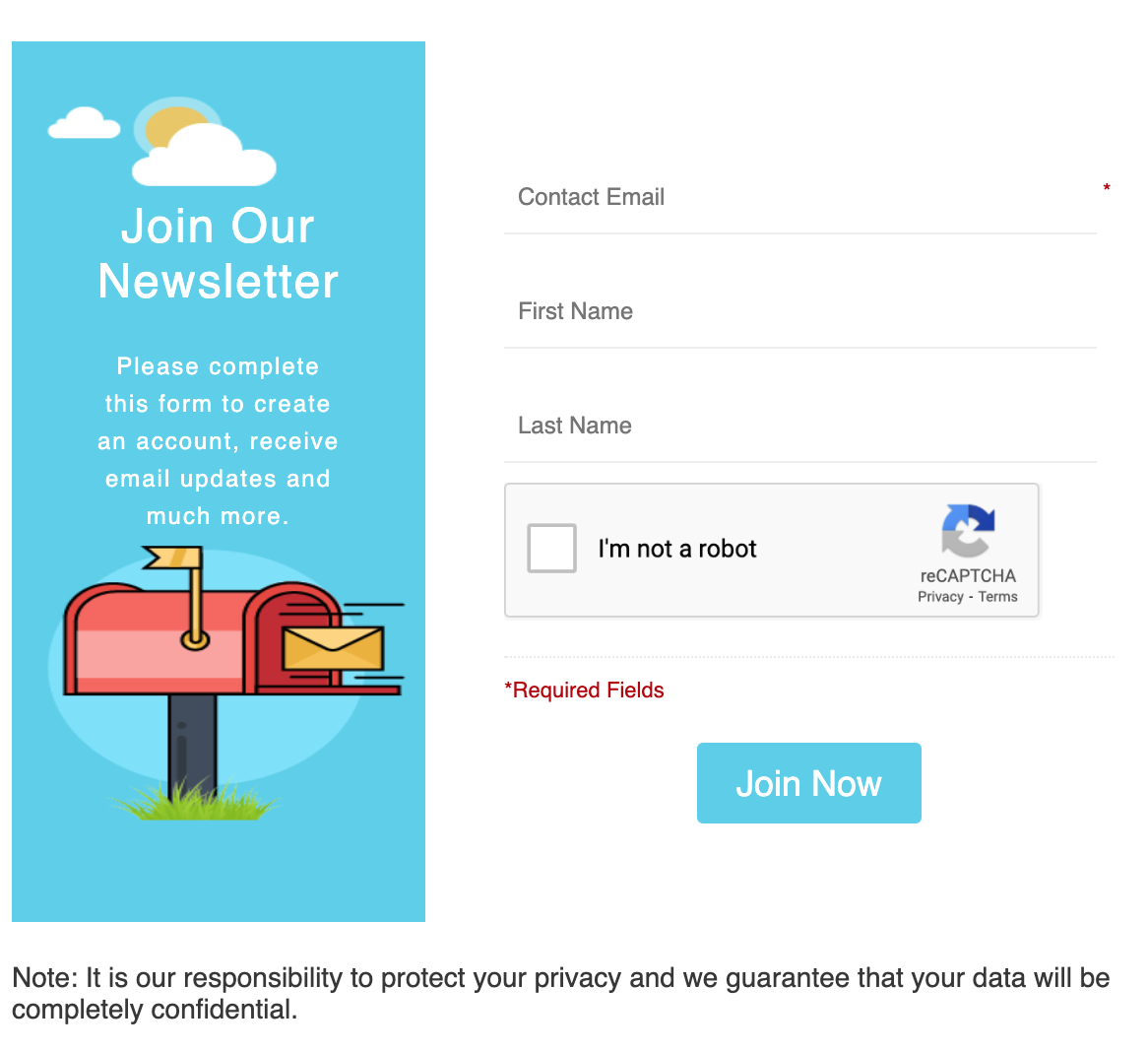
If it’s a yes for most or all of these, the perfect solution to adopt right away are signup forms. These are forms that can be embedded on your web pages and social media channels to collect details (name, email address, and more) of your visitors/followers in order to add them to your mailing list. You can then send out email campaigns to contacts who filled out the form and nurture them to convert as customers.
Whether it’s a pre-designed signup form template or one you customized, it’s simple to feature these on your website or on social media. However, you can’t know which one is right for your business needs unless you experiment with them. So, today we’re going to make your journey of creating signup forms easier with a crash course to cover the basics.
We’ll walk you through five steps to follow as you prepare a signup form for your brand to gain better audience attention and conversions. Hopefully our examples will help you create a form that works for you. So, let’s take the steps one by one.
1. Be clear of your intentions
Your audience should clearly understand the type of content that they’ll be receiving via emails if they sign up with your form. The moment to be obvious of your intentions is when collecting their details. With so much mishandling of information in the world, they might be doubtful that you’re being completely honest about how you’ll use their data. So, be clear from your end by telling people what type of emails will be sent to them if they subscribe to your articles, newsletter, and more.
Bonus point: Whenever you convey your intentions, remember to keep them short and crisp so visitors can easily grasp them the first time they read them. Keeping things concise is also important given the popularity of mobile visitors with less screen space.
2. Adopt the two-step opt-in approach
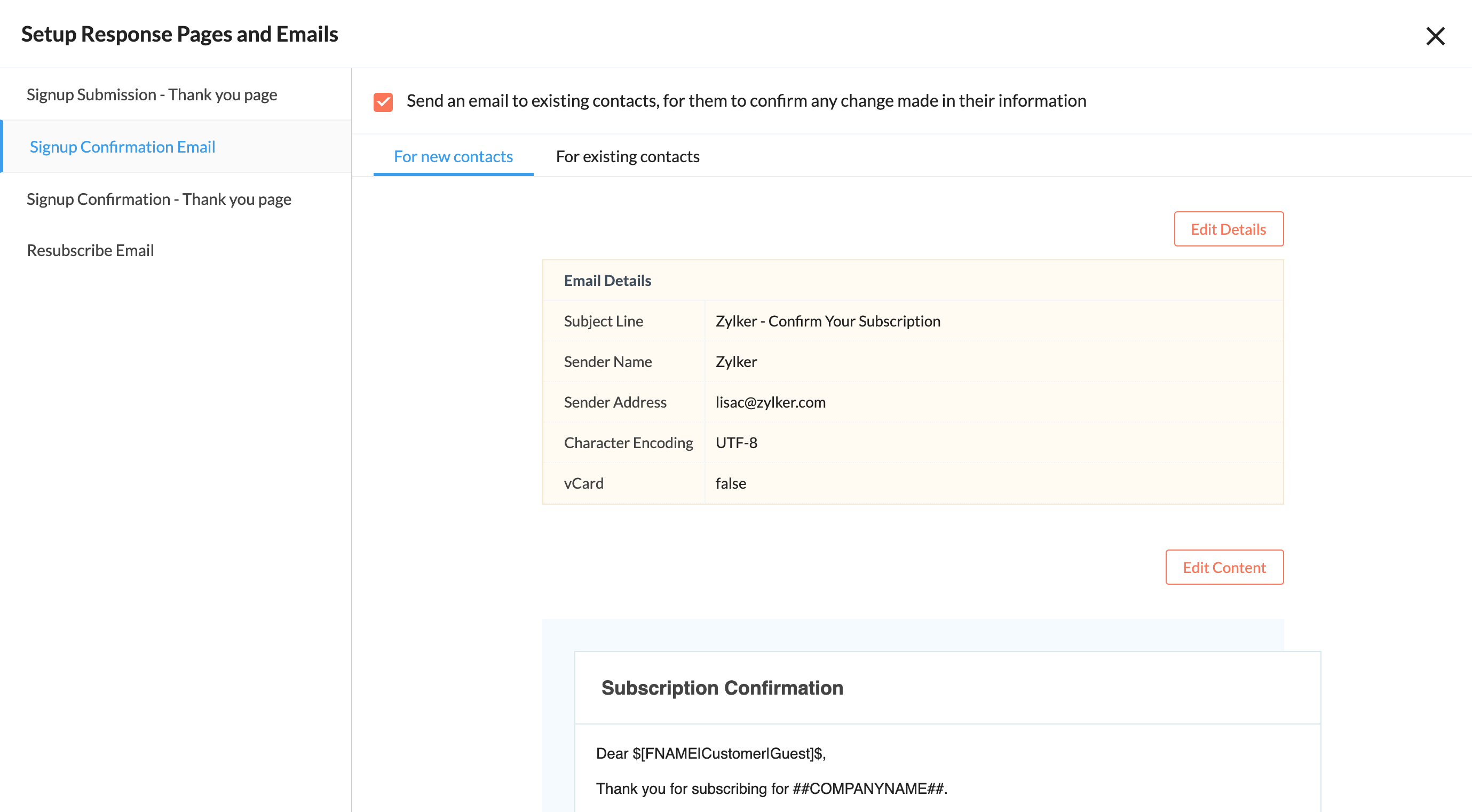
While your traffic is important, the conversion rate and loyalty of your visitors are more important. If you use a two-step opt-in method, visitors will have to confirm their subscription by clicking on a confirmation email you send them. They won’t be added to your mailing list until after they confirm. You may be thinking, “Why make it harder for them to subscribe?” Well, the reason is it ensures you’re getting subscribers who are actually interested in your brand. Their willingness to go through one more step indicates their genuine interest in what you have to offer. It also gives the visitor one more chance to decide whether they really want to receive emails from you. This considerate move helps the visitor realize that you value them and their decisions.
Bonus point: Make sure to give a customized success message for each of the responses that you set up for your signup form submissions.
3. Use an impactful CTA button
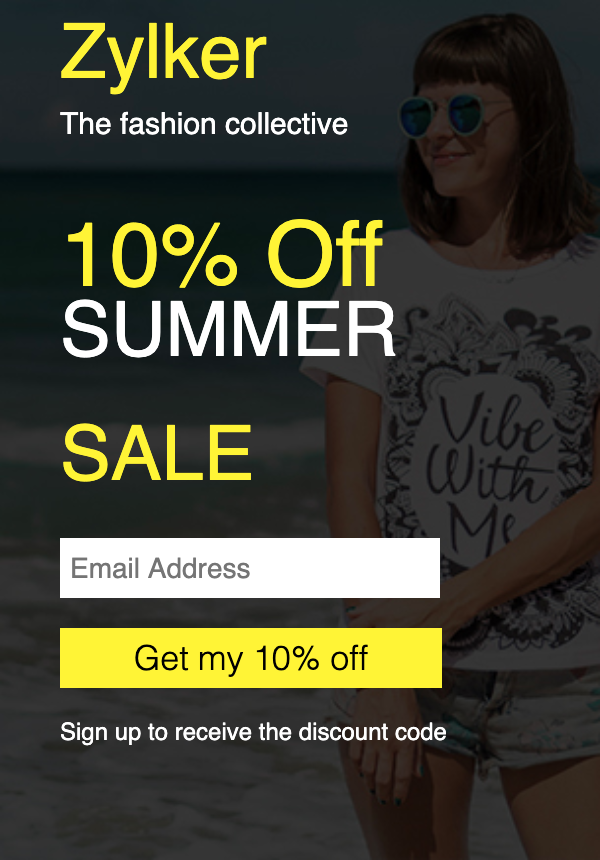
While setting up a signup form, you have to keep in mind that it’s not only for visitors to view but also to click. It’s important to include an eye-catching and strategic CTA button to draw the visitor’s attention. For that, you’ll have to give content that is relatable. The example below shows a fashion store’s signup form, where they’re announcing a 10% summer sale for customers opting in on their newsletters. Notice that the CTA doesn’t say, “Sign up to register.” Instead, it’s an actionable CTA that focuses on a deal for the customer: “Get my 10% off.”
Bonus point: Making sure that the power words—the CTA—you choose include a benefit for the visitor who signs up will entice them to click.
4. Embed popup forms on blogs and web pages
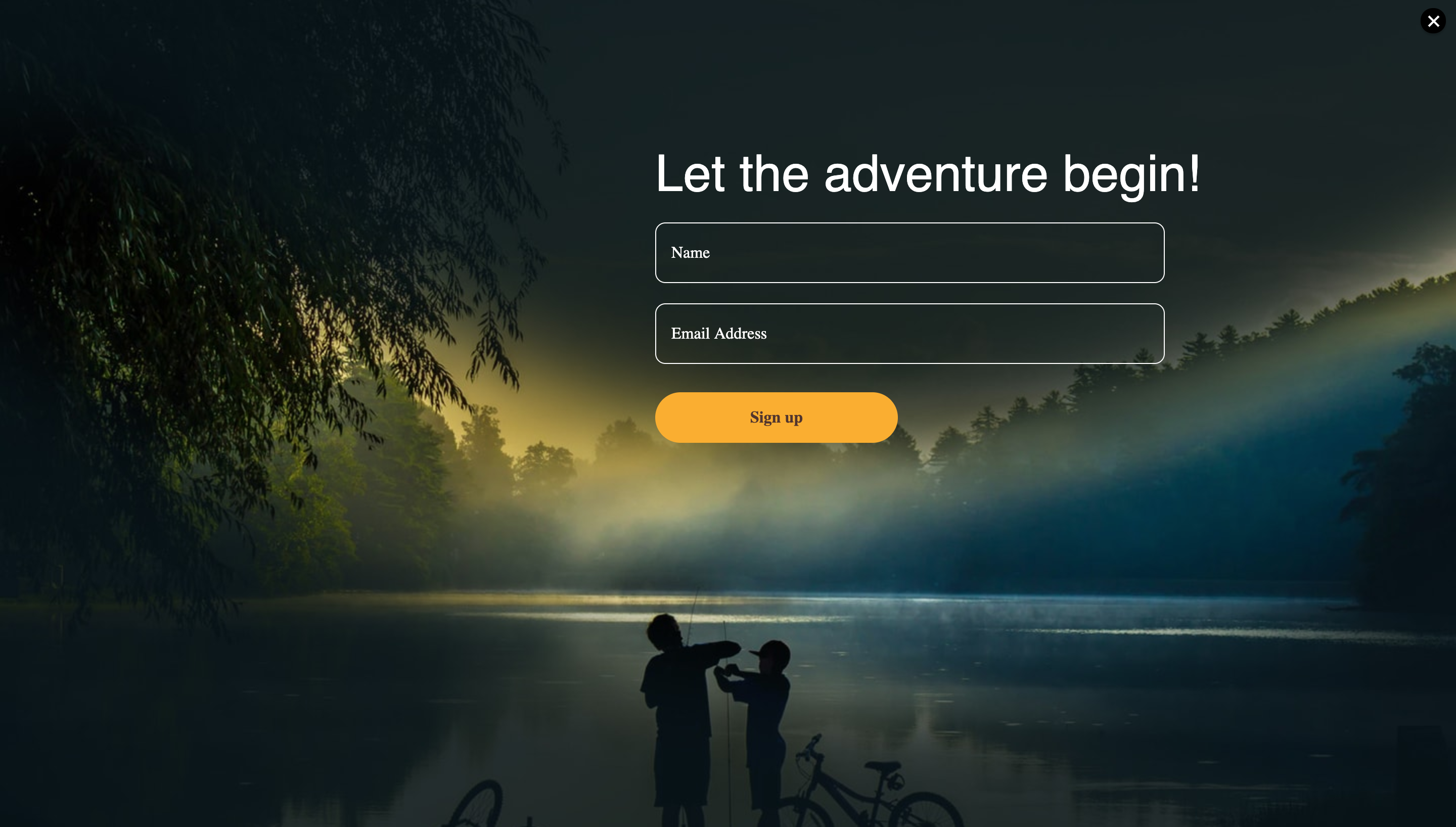
One of the goals of publishing blogs and pages is to make sure that the reader becomes your customer. Embedding popup forms in your blogs and web pages makes it easy for the reader to let you know they want to stay informed about your business. This is a great way to add more visitors to your mailing list. There are different types of popup forms you can use on your site. You can embed a form that pops up covering the entire screen, or you can try a simple popup form that slides in when the visitor first enters the page. Pairing embeddable popup forms that are customized to your brand with good marketing copy is a great way to grow your organization’s reach.
Bonus point: Leave room for readers to say “no” or “not now” by giving your pop-up a clear exit/close button. Also, make sure you’re using a responsive pop-up form design that won’t ruin a mobile experience and irritate users.
5. Personalize emails with recipient details
Like we all know, people don’t enjoy giving out a lot of personal details. Yet the more details you have, the better you can personalize that first email you’re sending them, which increases the likelihood they’ll open it. So you need to get these basic details without annoying them. This is possible with the help of a simple form that asks for minimal details like their first name, region, and maybe a couple more. Remember to mark only the “email address” as the required field though.
Bonus point: One of the most important pieces of information to collect is what region the customer is in. Knowing this will help you decide the optimum time to send them your email campaigns, which will increase the likelihood they’ll open them.
Now that you’re ready with the basics of signup forms, let’s start using them in practical ways. Also, do you have anything else to add? Feel free to mention them in comments for your fellow email geeks. 🙂
P.S. If you like the above signup form examples, we offer a collection of pre-designed templates that can be added to your web pages in a couple of clicks. Check out our template collection now.
Zoho has always honoured the privacy of our users, and we have just taken another step to demonstrate our commitment to protecting your data. We have always welcomed opportunities from independent third-party auditors to verify that we practise what we preach. And now, we are proud to announce that we have been certified for compliance with the ISO 27701:2019 – Privacy Information Management System.
Note: Mentions of ‘we’, ‘our’, ‘us ‘ in this blog refer to Zoho Corp.
What was the scope of the audit?
All business units and application teams who handle PII (Personally Identifiable Information) of the external organisation (such as, including but not limited to, prospects, customers, vendors, partners and all other personal information that is handled and/or processed by Zoho) participated in the audit.
Most business units, including Sales, Support, Marketing, Finance, Legal, IT, Compliance, Business Development were audited.
What was the process for certification?
The teams, products and locations that were included in the scope were subject to strict evaluation and thorough testing by the auditors to validate and verify that our practices are in line with the controls of the ISO 27701 standard.
What PII processing roles of Zoho were audited?
The roles of a PII Controller and PII Processor were both audited. This means that the PII that we handle in our capacity as a PII Controller (a.k.a Data Controller in some jurisdictions) and as well as in our capacity as a PII Processor (a.k.a Data Processor in some jurisdictions) were audited.
Note: Any mention of ‘data’, ‘information’, ‘your information’ in this blog refers to the PII defined under the scope of the audit.
What is ISO27701?
In simple words, it is a latest standard(late 2019) which is an extension to the ISO/IEC 27001 and ISO/IEC 27002 standards for privacy management within the context of the organization. The certification standard is designed to enhance the existing Information Security Management System (ISMS) with additional requirements in order to establish, implement, maintain, and continually improve a Privacy Information Management System (PIMS).
Here’s what this means* about the processing of your PII by Zoho.
Zoho has identified and documented the PII data collected, the specific purpose of processing, and the lawful basis for such processing.
Zoho obtains consent where required and keeps a record of it.
Zoho conducts privacy impact assessments where there is a change in the type or purpose of processing PII.
Zoho has written and established processes to cater to the rights of the PII Principals (a.k.a Data Subjects in some jurisdictions) such as by providing access, allowing rectification and request deletion of their PII.
Zoho collects only the minimum necessary data required for its operations, and adheres to the principles of privacy by design and default in its processing activities and systems.
Zoho has identified and documented the third parties with whom it shares PII , maintains records of the transfers, the countries to which it transfers PII, and has appropriate data processing agreements in place which facilitates the transfers.
* Non-exhaustive list
The controls applicable for a PII Processor were also audited. The controls are similar to those mentioned in the blog on our compliance with the ISO 27018, but extended to include on-premise products that are offered by Zoho (as applicable).
These certifications are testament to our commitment to industry requirements regarding data-handling accountability. For any questions, please write to us at [email protected].
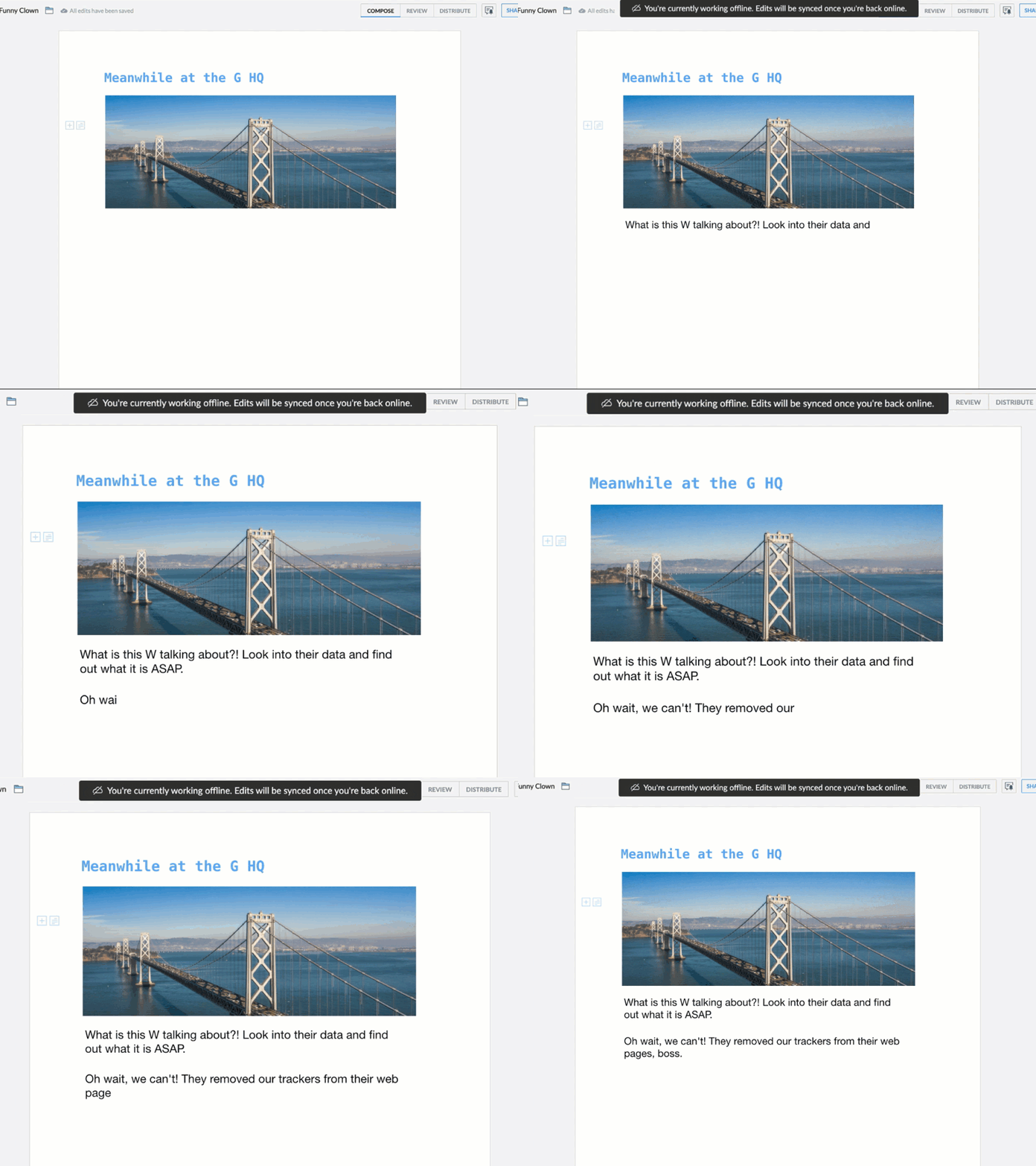
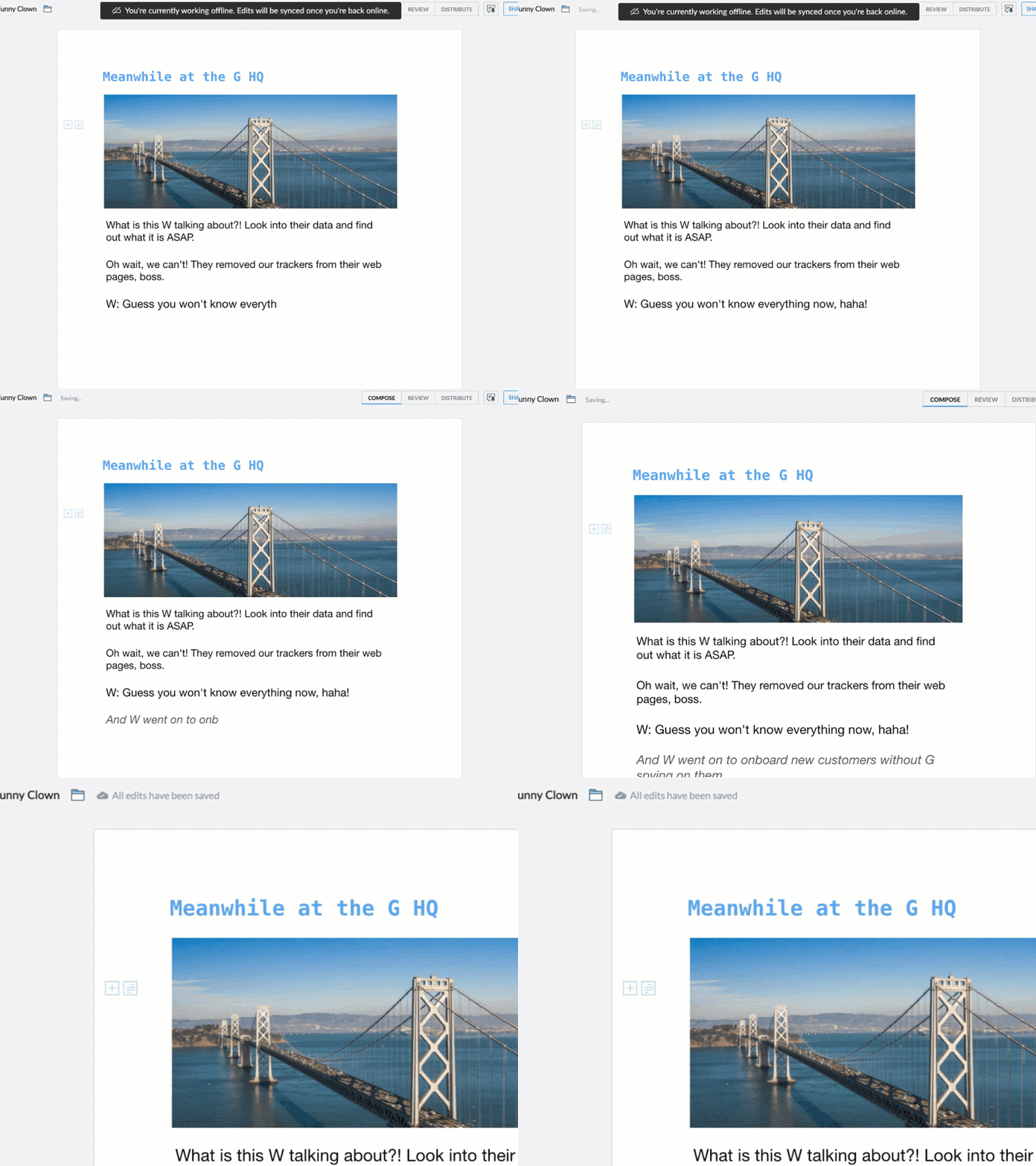
With True Offline, you can now continue to work smoothly even when your connection is suddenly disrupted.
We know it can be difficult to always plan your day ahead. For example, we rarely know in advance when our internet will go out, or how long we’ll be disconnected. Say you’re almost done working on a killer resume. You can’t wait to send it out and get that dream job, but oops, you also can’t believe your internet is suddenly down.
That’s why we’re taking Writer’s offline mode up a notch. With True Offline, you can now work on your current document uninterrupted in both the web and mobile versions, even with those sudden connection losses. The best part? You don’t need to do any manual setup.
Here’s how it works:
The magic switch
The second you lose connection, Writer will automatically enable offline mode for any document you’re currently working on. This means you can continue to type, edit, and perform other basic functionalities until your connection is restored.
You edit, we save
While in offline mode, you can keep working and Writer will automatically save everything, and then sync all of your changes once your connection is restored.
All the tools you need to create and edit documents—like Format, Style, Font options, and more will be available offline as well. In short, it will feel like you never really lost connection in the first place.
And we’ll take care of the rest
Wouldn’t it be ideal to have offline mode enabled for your documents? Absolutely, and you don’t have to lift a finger to do it. Once your connection is restored, Writer will smartly keep 20 of your most recent documents available offline at all times.
So the next time you want to work anywhere with no internet connection, you can do so without interruption because you’ll already have offline mode enabled for the documents you need.
That’s all for now. Let us know what you think of this update in the comments below.
Happy writing!
rhema.r
I write and walk funny. Not necessarily in that order.
These past few months have made us rethink how we approach business. Some business operations have come to a screeching halt while others have ramped up. As talent leaders trying to help candidates land their dream jobs, it’s more important than ever to plan carefully and guide each other through these changing times.
With that in mind, we’re introducing Full-on Recruiter. Launching today, Full-on Recruiter is intended to expose you to engaging dialogue with veterans from the recruitment industry. We’ve built up a community of experts who will let you in on their journeys and share some present-day industry practices and hacks to take note of–either for a complete hiring lifecycle or for focused niches like background checks, video interviews, and more.
Alongside developing our solutions for recruitment agencies and corporate HRs, we want to provide you with access to the knowledge and wisdom that comes through experience.
What’s on the horizon for Full-on Recruiter? Listen, learn, and become a parter in contributing guest pieces that will go on our expert corner.
Moving forward, our goal is to keep developing materials and resources to address the biggest, most pressing questions you have about hiring.
Follow us on:
Whatever awaits, we will be ready to respond to and evolve with any changes that come our way. So welcome! Subscribe now to get updates for everything recruitment. Let us know your thoughts.
Aruna Muralidharan is a product marketer with Zoho Recruit. Apart from helping build insightful marketing and user education content on how Zoho Recruit helps recruiters, she is always on the lookout to learn new strategies and implement it to connect better with potential customers. She is also a trained Carnatic singer.
For small businesses, one of the many takeaways from this year’s rough ride is the importance of establishing an online presence for their business. With in-person meetings and other traditional parts of the sales process ruled out, businesses are on the lookout for ways to increase their visibility online. That’s where a professional-looking business website helps. It not only establishes credibility with potential buyers, but can also be a top source of leads for your business.
Zoho Sites, a DIY website builder, has helped thousands of businesses create beautiful yet professional-looking websites in a matter of minutes. Gone are the days when businesses had to rely on digital agencies to set up their website. Today, it only takes a few clicks, some simple drag-and-drop elements, and voila, your mobile-friendly business website is ready.
While there are a lot of moving parts in setting up a complete, end-to-end business website, capturing leads from your website should be easy. To help you with this goal, Bigin integrates with Zoho Sites to help users instantly deploy Bigin web forms on their websites, without writing a single line of code.
The integration is simple and straightforward. Here’s how you do it:
How does the integration work?
If you’ve already built your website using Zoho Sites, the integration makes it simple to embed web forms created in Bigin on to your website. You don’t even have to worry about copying multiple lines of code and manually adding them to your website.
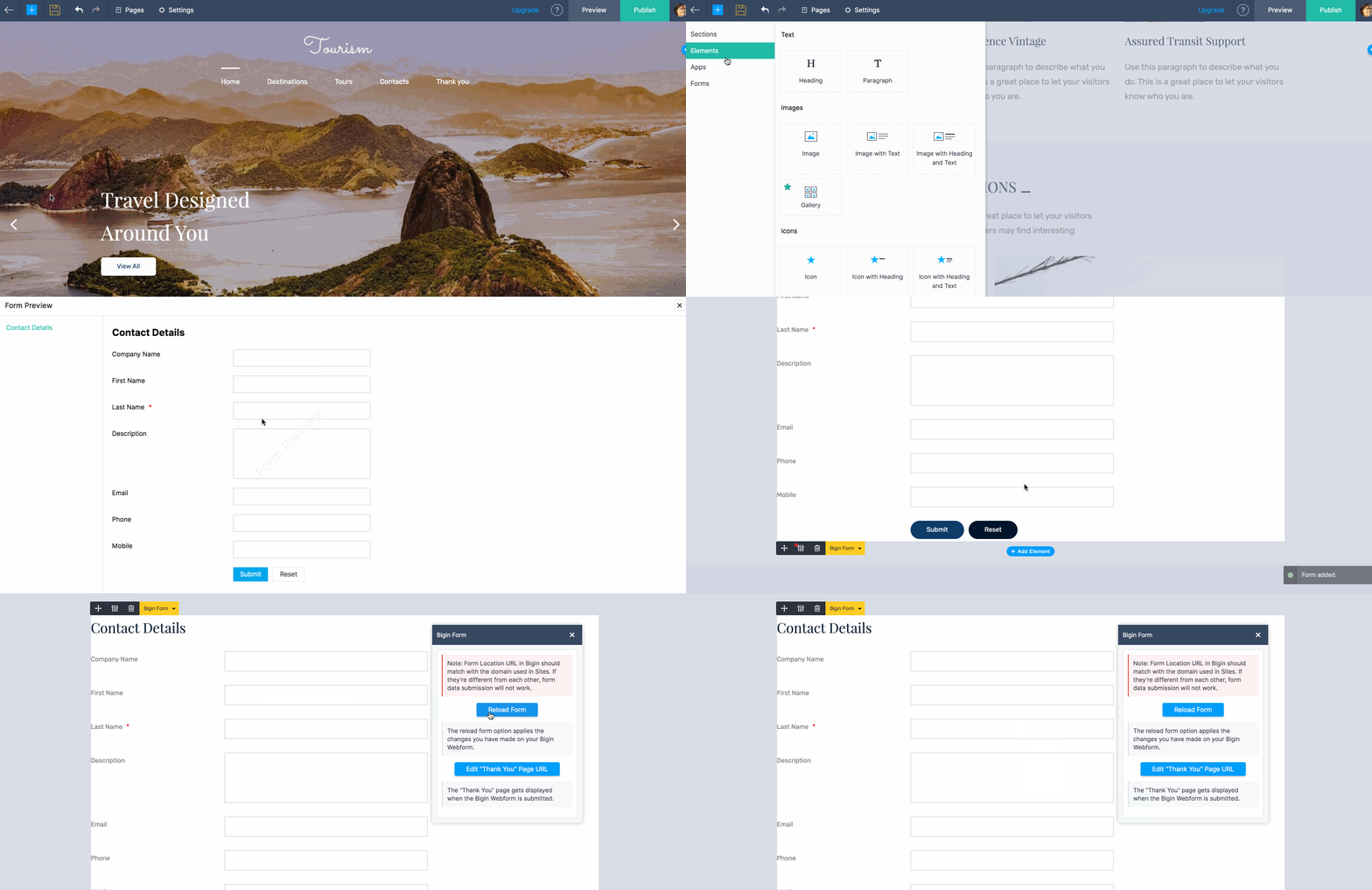
Simply visit your Zoho Sites website builder and click the “Add” icon at the top of the builder menu. You’ll see an option to include an element. Choose “Bigin web forms” in the list of available form options and choose an existing web form from your Bigin account. All you need to do is drag and drop the form into a suitable position on your website and it’s done.
Once this is set up, you can simply refresh your web form on the website whenever you make any changes to the original Bigin web form.
By default, web forms in Bigin have certain features that will help your web forms be more secure and relevant. For example, instead of automatically accepting all leads from your web forms, you can choose to notify yourself or any user in your Bigin account whenever a new entry is added. Then, you can verify and update the CRM only if you feel the quality of the lead is satisfactory.
Additionally, you can add a captcha field in your web forms to reduce the chances of spam/bot attacks.
Bigin web forms embedded via Zoho sites also automatically adjust to your website’s theme. That way, you don’t have to worry about the design consistency of the website. Not only can you show a customized “Thank you” message on your website, you can also send an acknowledgment email to the visitor after the information is submitted.
Get started today!
Now, what are you waiting for? Embed your Bigin web forms, capture those crucial leads, and improve your chances of getting more customers. Try the integration today and let us know how it works for you.
If you have any queries or suggestions for us, you can refer our help guide or reach us at [email protected]. We’d be happy to help you, as always.
We’re also looking to add more integrations to our line up and we’re just getting started. We can’t wait to see you soon with another round of exciting Bigin updates. Stay tuned!
Yatheesh Raj
Product Marketing @ZohoCRM. You can start a conversation with me by simply leaving a comment on any of my blog posts or tweeting out to @yatheeshraj.
As the market for top talent becomes more competitive, organizations are choosing to focus more of their HR efforts on improving employee experience. How your employees are managed has a direct impact on your organization’s success and bottom line.
Having an integrated HR system can greatly help your people management process by consolidating all essential HR functions to a single platform. This makes HR management simple, effective, and efficient, improving employee engagement and retention. There are many options for an HR system on the market, but here’s how you can choose the one that fits your organizational needs:
Analyze each aspect of your HR management process and make a list of workflows that have to be improved. This will help you understand the features that you need in your HR system.
Set a realistic budget for your HR system and filter the available options.
Look out for an HR system that is customizable and includes integrations with other popular software applications. This will allow you to have all the features that you need in a single system.
Ensure that the HR system you choose has strong data security features since it will be used for employee data storage and processing.
Implement an HR system that simplifies routine HR functions and makes your workplace more sophisticated.
Make sure that the HR system is user-friendly and your employees can navigate through different features easily.
Talk to the system vendor to find out how the implementation process will be handled.
Read more about the steps to choose the right HR system.
Expert Diaries from Zoho Campaigns connects avid email marketers to the experts in this space, and help them learn some best practices and tips. Our aim is to connect email geeks and form a community that learns email marketing from one another.
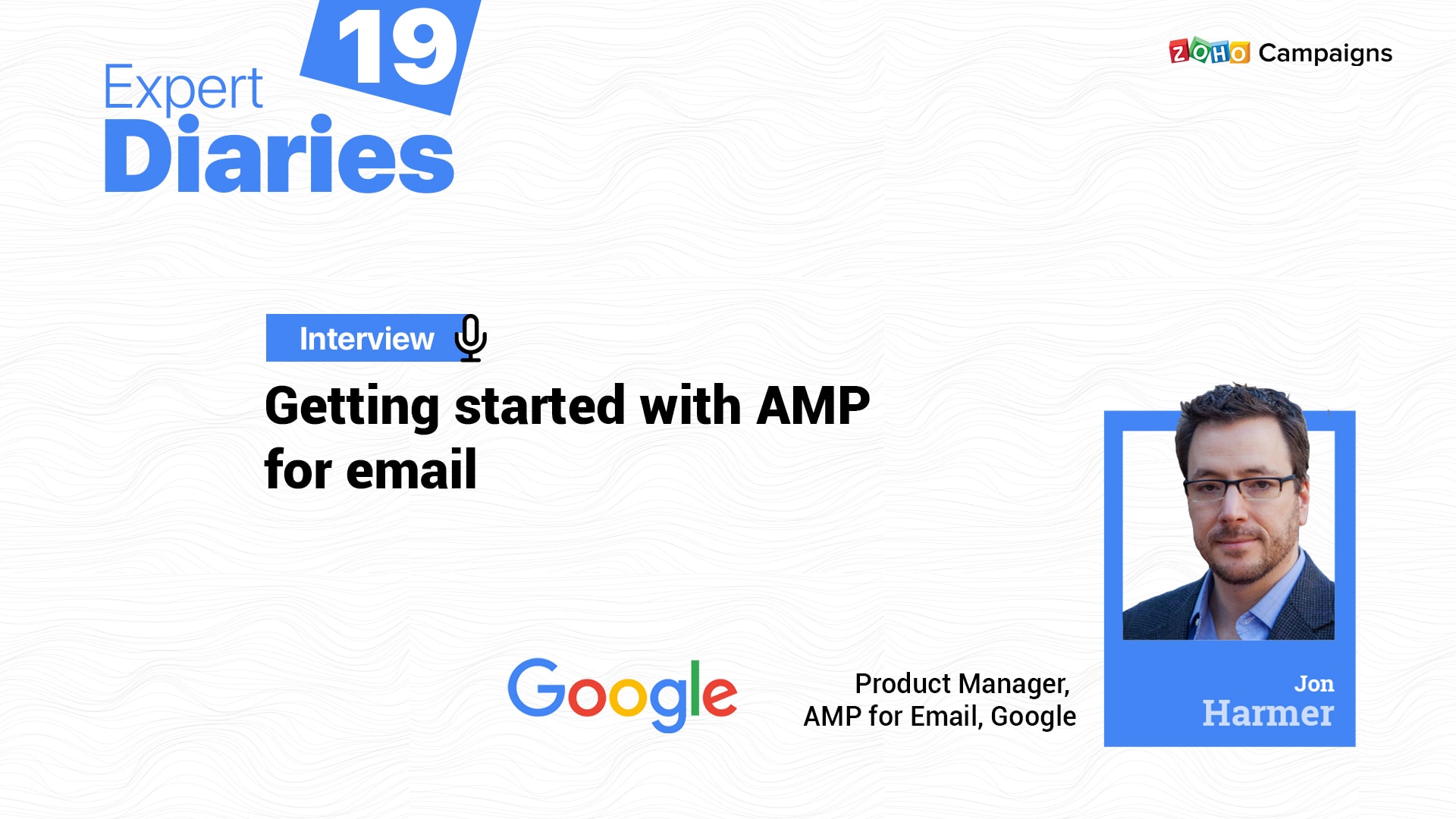
In this interview, we have Jon Harmer, from the creator team of AMP for Email at Google, who explains the steps and advantages behind the usage of AMP for brands.
Hi Jon! Let’s begin with the basics, addressing the email marketing newbies. Could you explain what AMP stands for and how does it work?
AMP used to stand for Accelerated Mobile Pages, and started as a way of making the web faster for mobile devices. The AMP project is now part of the OpenJS Alliance and AMP no longer stands for anything – it’s just the name.
So, as a head of AMP for emails at Google, could you share your journey about how this idea came into place, how you first incorporated it into Gmail, and when you opened it out for other brands to use?
When we thought about how email hadn’t evolved much as a standard, we started taking a look at AMP and how it could solve some of these limitations. Wmail felt like a natural iteration for AMP where we could bring added functionality into what had historically been static content. And so over time, Google has been using AMP for a variety of use cases ranging from notification emails for comments in Google Docs Sheets and Slides to bring in accordion or carousel components into marketing emails that are coming from Nest or YouTube. We’ve recently started working with additional enterprise senders as we see a lot of opportunity in B2B emails being driven by AMP <<insert ecwid and guru stats>>.
Last but not least, AMP isn’t just a Gmail feature—it’s a cross-company effort. So at the end of the day, AMP’s mission is really about bringing an iterative improvement to what email can accomplish—whether that’s business or consumer, and regardless of what email client you use.
What are the key components in setting up AMP in an email?
1. You have to have a similar HTML fallback for the cases where the email doesn’t render the AMP part. This can happen for a number of reasons, so you must have a good HTML fallback for users.
2. It’s important to ensure that the dynamic aspects of your email serve a clear purpose for the user: providing value to the users in the form of more actionable messages, more relevant recommendations or information. Users open your emails for a reason and any dynamic or interactive content should support that reason. You really have to maintain a sense of empathy for your users.
3. Are the interactive elements clear in your design and do users discover them? Make sure actionable components to the message are obvious to someone interacting with your message.
4. With these capabilities in email, users are coming to expect navigation structures similar to how they work on the web. Ensure user navigation and actions are accompanied by the back buttons, close buttons, or undo buttons that are appropriate.
5. If you design AMP emails that allow users to take actions within an email, you should ensure users are aware of the status of their action. For example, it should be clear within the message whether the user action was successful or if it failed. In the Docs comments the emails we send, we show our users the new comment in the message after the user submits it, for example.
6. Ensure you’re using dynamic interactive elements where they make sense in the message. You probably don’t want to rebuild your entire app inside of email (though that could be super cool), so be thoughtful about the sorts of use cases that fit well in an email versus the ones that should require the user to exit to your app or website.
As with any user-facing surface, you should make sure to test your AMP email to ensure it’s accessible for users of screen readers and other accessibility features on desktop and mobile.
Can you list down some engaging and interactive ways to use AMP in email marketing?
There are so many interesting things that we’ve seen senders doing. Lots of senders are using the basic components of accordion and carousel to make their emails more visually engaging, but the really interesting uses are things that bring workflow steps into the email. Things as simple as email verification messages that keep you in the email and let you confirm your address all the way to SaaS apps like Google Docs, Copper, and Github bringing rich collaboration into the message. Other cases that marketers may be interested in implementing include in-email surveys, airlines allowing you to pick or change your seat in the ticket confirmation email, a widget for subscription management, stuff like that.
What initial challenges could a marketer, who has no design/coding knowledge, face if they’re all set to invest in AMP? And, eventually, how to sail past these challenges?
Just as I wouldn’t expect a marketer with no coding knowledge to hand code an HTML email, I also wouldn’t expect them to hand code an AMP email. This is why there are a bunch of tools out there that allow you to create AMP emails without any coding knowledge. You can see some of what’s available at https://amp.dev/support/faq/email-support and https://amp.dev/documentation/tools/?format=email, but definitely reach out to your email service provider and ask them. Many of them are just waiting to hear from their customers before they implement AMP support.
Currently, only a handful of clients support AMP in emails; nevertheless, AMP is going strong and popular among the email marketers. What do you see as the future for AMP?
We’re excited about the future of AMP for Email, and certainly expect that as more and more senders start sending AMP Emails at volume, the other parts of the ecosystem (ESPs, testing tools, and email clients) will also add support. Stay tuned to AMP.dev for more announcements.
How are AMP emails tracked, considering a vast number of interactions possible?
That’s up to senders and tool providers to sort out. We’re focused on providing the best experience for our email users.
Some email marketers have this doubt—since AMP involves carousels and it’s literally building a website experience inside an email—is the deliverability of an email compromised? What’s your take on this?
Deliverability isn’t affected, as long as you are sending content that your users want to open and interact with, you should be fine. There are no differences between HTML and AMP emails in this regard.
Moving forward to another major question—how secure is AMP when used in emails? Imagine someone booking their conference ticket right from within an email; this would involve a payment transaction. There are some other cases of phishing and scam emails as well. So, it’d be great if you throw some light on email security with AMP.
AMP Emails are subject to the same security, spam and phishing protections that HTML emails are subject to. Additionally, AMP was designed with a number of additional protections. We don’t allow senders to change URLs in messages dynamically, we proxy all of the network calls, things like that.
Now, it’s time to conclude the session with a quick (also fun) rapid fire:
i. What kind of AMP emails have you received in recent times from the brands you’ve subscribed to?
In addition to the early partners we had that I’m a subscriber to – Pinterest and Indeed, I’ve recently seen some interesting stuff from senders in the productivity space that I mentioned before – senders using AMP to help their users get more stuff done faster while in Email.
ii. Emails aside, what else would you prefer to be dynamic?
I think helping people be more productive wherever they are is important. Whether that’s in email or chat or while they’re working on a document or attending a meeting or whatever. We want to make sure that our users are able to get their work done or manage their lives and get on with whatever else they need to do–and do so in a seamless and effortless manner. Dynamic, interactive applications allow for exactly that, and I’m excited to be a part of that evolution of communication.
This website uses cookies to improve your experience. We'll assume you're ok with this, but you can opt-out if you wish. Cookie settingsACCEPT
Privacy & Cookies Policy
Privacy Overview
This website uses cookies to improve your experience while you navigate through the website. Out of these cookies, the cookies that are categorized as necessary are stored on your browser as they are essential for the working of basic functionalities of the website. We also use third-party cookies that help us analyze and understand how you use this website. These cookies will be stored in your browser only with your consent. You also have the option to opt-out of these cookies. But opting out of some of these cookies may have an effect on your browsing experience.
Necessary cookies are absolutely essential for the website to function properly. This category only includes cookies that ensures basic functionalities and security features of the website. These cookies do not store any personal information.
Any cookies that may not be particularly necessary for the website to function and is used specifically to collect user personal data via analytics, ads, other embedded contents are termed as non-necessary cookies. It is mandatory to procure user consent prior to running these cookies on your website.