
Growing your ecommerce email list: 7 Tips for Success

Izabelle is a Content Marketing Associate at G2, a B2B review marketplace for software and services. She specializes in sales, marketing, and real estate content. After earning a degree in Journalism from the University of Missouri, Izabelle moved back to her hometown of Chicago, where she currently resides

Expert Diaries from Zoho Campaigns connects avid email marketers to the experts in this space, and help them learn some best practices and tips. Our aim is to connect email geeks and form a community that learns email marketing from one another.


It’s safe to say having a digital marketing strategy is essential to driving growth for most businesses. For ecommerce companies specifically, you don’t have the opportunity to engage and interact with customers in the same way that you can if you have a brick-and-mortar store. It’s necessary to double down on your digital efforts since they’re the primary way you’re going to be able to connect with your target audience.

As one of the oldest and most cost-efficient digital channels, email continues to be an effective way to reach customers. A strong email marketing strategy can help you establish long-term relationships with your customers, build trust, and ultimately boost sales. 

The foundation of a successful email marketing strategy is your email list. After all, you can have the best content in the world, but if you have no one to send it to, it’s not going to be effective.

7 tips for growing your ecommerce email list

Growing your email list may seem like a daunting task, especially if your existing customer base feels disengaged. Luckily, asking someone to opt in with their email address is much easier than asking them to buy from you. 

Not sure where to begin? Follow these tips to kickstart your efforts.

Leverage on-site popups

Your website is one of your most valuable tools when it comes to gaining email subscribers. Since not all of your website visitors are ready to buy just yet, prompting them to give you their email is a much easier ask. One of the easiest ways to do this is through popups.

Popups often get a bad reputation for being annoying, but if executed correctly, a good popup can be one of the highest-converting sources for getting email subscribers. It’s effective because it requires the website visitor to read the copy and make a decision before they can continue browsing on your website. 

Remember to keep customer experience at the center of your popup strategy. You don’t want to go overboard and come off as clickbait. Make your message clear in the copy and provide immediate value. Experiment with different opt-in offers to see which ones your audience is most responsive to. We’ll discuss different types of offers that are proven to be effective further down.

Add an email sign-up prompt in your website footer

Although it may seem like the footer of your website isn’t the most exciting place to ask for email subscribers, it can be very effective. The footer is where users go to learn more about your company or to find contact information. If a website visitor makes it to the bottom of the page, it’s safe to assume they’re engaged with your brand and the content that they are viewing. It’s the perfect place to add a quick and simple opt-in field.

Schedule periodic contests and giveaways

To put it simply, people like free stuff and are willing to give their email address for a shot at winning a dream vacation or shopping spree. Remember the popups I mentioned earlier? This type of offer would be a great fit for an on-site popup ad, set up through your marketing automation tool. You’re interrupting the user as they browse, but it’s justified because you’re notifying them of an exciting contest or giveaway. 

It’s important to make sure any contest or giveaway you decide to launch is directly related to the product or service your business sells. This ensures that the people signing up are already interested in your offerings, meaning they’re more likely to buy from you down the line.

Offer rewards and coupons

Offering a reward or coupon for a first-time website visitor is a quick and effective way to get them on your email list. Everybody loves a deal! A coupon could be the difference between a customer choosing to abandon their shopping cart and choosing to make the purchase because they want to save money.

Launch a referral program

Turn your happiest customers into your biggest brand advocates. When launching a referral program, the goal is to identify your most loyal customers, ask them to refer people in their network, and offer an incentive in return. This incentive could be free shipping on their next order or a coupon for money off. In order for the referral to count, require new customers to give their email.

This is an effective way to reward your existing customers for their loyalty and grow your email list simultaneously. A referral program is easy to implement using customer advocacy software, which helps drive referrals and keep track of your program’s success.

Create an account at checkout

Customers value convenience during their shopping experience. Before checkout, prompt users to create an account on your website. This will require them to sign up with a username, password, and their email. What’s in it for them? Faster checkout, personalized settings, and the ability to connect any rewards programs (if applicable). If they want to opt out, simply create an option to “check out as a guest.” Most ecommerce platforms offer an account creation feature that makes this type of list-building strategy easy to implement.

You add a valued customer to your email list and they get a much better experience while shopping on your website. It’s a win-win.

Promote on social media

Social media is an essential tool when it comes to growing your email list. Using a social media management tool, schedule daily posts that highlight current offers or promotions and lead users directly to the applicable landing page where they are prompted to sign up. Include your social media handles at the bottom of every marketing email you send to your database. If you have an active email newsletter, encourage readers to share your content on their social profiles.  

If you want to take things a step further, consider allocating a small budget towards paid ads on the social platforms that are most relevant to your audience. Be sure to watch the analytics of your ad campaigns so you know which ads are bringing in email leads and which ones are falling flat.

Concluding thoughts

Your email marketing is only as good as your email list. With these tips in mind, don’t be afraid to get creative with your list-building strategy and make adjustments along the way. Always keep your customers at the top of your mind and aim to provide them with the best and most seamless experience when they shop with your ecommerce brand.


Net Universe offers all Zoho subscritpions and consultant services with worldwide Delivery Services.
Send us an email to [email protected] for more information or visit https://www.netuniversecorp.com/zoho.

3 simple design principles for an effective website

This is a guest post by Tony Grant. Tony is a CXL and Google Analytics IQ-certified Conversion Rate Optimization (CRO) specialist with nearly a decade of experience in the industry. He’s worked for and with various companies including start-ups, SMEs and FTSE 100 companies across many different regions and verticals such as retail, manufacturing, healthcare, and ecommerce. He’s a prime contributor to the digital experience transformation book In Demand, In Command, centered around web analytics frameworks and strategies.

When designing a website, it is easy to try and reinvent the wheel when—more often than not—the simple things make the biggest impact. This article is based on a book called Don’t Make Me Think by Steve Krug, which articulates how key simplicity is when it comes to designing a website.

Here are just a few guiding principles to help you to design a great website that is simple yet effective.

People can only pay attention to a few things at a time

A website should be quick and easy to scan, demonstrating to the customer they have landed at the right place. According to CXL, it takes just 50 milliseconds to form an opinion about your site.

Creating a visual hierarchy helps people decipher information and aid cognitive flow.

You can do this by:

  • Having unique, clear, and relevant headlines (value propositions): Make sure your headlines state “what is in it for your visitors” followed up by a “prove it” statement.

  • Structuring your copy: People first viewing a website don’t read, they scan. Make it easy for them with paragraphs no longer than three lines, and utilize bullets points.

  • Using relevant imagery: Use images that convey what your solution/website is all about. Remember, a picture tells a thousand words.

  • Providing one key action point: Tell the person what you want them to achieve. However, do make it easy for people to navigate elsewhere (more on this below).

Make it easy for people to navigate to where they want to go

If you don’t make user experience (UX) easier, you could easily frustrate your visitors. However, when people figure out or do something themselves, there is a sense of achievement.

Here are some elements that can help:

  • Sections bar (quick links): to key or relevant pages.

  • Breadcrumbs: they act like “you are here” indicators.

  • Search bar: this acts as the shop assistant—if you are struggling to find something, you ask.

  • Link your logo to the homepage: a simple way for people to get home and start again if needed.

  • Site navigation: make it well-structured.

Use conventions to give a smooth user experience

Conventions can be an advantage—they equal consistency. Tapping into what people know will make them feel comfortable. There are many elements on a website that people have become accustomed to and know how they function.

This doesn’t mean to say innovation isn’t needed. The context is essential, you need to test, to find out your visitors’ pain points and understand which elements make an impact. Don’t rely on co-workers, friends, or even your own opinion. Testing allows you to better understand what is or isn’t working and how different people require different things. So, test, test, and test again.

Tools like Zoho PageSense enable you to understand how visitors engage with your website, collate feedback, test variations to improve, and increase conversions. Testing and data analysis doesn’t have to be resource-intensive—in fact, it will save you time in the long run.

To conclude, website design need not always be complicated—it should rather be intuitive. Its prime aim should always be to make it easier for your visitors to find what they want and consume your information.

Check out more insights on UX design, CRO, and Web Analytics

Are there any website design principles you follow that are not mentioned? Let us know in the comments below!

Net Universe offers all Zoho subscritpions and consultant services with worldwide Delivery Services.
Send us an email to [email protected] for more information or visit https://www.netuniversecorp.com/zoho.
Webinar Recap: Understanding email and webinar security with Zoho Campaigns and Zoho Meeting

Webinars and emails are great marketing tools affordable to businesses of any size. And they are perhaps even more relevant in today’s marketing world, which has been shaped by COVID-19. Given this, the security of these two channels is more important than ever.

If your business is facing any challenges with respect to email and webinar security, our recent webinar dissected the problems and solutions associated with sending out email campaigns and hosting webinars to help you promote your business powerfully. This webinar also outlined the importance of webinar email marketing—a proven method to increase the number of registrants and attendees while helping you reframe your strategies.

If you missed the webinar, here’s a recorded version of it followed by the questions asked and their respective answers. Remember to let us know your thoughts. If you have any additional questions other than the ones already discussed, leave them in the comment box below. We’re happy to answer them for you!


How many contacts could be added to my mailing list? What is the cost and how many emails can be sent at a single time?

Contacts/leads can be added to your Zoho Campaigns account based on the subscription plan. Here’s the link to our pricing page.

You can choose either a monthly or yearly subscription and a subscriber- or email-based plan, depending on your requirements. There is also a pay-as-you-go plan for users who use Zoho Campaigns for two or three months in a year.

The subscriber-based plan is based on the number of contacts in your account. You can purchase the plan for a specific number of contacts and then send those contacts unlimited emails, set autoresponders, and use workflows. For example, if you choose a subscriber-based plan for 1000, you can store up to 1000 contacts and you can send unlimited emails to those 1000 contacts.

Read more about the different plans and their details here.

Does Zoho Campaigns cover all or most of the capabilities of MailChimp?

Yes, it does. Please refer to this link to view the feature comparison between Zoho Campaigns and MailChimp.

Besides security and privacy, does Zoho provide features that are better than Zoom and, conversely, does Zoho have all the relevant features of Zoom?

We do have numerous features compared to Zoom and a few features that we are catching up with. Here’s a comparison page.

Will we get a notification that there is a registrant if we opt for the manual registration option?

Yes, there is an admin setting that, when enabled, gives you an email notification for every registration.

Does Zoho compete with Zoom, WebEx, GTM, etc.?

Yes, Zoho Meeting does compete with Zoom, WebEx, Logmein, and more. Zoho gives utmost priority to privacy and security, which is especially the need of the hour given recent issues with other software applications. Moreover, if you are part of the Zoho One suite, you get to integrate with different in-house products that can help strengthen your business workflow.

What is the difference between Meetings and Webinars in Zoho Meeting?

The Meetings option is for collaboration while the Webinars option is more of a broadcast. You can also check this link for further understanding.

What’s the conserve bandwidth option in Zoho Meeting?

When the conserve bandwidth option is enabled for an attendee, screen sharing is optimized according to the user’s download speed. I.e. if the user’s download speed is low, fewer screen updates are sent. Similarly, for presenters, it optimizes according to the upload speed.

Can attendees share screens and videos in the webinar?

The Webinar organizer or co-organizer can allow other attendees to share their screen using “Make Presenter” option during the webinar. You can read more on this here.

If I’m a Zoho One user, how many email campaigns can I send?

It’s based on the number of users you have purchased. If your Zoho One license is for just one user, you can store up to 5000 contacts and send unlimited emails to them. However, if you have a license for two users, you can store up to 2×5000 contacts and send them unlimited emails.

Can you explain the difference between Zoho ShowTime and Zoho Meeting?

If you need a tool for generating leads and engaging them with nurturing emails, you can use Zoho Meeting.

On the other hand, if you’re looking to do longer online classes or training with training materials, courses, and more, you can use Zoho ShowTime.

Moreover, the common benefit of using Zoho products is that all the products have tight integrations with the in-house applications that make the flow of data seamless.

Is there a tutorial where I can find how to change the image size? Could you please post a link.

You can find the help link here.

Do you have a workflow chart of how to conduct a webinar?

Of course, yes, we do have a user guide on webinars. And here’s our webinar link that can guide you further.

What can we do for newsletter subscription management?

You can now embed signup and popup forms in your website/web pages and easily maximize your page visitors with the help of Zoho Campaigns. All you have to do is design (or use one of our pre-designed templates) a form and configure information that you would like to get from your website visitors. Here’s a help link that can guide you in using signup forms with Zoho Campaigns.

Can we add external databases/audiences/contacts in Zoho Campaigns?

Yes, you can add external contacts to Zoho Campaigns. We have an option to import/upload contacts. Please check this link to learn how.

In Zoho Campaigns, when my campaign is sent for verification, is the verification done by a person or by a computer program (automated)? Will my data be safe if it is done manually?

It will go through both automated and manual checks. We need to do that in order to avoid spammers. We will make sure that all your data is safe. And you can find our compliance certifications here.

Net Universe offers all Zoho subscritpions and consultant services with worldwide Delivery Services.
Send us an email to [email protected] for more information or visit https://www.netuniversecorp.com/zoho.
Continue providing a comprehensive customer experience while going remote

Businesses are always finding different ways to approach the market, reach out to customers, monitor the capacity and function of their teams and, most importantly, adapt to ever-changing conditions. Keeping this in mind, we at Zoho are working rigorously to assist you with the right set of tools that can help you cope with this challenge.

Appreciating your customers and employees and empathizing with their needs and priorities is always a priority in business. But truly valuing customers is about more than offering them the right service at the right time; it’s about providing a satisfying customer experience at every touchpoint, all the way from sales to support.

With Zoho CRM Plus, you can provide a consistent and comprehensive customer experience from the comfort of your home. Here’s how:

Streamline the work of your remote teams 

While working remotely, establishing roles and responsibilities for each person in your organization is pivotal for success. If each team pulls in a different direction, it becomes hard to follow up and keep everyone in the loop.This may directly affect the experience of your customer.

Using Zoho CRM Plus, break down your intricate projects into small and effective tasks and assign them to specific members of your organization. Set due dates, reminders and priorities for each task and monitor the performance of your remote teams from wherever you are.

Simplify the work of your sales, marketing and support teams by converting complex and mundane tasks into efficient workflows using Blueprint in Projects. Let’s say you want to initiate a refund process for customers who made orders before a certain date; manually tracking down each individual order could be incredibly tedious, but by using an easy drag and drop option in Blueprint you can create a workflow that will complete the task for you. This reduces the overall time spent performing tasks while ensuring that your remote teams do not miss out on any important steps.

Using Gantt charts, you can stay notified about critical tasks, their dependencies and any deviations between your planned and actual progress.

Enable self-service for your customers

Some customers are bound to have an infinite number of questions for you, more so in hectic times. Answering all of their questions might not be easy if you don’t have enough support agents at hand. But, you can create a space on your website that contains answers to your most frequently asked questions so that your customers can get the information they need, even if no one is on the clock.

Using the in-app self-service feature (ASAP) in Desk, your customers can find answers to their questions from the a dedicated knowledge base (customizable) on your website. Make website visits more valuable for your customers by engaging them with the relevant, contextual content they are looking for. By taking such proactive measures, you both improve your interactions with your customers while also reducing the workload on your support teams.

Templates in CRM 

E-mail is the ultimate business tool for communicating with your customers under every scenario. However, not all emails generate likes among customers; you need the right context with the right template. Templates become all the more important when communicating with a prospect because it sets the tone for your brand, makes your content look more attractive, and helps ensure a consistently high-quality experience for every recipient.

Let’s say a prospect signs up for your upcoming webinar. Sending an empathic email that thanks them for signing up and giving them the gist of your webinar can project the right image for your business. You can build your own template by dragging and dropping features, or tailor a pre-built one to your taste. Your sales team doesn’t need to spend time writing the same email over and over again; just set up a workflow rule that triggers sending the email as soon as specific criteria are satisfied.

Provide solutions through live chat

Your prospects and customers want to engage with you on your website more than any other traditional support channel. Enhancing your online assistance capability is imperative for creating the right impression among your customers. Zoho CRM Plus helps you do both.

SalesIQ helps you track your website visitor’s footprints and engage them with proactive, contextual live chat. Let visitors pick the agent they want to chat with, or route them automatically to the right person. And cater to more customers by replying to their questions in their native language- the automatic language translation feature in SalesIQ helps you do exactly that.

The screen sharing feature lets customers share their screen with you so that you can provide them with real-time solutions and guidance for using your products.

Monitor your social media platforms in real time

The key to building your social media presence is by engaging your leads and customers with pertinent content. Coupled with and providing online support you’ll build a positive experience for your customers that also increases your brand’s reputation.

By using our social media management tool in CRM Plus, you’ll never miss an opportunity to engage. Get instant notifications about action on Twitter, Facebook, Instagram and LinkedIn with a listening dashboard that tracks reviews, mentions and keywords you can reply to instantaneously. Convert public conversations into private ones by using the direct message feature. And with the live stream feature, you can have meaningful, personalized conversations with everyone that interacts with your brand. Zoho Social gives you contextualized information about each person– details about previous interactions, their social handles, and demographic information.

Stay connected to your leads by bringing Telephony to your workspace

While tracking leads might not be at the top of mind for your business, staying close to potential customers can make a crucial difference to your success. Lending a helping hand by letting your leads know that you are available for assistance can create a positive effect among your clientele and foster a healthy and ongoing relationship.

Using Zoho CRM Plus, effortlessly manage calls by integrating your PBX system with the CRM service. With the Call option available next to the phone number in the customer contact window, dialing calls is simple for your sales teams–just a click. Get contextual information while handling customer calls with access to customer details that give you a holistic view of your customers, regardless of where you, or they, are.

Interact with your remote working teams instantly

Physical separation can seem a barrier to effective communication inside your business. This barrier can only be broken when your sales, marketing and support teams can effectively communicate with one another and join forces to perform tasks.

Bridge the gap between your customer facing teams with the chat rooms feature in Projects. Now, employees working remotely can synchronously collaborate.You can initiate chats with one person or a group, and discuss important topics related to your project.

Or, just integrate Zoho CRM Plus with Zoho Cliq or Zoho Meeting. These collaboration platforms offer options for video calls and group chats, and allow you to conduct webinars for your customers. You can also foster teamwork with regular online meetings where people can present and collaborate.

Connect to Zoho CRM Plus from wherever you are 

Take your business with you while going remote. All you need is an internet connection and access to the Zoho CRM Plus application from any of the devices: PC, iOS, or Android smartphone. You will be up and running in no time.

Gain control over your business by selecting who gets to view what with the Admin Panel. Give your sales, marketing and support teams a holistic picture of the customer.

Add proactive steps to your business while going remote 

It’s always important for your organization to ensure the safety of your customers and employees while adapting to new conditions. Taking proactive measures such as enhancing your support resources, providing rapid responses to customer questions, and engaging your customers across multiple touchpoints (email, live chat, surveys, social media) can help ensure the longevity of your business.

According to Gartner, “Brands that take proactive steps to comfort customers and protect their safety and financial confidence will earn strong reputational benefits during a volatile time”

Providing a comprehensive customer experience while working remotely can be achievable and efficient, but only if you have the right tool. You need a product that touches all aspects of the customer journey, that aligns and simplifies the work of your customer facing teams, and allows you to stay connected to your business even while working remotely. You need Zoho CRM Plus.

We hope that learning about these exciting features in CRM Plus will enhance your productivity in remote working conditions. If you have any questions, reach out to us in the comments below. We would be more than happy to help.

Net Universe offers all Zoho subscritpions and consultant services with worldwide Delivery Services.
Send us an email to [email protected] for more information or visit https://www.netuniversecorp.com/zoho.
3 tips for using CC and BCC in an email

Ensuring email compliance in 2020 can be a tricky process, as can achieving email security during transit, unless you use a system like Zoho Mail. Ten years ago, when email was essentially the only form of electronic communication available, tools like CC and BCC fields made sense to use it to disseminate basic information. Today, the best email systems—like Zoho Mail—will give you much more effective ways of keeping your team up to date.

In this article, we’ll give you a quick overview of the differences between these fields, along with a set of guidelines on how to use them effectively: when, where, and how to use the CC and BCC fields.


https://www.youtube.com/watch?v=9DFJz4q_HaQ&t=8s” frameborder=”0″ allowfullscreen>

1. CC vs. BCC

In order to use the CC and BCC fields effectively, it’s worth remembering the basics of how these fields work. Though the terminology used by email systems is now confusingly outdated (with CC standing for “Carbon Copy” and BCC for “Blind Carbon Copy”), both of these fields work in a fairly straightforward way.

If you enter an email address into the CC field, that account will receive a copy of your email. They will also see all of the other recipients in both the address field and the CC field and will be able to see that they are in the CC field. BCC works slightly differently. Recipients in the BCC field will still receive a copy of the email, but they won’t be visible to anyone else. They will also not receive replies to that email thread unless their address is re-entered in the BCC field or moved to the CC field.

2. CC and BCC Best Practices

The way in which CC and BCC fields work is simple, but unfortunately, many people have fallen into bad habits when it comes to using them. So let’s take a look at the basic rules of using them effectively.

Don’t Use CC for FYI

Perhaps one of the mistakes that people make when using the CC field is to use this to share important information with other colleagues.There are a few ways of avoiding this. Of course, you can always reach out to colleagues directly using the TO field and include a short explanation of why you are sending them this information. Alternatively, put the information you would like to share into a message designed for general consumption—either through a Streams post or by sharing the email conversation with your colleagues—where you can give the necessary context to help people understand it.

Expanding the Conversation

The best way to use the CC field is to expand an email conversation to colleagues who can make a genuine contribution to it. However, if you are not the originator of an email thread, you should ask permission before adding new recipients, because the number of people in the email exchange can quickly become unmanageable if you don’t. Adding new recipients without first asking can also lead to accidentally leaking private or proprietary information.

While it might seem like an email with the whole team in the CC field would be the best way to do this, it’s not. A better approach is to designate one team member who can collect important information into a single email update.

Be Wary of BCC

When it comes to using the BCC field, there is a simple rule to follow: use it carefully. You should always ensure that you use your email system in a way that protects the privacy of your recipients, and BCC is a helpful tool in that regard.

Another issue to be aware of when using the BCC field is accidentally breaking the privacy laws that apply in your region. Most data privacy laws now in place—from Europe’s GDPR to the CCPA in California or the PIPEDA in Canada—contain explicit provisions on how you can store and share personal contact information such as email addresses. Using the BCC field can be interpreted as sharing this information without the consent of the main recipient, and could lead to you being fined in countries with strict censorship laws.

Using Email Respectfully

Finally, a rule that applies to the use of email more generally, and not just the CC and BCC fields: be respectful. Primarily, this means not sending emails unless necessary, and sending them at times that doesn’t cause unnecessary stress. If you can have a quick chat with a colleague instead of writing an email, do so. If your clever idea can wait until the morning, don’t put it in an email “as a reminder, ” just schedule the email to be sent later.

3. Write Better Emails

Ultimately, all of the tips above can be reduced to a simple principle: spend the time necessary to write quality emails and your team communication will be improved.


Net Universe offers all Zoho subscritpions and consultant services with worldwide Delivery Services.
Send us an email to [email protected] for more information or visit https://www.netuniversecorp.com/zoho.

Get the best GIFs for your Presentations with Zoho Show for Giphy

If a picture is worth a thousand words, imagine the power of GIFs. 

We use GIFs all the time here at Show. Right from our tweets, blogs, Cliq channels to marketing emails and team announcements, GIFs provides an extra dimension to all our messages.

We’ve also found GIFs get great results!

That’s why we’re excited to integrate the internet’s favourite image format to our Android app.

Easily add GIFs to your slides

With Show’s integration with Giphy, spice up your slides by adding GIFs and enhance your ideas dynamically. Start exploring them at your fingertips and choose the one that illustrates your concepts without switching apps.

Use GIFs for collaborative chats

With Show’s built-in smart chat, sharing ideas while creating slides is even more exciting. Thanks to Giphy, no emotion is too big or small to convey. Employ GIFs for all your collaborative chats and make your team conversations fun.

GIFs are such a fun area to dig into, and we hope this integration will take your presentations to another level.

How do you plan to use GIFs in your presentations? Tell us all about it in the comments!

Happy presenting!

Download Zoho Show app here.

_________________________________________________________________________________________

How to access Giphy inside the Show Android app?

Go to the presentation editor screen, Tap “+” icon —> Choose “Media” —> Select “Giphy”

Giphy is automatically integrated into the app. No special installation is required. If you still can’t access it, kindly consider updating the Show app to the latest version. 

Net Universe offers all Zoho subscritpions and consultant services with worldwide Delivery Services.
Send us an email to [email protected] for more information or visit https://www.netuniversecorp.com/zoho.
A year of helping companies move away from organizational chaos

And just like that, we’ve turned one!

“Things should be made as simple as possible, but not any simpler,” goes a quote attributed to Einstein. In the same vein, we could say, “people should be involved in work as much as necessary, but not any more.” It was with this belief that we built Orchestly and announced it to the world, on this day in 2019.

One year has passed now, and the world has already changed in drastic and unforeseen ways. These changes, though, have strengthened our resolve to keep improving Orchestly to better meet our stated goals. The need for streamlining and simplifying the work we do is now not just a business advantage, it’s a necessity.

This new way of managing work is what Orchestly set out to help businesses achieve. As a result, we’ve made it a lot easier to automate out the mundane side of work, while leaving humans with the parts where intuition, judgement, and taste are needed.

Here’s a quick recap of what’s happened over the past year, on both our customers’ end and our own.

What our customers have done

Here are some of the ways Orchestly customers have used the platform that we thought you could take inspiration from:

  • A global healthcare provider has fixed the problems in their IT processes by automating their workflows through Orchestly.

  • A multinational conglomerate has implemented their change management process and several marketing activities with no dents to their process structure.

  • A leader in quality control, who performs testing and certification for many industries, uses Orchestly to streamline their work.

  • A cyber security and crimes investigation firm uses Orchestly for their business processes.

  • A leading online education platform uses Orchestly to keep track of their sales processes.

The biggest takeaway for us has been Orchestly’s versatility in helping streamline business processes of any nature. Some of our customers have truly wowed us with the kinds of problems they’ve solved using Orchestly.

We’re constantly evolving

While our customers have made the most of Orchestly’s potential, we, on the other hand, have worked on pushing it even further.

Orchestly is simple enough that companies can get hundred-step processes implemented all by themselves—but powerful enough to meet the enterprise segment’s complex needs. We’re constantly working on making Orchestly a holistic tool to automate every kind of business process. 

Here are some of the many additions made to Orchestly over the last year:

Our first year in the arena has inspired us and shown the way forward for the platform. We hope Orchestly helps you find the way forward for your business processes, too.We created Orchestly to help businesses eliminate chaos and drudgery from their processes, and that’s not going to change.

Always happy to help,

Team Orchestly


Net Universe offers all Zoho subscritpions and consultant services with worldwide Delivery Services.
Send us an email to [email protected] for more information or visit https://www.netuniversecorp.com/zoho.
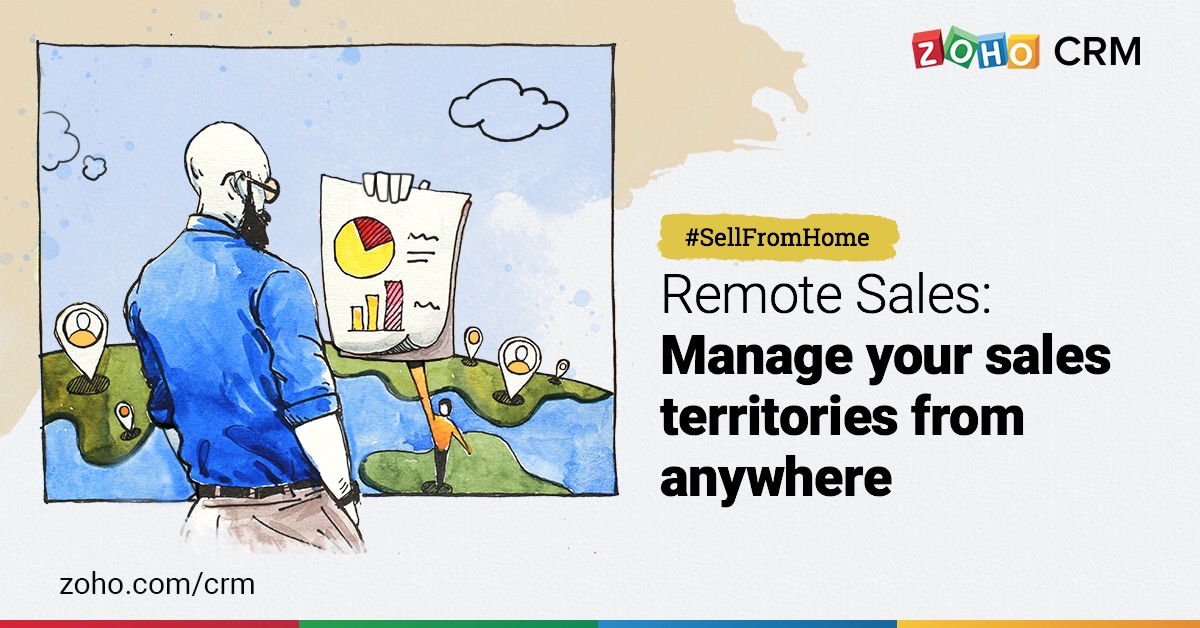
Remote sales: Manage your sales territories from anywhere

Thinking outside the box and broadening your perspectives often requires questioning your basic assumptions. It’s common to hear that uniformity always produces positive outcomes. However, too much single-mindedness can actually produce inadequate results when it comes to crafting unique solutions required to close a deal.

Every industry, market, and customer is unique. Customizing your sales pitch to fit your audience can make a huge difference. With the sheer volume of factors to consider, it’s important to create dedicated teams to develop and execute strategies that work best for each of your sales territories. This requires research, analysis, and well-trained sales reps who can take proactive measures to communicate with your target groups from anywhere!

Zoho CRM offers tools for proper segregation of teams and omnichannel connectivity to ensure that the show goes on, even if teams work remotely. Take a look at the following steps on how to get started.

#1 Define your differentiators

 A strong foundation for a “divide-and-conquer” sales territory strategy requires identifying accurate criteria to differentiate markets and customers.

For example, the sales team of a US-based business starts to notice that a few countries in South America have been purchasing a specific product line, as compared to others. After some research, the sales team discovers that low-performing countries have a specific customs policy in place related to their industry. Hence, this gives the team an alternate angle of differentiation. They create separate territories for countries with and without such customs policies and assign teams respectively. This creates focused tasks that help specific teams educate themselves about trade laws, and modify their sales approach and messaging accordingly, without having to juggle other accounts or tasks.

Zoho CRM provides you with the tools to group your customer accounts, contacts and deals into different territories based on location, industry, deal size, and any other defining factors. You can also create sub-territories to take an even more granular approach.

#2 Define your targets

Companies work best when they follow their overarching aspirations—to be a market leader, to change the way things are sold, to make markets more inclusive. Goals are a subset of these broad statements that provide the necessary momentum for your processes.

Revenue, the volume of customers, and units sold are just a few examples of metrics you can use to track progress toward your goals. Be thoughtful about which metrics you choose, because they will form the basis for your entire sales strategy for a specific region, or across the whole company.

Set monthly and quarterly targets according to territories and team hierarchy with Zoho CRM. Customize viewing permissions to ensure that only relevant teams or individuals can view the sales figures.

#3 Define your teams

Unique goals and mission statements require a diverse set of individuals to come together.

Don’t be overwhelmed by your organizational structure when you are assembling your teams. Zoho CRM has in-depth privacy settings that allow you to share reports and documents across territories and roles.

A senior manager doesn’t have to wait for information from a field or general sales rep. Viewing permissions can be set based on a hierarchy where a senior employee’s user profile settings allow access to collaterals and sales details of reps reporting to them. Similarly, viewing permissions can be restricted or allowed between sales territories managers or the CEO, to create healthy competition or analyze trends they are noticing among territories respectively.

#4 Track results

Whether you’re considering a deal or a diet, keeping track of numbers and trends is essential to staying motivated. Identify your star performers, and shuffle team members, if necessary. Dashboards available in Zoho CRM offer flexible layouts and metrics that support your unique management style. You can also share or restrict data views to teams or individuals, and export data as a report, sheet, document, PDF, or any other format you choose.

Companies, movements, and families harness their collective power to reach their common goals. However, these different groups are all-powerful because of the individuals within them that bring their own contributions to the table.

Check out how Zoho CRM can help you and your team go the extra mile with informing your actions and project plans.

Note: This is the fifth post in a series of blogs focused on how Zoho CRM can help you sell remotely, from the comfort of your homes. You can find the entire blog collection here.

Net Universe offers all Zoho subscritpions and consultant services with worldwide Delivery Services.
Send us an email to [email protected] for more information or visit https://www.netuniversecorp.com/zoho.

Embracing a new digital market with Zoho One – Crown Bees’ Story

Note: This story is part of #ZohoInfluence, a program focused on sharing experiences and advice from our customers. Click here to see more from Zoho Influence. 

“Our company is so nimble now that we have these tools to help us make these decisions and react really quickly.” 

We spoke to Karl Alexander of Crown Bees about how the company has been able to use Zoho One to pivot to remote work, and how they achieved such success with their new webinars.

Based just outside of Seattle, Washington, Crown Bees realized early that major changes were going to be needed to accommodate a new way of doing business as work moved to the home and online presence became more important. Karl Alexander, marketing director at Crown Bees, has been pushing the company to the cloud for some time now, so they were ready to take on this new challenge quickly. First, they evaluated what needed to be prioritized as work moved to the home.

Crown Bees decided to rethink how it communicates with customers while most people are stuck at home. They decided to offer a live webinar to not only offer useful information to customers, but also provide a community space of sorts. This was the first time Crown Bees tried a webinar, so they needed to decide on not only what they were going to say, but also their tone. By making a report of the tickets they had accumulated in Zoho Desk, their customer support solution, they were able to address the most common customer questions in the webinar. They also wanted to make sure their webinar provided helpful information about mason bees in general, instead of simply advertising their products, a choice that they made to ensure their material was informative and useful to the widest range of viewers.

“We wanted to make it a fun community forum, like a bunch of gardeners getting around and just talking about plants and bees and growing things.”

By addressing both the community and the informational needs of their customers, Crown Bees was able to offer a truly unique experience. The next step was figuring out how to get people there.

Crown Bees put together an email campaign with Zoho Campaigns, targeting customers to make sure they only invited those for whom the webinar would be relevant. Using a mixture of Adobe Spark and Zoho Social, they created and monitored social media campaigns to promote the webinar, both through Facebook and Instagram. The first webinar had less than one week of lead time, so no one was sure what kind of response it would get.

They also used Zoho MarketingHub, a marketing automation solution, to create targeted pop-ups on their site. When customers visited specific pages, a pop-up would display for the webinar. Alexander said, “The response was overwhelming. The webinar filled up within the first 48 hours. We had no idea which channel was going to get the most people, and it turned out that the targeted pop-ups through MarketingHub were really the major driver. We got so many people that we had to increase our maximum attendees for the webinar.”

Five minutes after starting their webinar on Zoho Meeting, they had 250 attendees listening in. Both this webinar and the second one went overtime and maintained high levels of engagement throughout. By monitoring the analytics through Zoho Meeting, Crown Bees determined that 80-90% of their audience stayed for the entire webinar. The following day, Alexander saw “one of the most dramatic spikes in web traffic and sales that [Crown Bees] had seen since last year when [they] had a huge sale.”

To market the next webinar, Alexander took what he learned from the first one and refined the process further. He saw that the Zoho MarketingHub pop-ups had worked, but also saw people talking about the event on Facebook. By monitoring the social media interaction with Zoho Social, Crown Bees was able to determine what exactly had been so successful about that first webinar. They figured out it came down to the live interaction with the Crown Bees staff and the time it was being held, so they were able to maintain and emphasize those elements the next time around.

Because they had collected so much data and questions from the polls and Q&A, they were able to create and send out email campaigns with Zoho Campaigns to make sure any questions not answered in the webinar were still answered after the fact, and so they could tailor the next presentation to be even more helpful.

Check out Crown Bees website here to see what they’re all about and join their next webinar.

Net Universe offers all Zoho subscritpions and consultant services with worldwide Delivery Services.
Send us an email to [email protected] for more information or visit https://www.netuniversecorp.com/zoho.
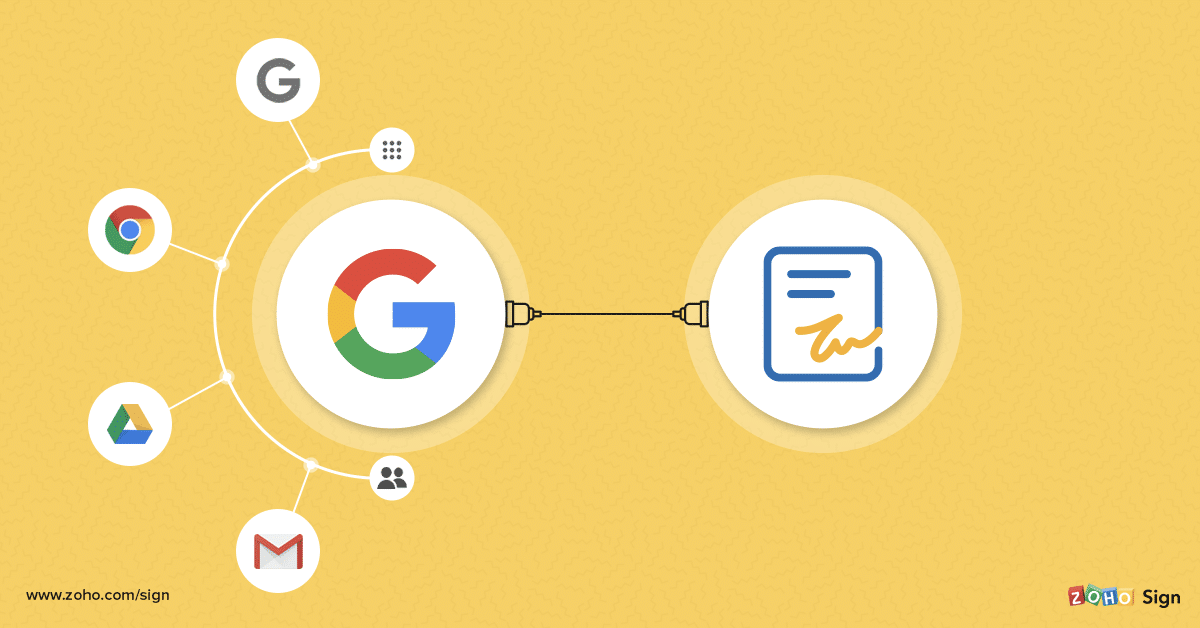
Streamlining paperwork with Zoho Sign for Google apps

The widespread recent adoption of social distancing measures has necessitated several tech companies, including us at Zoho, ramp up services and strengthen apps with remote working capabilities. This supports businesses reeling from the COVID-19 pandemic, preventing them from being immobilized further, and enables them to re-organize themselves and collaborate remotely over the internet.

Yet, conducting business—remotely or not—hinges on a substantial amount of paperwork being carried out, which can currently be a huge hurdle to organizations that follow the conventional pen-and-paper approach. A lot of manual effort across teams and departments may be required to get paperwork drafted, printed, signed, processed, and audited for a business to run its operations, which puts them in a precarious situation. Therefore, this is an opportune moment for businesses to go paperless by switching to a complete digital signature application like Zoho Sign, which can help digitize paperwork in a hassle-free, legal, and secure manner while reducing costs and turnaround time by up to 90%.

It’s no surprise, however, that when it comes to online business software, Google and its suite of applications are as ubiquitous and massive as things can get. With over two billion users collectively, a vast majority of the internet users and millions of businesses rely on Google products for their day-to-day activities. As a Google Cloud partner, Zoho has, over the years, built a plethora of integrations between the Zoho and Google software ecosystems to help our users manage their data. You can now add to that long list Zoho Sign’s integrations with popular Google products such as G Suite, Google Drive, Gmail, and Chrome, each of which are reported to have over a billion active users themselves.

Zoho Sign offers the convenience of initiating workflows and e-signing your business paperwork across these products from individual apps while storing all your documents in one place—regardless of where they originate—in a secure and organized manner for consolidated access and management. This can transform the way your company does paperwork, improve collaboration, and increase productivity immensely.

You can install these Zoho Sign integrations from the G Suite Marketplace and explore the various functionalities they offer, which are listed as follows.

Single sign-on: By installing the Zoho Sign add-on, you can log in to Zoho with your Google account. This avoids the hassle of having to remember multiple passwords and separately signing in with your Zoho credentials to access Zoho Sign.

Add G Suite users: The add-on lets you invite users from your G Suite organization to Zoho Sign. Once they accept the invitation, you can assign them roles and manage their access.

Sign and send documents for signatures from Google Drive: The add-on allows you to electronically sign Google docs and other documents in your storage—or send them out for signatures—directly from Google Drive using the Open with option. A copy of the signed documents will be automatically saved back to your storage in a folder named ZohoSignDocuments.

In addition, the Zoho Sign web application itself features a Cloud Picker tool that lets you import documents from Google Drive when setting up sign workflows and export the signed documents back to a specific folder in your storage. Furthermore, there is also an option to set up automatic backing up of your signed Zoho Sign documents to Google Drive in your account settings.

Launch Zoho Sign from the Apps launcher: The add-on also adds Zoho Sign to your Google apps, thus allowing you to launch it in a separate browser tab from the Apps launcher when using any application made by Google.

Add Zoho Sign to Google Chrome apps: Three out of every five internet users are said to use Google Chrome for browsing online. You can install our extension from the Chrome Web Store to add Zoho Sign to your apps on Chrome. This lets you launch Zoho Sign in just a couple of clicks on any Chrome tab or window.

Sign and send documents for signatures from Gmail: Our newly released add-on for Gmail allows you to digitally sign email attachments or set up esignature workflows to send them out for signatures to your contacts and others directly from your Gmail inbox.

Irrespective of how you access Zoho Sign and sign or send documents for signatures, you can manage them all centrally and track their status from the Documents tab in your Zoho Sign dashboard.

So, go ahead and use these integrations and let us know how they help you. If you have not used Zoho Sign yet, head over to zoho.com/sign and sign up for a free 14-day enterprise trial. For feedback, assistance, and demo requests, write to us at support(at)zohosign(dot)com.

Happy Signing!

Net Universe offers all Zoho subscritpions and consultant services with worldwide Delivery Services.
Send us an email to [email protected] for more information or visit https://www.netuniversecorp.com/zoho.