Why teaching kids about cybersecurity and privacy is more important than ever

Technological advancements have redefined the way we live, across generations. With easy access to the internet, we can now conveniently stay safe and work from the comforts of our home. Educational institutions have switched to online learning as well to combat the ongoing pandemic. With an unprecedented amount of reliance on smart devices and online applications from people of all ages, basic cyber awareness is now more important than ever.

While the IT departments of most organizations take measures to protect their business data and conduct frequent sessions to educate their employees on the importance of cyber security, our little ones at home are often left to play or study unmonitored. Kids lack complete awareness of online safety and the potential risks involving cyber attacks. Over three in five children have access to the internet, and they spend over 45 hours per week online. As the internet becomes an inseparable part of childhood, there’s no better time than now for us to talk about internet safety, and we have some cybersecurity tips to help you get started.


Create cybersecurity awareness
Mobile devices and the internet have become a common, entangled part of the lives of today’s kids and it’s important to teach them about privacy, computer security, and social media safety at an early age. Brief them about issues such as cyber bullying, phishing, cyber threats, and their impacts.

Secure their devices
If you and your children share a common computer in the house, it’s essential to keep your system updated with the latest upgrades. This increases your device’s safety, protecting your personal and financial details from any imminent cyber threats.

Talk to them about privacy
Kids are often attracted by the lure of online games and social media. Remind them never to share personally identifiable information or financial details with online applications or services and teach them the difference between safe and malicious applications.

Popular social media services like Facebook, Instagram, and TikTok require users to be at least 13 years old to sign up, however, many underage users still join. Talk to your children about the impacts of sharing sensitive details on social media and the risks of interacting with strangers online. If you wish to monitor your children’s online activity, use parental controls on their device.

Use strong passwords
Passwords are the first line of defense for any account and their security should never be compromised. Encourage your kids to use complex passwords that include symbols, numbers, upper and lower case letters. To help them generate and remember strong passwords, add them to your family’s password manager account.

Restrict access from public networks
The appeal of free WiFi in public places could get kids with data restrictions excited. However, potential attackers can steal data transmitted through unsecured networks. Instruct your kids never to access sensitive information or to even completely avoid connecting to such networks.

Take them offline
Ensure your kids spend some quality time off-screen to prevent them from getting addicted to being online. Limit their screen time and encourage them to try spending some time outdoors, reading a book, or making something creative.

We hope these tips were helpful. Let us know if you have other online safety tips for kids in the comment section below!


Net Universe offers all Zoho subscritpions and consultant services with worldwide Delivery Services.
Send us an email to [email protected] for more information or visit https://www.netuniversecorp.com/zoho.

Remote sales: Hands-free selling at home with Zia Voice

It hasn’t been long since companies shifted to working remotely, and work-from-home has already become the new normal. For seasoned remote workers, getting things done at the comfort of their houses is second nature. But salespeople who are used to working at their desks—constantly glued to their phones, chairs, and notes—are finding it difficult to adapt to the new paradigm.

You can’t travel to meet colleagues and clients for the time being. This means no more table meetings, no after-work drinks, and no guest tours. Thankfully, remote tools have proven to be a viable workaround that allows us to adhere to social distancing guidelines. Tools for video conferencing, chat, email, and telephony help us stay connected to our customers and colleagues.

But there’s a downside—working from home blurs the line between work time and leisure time. You’re always around your family, Netflix is running on the other tab, there’s some cleaning left to be done, and your kid needs help with homework. It can almost feel like you’re working in perpetual overtime within your own home. This is where a virtual assistant can help. De-clutter your work from home lifestyle with Zia.

Zia Voice, the work-from-home assistant 

Zia is an AI-powered assistant built into Zoho CRM, designed to help salespeople work smarter and faster. Imagine Siri or Alexa, but uniquely built for salespeople. Zia is an intrinsic part of Zoho CRM, which allows her to monitor, analyze, and understand your sales data, processes, and activities. Zia can use these findings to automate routine tasks, predict deal outcomes, detect anomalies, recommend workflows, and more! 

For salespeople camped out in their houses right now, Zia’s conversational skills will be particularly valuable. Zia can talk and listen, follow commands, and answer questions. Zia’s voice assistance can help relieve some of the burdens of working from home and help you stay on top of your game. Here’s what Zia can do for you:

Find information faster with Zia 

The mark of a smart sales rep is always staying on top of the details. Looking up relevant information about the deal, the lead, the notes, and the minutes of your last call could take just a minute. But an awkward pause during a sales call could seriously slow down the tempo of the conversation.

Ask Zia! Just request what you’re looking for in simple English, and Zia can find it almost instantly. Zia can then display the answers on the screen or read them out for you. You can cut down on time spent looking for data, and focus on doing what Zia can’t do: connecting with clients and building relationships. With the amount of time you’re saving, you may even be able to start cooking dinner early!

Get things done with your voice

When you’re busy selling, you won’t have the time to add, edit, and save new information. Updating fields, adding call notes, creating follow up tasks, placing orders—these are all important tasks, but can often feel like they’re getting in the way of your real work of making sales.

Being talkative is a prerequisite for salespeople, and luckily, Zia is programmed to be a great listener. You could be in the living room watching a movie with the kids or in the kitchen baking a pie—pull your phone out and ask Zia to perform mundane tasks like creating charts, changing a deal status, or even placing calls.

Stay organized with your personal assistant 

Between client calls, grocery shopping, team conferencing, and washing the dishes, it’s easy to lose track of time. However, with a personal assistant like Zia, you’ll never have to worry about missing a thing. 

You can plan out your entire day with Zia. You can ask Zia to remind you to get things done, show you what’s on your schedule for the day, list your open activities, and take notes for later. You can even use these features to make plans around your work, too! Zia can remind you to follow up with a client and tell you when to take the cookies out of the oven.


Try Zia on your smartphone 

Wherever you go, Zia can come with you. While it may not be wise to leave the house, for the time being, having your business assistant available on iOS and Android makes it easier to get work done, regardless. Once the pandemic is behind us, having an assistant in your pocket will prove very useful. You don’t have to be glued to your work laptop to still be selling, thanks to Zia. 

Zia is more than just a conversational assistant. Here’s the full list of what Zia can do for your business. It’s high time that businesses leverage the power of artificial intelligence to sell smarter, and this lockdown presents the perfect opportunity to get started. Start talking to Zia now!

Note: This is the fourth post in a series of blogs focused on how Zoho CRM can help you sell remotely, from the comfort of your homes. You can find the entire blog collection here.

Net Universe offers all Zoho subscritpions and consultant services with worldwide Delivery Services.
Send us an email to [email protected] for more information or visit https://www.netuniversecorp.com/zoho.

Zoho Desk awarded in multiple categories for Best Software 2020 by G2!

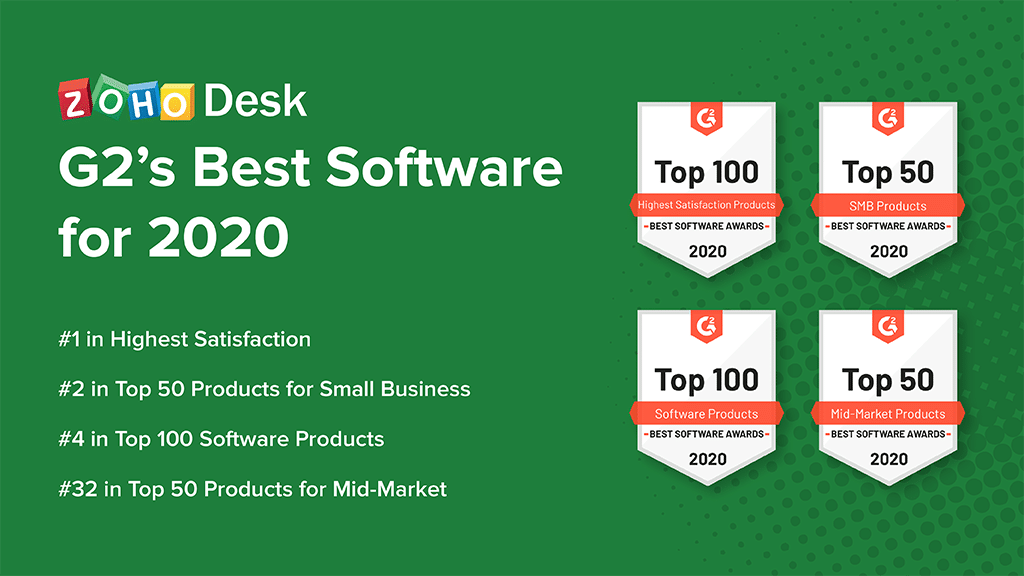
We are thrilled and humbled to announce that Zoho Desk has been featured in four categories in G2’s Best Software 2020 list! 

Here’s how Zoho Desk ranked:

  • #1 in Highest Satisfaction

  • #2 in Top 50 Products for Small Business

  • #4 in Top 100 Software Products

  • #32 in Top 50 Products for Mid-Market

G2 is one of the leading business software review platforms in the world, with over one million validated reviews to help software buyers make smarter, informed choices for their businesses. It uses actual customer reviews along with other market metrics to score and rank the performance of each product.

Ever since we launched Zoho Desk as the industry’s first context-aware customer service software, we saw high demand right away. Much of this demand came from small businesses who saw immense value in our offering. An intuitive interface and the overall ease of setup and administration helped Zoho Desk become the natural choice for small businesses. A practical free plan and free trials meant that businesses could quickly get their feet on the ground and figure things out without breaking the bank. When they were ready to expand, Zoho’s competitive pricing was a pleasant surprise.


Net Universe offers all Zoho subscritpions and consultant services with worldwide Delivery Services.
Send us an email to [email protected] for more information or visit https://www.netuniversecorp.com/zoho.

The project management guide for remote teams

The end of 2019 was also the beginning of something catastrophic: the COVID-19 pandemic. The global pandemic has been responsible for threatening the economy and triggering debates concerning the second recession of the millennium, and for many organizations, it has also resulted in the immediate shift to remote work. Teams, workplaces, and entire organizations have been forced to adopt remote work to adhere to social distancing, which set into motion a conversation on the workplaces of the future and working from home beyond the current crisis.

Naturally, critics have been apprehensive of the remote work model. It is quite common for highly interdependent and cross-functional teams to be skeptical about effectively working in such a disconnected setting. The reason is simple: connecting employees, managers, and stakeholders across geographies and adhering to ever-changing requirements can be challenging, to say the least.

While working remotely is one thing, managing a distributed team is an entirely different ballgame. From keeping tabs on task sheets to delivering projects on time, the challenges are a handful, but the potential rewards are great.

Project management for remote teams

Essentially, project management helps project and process teams to plan, schedule, and execute work, allowing them to meet their objectives and deadlines.

Managing a virtual team requires managers to double down on the fundamentals of good management—including, but not limited to, establishing clear goals, running productive meetings, communicating clearly, and leveraging team members’ individual and collective strengths.

Though this might appear daunting for large scale projects, even when managed at an on-site level, the challenges to manage a project are pretty much the same for remote teams as they are for in-office teams.

As a project manager (or anyone who is involved with an organized team, really), here are a few things you can look out for in order to ensure your project management strategy gets off on the right foot:

  • Set clear schedules and deadlines

  • Track employee performance based on OKRs and KPIs

  • Define clear roles and tasks

  • Document and share work items

  • Facilitate clear communication to bolster accountability

This list might appear far too open-ended to act upon, and this is exactly where a turnkey project management tool can make a world of difference to project managers.

Zoho’s cloud based project management platform, Zoho Projects, helps alleviate common pain points and ramps up productivity and collaboration, especially while working with remote teams.

We’ve put together a compact guide on how project managers can leverage it to plan, track, and collaborate more effectively in a remote setting.

#1: Planning  

Behind every successful project, there is an execution expert responsible for guiding the team towards eventual completion. This individual is connected with both stakeholders and subordinate staff, and they can visualize the big picture while comprehending the collective magnitude of individual tasks that will deliver the desired results. This pivotal person is the project manager.

It goes without saying that establishing a bottom-up plan is the key to making contributors understand those goals and objectives, enabling them to commit to timelines and disclose expectations beforehand to achieve project success.

Naturally, designing a solid schedule is the ideal first step. Gantt charts are an excellent way to create those schedules—to map out project tasks, phases, and interdependencies in your team.

Furthermore, Gantt charts provide a visual representation of updates like the runtime of a project (start to finish), durations, and how tasks group, overlap, and link with each other.

This charting concept has been incorporated into digital project management platforms, predictably called Gantt chart software. This not only opens avenues to distributed teams for collaborative project planning, but also in building advanced capabilities like creating task dependencies, identifying the critical path, and creating baselines that can help manage those teams.

<<The screen grab above is from Zoho Projects’ built-in Gantt chart feature that makes managing schedules a breeze. >>

Not sure who handles a particular task? Wondering when a particular team member will finish their job, so you can start yours? Altering the current schedule because of a change in overall plans? Gantt charts can help you do it all and more.

Planning is not only limited to coming up with a schedule and setting deadlines. It also requires a PM to understand the capabilities of their team and divvy up resources to assign suitable tasks. Resource allocation and utilization are key to avoid bottlenecks and burnouts, even from the comfort of their homes.

If you can visualize how the entire project is going to map out, you can build the entire workflow of the project using blueprint to give your team a flowchart of the overall processes and automate tedious or repetitive tasks to streamline reviews and approvals.

 #2: Tracking   

After plan definition and approval comes execution, arguably the most important stage in the pipeline. At this point, monitoring, tracking and reporting become the core responsibilities of a project manager.

Why? Because tracking keeps PMs up to date on actual progress, which can be compared with expected progress, helping them mark deviations and correct problems quickly.

The truth of the phrase “you can manage something only when you measure it” starts with Timesheets. Especially when your project teams are spread out and not on-site. Successful project managers know how far through their project they are at any given time. This information helps them establish whether they are ahead or over budget, and whether they are likely to meet their upcoming deadlines.

Apart from just tracking time, Zoho Projects’ Timesheets feature enables project managers to determine billable hours and send out client invoices, compile a historical database of how long a particular task usually takes, and use it as reference for future projects. Most importantly, Timesheets help manage individual workload in teams.

Reports are one of the most effective ways to sum up the health of a project. You can either use the built-in task reports to do that or integrate with Zoho Analytics for a more comprehensive view of key project metrics enabling project managers and stakeholders to take informed decisions.


#3: Collaborating 

The term “collaboration” has definitely evolved from a point where traditional top-down project management processes got in the way of individual and cross-functional team communication. Now, embracing collaboration is an approach that fuels innovation, allows teams to formulate new ideas and achieve superior results.

Successful collaboration relies on three things: effective communication, consistent processes, and the right project collaboration tools. As companies increasingly go global—operating with geographically dispersed workforces and often remote employees—they start depending on these tools to maintain strong channels of communication with their peers.

Now, there are excellent services offered by cloud-based vendors that provide collaboration tools like live chat, web conferencing, and document sharing. However, they are mostly standalone systems that require one to switch between multiple platforms to be truly collaborative.This is an ad hoc model that will be harder to scale as the size of a team and the duration of a project grows.

Zoho Projects, on the other hand, has all these tools built in, facilitating  social project management between teams. Here are some of the features that can help distributed teams in this regard:

Feeds allows PMs to keep their teams informed with critical status updates, while managing notifications and day-to-day task updates

Forums helps initiate organization-wide announcements and allow you to share mission-critical information, as well as  engage with your peers via Q&A sessions.

Documents acts as a central repository for the flow of contracts, balance sheets, and presentation decks that a project generates. Documenting internal files online serves to create a knowledge hub that enables seamless contributions from teams, since it allows them to edit, review, upload, and catalogue project files.

Apart from the built-in chat function, Zoho projects features native and third-party integrations with tools you may already be using. Teams working in a remote setting can quickly connect with their peers through chat or call by integrating with Zoho Cliq.

Face-to-face meetings are a necessity, especially among dispersed teams, and that’s covered by our native integration with Zoho Meetings, which allows teams to video conference, deliver presentations, and record sessions.

Organizations equipped with a well-defined remote work policy, communication hierarchy, and the corresponding tools may very well experience little to no changes in employee productivity during periods when business has to be conducted away from the office. This current time may be a precursor to the workplaces of the future, and we must ensure we’re ready for it.

The million-dollar question is this: Can teams working remotely be both productive and efficient, while seamlessly collaborating with their peers?

With Zoho Projects, they can be.

If you have not used Projects before, you can start by signing up for our 10-day free trial.


Get the complete remote working tool kit with Zoho Remotely: you can now use Zoho Projects and Zoho Sprints alongside a suite of products that’ll power you and your team to maintain a close-knit and productive working environment. Zoho is offering Remotely for free to help organizations who choose to work remotely during the COVID-19 crisis. Stay safe. Stay home. Stay productive.

Net Universe offers all Zoho subscritpions and consultant services with worldwide Delivery Services.
Send us an email to [email protected] for more information or visit https://www.netuniversecorp.com/zoho.

Improving employee experience with Zoho CRM microapps

Employee experience includes pretty much everything an employee encounters at work—from their interactions with their manager and the work itself to the team they work with and the software they use.

The apps that an employee uses every day play a vital role in employee experience, as employees heavily depend on these apps to get work done, and organizations need to tap into this experience to keep their employees, teams, and entire workforce highly engaged.

A sales rep spends 18% of their time using their customer relationship management system (CRM). This includes looking up information on leads and customers, and also updating the CRM with every change regarding a lead and customer.

Zoho partners with Citrix to help organizations improve their employee experiences and business outcomes. Zoho built 8 microapps using Citrix’s low-code platform. Using these microapps, Zoho CRM users can enjoy easy, seamless access to the Zoho CRM features they use the most right from Citrix’s Workspace,  instead of accessing the full product—simplifying their work and transforming productivity. 

What are Zoho CRM microapps?

The Zoho CRM microapps are task-specific functionalities of Zoho CRM to help sales reps focus on the right tasks at the right time quickly and easily. For example, adding and viewing records in CRM when away from the office can slow users down if they have to access the entire application to do so. To make tasks like this easier, Zoho built eight microapps to help CRM users effectively manage primary customer relationship functions.

Who can use Zoho CRM microapps?

If your company uses Citrix, you can use these microapps to access Zoho CRM from anywhere and do tasks just as efficiently as you would in the office. These microapps help sales reps see and interact with only the data they need, without overwhelming them with data that’s not relevant to the task at hand.

What can Zoho CRM microapps do?

The Zoho CRM microapps are single units that each streamline overall CRM functionality to solve one specific CRM use case. With these microapps, sales reps can create Accounts, Contacts, Leads, and Deals, and view details of existing ones.

Sales reps can also access these microapps securely, instantly, and flexibly from any location or device to perform these functions even when on the move.

To learn more and see all the Zoho CRM microapps visit the Citrix Ready Marketplace.

Work smarter by adding new capabilities to Zoho CRM with business solutions from Zoho Marketplace.

Net Universe offers all Zoho subscritpions and consultant services with worldwide Delivery Services.
Send us an email to [email protected] for more information or visit https://www.netuniversecorp.com/zoho.

What is payroll? Definitive guide to payroll in India

Unless you are an accountant or you are us, you probably might not be too excited about the topics on payroll. Primarily because it is usually thought of as a boring or complicated process. However, as a business owner, you need to understand the intricacies involved in payroll because not only it is one of your top expenses every month, but getting payroll wrong has serious consequences. We are writing this for more than 60 million small business owners in India, breaking down the entire process to help you get payroll right, and also to show you how simple it actually is.

In this guide, you will learn the basics of what payroll is, why is it important, how it’s done in India, how does a successful payroll process looks like, and more. Let’s start with the basics first.

In simple terms, payroll can be defined as the process of paying a company’s employees. It includes collecting the list of employees to be paid, tracking the hours worked, calculating the employee’s pay, distributing the salary on time, and recording the payroll expense.

In order to get these done, there’s tons of background work involved because payroll is more than just about calculating paychecks. It’s an intricate set of process which requires different teams to work in tandem. But all these complexities can be managed effortlessly by the standardization of processes, selecting the right service delivery model, and using modern technology to manage payroll operations.

As a business function, here’s a high-level overview of the series of steps involved in completing payroll successfully from scratch.

What is the need for businesses to do payroll?

Keeping a record of the salaries paid to employees is an instant thought that comes to mind. But there’s more at stake for businesses. Payroll has a serious impact on the net income of an organization. It is also a business function that is subject to several laws and regulations. Because of the legal and ethical factors involving payroll, it is very crucial for businesses to do payroll and keep a spotless record of its payroll.

In cases where they are unable to maintain a clean record, some of the common notions that spread within the employees about your business include financial instability of the company, poor and untrustworthy management.

What are the challenges involved in processing payroll?

Payroll management or administration can be a mundane task, but it’s not easy to get it right. The challenges can include:

Coordinating multiple teams

  • Payroll staffs spend countless hours collecting information from the HR, Finance, Expense, and Attendance management teams. Even employees submit information like bills for reimbursement claims and tax-saving records.

  • It takes a lot of dashing around to get all of this information on time, every month, and if you’re a small business owner trying to do it all alone, it is nothing short of overwhelming.

Staying compliant with payroll laws

  • For businesses in India, all the statutory computations including PF, ESI, PT, LWF, IT, Shops and Establishments have to be taken into consideration. Any issue with tax remittance or miscalculation of any of these components could leave your business at a serious disadvantage.

Caring for employees’ morale

Depending on legacy methods

  • You might feel more at home using a paper-and-pen approach for calculating work hours because it’s what you are used to it before, but this approach puts you in the danger zone. Papers can be misplaced, torn, or even thrown away. They also open the door to inaccurate calculations and eat up a lot of your time.
  • The immediate alternative, a spreadsheet-based payroll system, can bail you out in some ways but it doesn’t really solve your problems. Spreadsheets are familiar and seem easy, but they take a lot of expertise to use well. You’ll need to hire employees who understand advanced concepts like pivot tables, concatenate functions, split fields, and v-lookup, and who can audit your formulas regularly to ensure that the calculations are working correctly every time. You’re dependent on your staff’s knowledge to keep the system running smoothly.

Blue-print of a successful payroll practice

At the start of this guide, we spoke about how you can effortlessly take care of payroll by standardizing the practices. Since it involves numerous activities among multiple teams, the payroll staff needs to be on top of their game every single day monitoring the employee count, changes to statutory policies, new deduction rules, and more. To simplify the entire process for you, let’s classify it into three large stages.

Pre-payroll phase (setting up the organization, collecting payroll input, and validating the input)

Setting up the organization

Every day, thousands of new businesses sprout all over the world. Each business has its own philosophy, approach to employee engagement, and work culture. The first step in standardizing payroll input is to set clear organizational policies, including:

Business profile 

  • Ensure that you have a registered business number associated with your PAN and TAN. Payroll forms rely on registered numbers to send tax forms, payslips, and more.

Work location

Leave policy 

  • Every employee is entitled to take leaves in various categories, like sick leave, casual leave, vacation leave, and privileged leave. Setting a leave policy is of paramount importance, as you’ll need to consider it when calculating paychecks.

Attendance policy

  • Integration with Biometric devices and timesheets also has a direct influence on the employees’ pay.

  • Define organization policies that compute attendance for regular hours, shift hours, half-day permissions, and on-duty requests. Integration with Biometric devices and timesheets helps you to gather employees’ attendance data.

Statutory components

  • Adherence to Indian payroll laws is necessary to keep your business on a legal footing. You have to decide what you will offer your employees from the standard list of statutory components including PF, LWF, ESI, PT, IT, and Shops and Establishment Act.

Salary components

  • Design with salary components that can embrace diverse compensation structures. Select the right earnings, allowances, deductions, reimbursements, and flexible benefit plans according to your organization’s policy.

Pay schedule

Employee information

  • Gather mandatory information like employees’ DOJ, designation, and department.


Payroll calculation phase

Depending on how you process payroll, this phase depends on how you do the calculation part. If you are someone who works with a system, then the data collected in the pre-payroll phase is now fed into the payroll system to calculate every employee‘s paycheck. The outcome of this process will be the actual salary of each employee after considering all the withholdings, taxes, and deductions.

Post-payroll phase

Salary payments

  • Paying salaries to your employees forms the major part of the post-payroll process. Once the payroll calculation is completed, you can send the bank advice to your corporate bank for salary disbursement. But you can skip right over this process if you opt for a software that has an in-built direct deposit feature.

Payroll accounting

  • Salaries paid to your employees are one of the biggest expenses for your organization. As part of maintaining your organization’s accounts, you should ensure that employees’ salaries are recorded.

Payroll reporting and compliance

  • Statutory deductions like EPF, ESI, and TDS are automatically deducted at the time of processing payroll. The organization then has to remit the withdrawn amounts to the respective government agencies. The due date for each deduction is different. After the dues are recorded with the government, businesses can file their return forms (for example, for filing the PF return, an ECR is generated and filed).

How Cloud-based payroll software can uncomplicate payroll

While the above mentioned structured approach can introduce some much-needed organization to your payroll process, adding the right technology can help you to reduce your dependency on spreadsheets or eliminate it altogether. With good payroll software, mundane tasks can be automated, and complex ones can be simplified.

Increased efficiency

  •  Typically, payroll staff spend countless hours collecting payroll inputs, but having an integrated payroll system helps to streamline the process. Software that includes employee self-service portals allows business owners to delegate routine documentation tasks to employees, reducing the time burden even further.
  • Payroll staff are always pressed for time, and disorganized spreadsheet-based data makes things even worse for them. Payroll software organizes your data and provides a cleaner user interface, which makes life much better for your payroll staff.

In-built compliance

  • Staying up to date with all the changes in payroll laws is an area where software really excels. Readily available reports make it easier for employers to pay their taxes and handle employees’ statutory component deductions including Provident Fund (PF), Labour Welfare Fund (LWF), Professional Tax (PT), Employee State Insurance (ESI), and Tax Deduction at Source (TDS) based on their pay scale, mandated percentage, and work location.

 Increased accuracy

  •  Payroll software eliminates the possibility of missing out on payroll inputs. For instance, tax-saving declarations and reimbursement bills are always included.
  •  Payroll computations are fully automated, eliminating the need to calculate paychecks manually or check the formulas in a spreadsheet.

Effortlessly scalable

  • Growth is inevitable for any business that’s running successfully. A system that grows with you as you expand saves you the time of looking for alternatives as you outgrow previous solutions.

 Secure employee self-service

  • Are you still dependent upon paper for collecting reimbursement bills, IT declarations, and POI data? Have you ever missed a reimbursement bill submitted by an employee and messed up their payroll calculation as a result? A self-service portal with in-built payroll validation helps you skip the chaos.

 Powerful administration tools

  • Payroll is a crucial part of your finance operations, but exposing your financial data to all your payroll staff is a strict no. Payroll software that comes with finely-grained administration privileges helps you assign the right permissions to each employee.

 Increased collaboration with other apps

  • An integrated HRMS system brings in crucial HR data for processing payroll automatically. It saves payroll staff from sifting through leave and attendance records, employees submitted reimbursement bills and more.
  • Tallying accounts can require many hours. A payroll system with the ability to automate your accounting process keeps your accounts organized, and saves you having to struggle through the numbers after every pay run.

 Decreased cost

  • Infrastructure procurement and maintenance make up a huge part of your organization’s bills. Cloud-based payroll software eliminates the need for specialized infrastructure, resulting in savings for your organization.

Decreased liability

  • As an employer, it’s your responsibility to get payroll right. By enlisting payroll software to ensure that your calculations are spot on, you can reduce both your workload and your risk of liability.

The way forward

Messy payroll processing is a thing of the past. We’ll leave you some valuable tips on what to look for when you go choosing payroll software to streamline your payroll operations.

Core payroll features

  • Automatic payroll and payslip distribution
  • Statutory compliance
  • Customizable salary components
  • Online salary payments
  • Employee self-service portal
  • Payroll reports
  • Leave and attendance handling
  • Full and final settlements
  • Spreadsheets data import

Security features

  • User roles and permissions
  • Cloud security
  • Data privacy standards

Usability features

  • User-experience
  • Accessibility

About Zoho Payroll: Refreshingly simple payroll software

As part of an extensive suite of 45+ products, with more than 50 million users worldwide, Zoho Payroll is our cloud-based payroll processing software designed to transform the way you’ve done payroll over the years. Tailored to fit the Indian statutory system with a refreshingly simple UI, Zoho Payroll is the de-facto choice for many businesses to streamline their payroll operations end-to-end.

Net Universe offers all Zoho subscritpions and consultant services with worldwide Delivery Services.
Send us an email to [email protected] for more information or visit https://www.netuniversecorp.com/zoho.

Introducing Zoho Sign’s integration with Integromat

The unprecedented global COVID-19 situation has cut off several physical links in the way businesses operate and has forced them to go entirely remote. As a result, millions of organizations, both big and small, have adopted a multitude of digital applications and online tools to keep their wheels running.

Zoho Sign, Zoho’s digital signature application, helps businesses collaborate and collect signatures on documents and manage the signed paperwork entirely online in a secure and convenient manner. However, given the present circumstances, we understand that there is a lot more to conducting business than just moving paperwork remotely. Therefore, we are also actively expanding the list of integrations supported by Zoho Sign to help businesses connect it with the other tools and software they use to run and monitor their operations.

On that note, we are happy to announce that Zoho Sign is now available for use on Integromat, an advanced online platform that offers the functions of workflow automation software! This will help you connect Zoho Sign with 350+ other popular and powerful web applications by building business workflows that can automatically generate smart documents, collect signatures, track and manage your documents in real time, and much more.

This integration helps you combine the advantages of using electronic signatures, especially in times such as this, with the added benefits of automation by removing manual intervention in other business engagements that precede or follow the paperwork in your operations cycle. As a complete iPaaS solution, Integromat enables you to automatically set up payments, generate invoices, update your CRM records, send follow-up emails, assign tasks to your agents, and more with the help of customized scenarios built around e-sign workflows connecting your digital apps. Thus, this can vastly reduce not only your paper clutter and administrative costs but also the manual labor hours spent on others tasks, thereby boosting productivity.

What’s a Scenario?

A scenario is a workflow created on Integromat that automatically monitors one of your apps for changes or events and/or carries out one or more actions in the same app or other apps you use. Scenarios are built by adding and connecting blocks known as modules that help transfer data between apps. For example, imagine setting up an integration that monitors the status of documents on Zoho Sign and creates a new deal in your CRM when a document is signed.

To start building scenarios connecting your favorite apps to Zoho Sign, you simply need to add one of Zoho Sign’s offered modules in your scenario editor screen and create an authorized connection between your Integromat and Zoho Sign accounts.

What’s a module?

A module is a smaller block that represents an individual function or task carried out in the chosen app. For example, fetching the list of documents sent for signatures using Zoho Sign. Scenarios are built by adding one or more modules in a series and configuring how the data is transferred and the operation is performed.

Modules themselves can be categorized further into different types, of which Zoho Sign presently only supports trigger and action modules.

What’s a trigger?

A trigger is a conditional module that actively monitors your app for a specific event. When that event occurs, the trigger generates a bundle of data to be passed on to the next module in the scenario. Zoho Sign offers seven trigger modules on Integromat for interactions that take place with your documents: signed, completed, declined, recalled, expired, viewed, and re-assigned. You may use these to execute follow-up actions in your other apps when these events take place in Zoho Sign.

What’s an action?

An action is a functional module that executes a specific task in your app, either on its own or using the data passed on to it by a preceding module. Action modules also generate a bundle of data upon successfully executing their task that can be passed on to the next module in the scenario. Zoho Sign presently offers one action module on Integromat which performs a customized API call to a specific endpoint in the Zoho Sign app.

Do I need to learn coding to use Zoho Sign with Integromat?

Absolutely not! This integration simply requires you to build scenarios by choosing the applications you want to connect with Zoho Sign, adding the necessary modules, and configuring the flow of data, all done in just a few clicks and drag-and-drops. Once a scenario is set up, successfully tested, and enabled, all the associated tasks will be automatically taken care of by Integromat and you can divert your attention to other important business activities.

Where do I start?

This integration is readily available for all Zoho Sign users. Just visit our integration page on the Integromat website and take a look at some of our pre-made scenarios to get inspired and start using it. For more assistance, visit our help documentation.

So don’t wait! Explore this integration today and build scenarios with your favorite applications to automate your routine signing tasks. And, of course, let us know how it helps you transform the way you do business.

For alternate workflow automation options, feel free to check out Zoho Sign’s integration with Zoho Flow and Zapier.

If you’re not already a Zoho Sign customer, you can head over to zoho.com/sign and sign up for a free 14-day enterprise trial. For feedback, queries, and personalized demo requests, write to us at support(at)zohosign(dot)com.

Happy Signing!

Net Universe offers all Zoho subscritpions and consultant services with worldwide Delivery Services.
Send us an email to [email protected] for more information or visit https://www.netuniversecorp.com/zoho.

How sales analytics can drive revenue growth

In competitive business environments, organizations look beyond sales teams, sales processes, and sales training, to drive revenue growth. This quest has revealed that there’s no silver bullet that can boost revenue.

Revenue growth is a continuous, step-by-step process. And one of the simplest models to explain this is the revenue growth cycle. It breaks down the revenue growth process into 5 stages.

In this blog, we’ll discuss how sales analytics drives revenue growth in organizations, using this model as a framework. 

To understand how sales analytics drives revenue growth, let’s pick the most important question from each of these 5 stages. These aren’t high-sounding strategic questions, just some of the most common questions in sales which often remain unanswered.

 As a prerequisite to answering these questions, it’s essential to integrate your Zoho Analytics account with a CRM service—in this case, it’s Zoho CRM.

 #Stage 1: Realistic revenue targets

How do I commit my sales numbers to my boss? 

The tug of war between sales managers and their teams, for setting revenue targets, usually ends with the teams losing their grip on the rope. This means they end up setting unrealistic revenue targets, losing precious sales time, and hurting the morale in the process.  

What if the sales numbers could be forecasted for the sales teams, in order to set realistic revenue targets? For this, we make use of the advanced forecasting feature built into Zoho Analytics.

 Here, the sales numbers have been forecasted on the sales trend report. The solid line represents the historic sales trend, the dotted line indicates the forecasted sales trend, and the sales estimates are plotted against the respective months.

 Along with the market knowledge and experience of sales managers, these sales estimates can act as guidelines or baseline values in setting realistic revenue targets.

 A CRM can detail out the historic sales figures, but to sneak a peek into the future of sales, an advanced BI application is necessary.

#Stage 2: Performance monitoring 

How is my sales team performing? 

 Sales managers hear things like “markets are down… pricing is an issue… a tough competition… the customer isn’t responding… I tried my best,” and a lot more. But these explanations paint a hazy picture of the on-the-ground reality for sales associates.  

What if fine-grained team performance reports could be built to let sales managers monitor the progress in achieving the revenue targets we set in stage 1? For this, we use the precise and versatile reporting features built into Zoho Analytics.

Using a pivot table, the performance of the sales team is analyzed across a set of deliverables. The data can then be sliced and diced to analyze the team’s performance from various angles. This empowers sales managers to add and track more KPIs specific to their business on the same report.

 A CRM service throws light on the team’s performance at a high level. But versatile BI applications like Zoho Analytics are needed to empower sales managers to monitor the performance across multiple deliverables and KPIs specific to their business.

 #Stage 3: Internal review

With all this data, how do I efficiently handle sales reviews? 

 You’re going to encounter ad hoc questions during internal reviews. And when you do, it becomes indispensable to understand the data, data relationships, data models, and data structure to handle these questions—questions which aren’t a key priority for sales managers.

 What if sales managers could ask these questions to an intelligent assistant, in natural language, to get answers on the go? For this, we’ll need Zia’s—Zoho’s powerful AI-driven intelligent assistant—help.

 Zia has in-depth knowledge of the sales processes, patterns, changes, and more, so they can understand and process these questions. Zia also assesses the context of the questions before presenting the most relevant insights. This empowers sales managers to handle a variety of questions raised during internal reviews, turning them into efficient engines of revenue growth.

 Though a CRM service offers basic reporting, powerful BI applications are highly equipped to handle the ad hoc reporting needs of sales managers. These ML-powered AI assistants help sales managers save precious time.

 #Stage 4: Support activities

Did our marketing activities really support me in achieving our sales numbers?

The quest to resolve the battle between sales and marketing teams is over. How? Through data blending! By creating a vantage point for data, teams can affirm the business impact of their marketing activities. It also empowers organizations by building transparency and accountability among teams. 

 Sales managers can extract powerful insights with data blended from things like ad platforms, CRM services, and finance applications. By assessing the sales impact of marketing activities, organizations can align their efforts to drive revenue growth.

 For example, the Leads to Invoice Funnel report dives deep into understanding the leads generated from different ad platforms, the quality of qualifying these leads by the marketing team, the effectiveness of converting these leads into sales, and billing and collection statuses. The same report can be further customized based on your business requirements.

 A CRM service essentially focuses on sales data, which gives sales managers a limited view of reality. With teams intensively collaborating with each other, end-to-end insights become crucial for organizations to drive revenue growth, and data blending in BI platforms does it well.

 #Stage 5: Course correction

Where should I focus to revive my sales numbers?

With several regions and territories, targets set across product categories, large sales teams and multiple sales promotion campaigns in a sales manager’s portfolio of “things to manage,” how can they figure out where to focus? One effective way is to look into the finer details to identify the root causes for course correction. For this, we make use of the powerful drill-down feature built into Zoho Analytics.

 In a few simple steps, one can find out that a sizeable number of junk leads are being pumped into Rozario Diego’s cold calling list, and many leads are being lost.

Step 1: Click on United States and drill it down by Lead Source.

Step 2: Click on Cold Call and drill it down by Lead Owner.

Step 3: Click on Rozario Diego and drill it down by Lead Status.

This could be the starting point to revisiting the process adopted by the marketing team in qualifying these leads, and also to understand from Rozario Diego the bottlenecks in winning these leads.

Though a CRM service might support sales managers with similar reports, there exists the need to understand or establish the correlations and relationships among these reports. A robust BI application makes this process interactive and immersive, enabling sales managers to get to the root cause for laying down the course correction.

 #Summary

It’s evident that sales analytics is a key catalyst in driving revenue growth in any organization. Though CRM apps support sales managers with the necessary sales data, a powerful and robust BI application like Zoho Analytics empowers sales managers with precise sales forecasting, fine-grained performance reports, an intelligent assistant to extract insights, data blending to assess the business impact of other activities, and the ability to drill down into details to unearth the root cause for course correction.

As one of the forerunners in offering integrations, Zoho Analytics currently integrates with more than 100 popular business applications.

Learn more about our integrations.

Sign up free for a Zoho Analytics account.

Watch our webinar on “How Sales Analytics Drives Revenue Growth.”

Net Universe offers all Zoho subscritpions and consultant services with worldwide Delivery Services.
Send us an email to [email protected] for more information or visit https://www.netuniversecorp.com/zoho.

Why double opt-in isn’t counterproductive for your email marketing

“I get more subscribers when I use single opt-in.”

“My emails already have an unsubscribe link, so why do I still need to confirm when someone signs up”?

These are common replies from some email marketers when asked why they forego double opt-in. It’s almost as though they’re happy with what single opt-in offers and don’t want to see what else is out there.

So is double opt-in a risk? Not really! It’s actually a great, long-term way of building a healthy mailing list. Given the current global scenario, it only makes sense to discuss a solution for building long-lasting relationships with your audience. 

Reality check: What is double opt-in?

At its most basic level, it’s going one extra step to ensure that your audience really knows what they’re signing up for. Once someone hits the submit/agree button of the signup form, a verification email with the confirmation link is sent to their inbox. Only after clicking the link do they become eligible to receive your marketing emails.

The so-called “downsides” 

Some feel that double opt-in means:

  1. Frustration for the user, because people want the process to involve as few steps as possible
  2. Fewer sign-ups, as someone who fails to click on the emailed link is a lost contact

However, in reality, these cases are rare.

The benefits of double opt-in

1. Increases email deliverability 

With double opt-in, the chances of invalid email addresses being added to your lists are zero.

Assuming a user makes a typo (guilty as charged!) while entering their email address in your signup form and clicks submit. They’re not going to receive emails from you at all unless they immediately realize their mistake.

In summary: A lead vanishing in a puff of smoke.

Now the (error-strewn) email address remains in your system until it is removed. If it’s not removed, it can hurt your chances of reaching the inboxes of your legitimate audience down the road. How? Emails sent to bad addresses return as a bounce. If these bounces happen too often, the reputation of your email-sending domain takes a hit. As a consequence, Email Service Providers (ESPs) like Gmail, Yahoo, Zoho Mail think you’re a spammer and send your emails to the spam folder.

How does double opt-in solve this problem? Simple! Unless and until someone clicks the confirmation click, their information doesn’t make it to your mailing list.

Note: As an aside, your subscribers clicking the confirmation link sends a positive signal to the ESPs, thus increasing your chances of inbox placement in the future. (This is because they’re showing great interest in your ties by opening and engaging with the confirmation email.)

2. Helps to avoid spam traps

First off, what’s a spam trap? It’s nothing but a trap set by the ESPs to identify spammers. Now let’s see how double opt-in comes into play in two scenarios.

Pure spam trap:

The ESPs deliberately create certain duplicate email accounts and circulate them across web pages. More often than not, spammer-programmed web crawlers (spambots in this context) copy those addresses. Why? They want to create bulk email lists so they can either send spam or sell them in the market.

In some cases, the ESPs blacklist the domains used to send such emails . Therefore, the story ends there.

But if that doesn’t happen, it puts the marketer in the firing line. This is because no one can opt-in using those addresses, so sending emails to them tells ESPs that the sender must either be a spammer or using a purchased list.

Double opt-in doesn’t really enter the picture here. You simply avert the whole problem by saying no to purchasing lists.

Recycled spam trap:

One of the good signs of an email marketer is identifying inactive contacts, segmenting them, and planning a re-engagement strategy. This not only helps you boost your conversion rates, but also helps you avoid hitting the spam traps that exist in the form of inactive IDs.

Inactivity could also mean contacts are no longer using their IDs. Such email accounts can be converted into spam traps based on the inactivity period different ESPs define.

Even though staying away from manual uploading of lists solves this problem, you might feel there are times when you’re forced to resort to this method.

A common example is conducting a trade show and collecting new leads. So how do you prevent collecting dead addresses or addresses that are on the verge of being considered inactive during your next trade show? A QR code is the answer.

Most of today’s sign-up forms can be accessed via QR codes.

If someone scans the QR code of a (double opt-in) signup form, they have to click the confirmation link to become your contact. This means you collect only active email addresses.

3. Keeps you compliant with the law

With email marketing laws like GDPR, CAN-SPAM, and more thoroughly emphasizing the need to obtain consent from your subscribers, double opt-in qualifies as the best possible solution. Needless to say, it also offers protection against spammers who exploit privacy loopholes.

I hope this has helped you better understand double opt-in. Stay tuned to this space as we work on debunking the next biggest myth in email marketing.

Net Universe offers all Zoho subscritpions and consultant services with worldwide Delivery Services.
Send us an email to [email protected] for more information or visit https://www.netuniversecorp.com/zoho.

Six benefits of continuous performance review

A continuous performance review system is a great way to improve employee engagement and productivity. It makes your employees aware of their contributions toward the success of your organization. Annual performance reviews are no longer effective as employees complete a huge amount of work in a year. Managers may miss out some key achievements of their employees, and this can be demotivating.

Here are some reasons why continuous review is beneficial. Continuous review:

  • Helps employees to understand their performance, motivating them to work better for your organization

  • Maintains your business goals and enables employees to work toward what is essential

  • Identifies skill gaps and provides meaningful training and development opportunities to your employees

  • Prevents implicit bias by allowing managers to talk with their employees regularly

  • Enhances employee engagement by making the review process a positive experience

  • Improves your organization’s bottom line by building a productive and happy workforce

In order to provide a seamless employee experience to their employees, many organizations are shifting towards continuous review. It takes the performance stress off your employees’ shoulders and builds a positive work culture in your organization. Keeping in mind these benefits, we at Zoho People have introduced Continuous Review as part of our HRMS to help you improve the performance management process of your organization.

Read more about the benefits of continuous review and the convenient features of our new continuous review option in the HR Knowledge Hive.

Net Universe offers all Zoho subscritpions and consultant services with worldwide Delivery Services.
Send us an email to [email protected] for more information or visit https://www.netuniversecorp.com/zoho.